# Create Conical Gradeint



A pretty extension for [CanvasRenderingContext2D](https://developer.mozilla.org/en-US/docs/Web/API/CanvasRenderingContext2D) to create a pattern of the conical gradient.
## 🥐 Preface
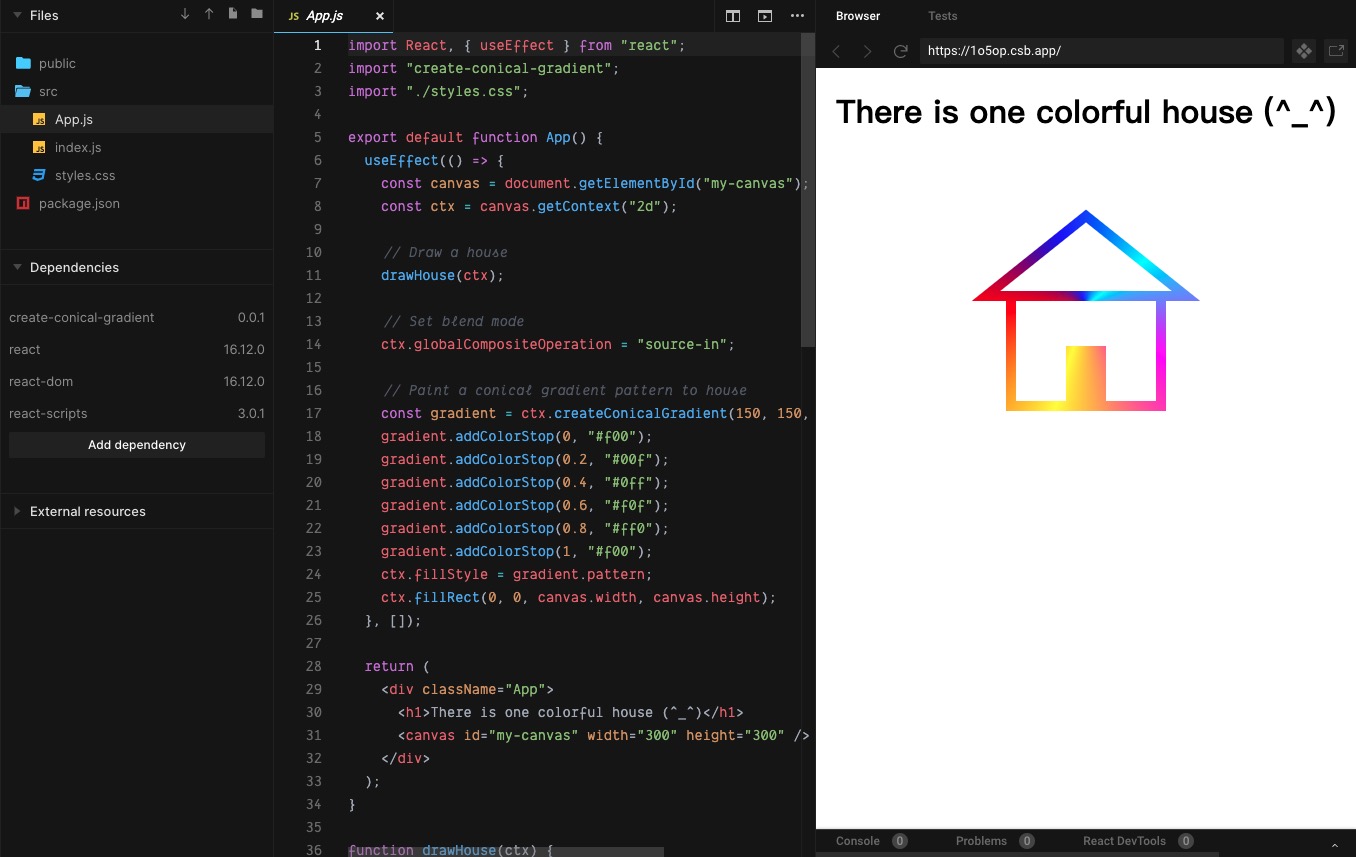
CSS3 already supports the conical gradients by the property [`conic-gradient`](https://developer.mozilla.org/en-US/docs/Web/CSS/conic-gradient), but unfortunately, [HTML Canvas API](https://developer.mozilla.org/en-US/docs/Web/API/Canvas_API) does not yet. One good news to you is that use this package to implement that, by a method similar to [`CanvasRenderingContext2D.createLinearGradient()`](https://developer.mozilla.org/en-US/docs/Web/API/CanvasRenderingContext2D/createLinearGradient) and [`CanvasRenderingContext2D.createRadialGradient()`](https://developer.mozilla.org/en-US/docs/Web/API/CanvasRenderingContext2D/createRadialGradient).
## 🥪 Demo Online
 ## 🌮 Install
Install the **npm** package for development:
```bash
yarn add create-conical-gradient # OR `npm i --save create-conical-gradient`
```
Of course, you can also use the **umd** resources for production:
```html
```
## 🥯 Quickstart
Codes:
```html
```
```js
import 'create-conical-gradient'; // If you use the npm package.
const canvas = document.getElementById('my-canvas');
const ctx = canvas.getContext('2d');
const gradient = ctx.createConicalGradient(240, 135, -Math.PI, Math.PI);
gradient.addColorStop(0, '#f00');
gradient.addColorStop(0.2, '#00f');
gradient.addColorStop(0.4, '#0ff');
gradient.addColorStop(0.6, '#f0f');
gradient.addColorStop(0.8, '#ff0');
gradient.addColorStop(1, '#f00');
ctx.fillStyle = gradient.pattern;
ctx.fillRect(0, 0, canvas.width, canvas.height);
```
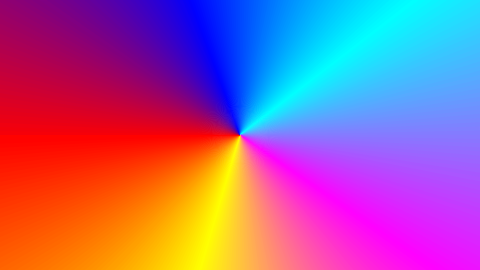
Output:
## 🍔 Docs
### ctx.createConicalGradient
#### Syntax
```js
void ctx.createConicalGradient(ox, oy, startAngle, endAngle, anticlockwise);
```
#### Parameters
##### `ox`
The x-axis coordinate of the origin of the gradient pattern, which default value is `0`.
##### `oy`
The y-axis coordinate of the origin of the gradient pattern, which default value is `0`.
##### `startAngle`
The angle at which the arc starts in radians measured from the positive x-axis, which default value is `0`.
##### `endAngle`
The angle at which the arc ends in radians measured from the positive x-axis, which default value is `2 * Math.PI`.
##### `anticlockwise`
An optional `Boolean`. If true, draws the gradient counter-clockwise between the start and end angles. The default is `false` (clockwise).
### gradient.addColorStop
#### Syntax
```js
void gradient.addColorStop(offset, color);
```
#### Parameters
##### `offset`
A number between `0` and `1`, inclusive, representing the position of the color stop. `0` represents the start of the gradient and `1` represents the end; an `INDEX_SIZE_ERR` is raised if the number is outside that range.
##### `color`
A [**CSS \**](https://developer.mozilla.org/en-US/docs/Web/CSS/color_value) value representing the color of the stop. A `SYNTAX_ERR` is raised if the value cannot be parsed as a **CSS \** value.
## 🍰 License
[MIT License](https://github.com/parksben/create-conical-gradient/blob/master/LICENSE)
## 🌮 Install
Install the **npm** package for development:
```bash
yarn add create-conical-gradient # OR `npm i --save create-conical-gradient`
```
Of course, you can also use the **umd** resources for production:
```html
```
## 🥯 Quickstart
Codes:
```html
```
```js
import 'create-conical-gradient'; // If you use the npm package.
const canvas = document.getElementById('my-canvas');
const ctx = canvas.getContext('2d');
const gradient = ctx.createConicalGradient(240, 135, -Math.PI, Math.PI);
gradient.addColorStop(0, '#f00');
gradient.addColorStop(0.2, '#00f');
gradient.addColorStop(0.4, '#0ff');
gradient.addColorStop(0.6, '#f0f');
gradient.addColorStop(0.8, '#ff0');
gradient.addColorStop(1, '#f00');
ctx.fillStyle = gradient.pattern;
ctx.fillRect(0, 0, canvas.width, canvas.height);
```
Output:

## 🍔 Docs
### ctx.createConicalGradient
#### Syntax
```js
void ctx.createConicalGradient(ox, oy, startAngle, endAngle, anticlockwise);
```
#### Parameters
##### `ox`
The x-axis coordinate of the origin of the gradient pattern, which default value is `0`.
##### `oy`
The y-axis coordinate of the origin of the gradient pattern, which default value is `0`.
##### `startAngle`
The angle at which the arc starts in radians measured from the positive x-axis, which default value is `0`.
##### `endAngle`
The angle at which the arc ends in radians measured from the positive x-axis, which default value is `2 * Math.PI`.
##### `anticlockwise`
An optional `Boolean`. If true, draws the gradient counter-clockwise between the start and end angles. The default is `false` (clockwise).
### gradient.addColorStop
#### Syntax
```js
void gradient.addColorStop(offset, color);
```
#### Parameters
##### `offset`
A number between `0` and `1`, inclusive, representing the position of the color stop. `0` represents the start of the gradient and `1` represents the end; an `INDEX_SIZE_ERR` is raised if the number is outside that range.
##### `color`
A [**CSS \**](https://developer.mozilla.org/en-US/docs/Web/CSS/color_value) value representing the color of the stop. A `SYNTAX_ERR` is raised if the value cannot be parsed as a **CSS \** value.
## 🍰 License
[MIT License](https://github.com/parksben/create-conical-gradient/blob/master/LICENSE)