Cordova ParsePushNotification plugin
====================
# Overview #
parse push notification
[android, ios, wp8] [crodova cli] [xdk] [cocoon] [phonegap build service]
Requires parse account http://parse.com
Parse android SDK (v1.9.4)
Parse ios SDK (v1.7.5)
Parse wp8 SDK (v1.5.3)
This is open source cordova plugin.
You can see Cordova Plugins in one page: http://cranberrygame.github.io?referrer=github
# Change log #
```c
```
# Install plugin #
## Cordova cli ##
https://cordova.apache.org/docs/en/edge/guide_cli_index.md.html#The%20Command-Line%20Interface - npm install -g cordova@6.0.0
```c
cordova plugin add cordova-plugin-pushnotification-parsepushnotification
(when build error, use github url: cordova plugin add https://github.com/cranberrygame/cordova-plugin-pushnotification-parsepushnotification)
```
## Xdk ##
https://software.intel.com/en-us/intel-xdk - Download XDK - XDK PORJECTS - [specific project] - CORDOVA HYBRID MOBILE APP SETTINGS - Plugin Management - Add Plugins to this Project - Third Party Plugins -
```c
Plugin Source: Cordova plugin registry
Plugin ID: cordova-plugin-pushnotification-parsepushnotification
```
## Cocoon ##
https://cocoon.io - Create project - [specific project] - Setting - Plugins - Custom - Git Url: https://github.com/cranberrygame/cordova-plugin-pushnotification-parsepushnotification.git - INSTALL - Save
## Phonegap build service (config.xml) ##
https://build.phonegap.com/ - Apps - [specific project] - Update code - Zip file including config.xml
```c
```
## Construct2 ##
Download construct2 plugin
https://dl.dropboxusercontent.com/u/186681453/pluginsforcordova/index.html#paid
How to install c2 native plugins in xdk, cocoon and cordova cli
https://plus.google.com/102658703990850475314/posts/XS5jjEApJYV
# Server setting #
```c
```
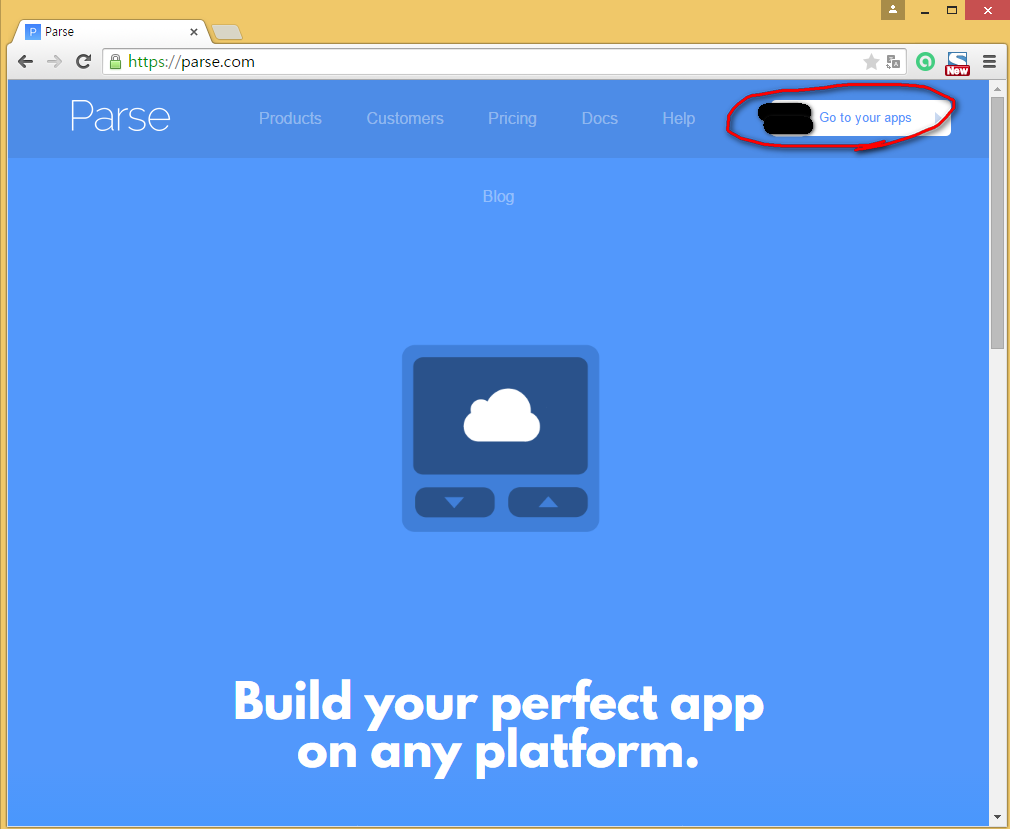
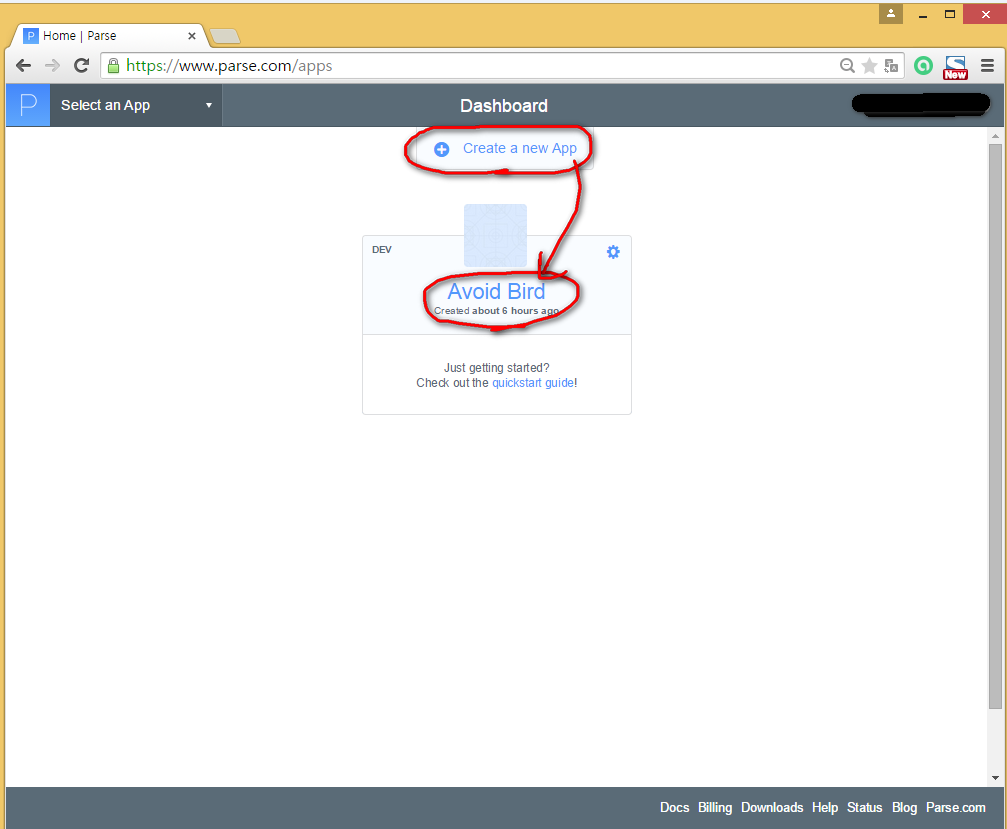
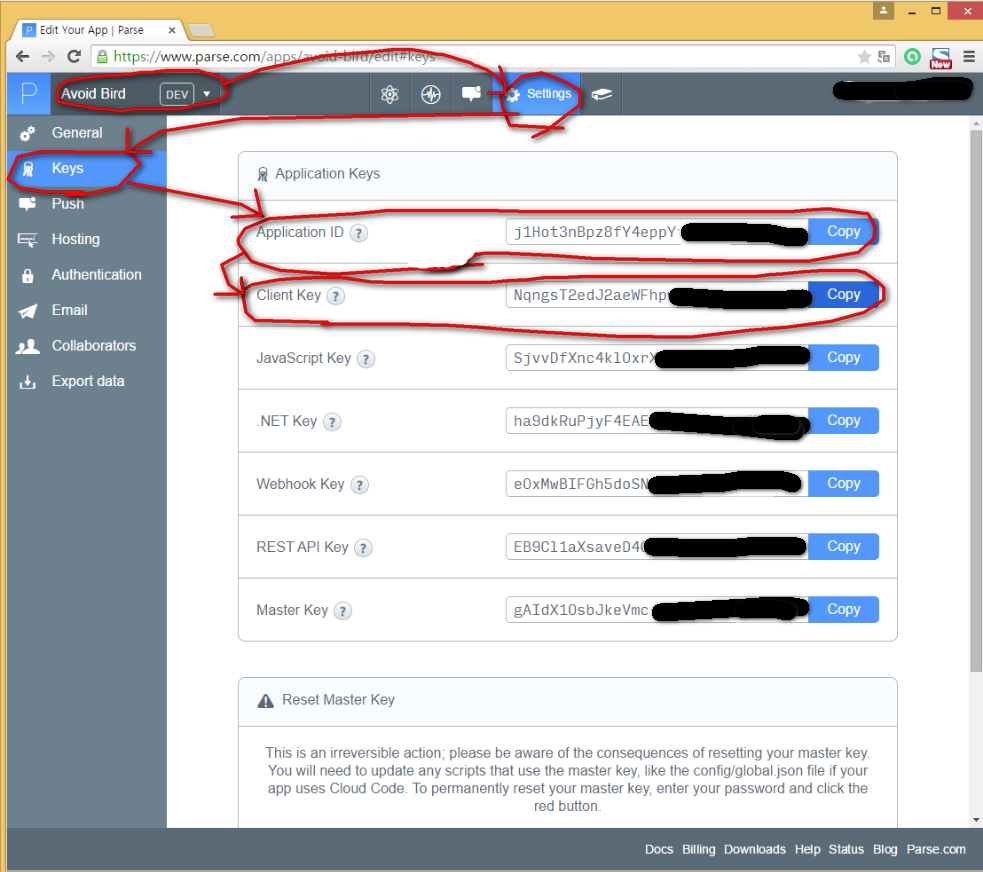
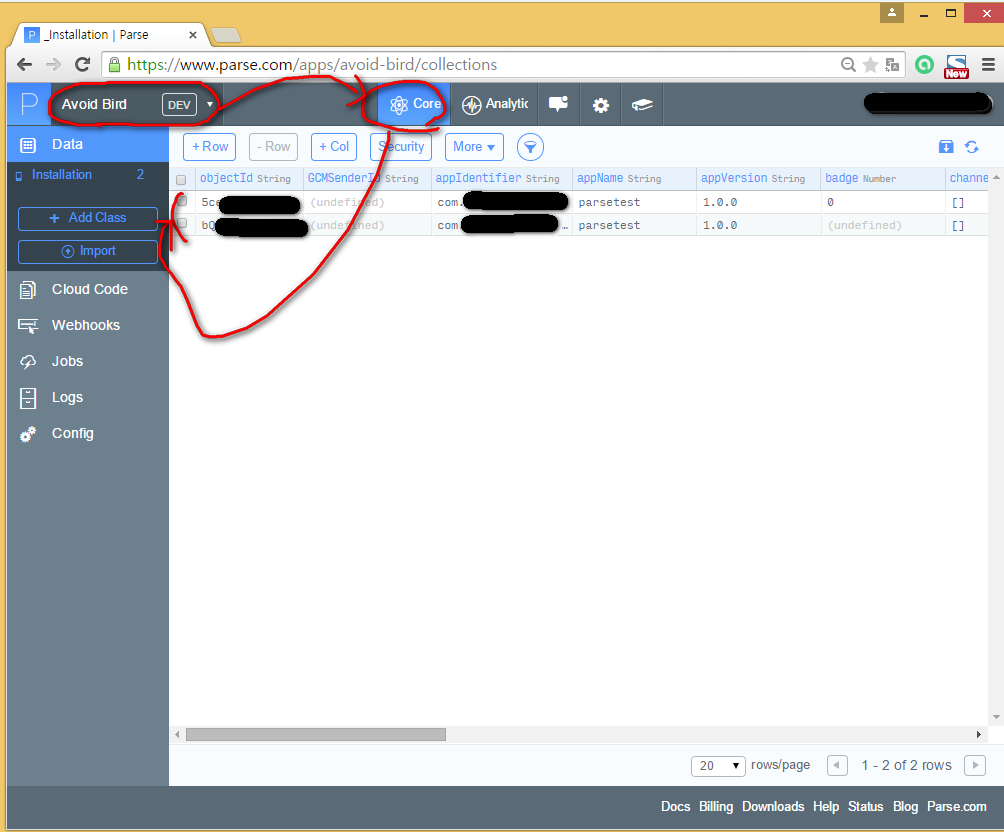
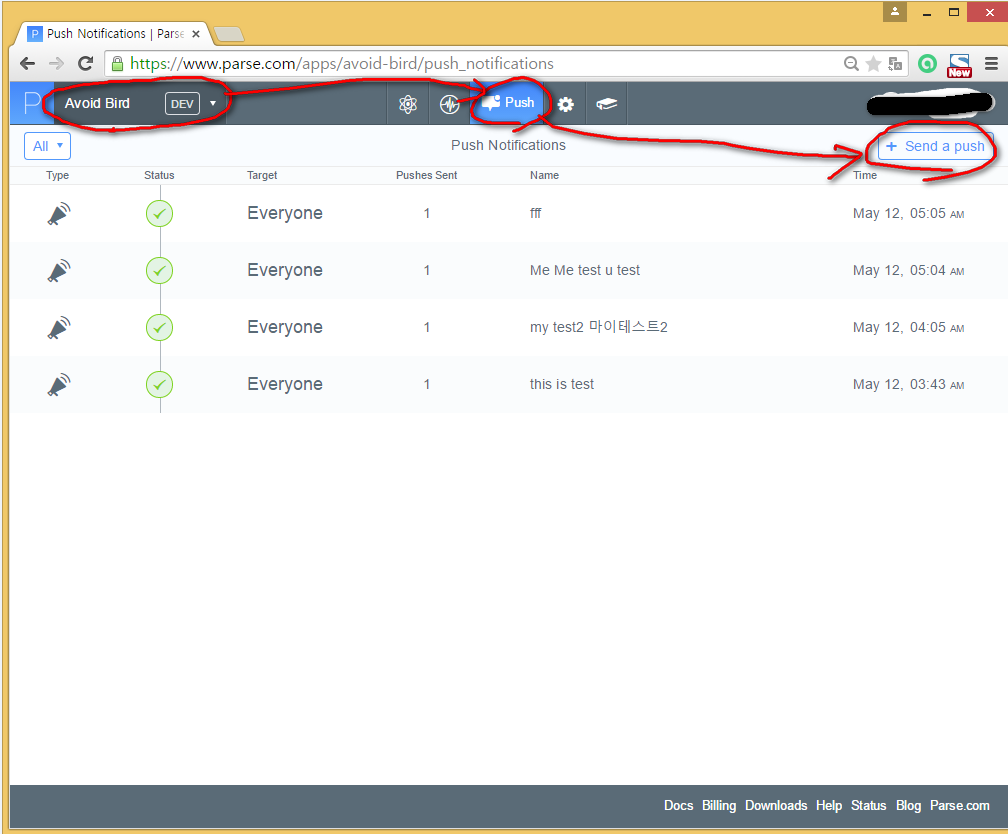
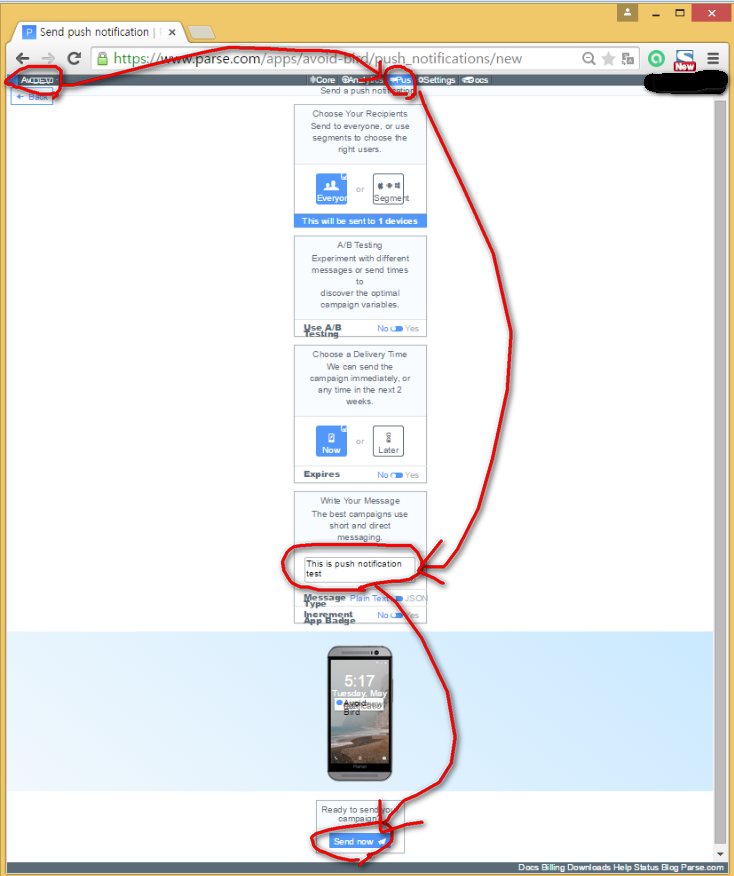
## parse.com ##
## ios ##
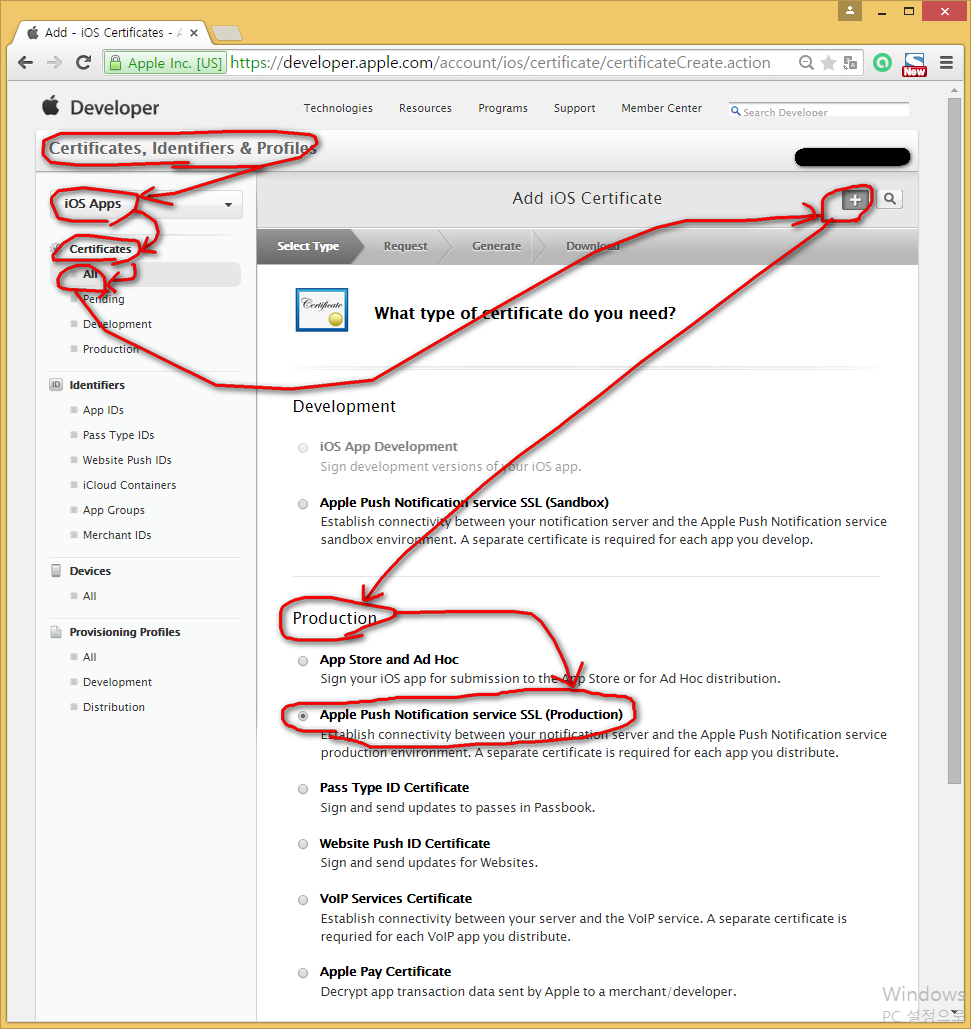
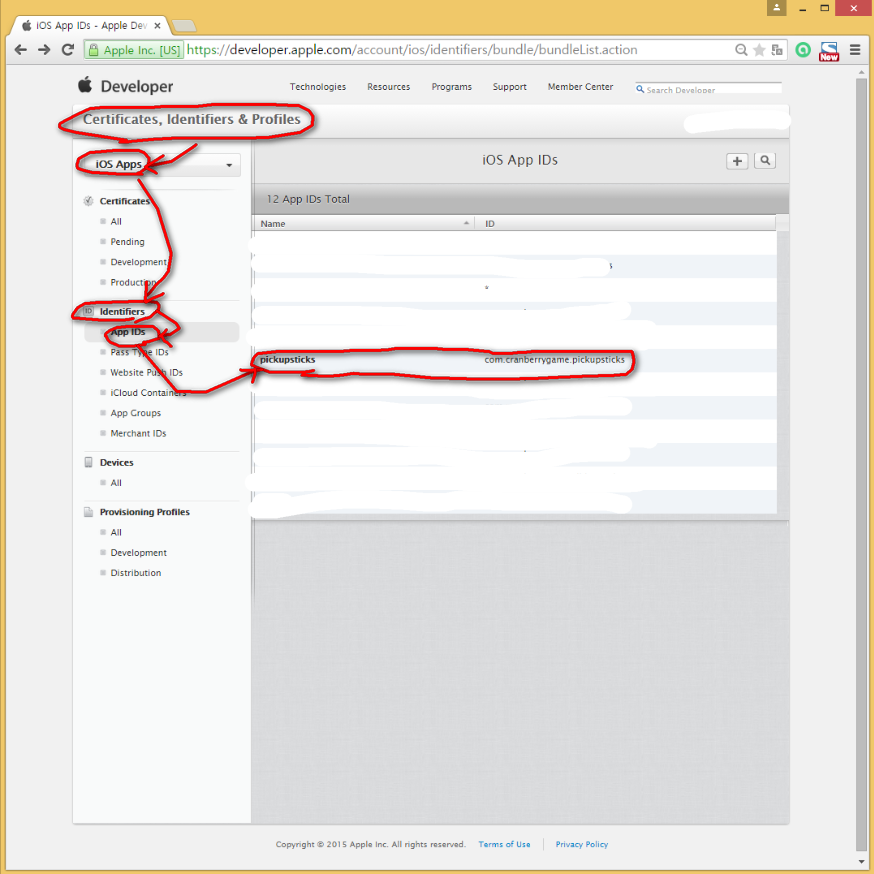
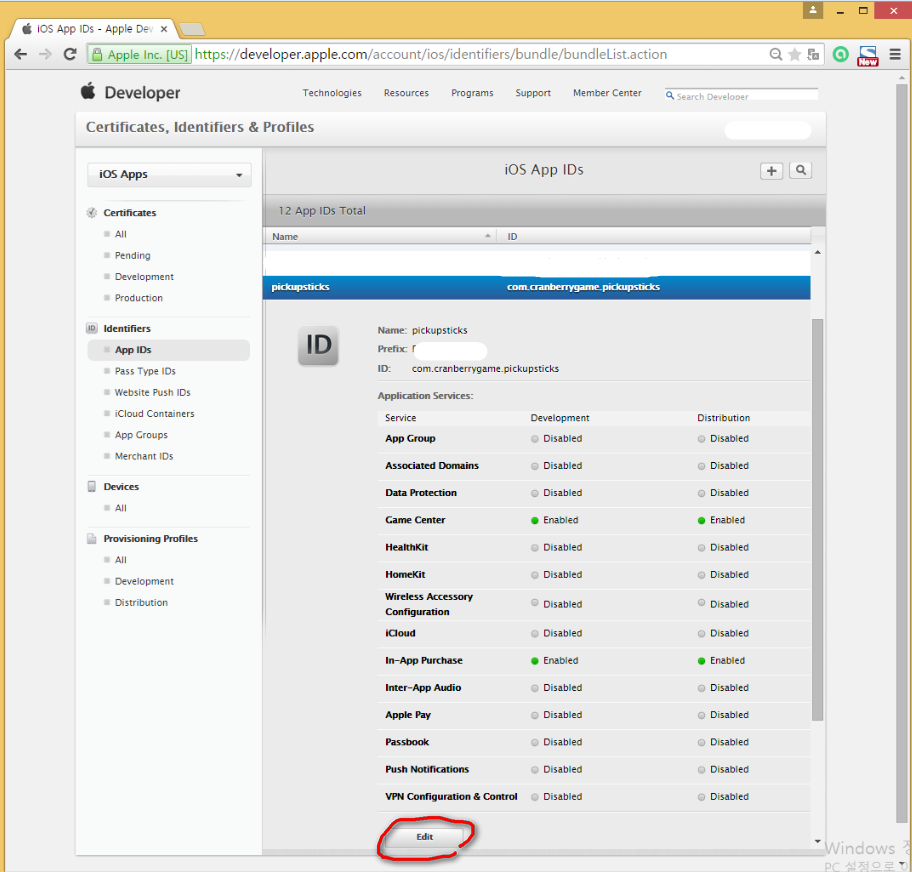
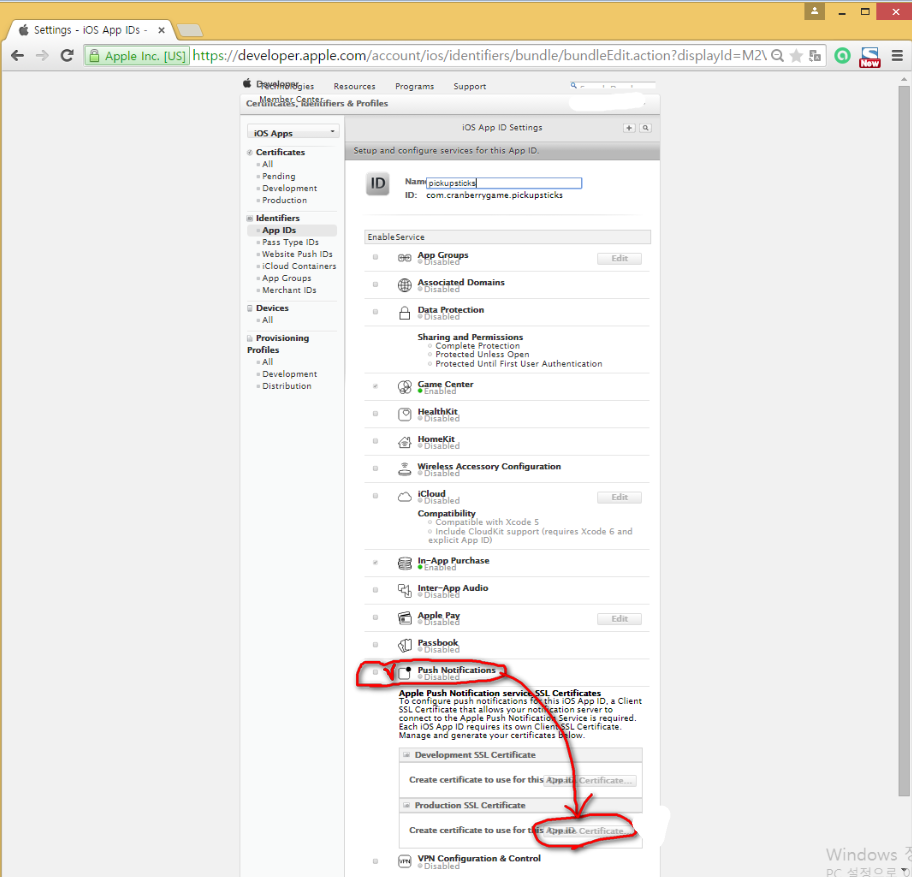
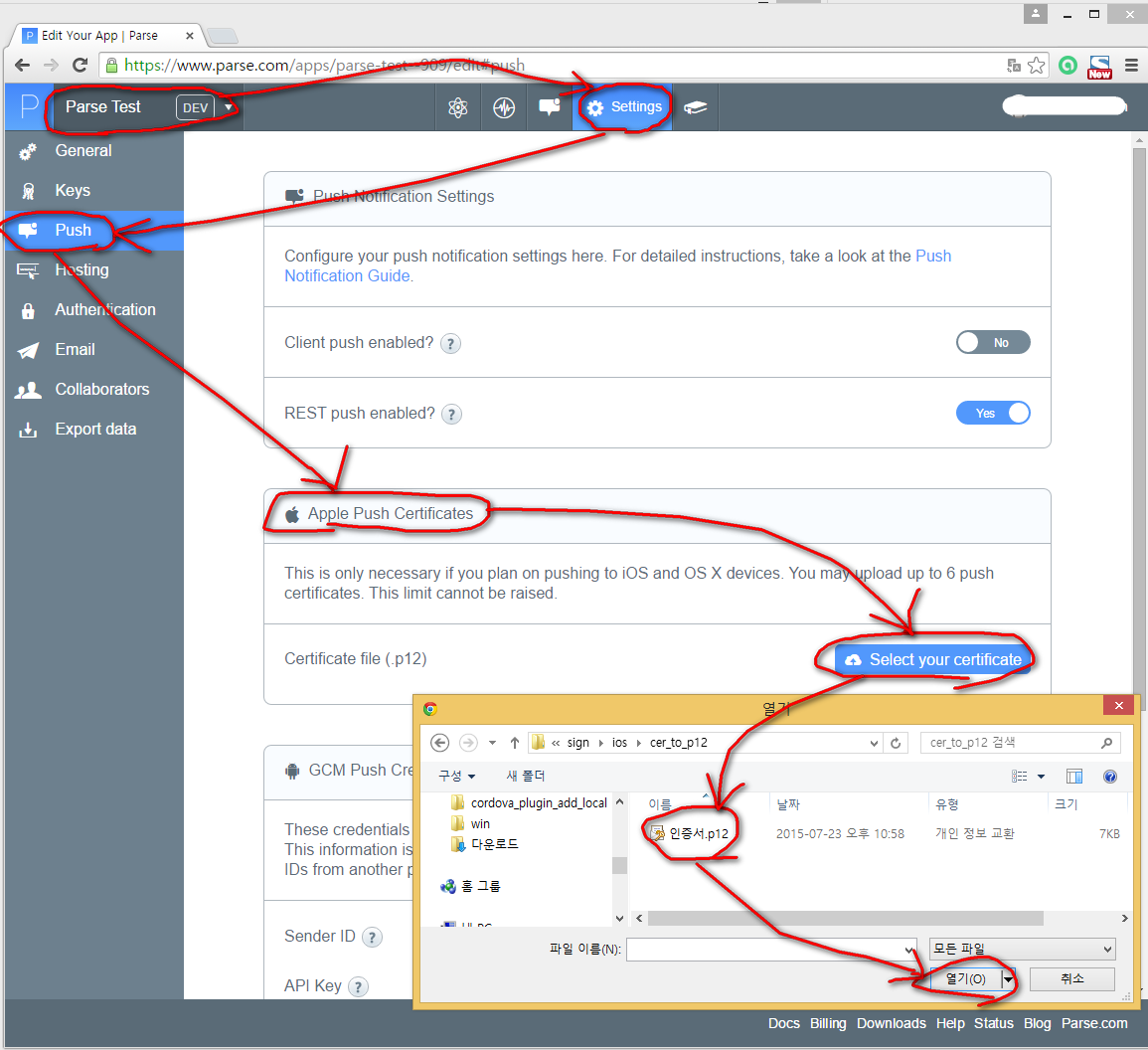
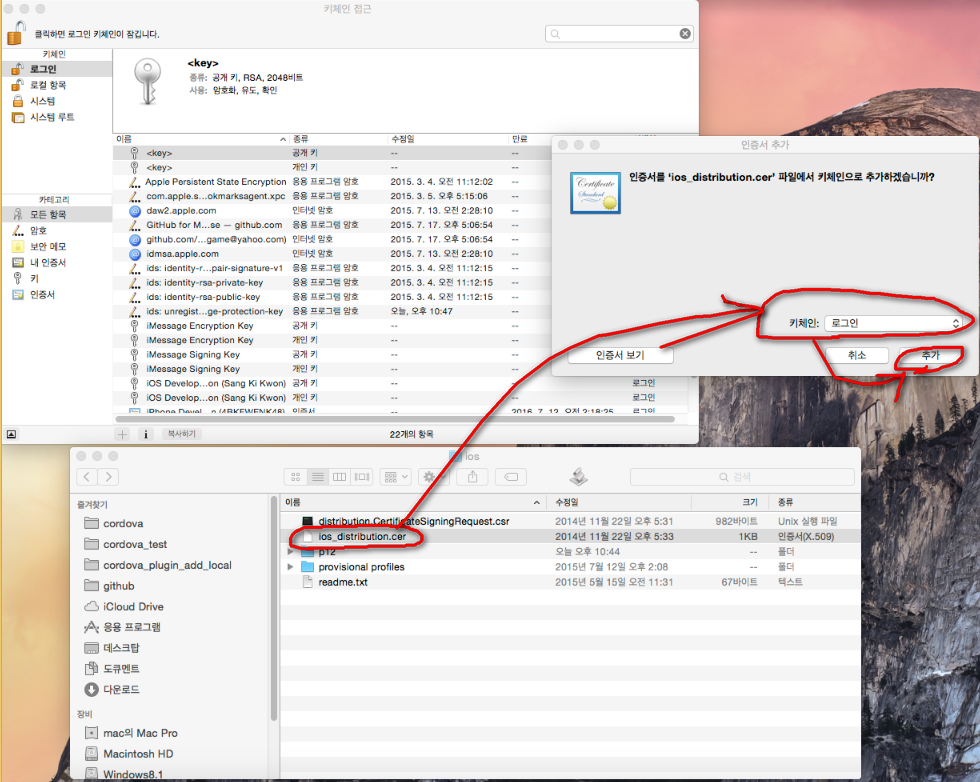
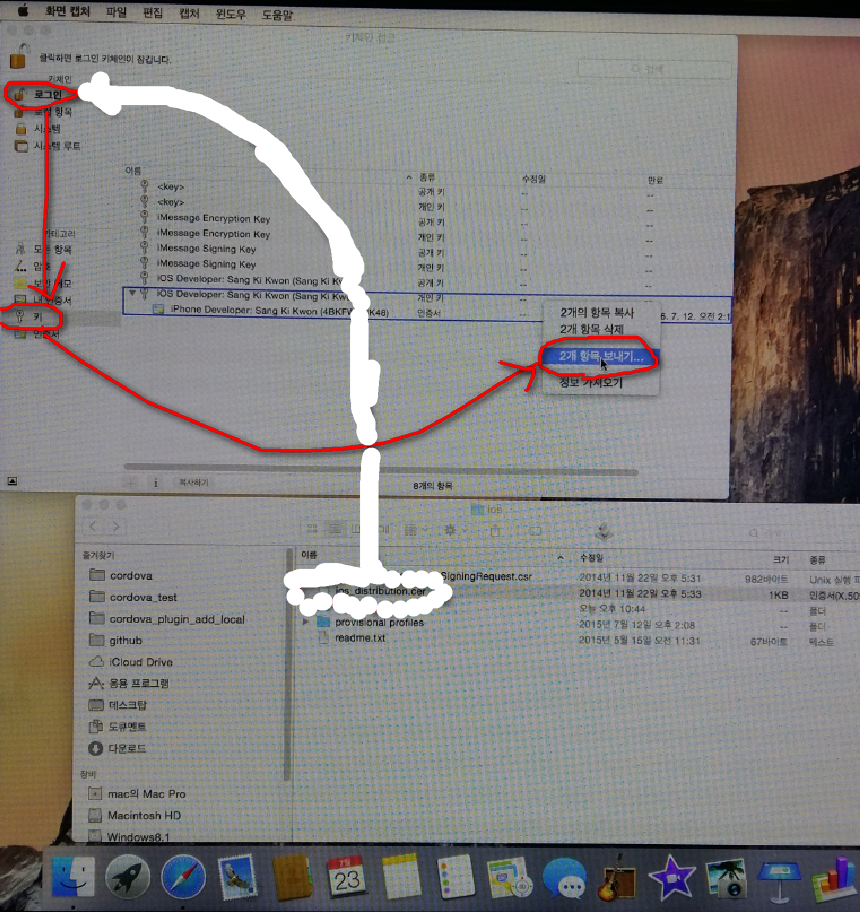
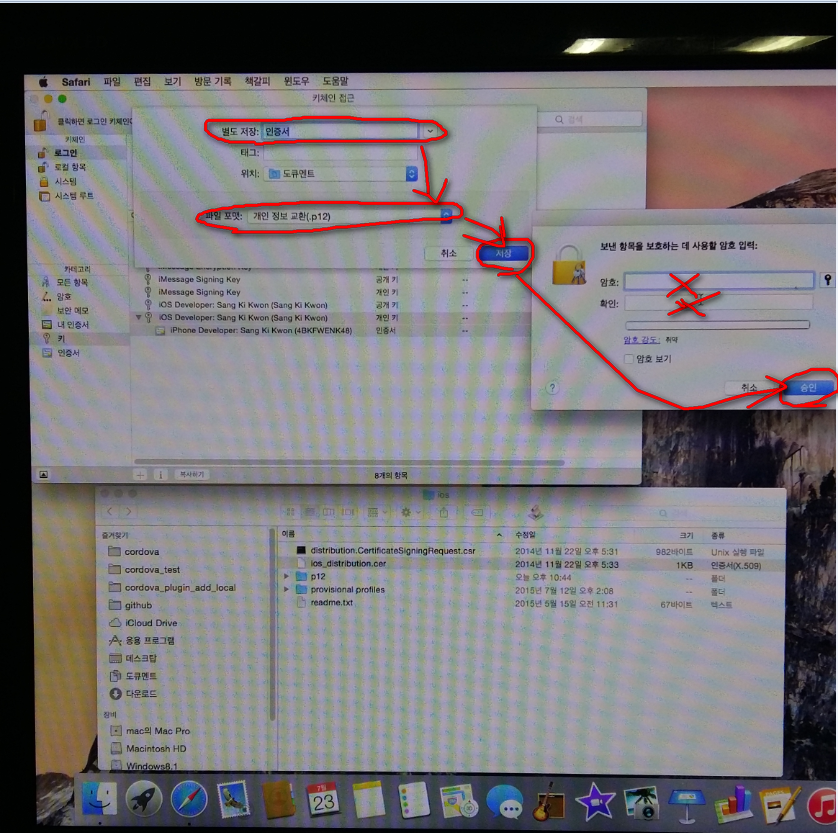
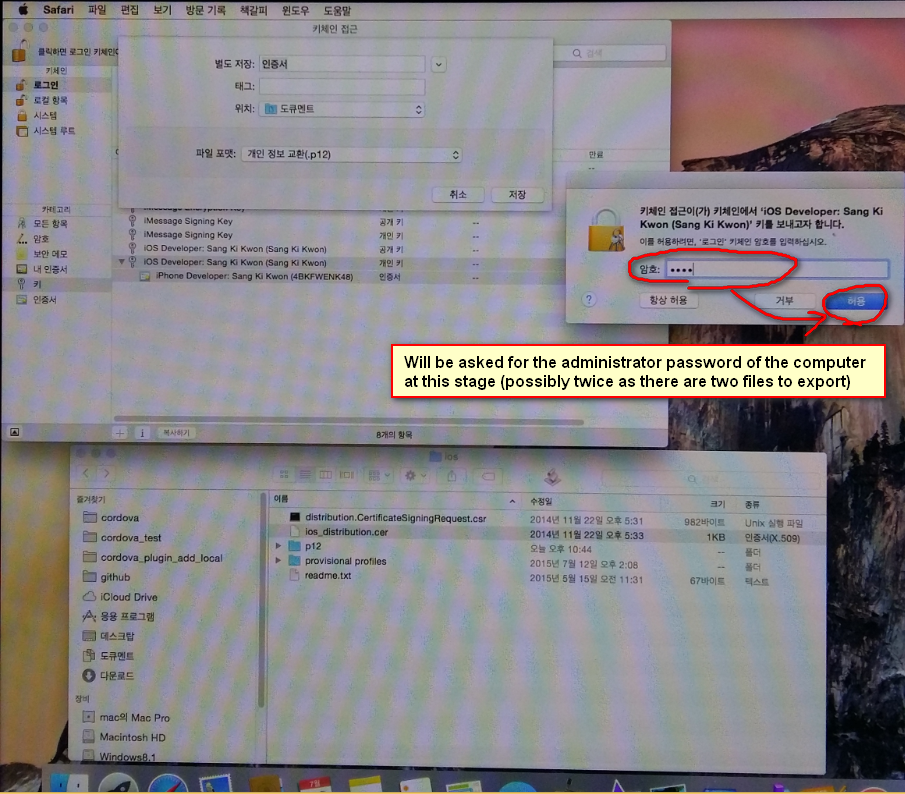
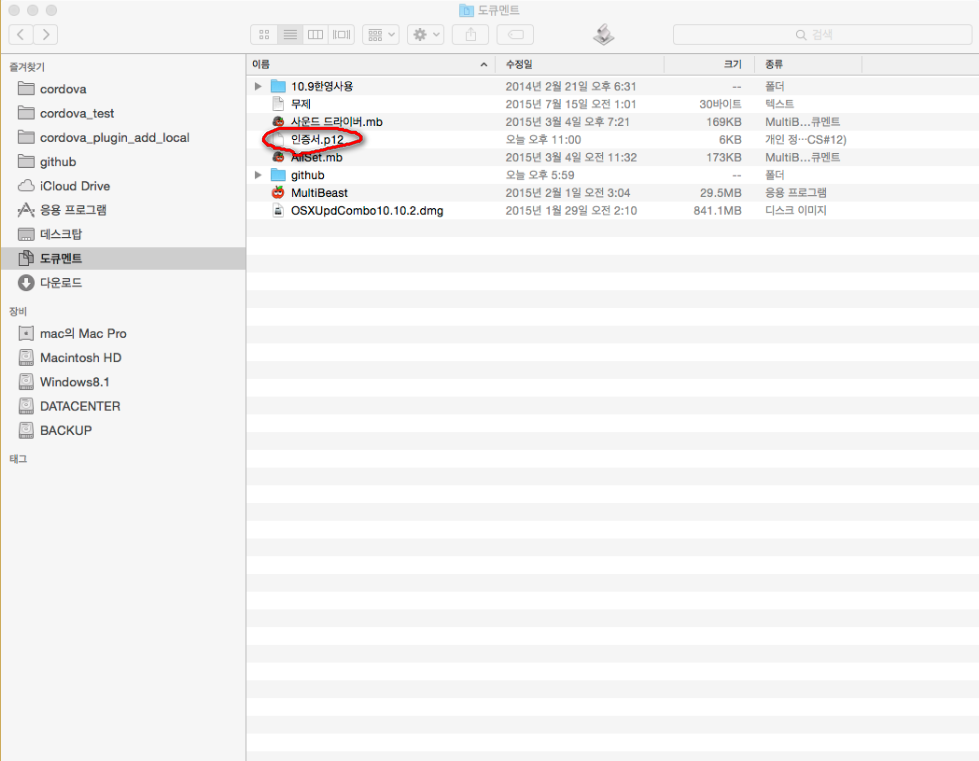
Configuring your App ID for Development Push Notifications
https://www.parse.com/tutorials/ios-push-notifications
How do I make a .p12
http://appfurnace.com/2015/01/how-do-i-make-a-p12-file/
# API #
```javascript
var applicationId = "REPLACE_THIS_WITH_YOUR_APPLICATION_ID";
var clientKey = "REPLACE_THIS_WITH_YOUR_CLIENT_KEY";
document.addEventListener("deviceready", function(){
window.parsepushnotification.setUp(applicationId, clientKey);
//registerAsPushNotificationClient callback (called after setUp)
window.parsepushnotification.onRegisterAsPushNotificationClientSucceeded = function() {
alert('onRegisterAsPushNotificationClientSucceeded');
};
window.parsepushnotification.onRegisterAsPushNotificationClientFailed = function() {
alert('onRegisterAsPushNotificationClientFailed');
};
//subscribe callback
window.parsepushnotification.onSubscribeToChannelSucceeded = function() {
alert('onSubscribeToChannelSucceeded');
};
window.parsepushnotification.onSubscribeToChannelFailed = function() {
alert('onSubscribeToChannelFailed');
};
//unsubscribe callback
window.parsepushnotification.onUnsubscribeSucceeded = function() {
alert('onUnsubscribeSucceeded');
};
window.parsepushnotification.onUnsubscribeFailed = function() {
alert('onUnsubscribeFailed');
};
}, false);
//
window.parsepushnotification.subscribeToChannel('Game');//parameter: channel
//
window.parsepushnotification.unsubscribe('Game');//parameter: channel
```
# Examples #
example/basic/index.html
example/advanced/index.html
# Test #
[](https://www.youtube.com/watch?v=xX4znfZx8HE&feature=youtu.be "Youtube")
You can also run following test apk.
https://dl.dropboxusercontent.com/u/186681453/pluginsforcordova/parsepushnotification/apk.html
# Useful links #
Cordova Plugins
http://cranberrygame.github.io?referrer=github
# Credits #
https://github.com/avivais/phonegap-parse-plugin