# inAppPurchases.completePurchase(productId,consume)
## Usage:
```js
inAppPurchases.completePurchase(productId,consume)
.then(function(purchase){
// purchase completed, acknolwedged and consumed
}).catch (function(err){
// view or handle error messages
});
```
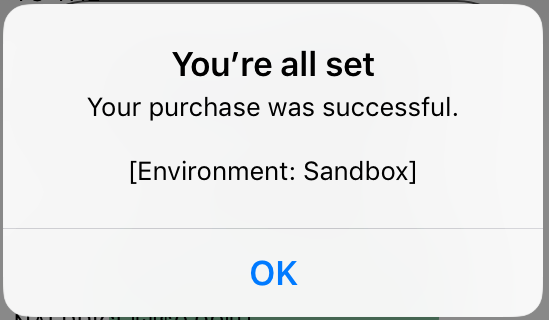
## Description:
- complete a purchase, consume it if it is a consumable
- acknowledges and consumes purchases (on Android unacknowledged purchases will be returned after a few days)
- use after every purchase call
- use after loading purchases with [`inAppPurchases.restorePurchases(productIds)`](restorePurchases.md#Example) to complete delayed purchases once they are not pending
- check if the purchase has been paid for before calling `["pending"] == false`, as it will fail if the purchase is still pending (on Android)
\* FYI: this function is necessary on Android, whereas on iOS the purchases do not need to be acknowledged, and they are consumed during the `inAppPurchases.purchase` call. On iOS this is function always completes successfully without connecting to the store after a new purchase
## Parameters:
- `product id` to complete purchase (string)
- `consume` (boolean - optional, will be false by default if not supplied)
- consume this product
- necessary on Android for consumables, they will not be available to buy again until consumed
## Returns:
A purchase object:
```js
purchase["productId"] // string: the product id
purchase["purchaseTime"] // int: timestamp of purchase
purchase["purchaseId"] // string: id assigned by the app store when it was bought, called the Google order ID or Appstore transaction id
purchase["purchaseToken"] // string: Android only, token value for completed purchases, use to handle subscriptions
purchase["quantity"] // int: number of purchased consumables, for non-consumables and subscriptions always returns 1
purchase["verified"] // boolean: receipt signature was verified (stops modded or pirated versions of an app from enabling fake purchases - may error instead when tampered, optional, is done for Android locally)
purchase["receipt"] // string: iOS only a receipt that can be used for verification, which has not been implemented
purchase["pending"] // boolean: Android only, purchase is pending (not paid for yet), wait for user to complete cash payment, then run inAppPurchases.completePurchase(productId) to complete (acknowledge and consume) the purchase
purchase["completed"] // boolean: has been acknowledged or consumed, will be false (in Android), unacknowledged purchases will be returned after a few days in Android. unconsumed purchases will not be available for repurchase until they are completed
```
## Example
```js
function completeAdPurchase(){
inAppPurchases.completePurchase(ad_remove_id)
.then(function(purchase){
// purchase is acknowledged and consumed
// ready to consume again, and won't be refunded on Android
}).catch (function(err){
alert("problem completing purchase: "+ err); //is it still pending?
});
}
```
## Tips:
- call for all different purchase types to acknowledge and consume
- fails when the purchase is still pending, wait until getPurchases or restorePurchaes returns "pending" as false
- only in-app purchases can be consumable (not subscriptions), consume will be ignored for subscriptions
- on Android the time needed to call `inAppPurchases.completePurchase(productId)` starts after it is no longer pending. After it has been paid for, the purchase must be completed within a few days or it will be returned
- since the API returns a promise, it is asynchronous... call it and continue with other actions, or await for it to finish from within an async function to wait for the call to finish.
[go to main](../README.md#plugin-usage)