# cordova-plugin-crop
> Crop an image in a Cordova app
## Install
```
$ cordova plugin add --save cordova-plugin-crop
```
## Usage
```js
plugins.crop(function success () {
}, function fail () {
}, '/path/to/image', options)
```
or, if you are running on an environment that supports Promises
(Crosswalk, Android >= KitKat, iOS >= 8)
```js
plugins.crop.promise('/path/to/image', options)
.then(function success (newPath) {
})
.catch(function fail (err) {
})
```
## API
* quality: Number
The resulting JPEG quality. default: 100
## Ionic / Typescript Example Angular 2 Service
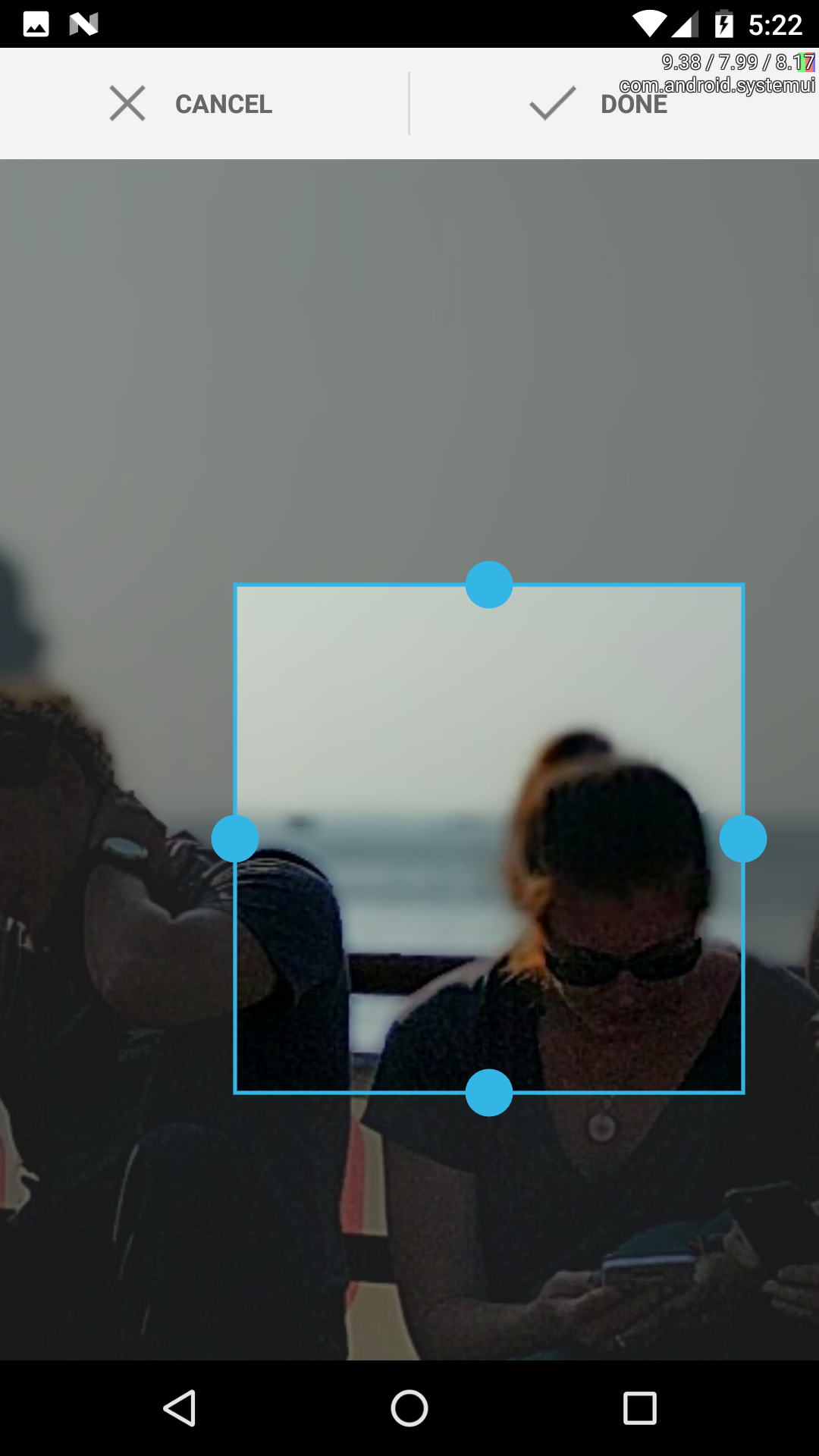 This is an example service that uses ionic-native's built in camera and the cordova-plugin-crop to created a cropped version of the image and return the file path.
```js
import { Injectable } from '@angular/core';
import { Platform } from 'ionic-angular';
import { Camera } from 'ionic-native';
declare var plugins: any;
@Injectable()
export class CameraService {
public options: any = {
allowEdit: true,
sourceType: Camera.PictureSourceType.SAVEDPHOTOALBUM,
mediaType: Camera.MediaType.ALLMEDIA,
destinationType: Camera.DestinationType.FILE_URI
}
constructor(public platform: Platform) {}
// Return a promise to catch errors while loading image
getMedia(): Promise {
return new Promise((resolve, reject) => {
// Get Image from ionic-native's built in camera plugin
Camera.getPicture(this.options).then((fileUri) => {
// Crop Image, on android this returns something like, '/storage/emulated/0/Android/...'
// Only giving an android example as ionic-native camera has built in cropping ability
if (this.platform.is('android') {
// Modify fileUri format, may not always be necessary
fileUri = 'file://' + fileUri;
const options = { quality: 100 };
/* Using cordova-plugin-crop starts here */
plugins.crop.promise(fileUri, options).then( (path) => {
// path looks like 'file:///storage/emulated/0/Android/data/com.foo.bar/cache/1477008080626-cropped.jpg?1477008106566'
console.log('Cropped Image Path!: ' + path);
// Do whatever you want with new path such as read in a file
// Here we resolve the path to finish, but normally you would now want to read in the file
resolve(path);
}).catch( (error) => {
reject(error);
});
}
}).catch((error) => {
reject(error);
}
});
}
}
```
### Libraries used
* iOS: [PEPhotoCropEditor](https://github.com/kishikawakatsumi/PEPhotoCropEditor)
* Android: [android-crop](https://github.com/jdamcd/android-crop)
## License
MIT © [Jeduan Cornejo](https://github.com/jeduan)
This is an example service that uses ionic-native's built in camera and the cordova-plugin-crop to created a cropped version of the image and return the file path.
```js
import { Injectable } from '@angular/core';
import { Platform } from 'ionic-angular';
import { Camera } from 'ionic-native';
declare var plugins: any;
@Injectable()
export class CameraService {
public options: any = {
allowEdit: true,
sourceType: Camera.PictureSourceType.SAVEDPHOTOALBUM,
mediaType: Camera.MediaType.ALLMEDIA,
destinationType: Camera.DestinationType.FILE_URI
}
constructor(public platform: Platform) {}
// Return a promise to catch errors while loading image
getMedia(): Promise {
return new Promise((resolve, reject) => {
// Get Image from ionic-native's built in camera plugin
Camera.getPicture(this.options).then((fileUri) => {
// Crop Image, on android this returns something like, '/storage/emulated/0/Android/...'
// Only giving an android example as ionic-native camera has built in cropping ability
if (this.platform.is('android') {
// Modify fileUri format, may not always be necessary
fileUri = 'file://' + fileUri;
const options = { quality: 100 };
/* Using cordova-plugin-crop starts here */
plugins.crop.promise(fileUri, options).then( (path) => {
// path looks like 'file:///storage/emulated/0/Android/data/com.foo.bar/cache/1477008080626-cropped.jpg?1477008106566'
console.log('Cropped Image Path!: ' + path);
// Do whatever you want with new path such as read in a file
// Here we resolve the path to finish, but normally you would now want to read in the file
resolve(path);
}).catch( (error) => {
reject(error);
});
}
}).catch((error) => {
reject(error);
}
});
}
}
```
### Libraries used
* iOS: [PEPhotoCropEditor](https://github.com/kishikawakatsumi/PEPhotoCropEditor)
* Android: [android-crop](https://github.com/jdamcd/android-crop)
## License
MIT © [Jeduan Cornejo](https://github.com/jeduan)