---
sidebar_position: 5
sidebar_label: Viewport
---
# Module: Viewport
An extension can register a Viewport Module by defining a `getViewportModule`
method that returns a React component. Currently, we use viewport components to
add support for:
- 2D Medical Image Viewing (cornerstone ext.)
- Structured Reports as HTML (dicom html ext.)
- Encapsulated PDFs as PDFs (dicom pdf ext.)
- Whole Slide Microscopy Viewing (whole slide ext.)
- etc.
The general pattern is, the [`sopClassHandlerModule`](#) helps us determine
which Viewport Component a set of `sopClassUIDs` should default to. The Viewport
Component receives props containing a display set it should know how to render.
## Viewport Component Props
Each `ViewportComponent` will receive the following props:
```html
```
| Property | Type | Description |
| --------------- | --------------- | --------------------------------- |
| `children` | React.element[] | |
| `viewportData` | object | `viewportSpecificData` (probably) |
| `viewportIndex` | number | |
### `@ohif/viewer`
Viewport components are managed by the `ViewportGrid` Component. Which Viewport
component is used depends on:
- The Layout Configuration
- Registered SopClassHandlers
- The SopClassUID for visible/selected datasets
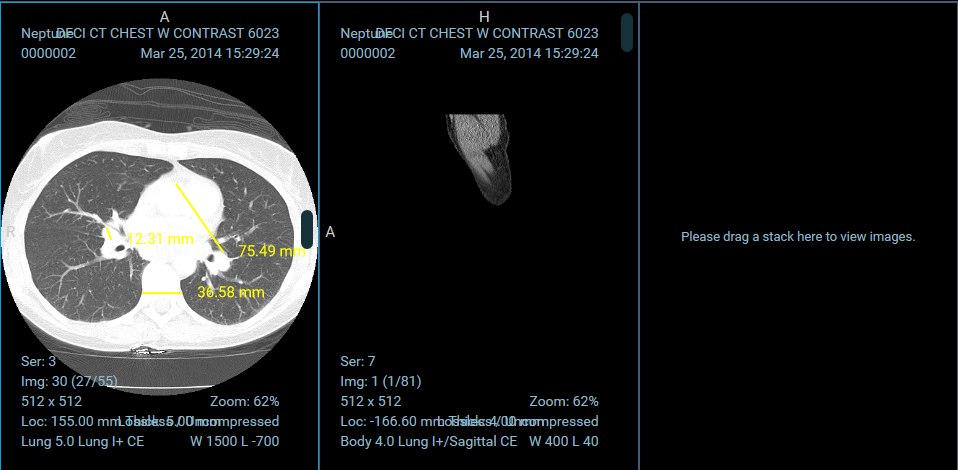
An example of three cornerstone Viewports