---
sidebar_position: 4
sidebar_label: Toolbar
---
# Module: Toolbar
An extension can register a Toolbar Module by defining a `getToolbarModule`
method. This module is commonly used to define:
- [Module: Toolbar](#module-toolbar)
- [Example Toolbar Module](#example-toolbar-module)
- [Button Definitions](#button-definitions)
- [Nested Toolbar Menus](#nested-toolbar-menus)
- [Custom Components](#custom-components)
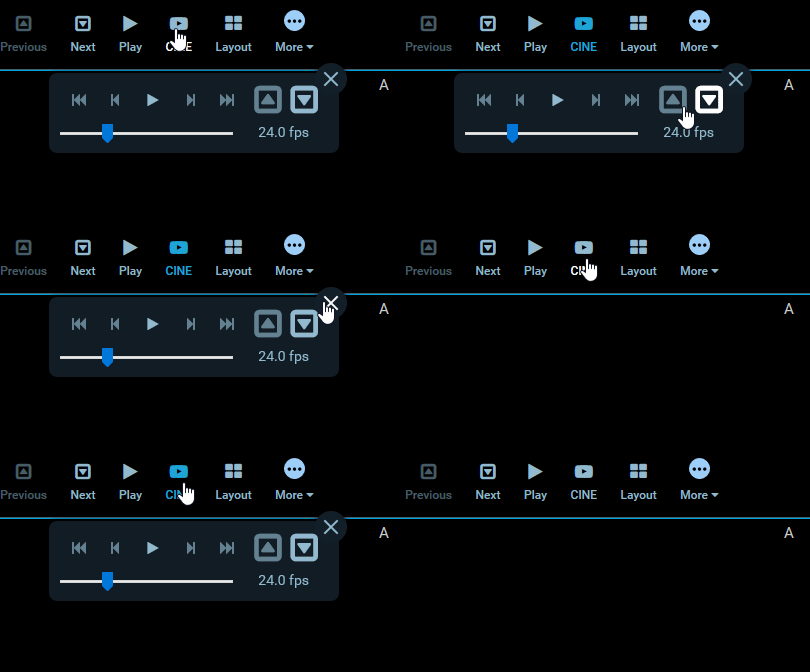
Example toolbar button using the Dialog Service to show CINE controls.
## Example Toolbar Module
The Toolbar Module should return an array of `definitions` and a
`defaultContext`. There are currently a few different variations of definitions,
each one is detailed further down.
```js
export default {
id: 'example-toolbar-module',
/**
* @param {object} params
* @param {ServicesManager} params.servicesManager
* @param {CommandsManager} params.commandsManager
*/
getToolbarModule({ servicesManager, commandsManager }) {
return {
definitions: [
/* Array of definitions */
],
defaultContext: ['ROUTE:VIEWER'],
};
},
};
```
## Button Definitions
The simplest definition has the following properties:
```js
{
id: 'StackScroll',
label: 'Stack Scroll',
icon: 'bars',
type: 'setToolActive',
commandName: 'setToolActive',
commandOptions: { toolName: 'StackScroll' },
},
```
| property | description | values |
| ---------------- | ----------------------------------------------------------------- | ----------------------------------------- |
| `id` | Unique string identifier for the definition | \* |
| `label` | User/display friendly to show in UI | \* |
| `icon` | A string name for an icon supported by the consuming application. | \* |
| `type` | Used to determine the button's component and behavior | `"setToolActive"`, `"command"` |
| `commandName` | (optional) The command to run when the button is used. | Any command registed by a `CommandModule` |
| `commandOptions` | (optional) Options to pass the target `commandName` | \* |
| `context` | (optional) Overrides module's `defaultContext` | Array of string context names |
Where a button with a `type` of `setToolActive` has an "active" styling applied
when clicked; removing the active styling from all other buttons.
## Nested Toolbar Menus
You can indicate that buttons should be grouped and nested in a submenu by
including `buttons` property in a definition:
```js
{
id: 'More',
label: 'More',
icon: 'ellipse-circle',
buttons: [
{
id: 'cstInvert',
label: 'Invert',
icon: 'circle',
type: 'command',
commandName: 'invertViewport',
},
],
},
```
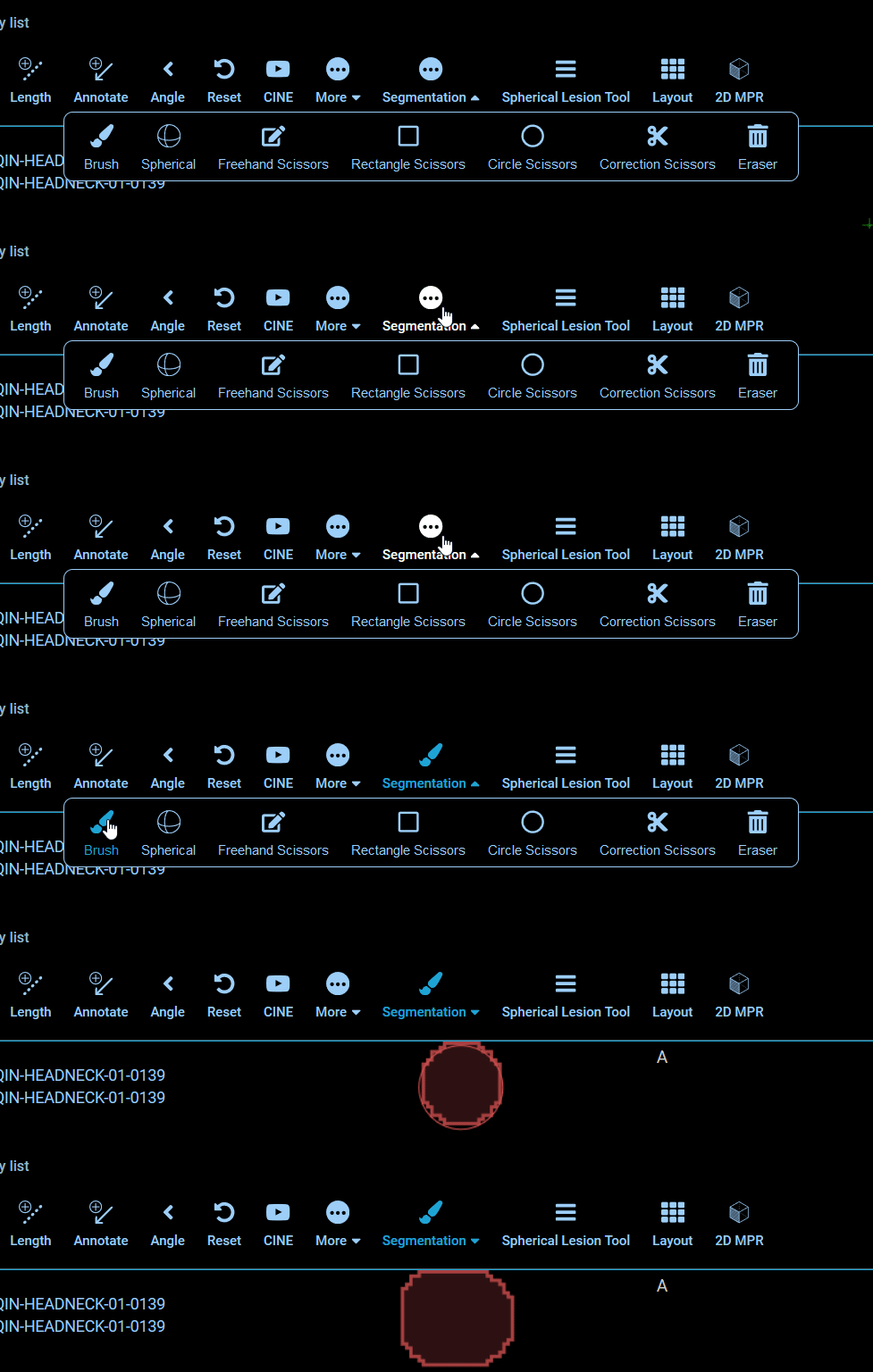
Example toolbar button demonstrating nested buttons.
## Custom Components
The Toolbar Modules supports rendering custom components in place of the
application's default. In place of the `type`, `commandName`, and
`commandOptions` properties, we instead specify a `CustomComponent`.
```js
{
id: 'Custom',
label: 'Custom',
icon: 'custom-icon',
CustomComponent: CustomToolbarComponent,
}
```
The `CustomComponent` components will receive the following props:
```html
```
| Property | Type | Description |
| ---------------------- | -------- | ------------------------------- |
| `activeButtons` | string[] | list of active buttons |
| `button` | object | its own definition object |
| `key` | string | React key prop |
| `isActive` | boolean | If current button is active |
| `parentContext` | ? | The parent component's context? |
| `toolbarClickCallback` | func | Callback method for clicks |