# cm-chessboard
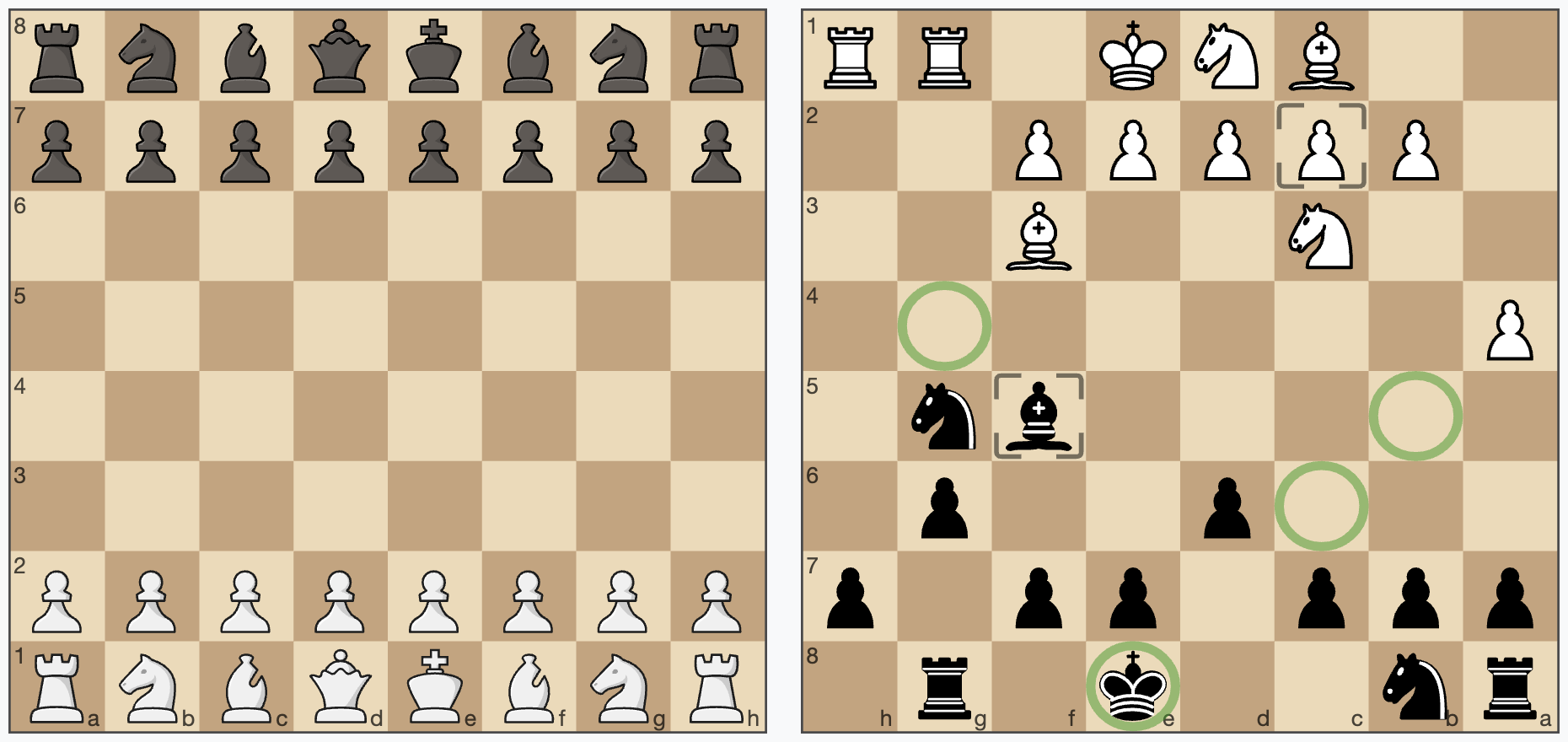
A JavaScript chessboard which is lightweight, ES6 module based, responsive, SVG rendered and **without dependencies**.
cm-chessboard is the main chessboard of
[chessmail.eu](https://www.chessmail.eu) and [chessmail.de](https://www.chessmail.de). It is also used
in [chess-console](https://shaack.com/projekte/chess-console/examples/load-pgn.html) and in
[cm-fen-editor](https://shaack.com/projekte/cm-fen-editor/). They are all nice written ES6 Modules to handle different aspects of chess games.
## Features
- **No dependencies**, just clean ES6
- [Can handle moves input via click or drag](https://shaack.com/projekte/cm-chessboard/examples/validate-moves.html)
- [Styleable via css and supports multiple piece sets](https://shaack.com/projekte/cm-chessboard/examples/different-styles.html)
- Uses SVG for rendering
- [Allows adding extensions to extend the
functionality](https://shaack.com/projekte/cm-chessboard/examples/extensions/arrows-extension.html)
- [Supports chess960 (Freestyle) castling input](https://shaack.com/projekte/cm-chessboard/examples/validate-moves-chess960.html)
## Extensions
The core of cm-chessboard is small, fast and reduced to the essentials. You can extend its functionality with extensions.
- [RightClickAnnotator](https://shaack.com/projekte/cm-chessboard/examples/extensions/right-click-annotator.html) ⇨ Uses [Markers Extension](https://shaack.com/projekte/cm-chessboard/examples/extensions/markers-extension.html) and [Arrows Extension](https://shaack.com/projekte/cm-chessboard/examples/extensions/arrows-extension.html). Adds the handling of mouse events to draw them on the board.
- [Markers Extension](https://shaack.com/projekte/cm-chessboard/examples/extensions/markers-extension.html) ⇨ create markers on specific squares
- [Arrows Extension](https://shaack.com/projekte/cm-chessboard/examples/extensions/arrows-extension.html) ⇨ renders arrows on the chessboard
- [Accessibility Extension](https://shaack.com/projekte/cm-chessboard/examples/extensions/accessibility-extension.html) ⇨ makes the chessboard more accessible
- [PromotionDialog Extension](https://shaack.com/projekte/cm-chessboard/examples/extensions/promotion-dialog-extension.html) ⇨ shows a dialog to select the piece to promote to
## Demo and repository
- **Demo: [http://shaack.com/projekte/cm-chessboard/](https://shaack.com/projekte/cm-chessboard/)**
- **Repository: [https://github.com/shaack/cm-chessboard](https://github.com/shaack/cm-chessboard)**
## Installation and first steps
### Step 1: Install the package
- **Option 1:** Install the [npm package](https://www.npmjs.com/package/cm-chessboard) with `npm install cm-chessboard`.
- **Option 2:** Download the code from [GitHub](https://github.com/shaack/cm-chessboard).
- **Option 3:** Use it via CDN https://cdn.jsdelivr.net/npm/cm-chessboard@8/src/Chessboard.js
### Step 2: Create your cm-chessboard page
#### Step 2a: Include the CSS file
```html
```
- Some extensions, like "[Markers](https://shaack.com/projekte/cm-chessboard/examples/extensions/markers-extension.html)", "[Promotion Dialog](https://shaack.com/projekte/cm-chessboard/examples/extensions/promotion-dialog-extension.html)" or "[Arrows](https://shaack.com/projekte/cm-chessboard/examples/extensions/arrows-extension.html)" need additional CSS. See the examples.
#### Step 2b: Create a container for the chessboard
```html
```
#### Step 2c: Create the chessboard in your JavaScript code.
```html
```
You need to configure the `assetsUrl` in your chessboard props (the second parameter). The `assetsUrl` must be the path to the `assets` folder of this project, where the pieces SVGs and other resources are located.
You can also copy the `assets` folder from `cm-chessboard/assets` to your project and modify the content.
#### See also
- [Simple cm-chessboard example online](https://shaack.com/projekte/cm-chessboard/examples/simple-boards.html)
### Step 3: (Optional) Enable user input
To enable the user to move the pieces, you have to enable the move input.
Markers are provided by the [Markers extension](https://shaack.com/projekte/cm-chessboard/examples/extensions/markers-extension.html) (not part of the core), so you need to import and enable it.
```javascript
import {Chessboard, FEN, INPUT_EVENT_TYPE} from "./path/to/Chessboard.js"
import {Markers} from "./path/to/extensions/markers/Markers.js"
const board = new Chessboard(document.getElementById("board"), {
position: FEN.start,
assetsUrl: "../assets/",
extensions: [{class: Markers}] // Looks better with markers. (Don't forget to also include the CSS for the markers)
})
board.enableMoveInput(inputHandler) // This enables the move input
function inputHandler(event) {
console.log(event)
if(event.type === INPUT_EVENT_TYPE.moveInputStarted ||
event.type === INPUT_EVENT_TYPE.validateMoveInput) {
return true // false cancels move
}
}
```
#### See also
- [Simple example with move input enabled](https://shaack.com/projekte/cm-chessboard/examples/enable-input.html)
- [More complex example with move validation](https://shaack.com/projekte/cm-chessboard/examples/validate-moves.html)
Take a look at the [/examples](https://github.com/shaack/cm-chessboard/tree/master/examples) folder for more examples.
## Configuration
Below is the default configuration
```javascript
this.props = {
position: FEN.empty, // set position as fen, use FEN.start or FEN.empty as shortcuts
orientation: COLOR.white, // white on bottom
responsive: true, // resize the board automatically to the size of the context element
assetsUrl: "./assets/", // put all css and sprites in this folder, will be ignored for absolute urls of assets files
assetsCache: true, // cache the sprites, deactivate if you want to use multiple pieces sets in one page
style: {
cssClass: "default", // set the css theme of the board, try "green", "blue" or "chess-club"
showCoordinates: true, // show ranks and files
borderType: BORDER_TYPE.none, // "thin" thin border, "frame" wide border with coordinates in it, "none" no border
aspectRatio: 1, // height/width of the board
pieces: {
type: PIECES_FILE_TYPE.svgSprite, // pieces are in an SVG sprite, no other type supported for now
file: "pieces/standard.svg", // the filename of the sprite in `assets/pieces/` or an absolute url like `https://…` or `/…`
tileSize: 40 // the tile size in the sprite
},
animationDuration: 300 // pieces animation duration in milliseconds. Disable all animations with `0`
},
extensions: [ /* {class: ExtensionClass, props: { ... }} */] // add extensions here
}
```
## API
### constructor
`new Chessboard(context, props = {})`
- **`context`**: the HTML DOM element being the container of the widget
- **`props`**: The board configuration (properties)
### setPiece(square, piece, animated = false)
Sets a piece on a square. Example: `board.setPiece("e4", PIECE.bn, true)` or
`board.setPiece("e4", "bn")`. Remove a piece with `board.setPiece("e4", null)`. Returns a **Promise**, which is
resolved after the animation finished.
### getPiece(square)
Returns the piece on a square or `null` if the square is empty.
### movePiece(squareFrom, squareTo, animated = false)
Move a piece from `squareFrom` to `squareTo`. Returns a **Promise**, which is resolved, after the animation finished.
[Example for **movePiece**](https://shaack.com/projekte/cm-chessboard/examples/pieces-animation.html)
### setPosition(fen, animated = false)
Sets the position as `fen` or only the position part of a `fen`. Returns a **Promise**, which is resolved, after the animation finished.
[Example for **setPosition**](https://shaack.com/projekte/cm-chessboard/examples/pieces-animation.html)
### getPosition()
Returns the board position in form of the position part of a `fen`.
### setOrientation(color, animated = false)
Sets the board orientation (color at bottom). Allowed values are `COLOR.white` or `COLOR.black`. When `animated` is `true`, the board turns with an animation. Returns a **Promise**, which is resolved after the animation finished.
[Example for **setOrientation**](https://shaack.com/projekte/cm-chessboard/examples/enable-input.html)
### getOrientation()
Returns the board orientation.
### enableMoveInput(eventHandler, color = undefined)
Enables moves via user input (mouse or touch). Set optional `color`, if you want to enable the move input for a specific
side, `COLOR.white` or `COLOR.black`.
`eventHandler` is called on specific events of the user interaction. Receives the parameter `event`.
```javascript
board.enableMoveInput((event) => {
// handle user input here
}, COLOR.white)
```
[Example for **enableMoveInput**](http://shaack.com/projekte/cm-chessboard/examples/enable-input.html)
The event has the following **`event.type`**:
- **`INPUT_EVENT_TYPE.moveInputStarted`**: User started the move input, `event.squareFrom` contains the coordinates.
Return `true` or `false` to validate the start square. `false` cancels the move.
- **`INPUT_EVENT_TYPE.validateMoveInput`**: To validate the users move input. `event.squareFrom` and `event.squareTo`
contain the coordinates. Return `true` or `false` to validate the move. `false` cancels the move.
- **`INPUT_EVENT_TYPE.moveInputCanceled`**: The user canceled the move with clicking again on the start square, clicking
outside the board or right click.
- **`INPUT_EVENT_TYPE.moveInputFinished`**: Fired after the move was made, also when canceled.
- **`INPUT_EVENT_TYPE.movingOverSquare`**: Fired, when the user moves the piece over a square. `event.squareTo` contains
the coordinates.
```javascript
chessboard.enableMoveInput((event) => {
console.log("move input", event)
switch (event.type) {
case INPUT_EVENT_TYPE.moveInputStarted:
console.log(`moveInputStarted: ${event.squareFrom}`)
return true // false cancels move
case INPUT_EVENT_TYPE.validateMoveInput:
console.log(`validateMoveInput: ${event.squareFrom}-${event.squareTo}`)
return true // false cancels move
case INPUT_EVENT_TYPE.moveInputCanceled:
console.log(`moveInputCanceled`)
break
case INPUT_EVENT_TYPE.moveInputFinished:
console.log(`moveInputFinished`)
break
case INPUT_EVENT_TYPE.movingOverSquare:
console.log(`movingOverSquare: ${event.squareTo}`)
break
}
}, COLOR.white)
```
### disableMoveInput()
Disables moves via user input.
### isMoveInputEnabled()
Returns `true` if move input is currently enabled for white or black.
### enableSquareSelect(eventType, eventHandler)
Listens for pointer events on squares and calls `eventHandler` with an object `{eventType, event, chessboard, square}`. `eventType` defaults to `POINTER_EVENTS.pointerdown`; allowed values are in `POINTER_EVENTS` (e.g. `pointerdown`, `pointerup`, `pointermove`, …).
```javascript
board.enableSquareSelect(POINTER_EVENTS.pointerdown, (event) => {
console.log(event.square)
})
```
[Example for **enableSquareSelect**](https://shaack.com/projekte/cm-chessboard/examples/pointer-events.html)
### disableSquareSelect(eventType)
Stops listening for the given pointer event type.
### isSquareSelectEnabled()
Returns `true` if square select is currently enabled.
### addExtension(extensionClass, props)
Adds an extension at runtime. Throws if the extension class is already added.
### getExtension(extensionClass)
Returns the instance of an added extension, or `null` if not found.
### destroy()
Removes the board from the DOM.
[Example for **destroy**](https://shaack.com/projekte/cm-chessboard/examples/destroy-many-boards.html)
## Piece sets
cm-chessboard supports alternative piece sets. A piece set is defined in an SVG sprite. cm-chessboard is shipped with
two sets, the default [staunty](https://github.com/ornicar/lila/tree/master/public/piece/staunty) (
chessboard-sprite-staunty.svg) and a sprite of the
[Wikimedia standard pieces](https://commons.wikimedia.org/wiki/Category:SVG_chess_pieces/Standard)
(chessboard-sprite.svg).
Sprites must be 40x40px in size where the piece elements must have ids like
"bp" (black pawn) or "wq" (white queen). Just open the sprite in a text editor, SVG is readable like HTML.
### More piece sets
[piece-packager](https://github.com/deverac/piece-packager) by @deverac ships 80+ prepackaged piece sets ready to drop into `assets/pieces/`, plus a tool to bundle your own 12 individual piece files (SVG or PNG) into a cm-chessboard-compatible sprite.
## Extensions
cm-chessboard provides the ability to extend its functionality with extensions. Extensions extend the class `Extension`
and have access to the chessboard and can register extension points.
### registerExtensionPoint(name, callback)
```js
class MyCoolChessboardExtension extends Extension {
constructor(chessboard, props) {
super(chessboard, props)
this.registerExtensionPoint(EXTENSION_POINT.moveInput, (data) => {
// do something on move [start | cancel | done]
console.log(data)
})
}
}
```
Currently possible extension points are defined in `Extension.js`.
```js
export const EXTENSION_POINT = {
positionChanged: "positionChanged", // the positions of the pieces was changed
boardChanged: "boardChanged", // the board (orientation) was changed
moveInputToggled: "moveInputToggled", // move input was enabled or disabled
moveInput: "moveInput", // move started, moving over a square, validating or canceled
beforeRedrawBoard: "beforeRedrawBoard", // called before redrawing the board
afterRedrawBoard: "afterRedrawBoard", // called after redrawing the board
animation: "animation", // called on animation start, end and on every animation frame
destroy: "destroy" // called, before the board is destroyed
}
```
Enable extensions via the chessboard props.
```js
const chessboard = new Chessboard(document.getElementById("board"), {
position: FEN.start,
extensions: // list of used extensions
[{
class: MyCoolChessboardExtension, // the class of the extension
props: {
// configure the extension here
}
}]
})
```
### Add methods to the chessboard
Add methods to the chessboard in the constructor of your extension like shown below.
```js
chessboard.addMarker = this.addMarker.bind(this)
```
## The main extensions contained in cm-chessboard
### Markers extension
Creates markers on the board. Example: [Markers extension](https://shaack.com/projekte/cm-chessboard/examples/extensions/markers-extension.html)
See the [README](src/extensions/markers/README.md) of the Markers. extension.
### Arrows extension
Draw arrows on the board. Example: [Arrows extension](https://shaack.com/projekte/cm-chessboard/examples/extensions/arrows-extension.html)
#### Methods
##### addArrow(type, fromSquare, toSquare)
Add an arrow.
##### removeArrows(type, from, to)
To remove all arrows, call `chessboard.removeArrows()` without parameters. To remove all arrows of a specific
type (type "danger"), call `chessboard.removeArrows(ARROW_TYPE.danger)`. To remove all arrows starting at "
e2"
you can call `chessboard.removeArrows(undefined, "e2")` and so on...
##### getArrows(type, from, to)
To get all arrows, call `chessboard.getArrows()` without parameters, as with `removeArrows(type, from, to)`.
### Accessibility Extension
This extension ensures that visual impaired people can better use the chessboard. It displays the braille notation
of the current position in the alt tag of the board image and enables a form to move the pieces via text input. It
can also display the board as HTML table and the pieces as list.
See the example [Accessibility extension](https://shaack.com/projekte/cm-chessboard/examples/extensions/accessibility-extension.html)
#### Usage
```js
const chessboard = new Chessboard(document.getElementById("board"), {
position: FEN.start,
sprite: {url: "../assets/images/chessboard-sprite.svg"},
// animationDuration: 0, // optional, set to 0 to disable animations
style: {
cssClass: "default-contrast" // make the coordinates better visible with the "default-contrast" theme
},
extensions:
[{
class: Accessibility,
props: {
brailleNotationInAlt: true, // show the braille notation of the position in the alt attribute of the SVG image
boardAsTable: true, // display the board additionally as HTML table
movePieceForm: true, // display a form to move a piece (from, to, move)
piecesAsList: true, // display the pieces additionally as List
visuallyHidden: false // hide all those extra outputs visually but keep them accessible for screen readers and braille displays
}
}]
})
```
#### Keyboard Shortcut
When `movePieceForm` is enabled, press **Shift+Option+E** (Mac) or **Shift+Alt+E** (Windows/Linux) to focus the "Move from" input field.
## Usage with JS Frameworks
- Works with **Vue** out of the box
- Works with **Svelte** out of the box
- I don't use **React**, but there exists a ticket from someone who is using cm-chessboard with
react: https://github.com/shaack/cm-chessboard/issues/20
- It should work also with **all other JS frameworks**, because cm-chessboard is written in standard ES6 and has **no
dependencies**.
## Licenses
- License for the code: [MIT](https://github.com/shaack/cm-chessboard/blob/master/LICENSE)
- License for the Staunty SVG-pieces (
chessboard-sprite-staunty.svg): [CC BY-NC-SA 4.0](https://creativecommons.org/licenses/by-nc-sa/4.0/)
- License for the Wikimedia SVG-pieces (
chessboard-sprite.svg): [CC BY-SA 3.0](https://creativecommons.org/licenses/by-sa/3.0/)
---
Find more high quality JavaScript modules from [shaack.com](https://shaack.com)
on [our projects page](https://shaack.com/works).