# React-read-pdf
[Chinese Document](https://github.com/forthealllight/blog/issues/27)
> a mobile-friendly PDF Reader in browser for React 16.x
## Features
* **Simple**: It is very easy to use
* **Mobile-friendly**: Support all mobile terminal devices including mobile,pad and others
## Browser Support
* IE 10+
* Firefox 3.6+
* Chrome 6+
* Safari 6+
* Opera 11.5+
* iOS Safari 6.1+
* Android Browser 3+
## Quick Start
### 1. Import react-read-pdf into your react.js project.
(You should import react firt,The version of react must be more than 16.x)
Using build tools:
```bash
npm install --save react-read-pdf
```
Using PDFReader in PC:
```js
import React from 'react';
import { PDFReader } from 'react-read-pdf';
```
Using MobilePDFReader in mobile terminal devices:
```js
import React from 'react';
import { MobilePDFReader } from 'react-read-pdf';
```
### 2. Now you have it. The simplest usage:
```js
import { MobilePDFReader } from 'react-read-pdf';
export default class Test extends Component{
render(){
return
}
}
```
```js
import ReactDOM from 'react-dom';
import Test from './test'
ReactDOM.render(, document.getElementById('root'));
```
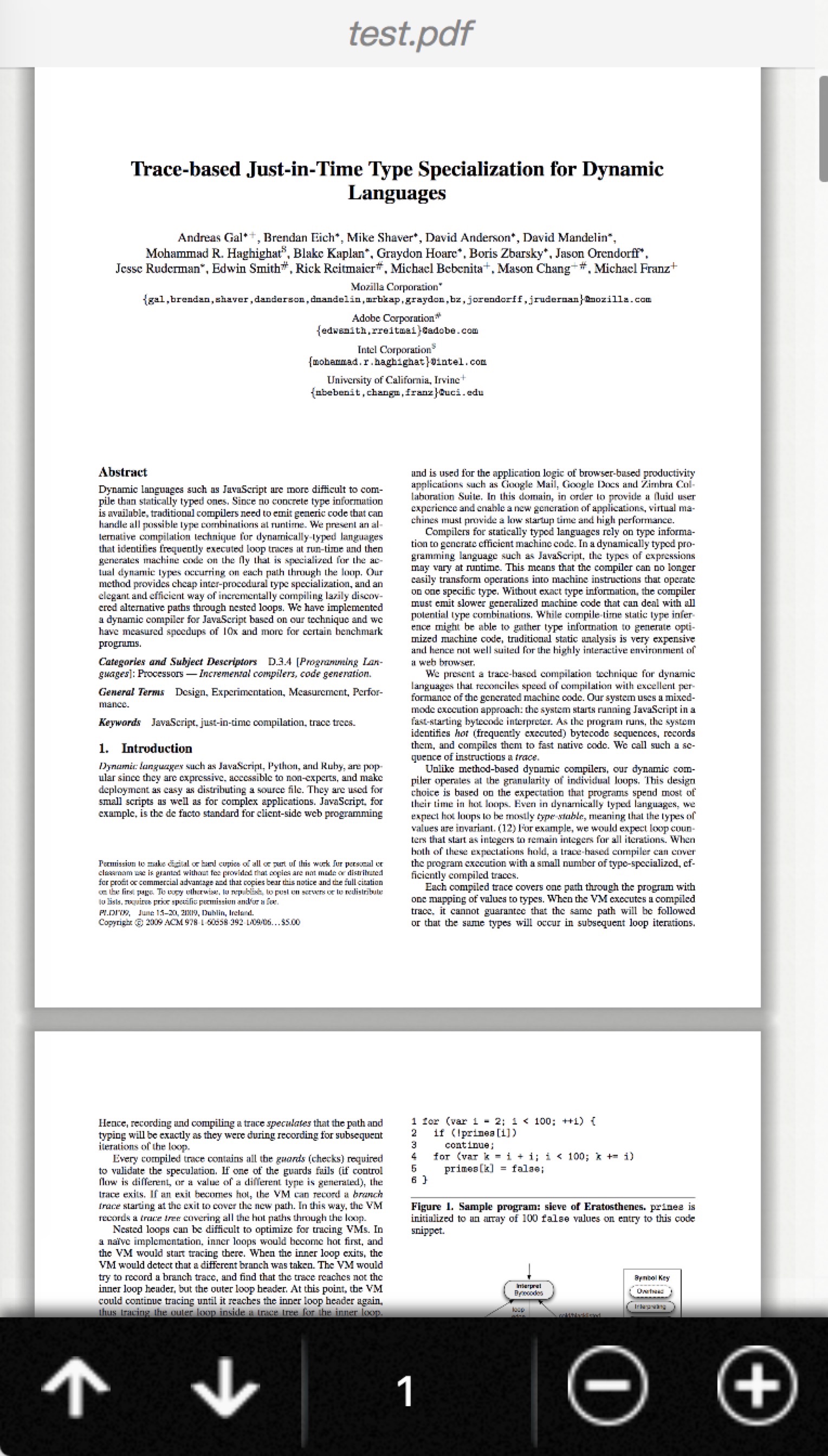
It supports all mobile terminal devices including mobile,pad and others,the next image is a lively example in iphoneX
 ## Documentation
react-read-pdf mainly consists of two different components. ***PDFReader and MobilePDFReader***.
### 🌱 PDFReader
```js
import { PDFReader } from 'react-read-pdf'
...
```
#### Props in PDFReader Component
## Documentation
react-read-pdf mainly consists of two different components. ***PDFReader and MobilePDFReader***.
### 🌱 PDFReader
```js
import { PDFReader } from 'react-read-pdf'
...
```
#### Props in PDFReader Component
| Props name |
Type |
Description |
| url |
string | object |
if url is a string, it represents absolute address or relative address of PDF files. if url is a object, you can see this url object type for details |
| data |
string |
binary-like data of PDF.For example,in javascript, you can use the method "atob" to convert base64 encoded PDF to binary-like data. |
| page |
number |
default value is 1 ,decides that which page to show in PDF file. |
| scale |
number |
decides the viewport in render |
| width |
number |
decides the width of viewport |
| showAllPage |
boolean |
default value is false , if it is true , it will render all pages of the pdf file. if it is false ,it will only show the "currentPage" according to the page props's value. |
| onDocumentComplete |
function |
after load the PDF file, in this function ,you can get some informations of the PDF file you can see this function type for details |
url
the url property of ***PDFReader***
Type:
- string : it represents absolute address or relative address of PDF files
- object :
Properties:
Property Name| type |Description
--- | --- | ---
url | string | it represents absolute address or relative address of PDF files
withCredentials | boolean | is allow requests to carry cookie or not
onDocumentComplete
the onDocumentComplete property of ***PDFReader***
Type:
- function(totalPage)
onDocumentComplete's type is a function, the fisrt default parameter is totalPage of the PDF file
#### Notes
The url of props can be string or object.
The following two ways are the same.
One is :
```js
```
the other is :
```js
```
### 🌱 MobilePDFReader
```js
import { MobilePDFReader } from 'react-read-pdf'
...
```
#### Props in MobilePDFReader Component
| Props name |
Type |
Description |
| url |
string | object |
it represents absolute address or relative address of PDF files. |
| page |
number |
default value is 1 ,decides that which page to show in PDF file. |
| scale |
'auto' | number |
defaut value is 'auto', react-react-pdf use pdfjs-viewer,so if the scale is 'auto' , it can Adaptive mobile device .This property decides the viewport in render |
| minScale |
number |
defaut value is 0.25, decides the minimum value of scale |
| maxScale |
number |
defaut value is 10, decides the max value of scale |
| isShowHeader |
boolean |
defaut value is true, in order to show lively example.'react-react-pdf' added default style to special header, you can remove this style ,if you change this value to false |
| isShowFooter |
boolean |
defaut value is true, in order to show lively example.'react-react-pdf' added default style to special footer, you can remove this style ,if you change this value to false |
| onDocumentComplete |
function |
after load the PDF file, in this function ,you can get some informations of the PDF file you can see this function type for details |
onDocumentComplete
the onDocumentComplete property of ***MobilePDFReader***
Type:
- function(totalPage,title,otherObj)
Properties:
Property Name| type |Description
--- | --- | ---
totalPage | number | the totalPage of the PDF file
title | title | the title of the PDF file
otherObj | object | other coding information of the PDF file
#### Notes
I strongly recommend you to set initial value of scale is 'auto',the default is 'auto' too
## Development
* **[React](https://facebook.github.io/react/)** (16.x)
* **[Webpack](https://webpack.js.org/)** (4.x)
* **[Typescript](https://www.typescriptlang.org/)** (3.x)
* **[Hot Module Replacement (HMR)](https://webpack.js.org/concepts/hot-module-replacement/)** using [React Hot Loader](https://github.com/gaearon/react-hot-loader) (4.x)
* [Babel](http://babeljs.io/) (7.x)
* [Less](http://sass-lang.com/)
* [React-css-modules](https://github.com/gajus/react-css-modules)using css-modules
* [Jest](https://facebook.github.io/jest/) - Testing framework for React applications
* Production build script
* Image loading/minification using [Image Webpack Loader](https://github.com/tcoopman/image-webpack-loader)
* Typescript compiling using [Typescript Loader](https://github.com/TypeStrong/ts-loader) (5.x)
* Code quality (linting) for Typescript and LESS/CSS.
## Installation
1. Clone/download repo
2. `yarn install` (or `npm install` for npm)
## Usage
**Development**
`yarn run start-dev`
* Build app continuously (HMR enabled)
* App served @ `http://localhost:8080`
**Production**
`yarn run start-prod`
* Build app once (HMR disabled)
* App served @ `http://localhost:3000`
---
**All commands**
Command | Description
--- | ---
`yarn run start-dev` | Build app continuously (HMR enabled) and serve @ `http://localhost:8080`
`yarn run start-prod` | Build app once (HMR disabled) and serve @ `http://localhost:3000`
`yarn run build` | Build app to `/dist/`
`yarn run test` | Run tests
`yarn run lint` | Run Typescript and SASS linter
`yarn run lint:ts` | Run Typescript linter
`yarn run lint:sass` | Run SASS linter
`yarn run start` | (alias of `yarn run start-dev`)
**Note**: replace `yarn` with `npm` if you use npm.
**License**
MIT License
[1]: https://raw.githubusercontent.com/wiki/forthealllight/react-read-pdf/ip.jpeg