
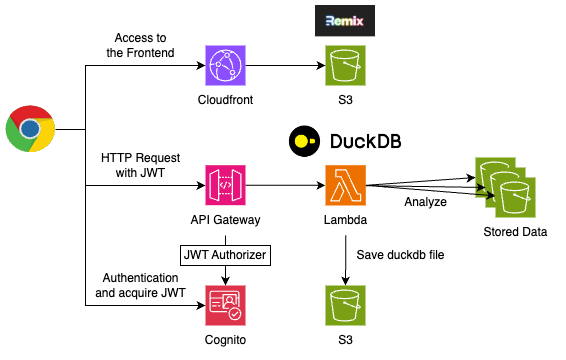
CloudDuck is a CDK construct for simple and easy-to-use analysis environment for S3 data, featuring DuckDB with built-in authentication.
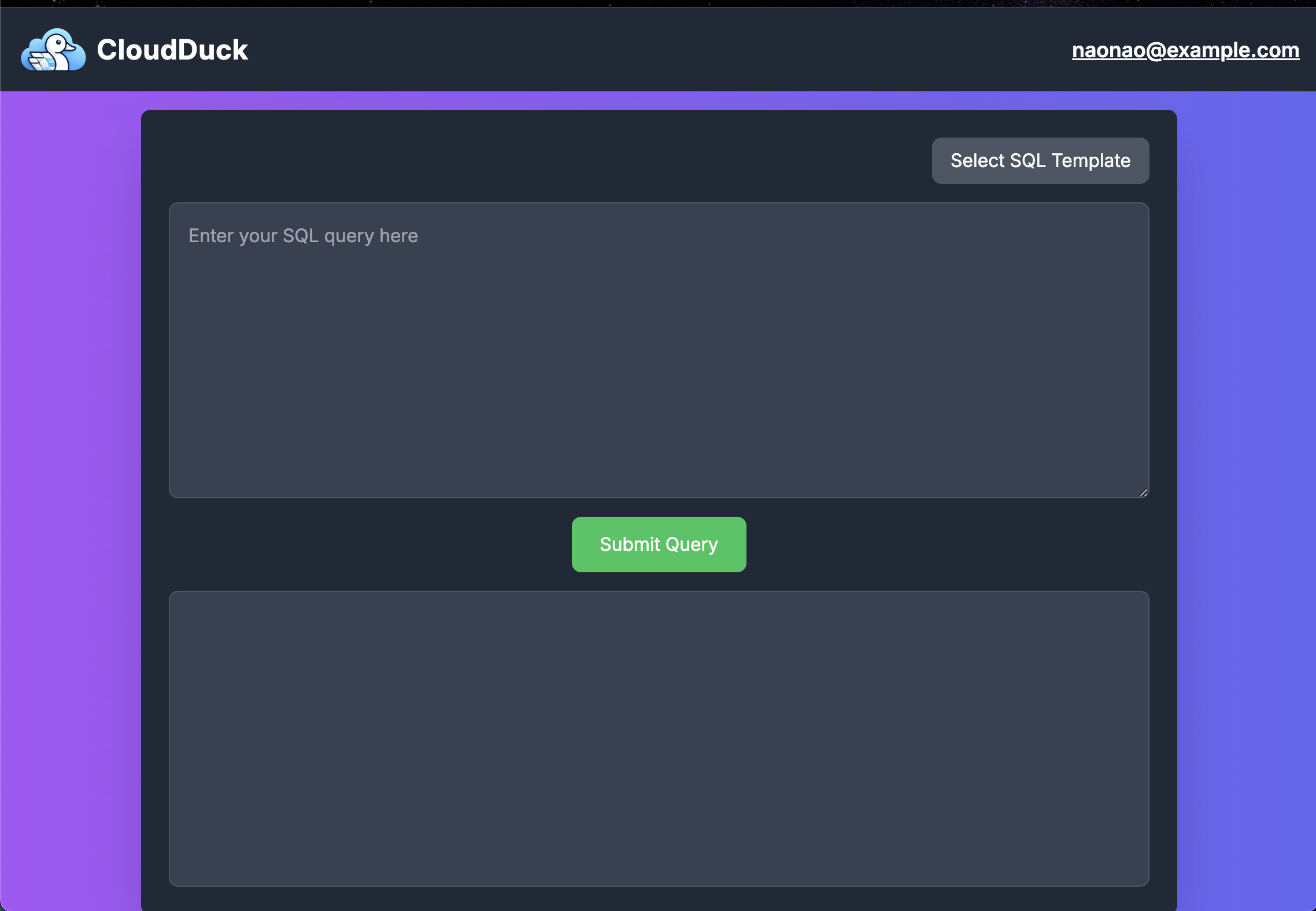
By simply deploying the Construct, you can launch a SaaS that provides an analytics dashboard like the one shown below.
User authentication for access is implemented using Cognito, ensuring that only authorized users can log in.
[](https://constructs.dev/packages/cloud-duck)
[](https://open.vscode.dev/badmintoncryer/cloud-duck)
[](https://badge.fury.io/js/cloud-duck)
[](https://github.com/badmintoncryer/cloud-duck/actions/workflows/build.yml)
[](https://github.com/badmintoncryer/cloud-duck/actions/workflows/release.yml)
[](https://opensource.org/licenses/Apache-2.0)


## Detailed information
- In Japanese: [duckdbを用いたS3データ分析SaaSをCDKコンストラクトとして提供しました](https://nixieminton.hatenablog.com/entry/2025/01/02/113326)
- In english: [CDK construct for a SaaS that performs data analysis on S3 using DuckDB](https://dev.to/kazuho/cdk-construct-for-a-saas-that-performs-data-analysis-on-s3-using-duckdb-ebd)
## Table of Contents
- [Use Cases](#use-cases)
- [Architecture](#architecture)
- [Installation](#installation)
- [Setup](#setup)
- [Deploy](#deploy)
- [Add user to the Cognito User Pool](#add-user-to-the-cognito-user-pool)
- [Access](#access)
- [Usage](#usage)
- [Query](#query)
- [Persistence](#persistence)
- [Note](#note)
## Use Cases
- When you want to request data analysis on S3 using DuckDB but prefer not to issue S3 access credentials to the analysts.
- When you want to minimize the costs incurred from downloading large amounts of S3 data to local storage.
## Architecture
## Installation
```bash
npm i cloud-duck
```
## Setup
### Deploy
You can deploy the CloudDuck with the following code in the CDK stack.
```typescript
import { CloudDuck } from 'cloud-duck';
import { Size } from 'aws-cdk-lib';
import * as cognito from 'aws-cdk-lib/aws-cognito';
declare const logBucket: s3.IBucket;
new CloudDuck(this, 'CloudDuck', {
// The S3 bucket to analyze
// CloudDuck can access to all of the buckets in the account by default.
// If you want to restrict the access, you can use the targetBuckets property.
targetBuckets: [logBucket],
// The memory size of the Lambda function
// Default: 1024 MB
memory: Size.mebibytes(1024),
// You can customize the Cognito User Pool
// For example, you can force the user to use MFA.
userPoolPlpos: {
mfa: cognito.Mfa.REQUIRED,
mfaSecondFactor: {
sms: false,
otp: true,
},
},
});
```
### Add user to the Cognito User Pool
Add a user to the Cognito User Pool with the following command.
```sh
aws cognito-idp admin-create-user \
--user-pool-id "us-east-1_XXXXX" \
--username "naonao@example.com" \
--user-attributes Name=email,Value="naonao@example.com" Name=email_verified,Value=true \
--message-action SUPPRESS \
--temporary-password Password1!
```
You can also add a user via the AWS Management Console.
### Access
Access to the CloudDuck with the cloudfront URL.
```bash
❯ npx cdk deploy
...
AwsStack.CloudDuckDistributionUrl84FC8296 = https://dosjykpv096qr.cloudfront.net
Stack ARN:
arn:aws:cloudformation:us-east-1:123456789012:stack/AwsStack/dd0960c0-b3d5-11ef-bcfc-12cf7722116f
✨ Total time: 73.59s
```
Enter the username and password.
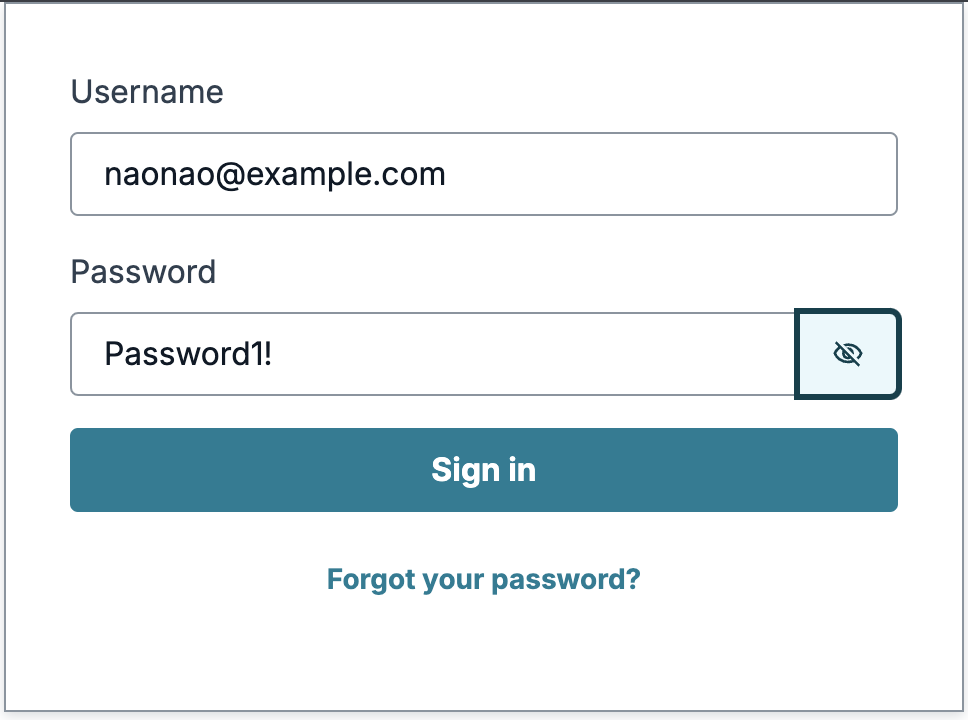
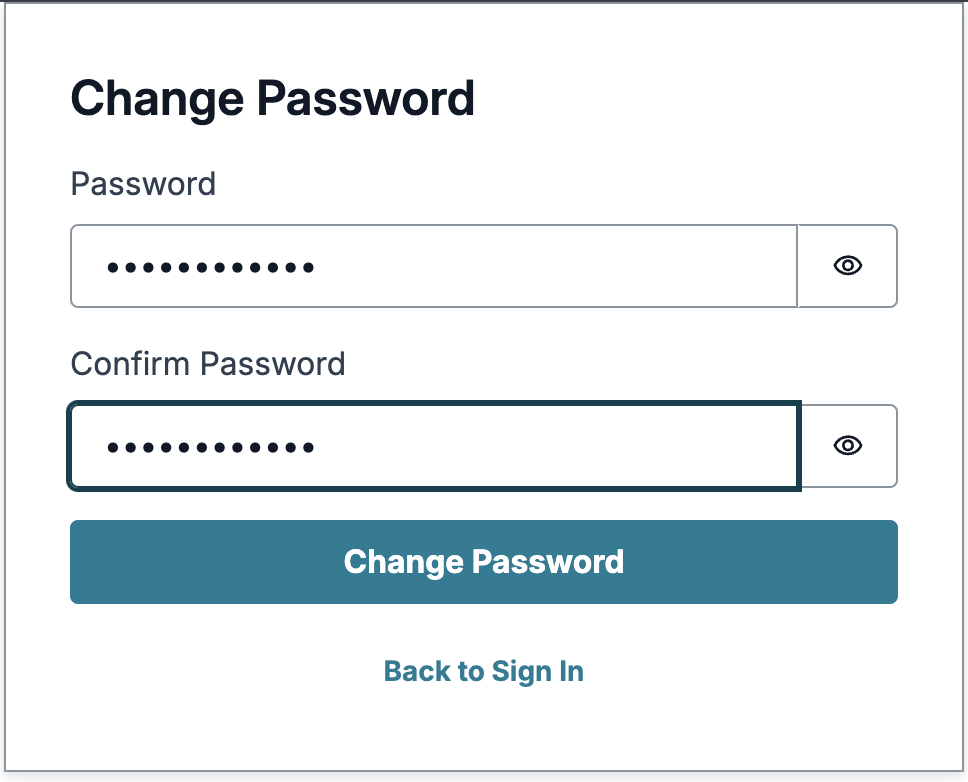
When you log in at the first time, you need to change the password.
Play with the CloudDuck!
## Usage
### Query
You can query the S3 data with SQL.
```sql
SELECT * FROM read_csv_auto('s3://your-bucket-name/your-file.csv');
SELECT * FROM parquet_scan('s3://your-bucket-name/your-file.parquet');
```
Ofcourse, you can store the result as a new table.
```sql
CREATE TABLE new_table AS SELECT * FROM read_csv_auto('s3://your-bucket-name/your-file.csv');
```
Detail usage of DuckDB is available at [DuckDB Documentation](https://duckdb.org/docs/sql/introduction.html).
### Persistence
All query results are persisted in individual DuckDB files for each user.
Therefore, you can freely save your query results without worrying about affecting other users.
### Note
CloudDuck is still under development. Updates may include breaking changes. If you encounter any bugs, please report them via issues.