# c-swipe
[](https://www.npmjs.org/package/c-swipe)
[](https://npmjs.org/package/c-swipe)
[](https://github.com/pspgbhu/Vue2-C-Swipe-Mobile/issues)
[](https://github.com/pspgbhu/Vue2-C-Swipe-Mobile)
[](https://nodei.co/npm/c-swipe/)
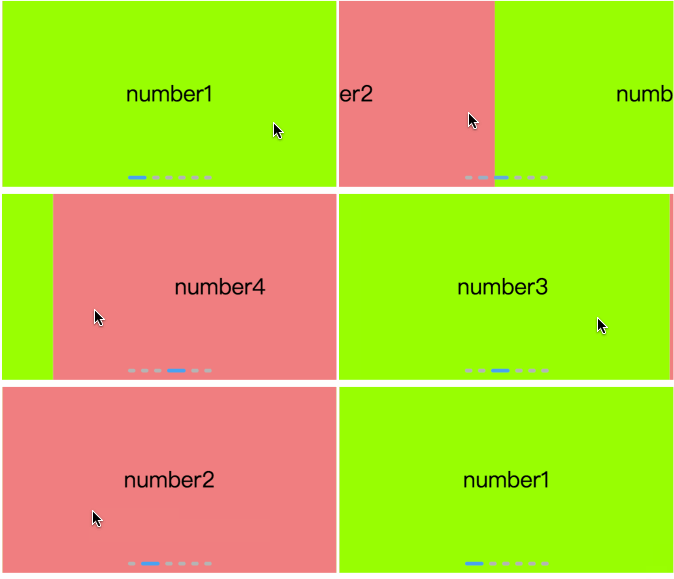
> A swipe (touch slide) component for Vue2.x in mobile device.
> Only support touch event now.
---
## [中文文档](https://github.com/pspgbhu/Vue2-C-Swipe-Mobile/blob/master/README_CN.md)
## Install
`npm install c-swipe --save`
## Usage
register components:
```js
// main.js
// import c-swipe files into main.js
import 'c-swipe/dist/swipe.css';
import { Swipe, SwipeItem } from 'c-swipe';
// global register components
Vue.component('swipe', Swipe);
Vue.component('swipe-item', SwipeItem);
```
Use in `.vue` files.
```html
item1item2item3
```
```js
new Vue({
data: function () {
return {
index: 0, // two way
};
},
});
```
*Or, you want import it by html tag*
```html
```
```js
var vueSwipe = swipe.Swipe;
var vueSwipeItem = swipe.SwipeItem;
new Vue({
el: 'body',
// register components
components: {
'swipe': vueSwipe,
'swipe-item': vueSwipeItem
}
// ...
// ...
});
```
## Options
| Option | Type | Defalut | Description |
| ------ | ---- | -------- | ----------- |
| v-model| Number | 0 |The value binding index of swipe-item |
| pagination | Boolean | true |If need default pagination.|
| loop | Boolean | true | loop move |
| autoplayTime | Number | 0 | ms. Interval time of change card. The card will not auto change when this value is equal to 0
| speed | Number | 300 | ms, the spend time of change card.
|minMoveDistance | String | '20%' | Such as '20%', '80px'. The minimum distance that trigger to change card
## Methods
- **swipe.reset()**
The c-swipe internally recalculates the width of the Swipe and calculates the scroll distance based on the new width. This solves the problem that the c-swipe scroll distance is not correct after the container is resized.
Example:
```jsx
item1item2item3
```
## Preview
Scan the QR code below to preview

# License
MIT