Hello, World!
`. In this way, you can generate [any HTML5 element](http://www.w3.org/TR/html-markup/elements.html), such as `blockquote`, `h1`, `strong`, `video`, etc. This example is explained in detail in the [Hello World](http://capejs.github.io/capejs/components/#hello-world) section of *Cape.JS Documentation.* ## Integration with Rails Asset Pipeline If you combile Cape.JS with Ruby on Rails, you are recommended to use `capejs-rails` gem. See [capejs/capejs-rails](https://github.com/capejs/capejs-rails) for details. ## Router Cape.JS has a built-in routing library. Using this you can define *routes* with a DSL (domain specific language) similar to that of Ruby on Rails. Here is an example of `routes.js`: ```javascript var $router = new Cape.Router() $router.draw(function(m) { m.root('welcome') m.page('login') m.page('help') m.many('articles') }) ``` You can navigate the user to another page by the `navigateTo()` method: ```javascript $router.navigateTo('help') ``` The following is a full example of Component definition: ```javascript var WelcomePage = Cape.createComponentClass({ render: function(m) { m.div(function(m) { m.span('Help', { class: 'link', onclick: function(e) { $router.navigateTo('help') } }) }) } }) ``` When the user clicks on the "Help" link, the hash fragment of the URL changes to `#help` and the `Help` component will be mounted. Note that you can construct a _single-page application_ (SPA) in this manner. In the above example, when the user is navigated to the `Help` component, the HTML document itself does _not_ get reloaded. The `Help` component is rendered by Cape.JS with the assistance of _virtual-dom._ An apparent _page transition_ happens within a _single_ page in fact. ## ECMAScript 2015 (_a.k.a._ ES6) If you are familiar with [Babel](https://babeljs.io/), you can write the code above more concisely using the ECMAScript 2015 syntax like this: ```javascript class WelcomePage extends Cape.Component { render(m) { m.div(m => { m.span('Help', { class: 'link', onclick: e => $router.navigateTo('doc/help') }) }) } } ``` ## Tutorials * [How to Make a Single Page Application (SPA) with Cape.JS and Rails - A Tutorial](http://capejs.github.io/capejs/tutorials/greeter/): A tutorial about Cape.JS router. * [Cape.JS Primer](http://capejs.github.io/capejs/tutorials/capejs_primer/): Reading through this tutorial, you can learn the basics of Cape.JS programming. ## Demo Applications ### Greeter You can get the source code of demo app from https://github.com/capejs/greeter-demo. By reading its source code, you can learn how to construct _Single Page Applications_ (SPAs) combining the Cape.JS as front-end framework with the Rails as back-end framework. ### Todo List You can download and try a demo app from https://github.com/oiax/capejs-demo-on-rails. This is built upon the Ruby on Rails. When you start it and open `http://localhost:3000` with your browser, you will see a page like this: 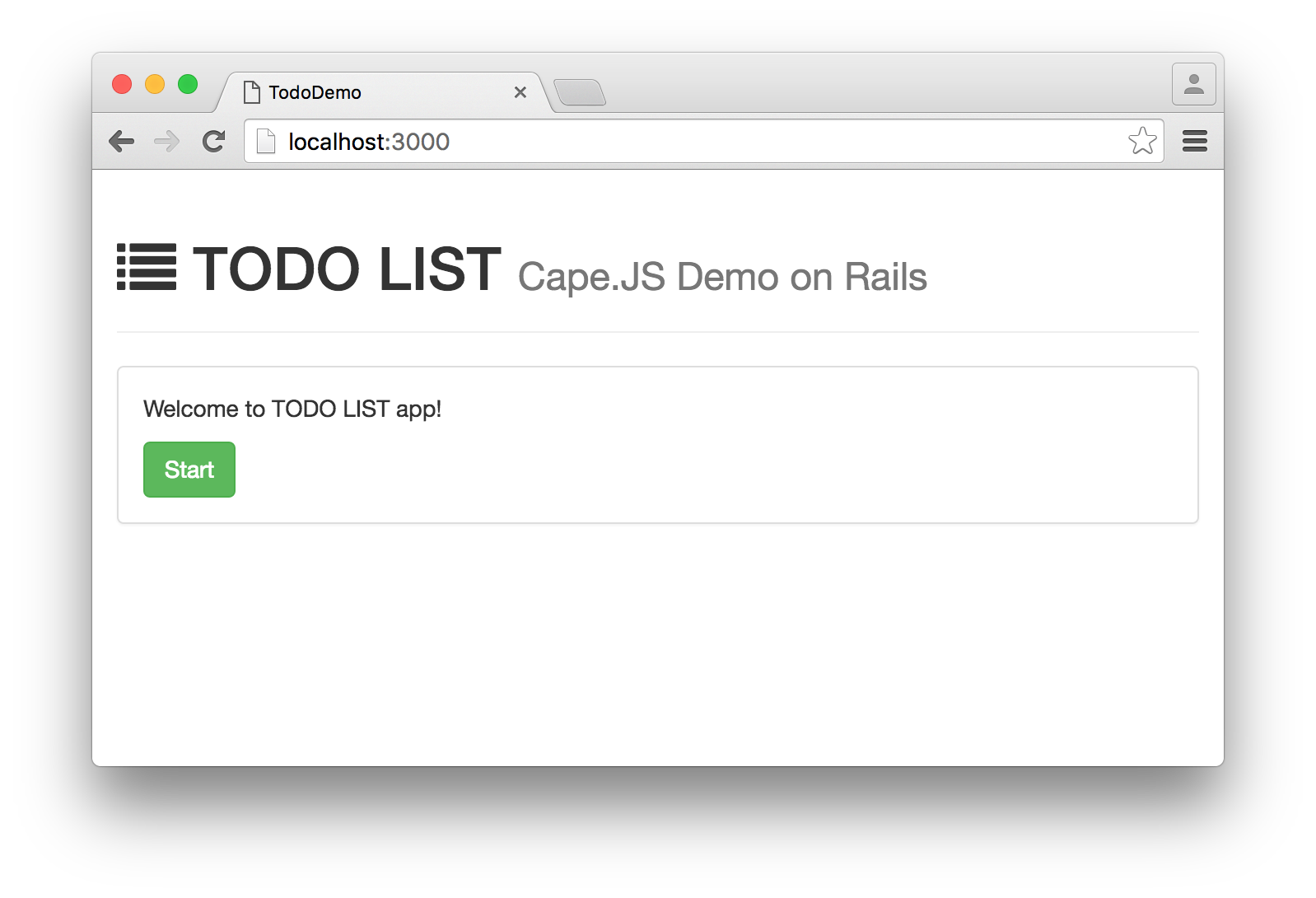 Click the "Start" button to navigate to Login form. Then, enter your credentials (`alice` and `hotyoga`) to login to the sytem. 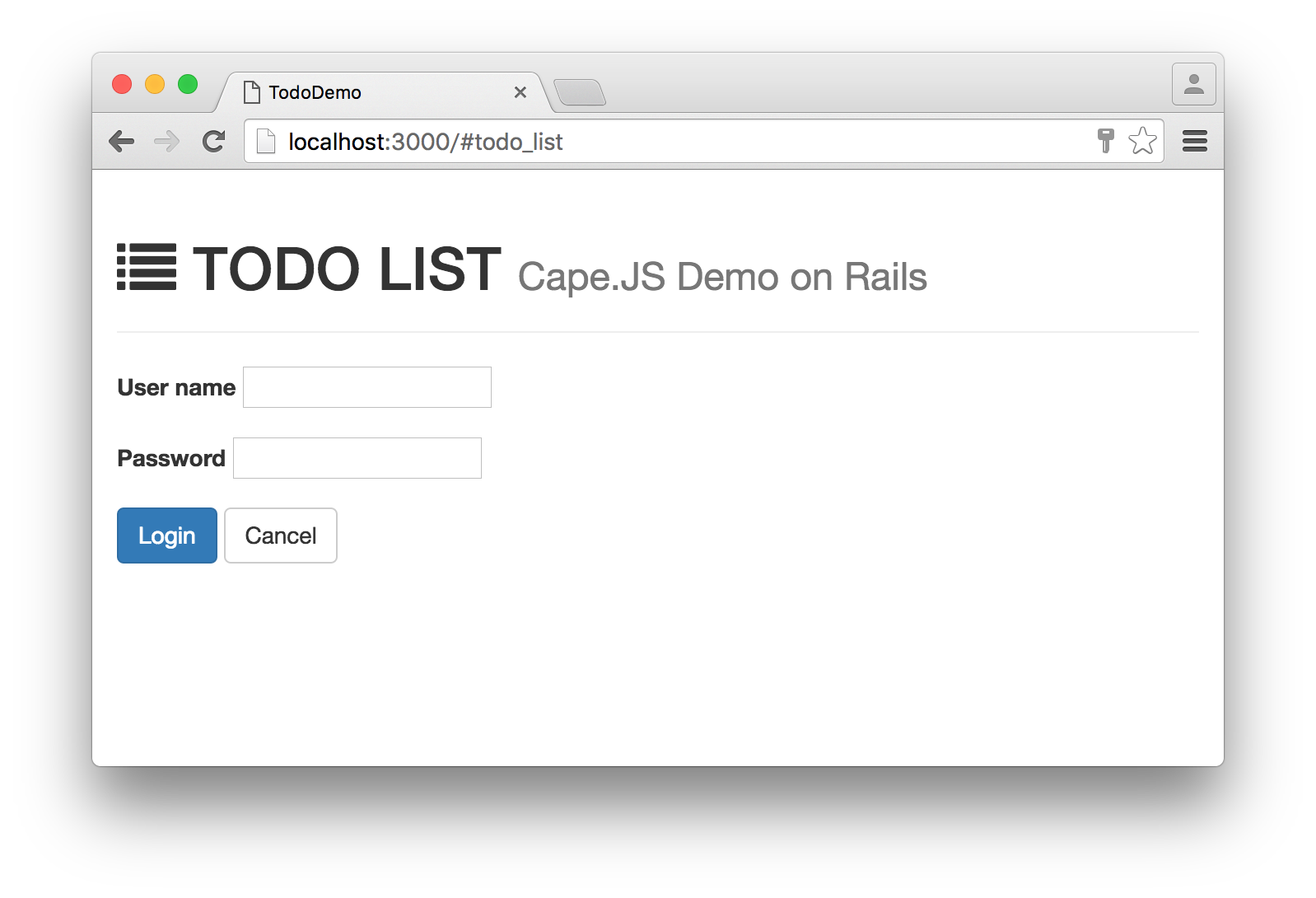 You can list, add, update and delete tasks here. 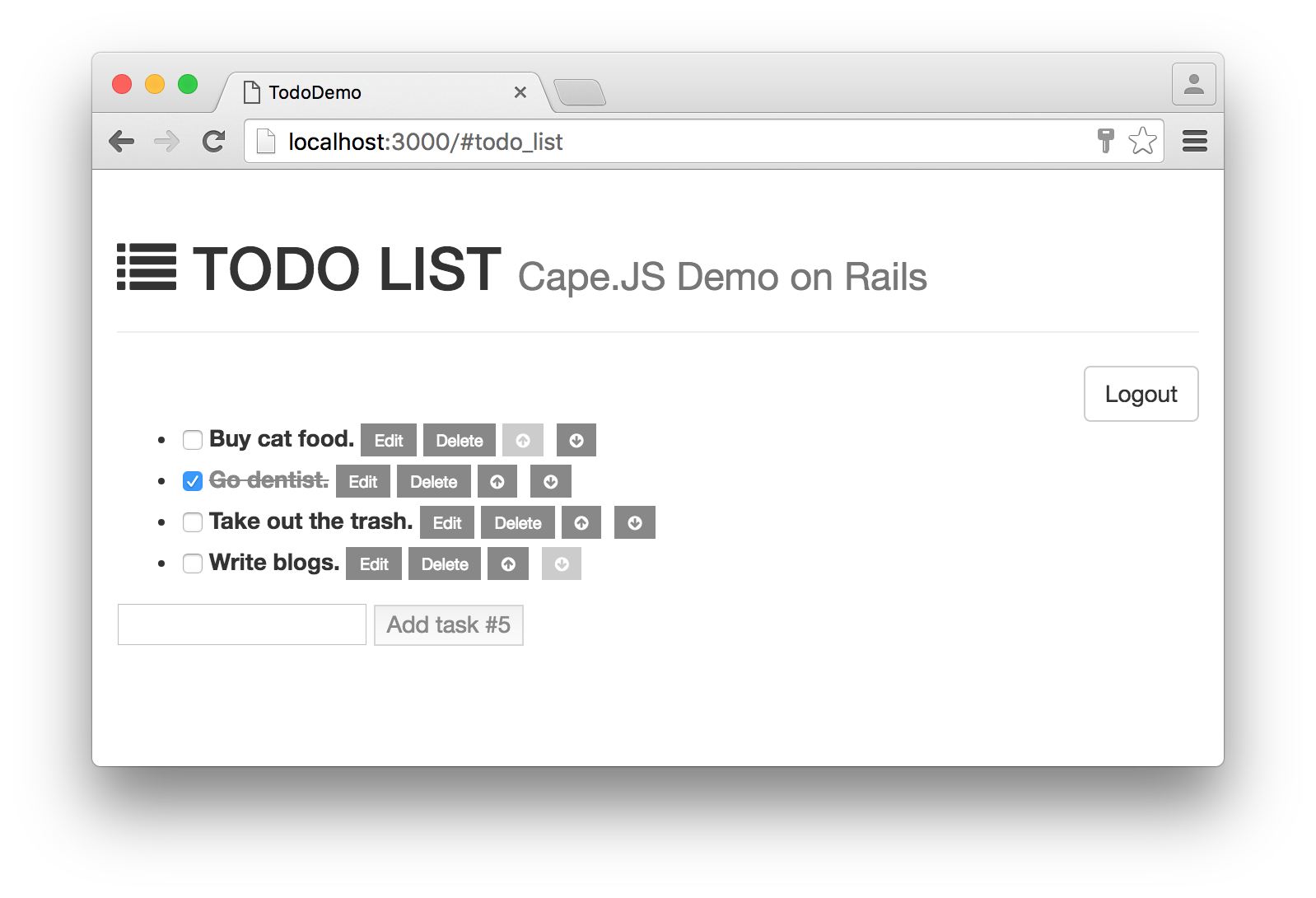 Click the "Logout" button to show the modal for confirmation. 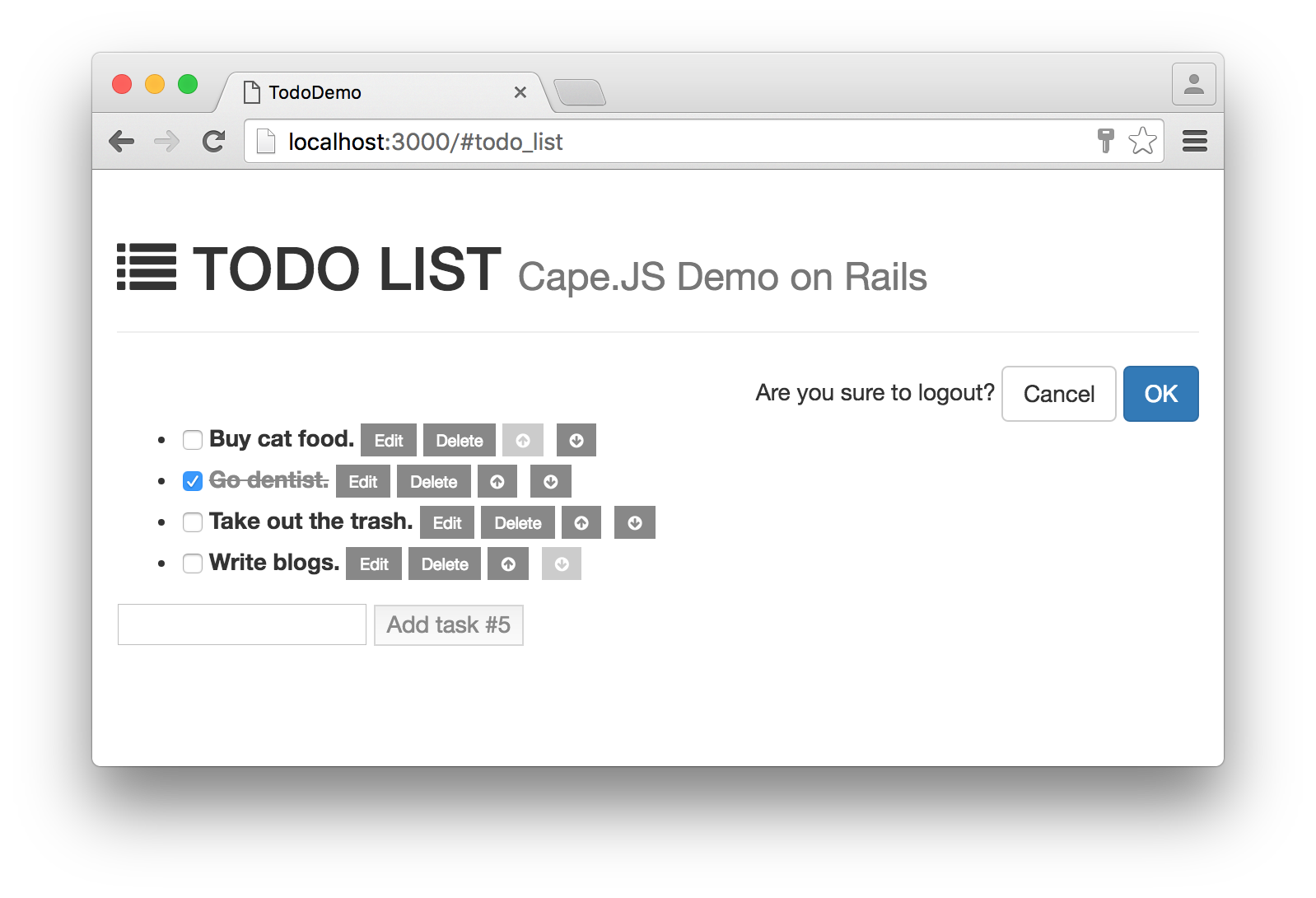 ## Browser Support * Microsoft Edge * Internet Explorer 11 * Google Chrome (Current) * Mozilla Firefox (Current) * Safari (7.1+) * Vivaldi (Current) Any problem with Cape.JS in the above browsers should be reported as a bug in Cape.JS. ## Contributing The Cape.JS is an open source project. We encourage you to contribute to the Cape.JS! Please see [CONTRIBUTING.md](CONTRIBUTING.md) for details. ## Acknowledgements The logo of Cape.JS is created by [Junya Suzuki](https://github.com/junya-suzuki). ## Trademarks "Cape.JS" and its logo are trademarks of Oiax Inc. All rights reserved. ## License Cape.JS is released under [the MIT License](LICENSE).