---
```js
import { drawText } from 'canvas-txt'
drawText(ctx, 'Lorem ipsum dolor sit amet', {
x: 100, y: 200, width: 200, height: 200,
fontSize: 24,
})
```
That's the whole integration. Zero dependencies, ~4 kB gzipped, works in
browsers, workers (`OffscreenCanvas`), node-canvas and skia-canvas.
> [!TIP]
> Upgrading from v4? Most code keeps working — read the
> **[migration guide](https://github.com/geongeorge/Canvas-Txt/blob/master/MIGRATION.md)** for what changed and what's new.
## Why canvas-txt
| | |
| --- | --- |
| 🌍 **Unicode-correct wrapping** | Line breaks come from `Intl.Segmenter` — CJK and Thai break at real word boundaries, emoji and combining marks never split mid-codepoint |
| 📐 **Full box model** | Horizontal + vertical alignment, true justification (no injected characters), `overflow: hidden / ellipsis`, `maxLines` |
| ⚡ **Fast by default** | Per-font width caches and memoized layouts — [faster than canvas-hypertxt](#performance) on every workload, with exact measuring |
| 🎨 **Layout / paint split** | `layoutText()` once, `drawTextLayout()` every frame — zero re-measuring in render loops, hit-testable line positions |
| 🔌 **Runs on any 2D context** | Typed against a minimal `TextContext` — no casts for node-canvas, skia-canvas or `OffscreenCanvas` |
| 🐛 **Debug mode** | Draws the box and alignment guides so you can see the layout |
## Install
```bash
npm i canvas-txt
```
Or from a CDN — the global `window.canvasTxt` carries the same functions:
```html
```
## Usage
### Draw once
```js
import { drawText } from 'canvas-txt'
const ctx = document.getElementById('myCanvas').getContext('2d')
const { height, width, lines } = drawText(ctx, 'Hello world', {
x: 100,
y: 200,
width: 200,
height: 200,
fontSize: 24,
})
```
Try it live in this [JSFiddle](https://jsfiddle.net/geongeorgek/jey7ah6x/).
### Layout once, paint forever
`drawText` is a convenience wrapper. For anything that redraws — animation
loops, canvas editors, data grids — lay out once and paint the cached layout:
```js
import { layoutText, drawTextLayout } from 'canvas-txt'
const layout = layoutText(ctx, text, { width: 300, height: 200, fontSize: 18 })
// every frame, as often as you like — no re-measuring:
drawTextLayout(ctx, layout, { x: 50, y: 40 })
drawTextLayout(ctx, layout, { x: 400, y: 40, style: { fill: '#888' } })
// layout.lines → [{ text, x, y, width, words }] — hit-test it, decorate it
// layout.height, layout.width, layout.clipped
```
### Interactive text boxes
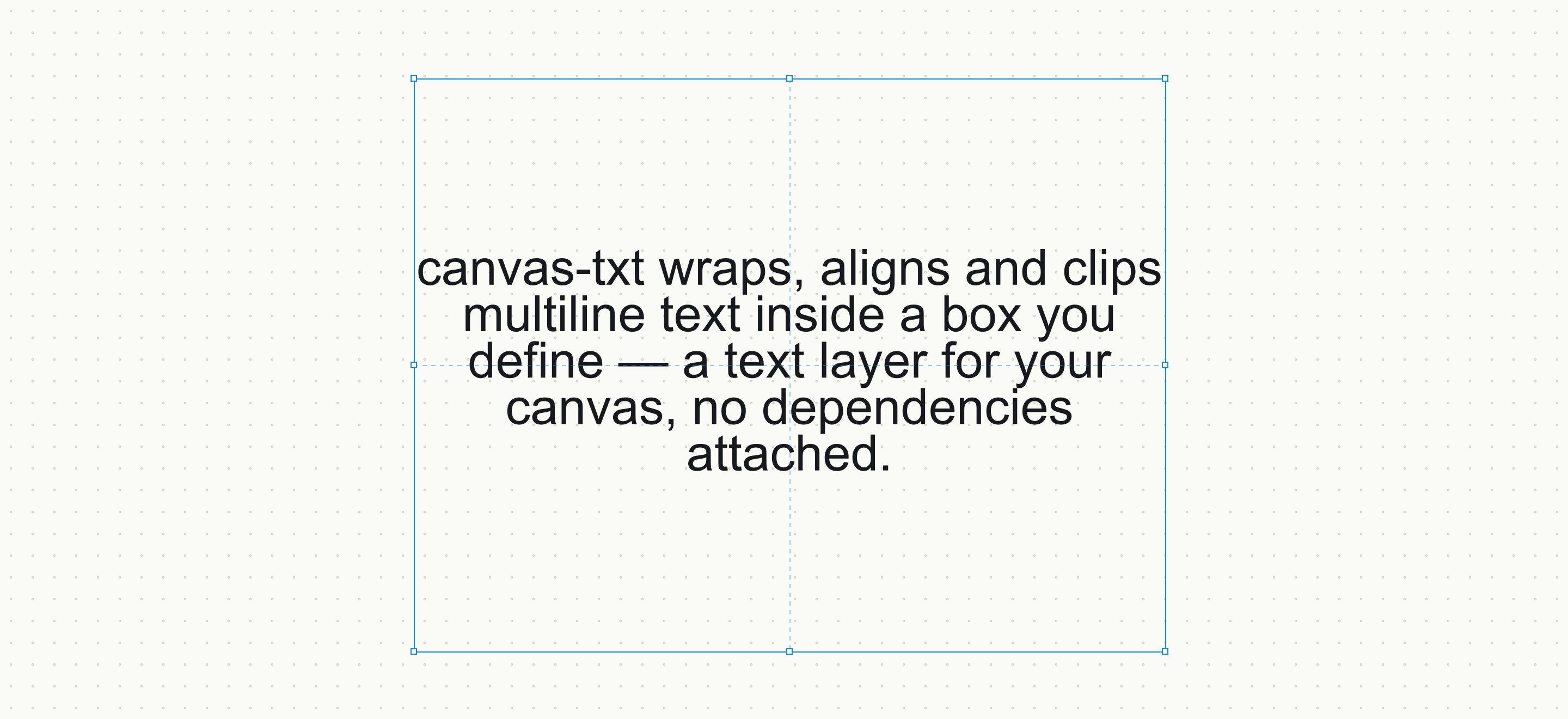
If you want the box in the image above — draggable anchors that control
`x`/`y`/`width`/`height` — that interaction layer is yours to build, and it's
small: keep the box rectangle in your own state, hit-test pointer events
against its corners and edges, update the state on drag, and re-render (draw
your selection chrome, then `drawText`, or repaint a cached `layoutText`
result — `layout.lines` gives you per-line positions if you need
finer hit-testing). **[This JSFiddle](https://jsfiddle.net/geongeorgek/9Ledk1uc/4/)**
is a complete working example — drag, resize from any handle, live re-wrap —
in about 100 lines, and our [playground](https://canvas-txt.geongeorge.com)
([source](https://github.com/geongeorge/Canvas-Txt/blob/master/apps/docs/src/Playground.vue)) uses the same approach.
This is deliberately not part of the library: canvas-txt only handles the
rendering, because rendering is the one piece that's identical everywhere —
pointer handling belongs to your app's event model, whether that's React
state, a Vue component, or an immediate-mode game loop. Staying out of it is
what lets canvas-txt drop into any of them.
### Node
Works with [node-canvas](https://github.com/Automattic/node-canvas) and
[skia-canvas](https://github.com/samizdatco/skia-canvas) directly — no type
casts needed:
```js
import { createCanvas } from 'canvas'
import { drawText } from 'canvas-txt'
import * as fs from 'node:fs'
const canvas = createCanvas(400, 400)
const ctx = canvas.getContext('2d')
drawText(ctx, 'Hello World!', {
x: 100, y: 200, width: 200, height: 200, fontSize: 24,
})
fs.writeFileSync('output.png', canvas.toBuffer('image/png'))
```
### Colors and stroke
Without `style`, text uses the context's current `fillStyle`:
```js
ctx.fillStyle = '#ff0000'
drawText(ctx, 'Red text', { x: 0, y: 0, width: 200, height: 200 })
// or per call, with an optional outline:
drawText(ctx, 'Outlined', {
x: 0, y: 0, width: 200, height: 200,
style: { fill: '#fff', stroke: '#0C8CE9', strokeWidth: 2 },
})
```
## API
### Config
| Property | Default | Description |
| :--------------: | :----------: | :------------------------------------------------------------------------------------------------------------------- |
| `width` | **required** | Width of the text box |
| `height` | **required** | Height of the text box |
| `x` | **required** | X position of the text box |
| `y` | **required** | Y position of the text box |
| `align` | `center` | Horizontal align: `left`, `center`, `right` |
| `vAlign` | `middle` | Vertical align: `top`, `middle`, `bottom` |
| `font` | `Arial` | Font family |
| `fontSize` | `14` | Font size in px |
| `fontStyle` | `''` | Same as CSS font-style: `italic`, `oblique 40deg`, … |
| `fontVariant` | `''` | Same as CSS font-variant: `small-caps`, … |
| `fontWeight` | `''` | Same as CSS font-weight: `bold`, `100`, … |
| `lineHeight` | font's own | Line height in px; defaults to the font's natural line height |
| `letterSpacing` | `''` | Same as CSS letter-spacing, e.g. `'2px'` (where the canvas supports it) |
| `direction` | `ltr` | Set `'rtl'` for right-to-left text (where the canvas supports it) |
| `justify` | `false` | Stretch soft-wrapped lines to the full box width — words are positioned individually, no characters inserted |
| `overflow` | `visible` | Past the box height: `visible` draws everything, `hidden` clips lines, `ellipsis` clips and appends `…` |
| `maxLines` | — | Hard cap on line count, independent of box height. Combine with `overflow: 'ellipsis'` for a `…` marker |
| `style` | — | Per-call colors: `{ fill, stroke, strokeWidth }`; defaults to the context's current `fillStyle` |
| `cache` | `true` | Reuse widths from the shared per-font cache. Set `false` for exact per-call measuring with no shared state |
| `debug` | `false` | Draw the box and alignment guides |
### Methods
```js
import {
drawText, layoutText, drawTextLayout,
measureText, splitText, getTextHeight,
clearMeasurementCache,
} from 'canvas-txt'
```
| Method | Description |
| :--------------------------------------- | :--------------------------------------------------------------------------------------------------------------------------------------- |
| `drawText(ctx, text, config)` | Lay out and draw in one call → `{ height, width, lines }` |
| `layoutText(ctx, text, config)` | Layout only → `TextLayout` with positioned lines (`{ text, x, y, width, words }`), total size, `clipped` flag |
| `drawTextLayout(ctx, layout, { x, y })` | Paint a cached `TextLayout` — repaint freely without re-measuring |
| `measureText(ctx, text, config)` | Dimensions only → `{ lines, width, height }` |
| `splitText({ ctx, text, width })` | Just the wrapped lines as `string[]`, using the context's current font |
| `getTextHeight({ ctx, text, style })` | Height of `text` under a CSS font string, from real font metrics |
| `clearMeasurementCache()` | Flush the shared width cache — call after web fonts finish loading |
## Performance
Segment widths live in a module-level per-font cache and identical layouts
are memoized (bounded, ~500 entries), so steady-state layout is arithmetic
and lookups — not `measureText` calls. Memoized layouts come back
**frozen**; treat them as immutable.
Measured against
[canvas-hypertxt](https://github.com/glideapps/canvas-hypertxt)'s standard
mode — 5000 iterations, 600-char strings, node-canvas, Apple Silicon
(benchmark in [`packages/canvas-txt/bench`](https://github.com/geongeorge/Canvas-Txt/blob/master/packages/canvas-txt/bench)):
| Workload | canvas-txt v5 | canvas-hypertxt | canvas-txt v4 |
| ----------------------- | ------------: | --------------: | ------------: |
| Same text repeated | 1.1 µs/op | 0.9 µs/op | 1,566 µs/op |
| 500 strings cycled | **5.6 µs/op** | 48.3 µs/op | 1,423 µs/op |
| Never-repeating strings | **51.3 µs/op**| 566.2 µs/op | 1,382 µs/op |
Only hypertxt's estimation mode ("hyper wrapping", which guesses widths
instead of measuring) is faster on long never-before-seen strings — with
exact measuring, canvas-txt is the faster library while staying
Unicode-correct.
> [!IMPORTANT]
> Loading a web font changes glyph widths. Call `clearMeasurementCache()`
> when fonts finish loading:
>
> ```js
> document.fonts.ready.then(() => clearMeasurementCache())
> ```
## Contributing
The repo is a pnpm workspace: the library lives in
[`packages/canvas-txt`](https://github.com/geongeorge/Canvas-Txt/blob/master/packages/canvas-txt), the playground in
[`apps/docs`](https://github.com/geongeorge/Canvas-Txt/blob/master/apps/docs).
```bash
pnpm install
pnpm dev # playground with the library hot-reloading
pnpm test # vitest against real canvas metrics (node-canvas)
pnpm build # esm + cjs + iife + d.ts
```
## License
[MIT](https://github.com/geongeorge/Canvas-Txt/blob/master/LICENSE) © [Geon George](https://geongeorge.com)
 # Canvas Txt 📐
**Text boxes for HTML5 canvas.**
Draw a box, hand it a string — wrapping, alignment, clipping and justification in one call.




