# Bootstrap Solarized theme
[](https://travis-ci.org/thijskok/bootstrap-solarized-theme)
[](https://badge.fury.io/js/bootstrap-solarized-theme)
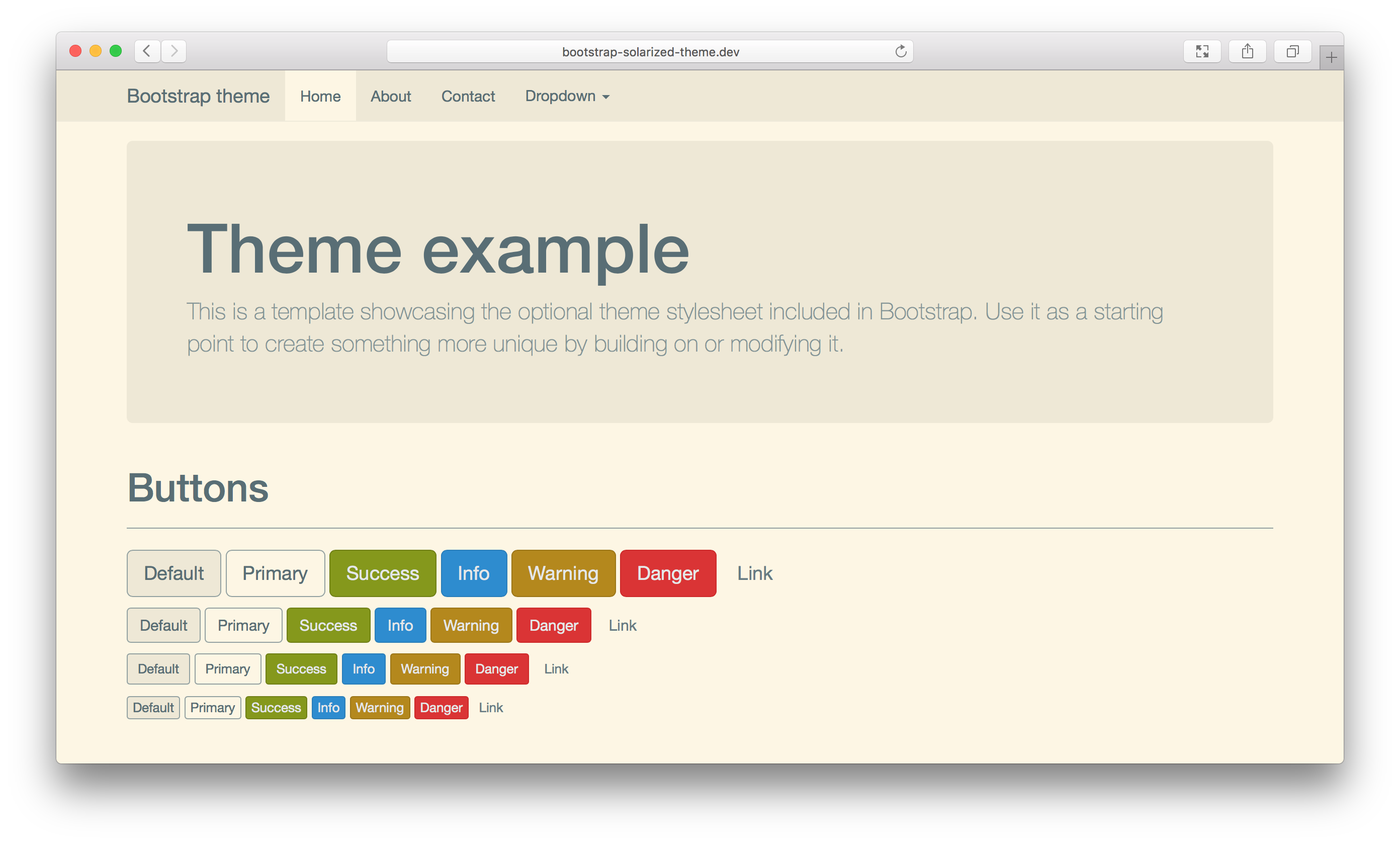
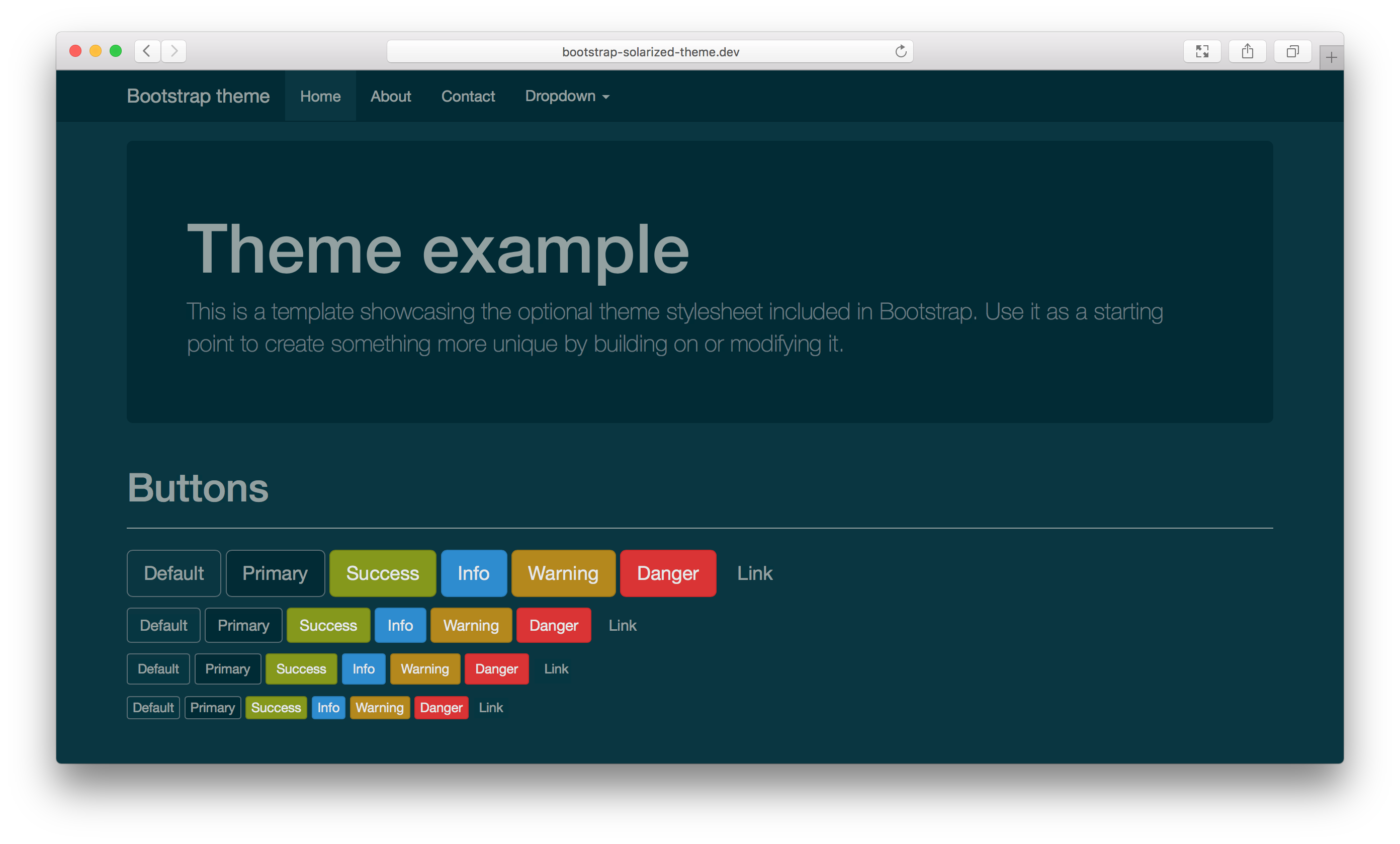
Bootstrap Solarized is a Bootstrap 3 compatible theme that uses Ethan Schoonover's awesome [Solarized color palette](http://ethanschoonover.com/solarized). It comes in two varieties, a light and a dark theme.
## How to use
Using this theme on your existing Bootstrap application is easy:
1. Install this theme using either NPM or Bower:
For NPM, use:
```sh
npm install bootstrap-solarized-theme
```
For Bower, use:
```sh
bower install bootstrap-solarized-theme
```
2. Add the necessary links to your `` element for the stylesheet:
```html
```
*Note*: depending on your installation and deployment methods, the CSS files might reside in another directory. Change `dist/css/` into the path where the CSS files got installed or copied to. For example, NPM installs the theme into `node_modules/bootstrap-solarized-theme/dist` as a default.
3. Refresh that page and watch some (dark) Solarized glory!
## Support and Contributions
Contributions are welcome and will be fully credited.
Before filing an issue:
- Attempt to replicate the problem, to ensure that it wasn't a coincidental incident.
- Check to make sure your feature suggestion isn't already present within the project.
- Check the pull requests tab to ensure that the bug doesn't have a fix in progress.
- Check the pull requests tab to ensure that the feature isn't already in progress.
Before submitting a pull request:
- Check the codebase to ensure that your feature doesn't already exist.
- Check the pull requests to ensure that another person hasn't already submitted the feature or fix.
## Development
This project uses Gulp to automate the workflow and build process. Ensure you have **nodejs** installed and **gulp** installed globally.
After cloning the repo, run `npm install` to ensure you have all dev dependencies.
### Gulp
- `gulp` - build the CSS files and minify them.
- `gulp watch` - run a watch task that will monitor the SASS files and regenerate the CSS files.
- `gulp lint` - run a SASS lint task.
### SASS
This theme uses the [SASS syntax](http://sass-lang.com/) to redefine the Bootstrap variables.
- `solarized-dark-theme.scss`: dark theme
- `solarized-light-theme.scss`: light theme
You can add your overrides to either of these files. Say, if you want to use a different font, you can simply
modify the theme file to look like this:
```scss
// Custom variables
$font-family-sans-serif: 'Menlo', Arial, sans-serif !default;
// Solarized Dark variables
@import 'variables-dark';
// Bootstrap SASS theme
@import '../node_modules/bootstrap-sass/assets/stylesheets/bootstrap';
```
## Solarized
The Bootstrap Solarized theme is based on the [Solarized](http://ethanschoonover.com/solarized) project. All credits for picking the basic colors in this theme should go to Ethan Schoonover. Solarized provides a carefully designed sixteen color palette that offers great readability, nice contrasts, and a variety of basic colors that can be used to signify various application states (e.g., warning or error states, etc). Solarized can be used in many other ways, like in your favorite [IDE](http://ethanschoonover.com/solarized#editors-ides) or [Terminal client](http://ethanschoonover.com/solarized#terminal-emulators), give it a try!
## License
[MIT License](LICENSE)