# Bootcatch Themes
[](https://www.npmjs.com/package/bootcatch-themes)
[](https://www.npmjs.com/package/bootcatch-themes)
[](https://standardjs.com)
All of the free themes on Bootcatch are released under the MIT license, which means you can use them for any purpose, even for commercial projects.
[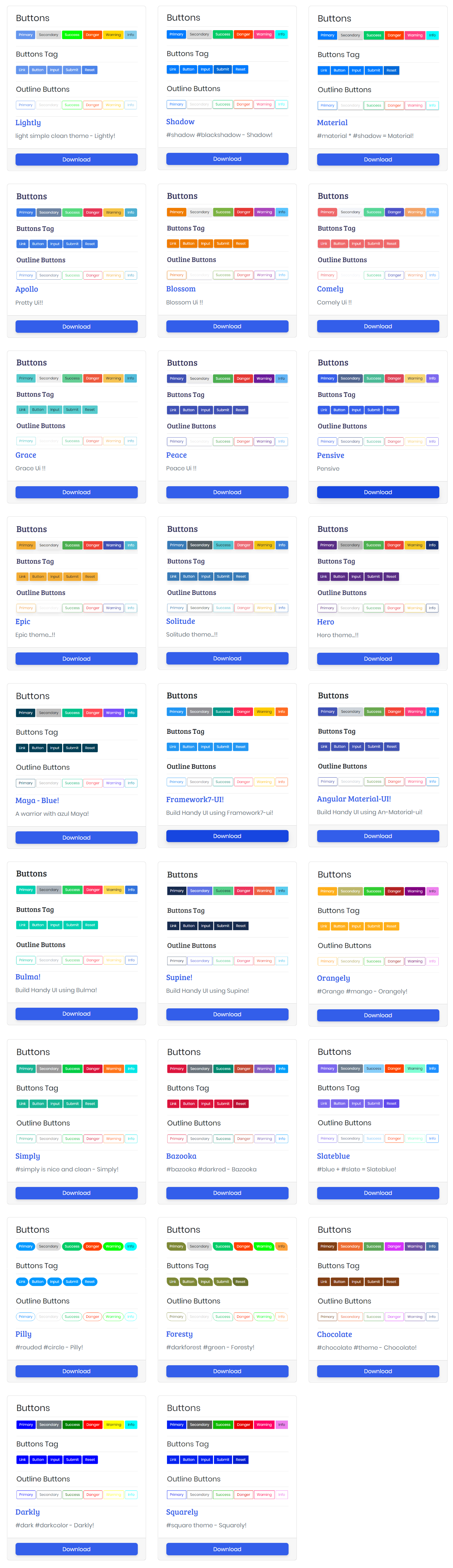](http://bootcatch.com/)
Free customized bootcatch themes for bootstrap lover's <3 - is based on world most popular framework Bootstrap. which has different styles and layouts like buttons, cards, forms, navbar, modal, tables, dropdown, and all features.
Hope it will help you a lot.
## NPM Install
```js
npm i bootcatch-themes --save
```
## [Usage](http://bootcatch.com/usage):
Below are the few way to integrate bootcatch in your project.
### CDN - content delivery network
```js
//add this cdn in your html head.
//change the theme name your css will get changed.
//
```
### Use in Html Project
```js
//download the css and place it on right path e.g
```
### Use in Vue.js.
```js
//In Vue main.js file
import Vue from "vue";
import "bootcatch-themes/dist/orangely/bootstrap.min.css;
```
### Use in Angular.
```js
//import in style.scss file
@import "bootcatch-themes/dist/orangely/bootstrap.min.css";
//@import "~bootcatch-themes/dist//";
```
### Use in React.
```js
import React from 'react';
import ReactDOM from 'react-dom';
//import in your main file e.g index.js file
import "bootcatch-themes/dist/orangely/bootstrap.min.css";
```
### Clone the Repository -
```js
//Just clone the whole repository -
git clone https://github.com/ajaymarathe/bootcatch-themes.git
```
## Compiled Asset:
Download `bootstrap.css` or `bootstrap.min.css` file associated with the theme and replace it with bootstrap default stylesheet and don't forget to add bootstrap optional dependencies like js file `e.g bootstrap.min.js, jquery & popper.js` etc
### What's included:
Within the download you'll find the following directories and files:
```html
dist/
├──MATERIAL/
| ├── Bootstrap.css
| ├── Bootstrap.min.css
├── LICENSE
├── README.md
-//- Same structure for all themes.
```
## Live Priview
- [Bootcatch](http://bootcatch.com)
## Author
Ajay Marathe
+ https://github.com/ajaymarathe
+ http://bootcatch.com/lightly
+ http://bootcatch.com/usage
```
If you like my work then please give ⭐ and do follow me :P
```
## Copyright and License
Copyright 2018 - 2020 [Ajay Marathe](https://github.com/ajaymarathe). Code released under the [MIT](https://github.com/ajaymarathe/Bootcatch-Themes/blob/master/LICENSE) license.