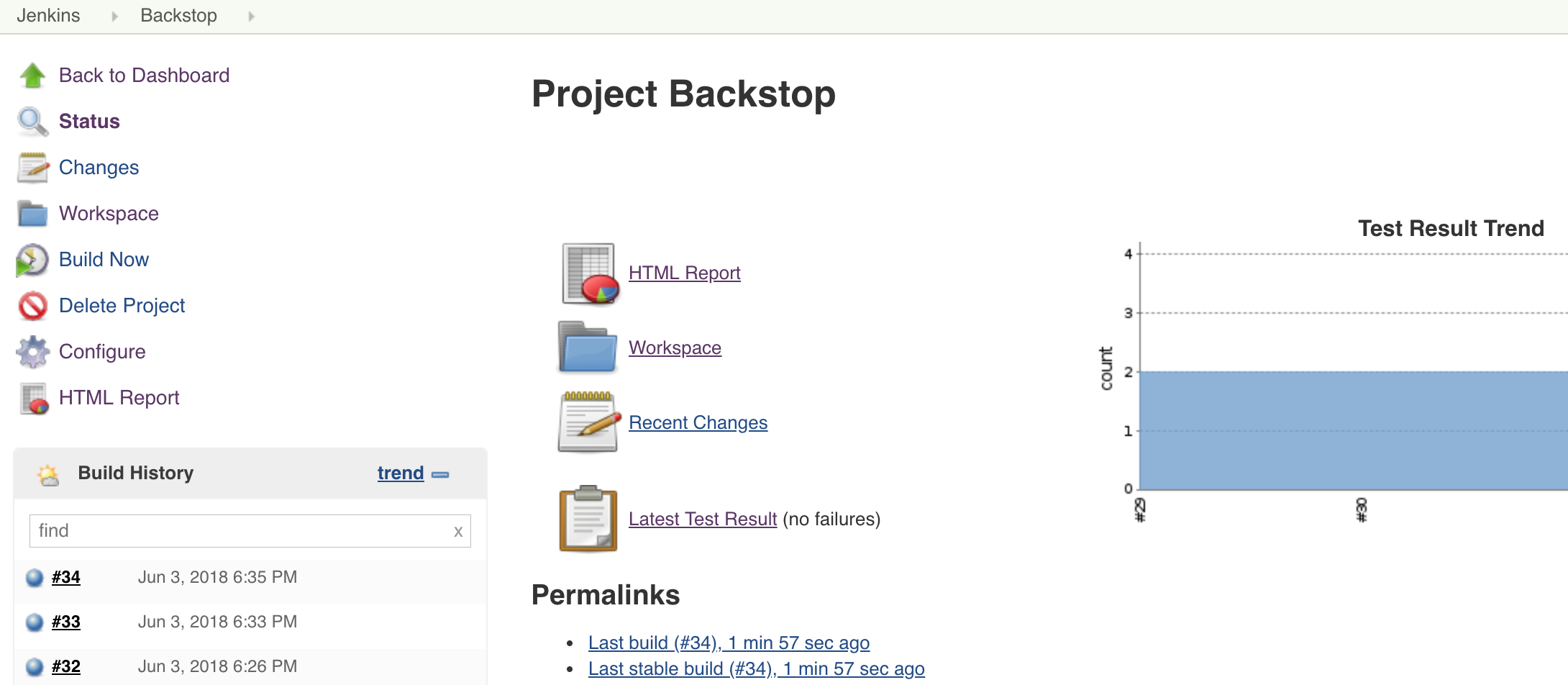
# Jenkins Integration
Here, we use the DooD (Docker-outside-of-Docker) to run the jenkins.
For more info about DooD, we **HIGHLY** suggest to read [the blog](https://container-solutions.com/running-docker-in-jenkins-in-docker/) first.
> Here, what we do more is we fix the "sudo" security issue
## Content
- [Pre Conditions](#pre-conditions)
- [Jenkins Master](#jenkins-master)
- [Jenkins Slave](#jenkins-slave)
- [Run BackstopJS](#run-backstopjs)
## Pre Conditions
1. Download docker bin file to the **HOST Machine**, from here: [Linux](https://download.docker.com/linux/static/stable/x86_64/), [Mac](https://download.docker.com/mac/static/stable/x86_64/)
2. Download & Install docker to the **HOST Machine**: [Linux](https://docs.docker.com/install/linux/docker-ce/centos/), [Mac](https://download.docker.com/mac/stable/Docker.dmg)
## Jenkins Master
1. Pull the latest Jenkins LTS:
```
docker pull jenkins/jenkins:lts
```
2. Use --group-add to give jenkins user to have permission to run docker
Run the command to see which group id the container automatically created when we map the **-v /var/run/docker.sock:/var/run/docker.sock**
> Note: If the OS is **MAC**, change ownership of the /var/run/docker.sock to your current user: ``sudo chown `id -u`:staff /var/run/docker.sock``
```
docker run \
-ti \
-v /var/run/docker.sock:/var/run/docker.sock \
--rm \
jenkins/jenkins:lts bash -c "ls -l /var/run/docker.sock"
```
You will get the result as bellow, mark down the group id. Normally speaking, the id should be 999 or 998.
srw-rw---- 1 root **999** 0 Jun 16 19:18 /var/run/docker.sock
3. Run Jenkins - Master
- For more info about how to use the jenkins/jenkins:lts, please refer to: [https://github.com/jenkinsci/docker/blob/master/README.md](https://github.com/jenkinsci/docker/blob/master/README.md)
- Here, create a '~/jenkins_home' docker volume on the HOST machine, that will survive the container stop/restart/deletion.
- Get the group-id from step 2, for example 999
```
docker run \
-p 8080:8080 \
-p 50000:50000 \
-v ~/jenkins_home:/var/jenkins_home \
-v /var/run/docker.sock:/var/run/docker.sock \
-v ~/Downloads/docker/docker:/usr/bin/docker \
--name jenkins2 \
-d \
--rm \
--group-add 999 \
jenkins/jenkins:lts
```
4. Open [http://127.0.0.1:8080/](http://127.0.0.1:8080/), and follow the jenkins guid to finish the installation.
5. Install Additional Plugins in [http://127.0.0.1:8080/pluginManager/available](http://127.0.0.1:8080/pluginManager/available) with "Install without restart":
- HTML Publisher
- Post build task
6. Go to [http://127.0.0.1:8080/script](http://127.0.0.1:8080/script), and execute the command to avoid blank html report issue.
```
System.setProperty("hudson.model.DirectoryBrowserSupport.CSP"," ")
```
7. Create a Slave node
- Go to [http://127.0.0.1:8080/computer/](http://127.0.0.1:8080/computer/)
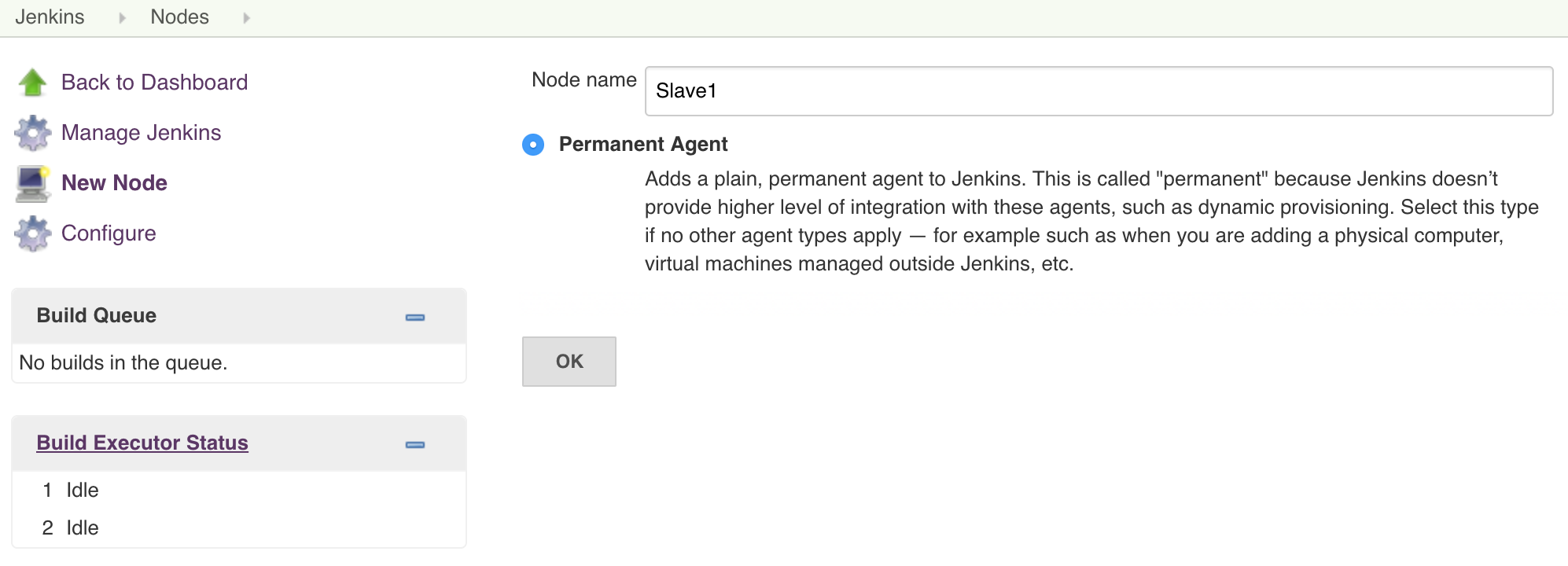
- Click "New Node", enter "Slave 1" to set as following:
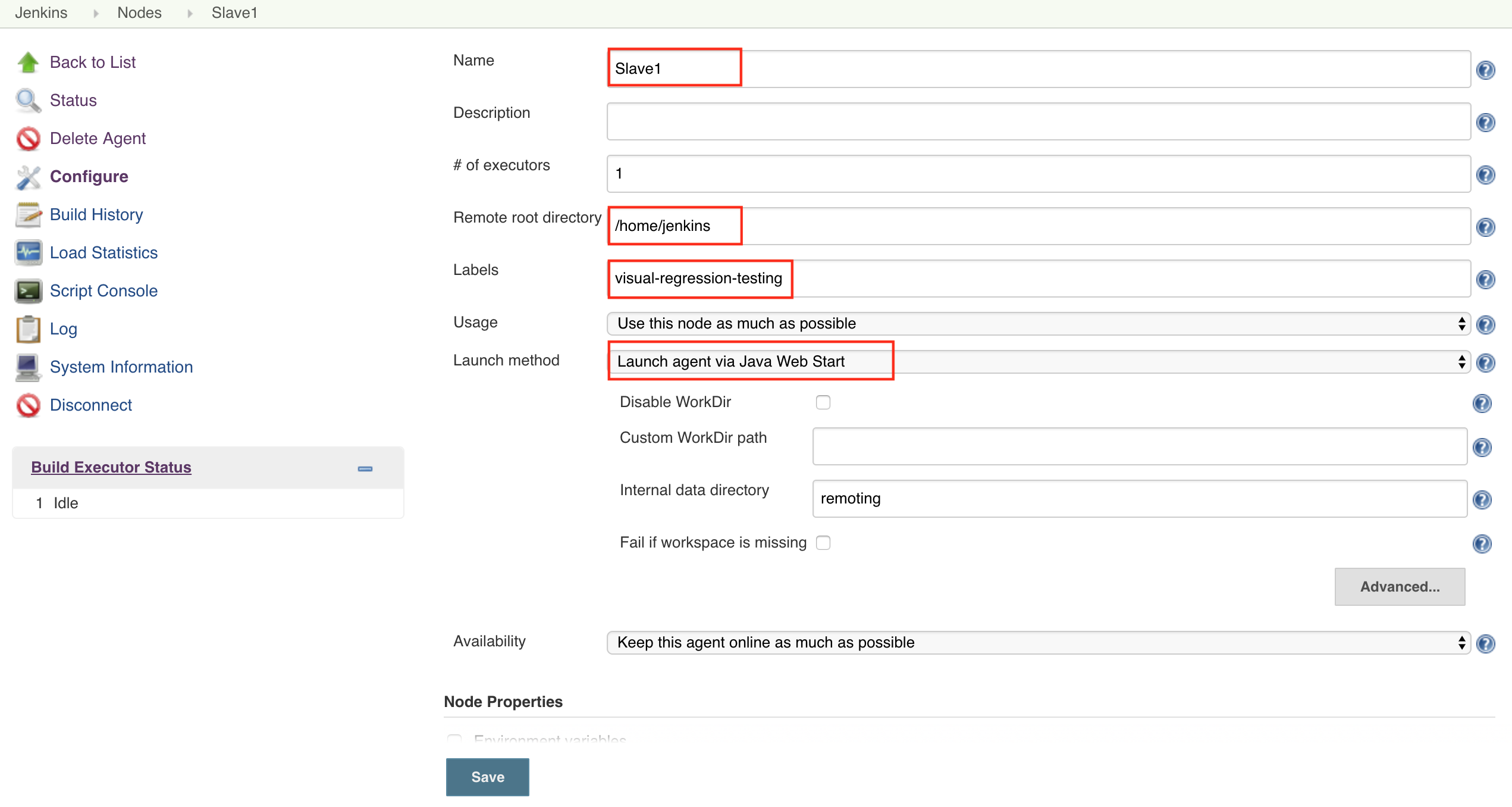
- Set "Remote root directory" to "/home/jenkins", and set "Launch agent via Java Web Start" as following:
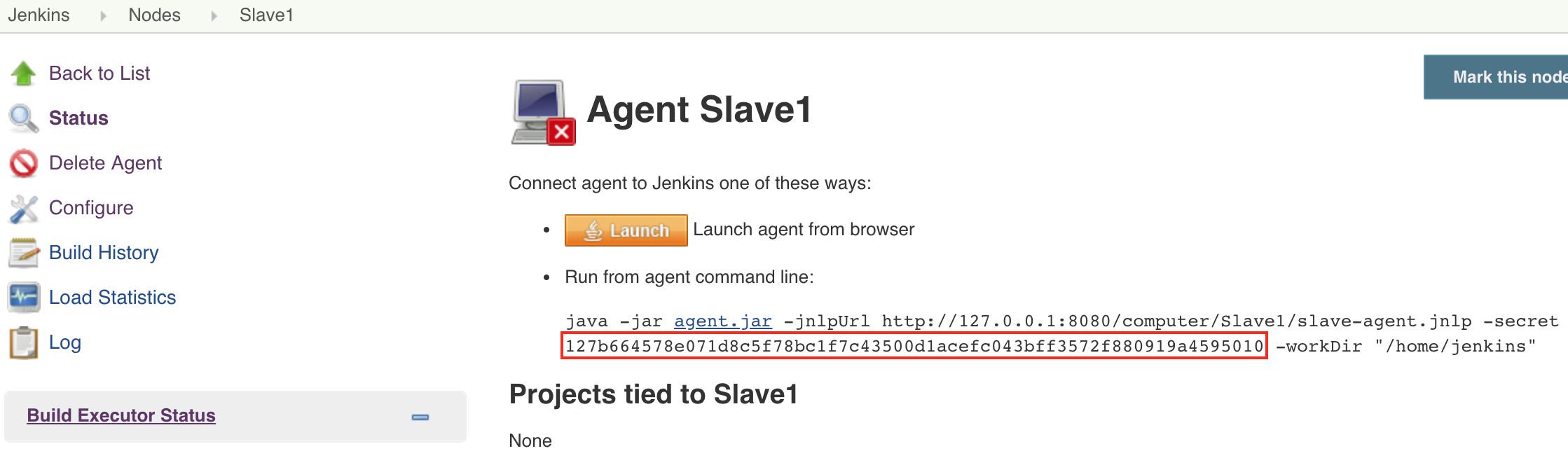
- Click Save, and mark the secret for later use as following:
## Jenkins Slave
1. Pull the latest Jenkins jnlp-slave:
```
docker pull jenkins/jnlp-slave
```
2. Use --group-add to give jenkins user to have permission to run docker
Run the command to see which group id the container automatically created when we map the **-v /var/run/docker.sock:/var/run/docker.sock**
> Note: If the OS is **MAC**, change ownership of the /var/run/docker.sock to your current user: ``sudo chown `id -u`:staff /var/run/docker.sock``
```
docker run \
-ti \
-v /var/run/docker.sock:/var/run/docker.sock \
--rm \
jenkins/jenkins:lts bash -c "ls -l /var/run/docker.sock"
```
You will get the result as bellow, mark down the group id. Normally speaking, the id should be 999 or 998.
srw-rw---- 1 root **999** 0 Jun 16 19:18 /var/run/docker.sock
3. Start container for agent:
- For more info about how to use jenkins/jnlp-slave, please refer to: [https://github.com/jenkinsci/docker-jnlp-slave](https://github.com/jenkinsci/docker-jnlp-slave)
- The master url should be **172.17.0.1:8080** between the docker containers
- Get the group-id from step 2, for example 999
```
docker run \
-v ~/jenkins_home:/home/jenkins \
-v /var/run/docker.sock:/var/run/docker.sock \
-v YOUR_DOCKER_BIN_FILE:/usr/bin/docker \
--name jenkins_agent_1 \
-d \
--rm \
--group-add 999 \
jenkins/jnlp-slave -url http://172.17.0.1:8080 YOUR_SECRET Slave1
```
For example:
```
docker run \
-v ~/jenkins_home:/home/jenkins \
-v /var/run/docker.sock:/var/run/docker.sock \
-v ~/Downloads/docker/docker:/usr/bin/docker \
--name jenkins_agent_1 \
-d \
--rm \
--group-add 999 \
jenkins/jnlp-slave -url http://172.17.0.1:8080 127b664578e071d8c5f78bc1f7c43500d1acefc043bff3572f880919a4595010 Slave1
```
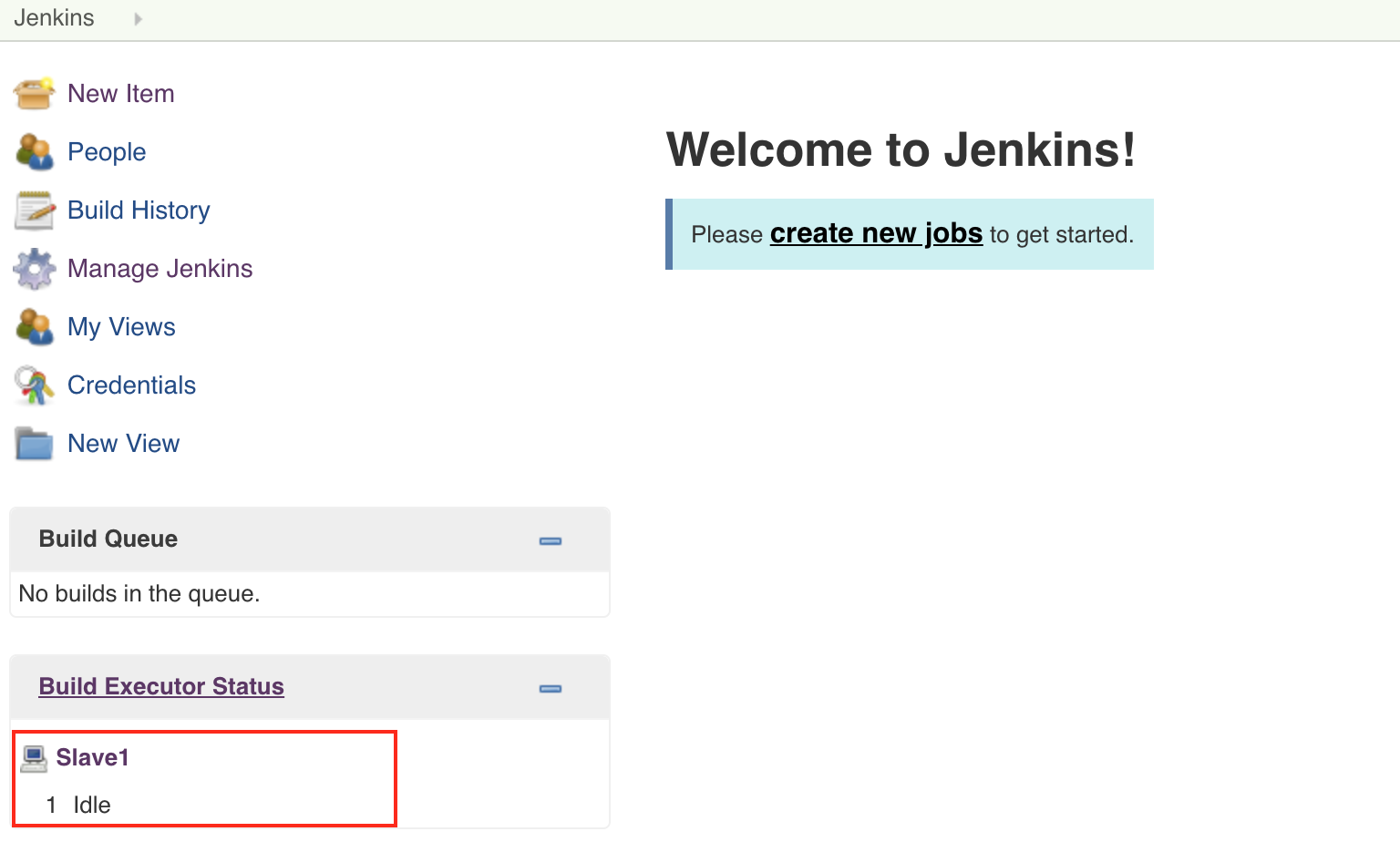
4. You could see your agent working as below.
## Run BackstopJS
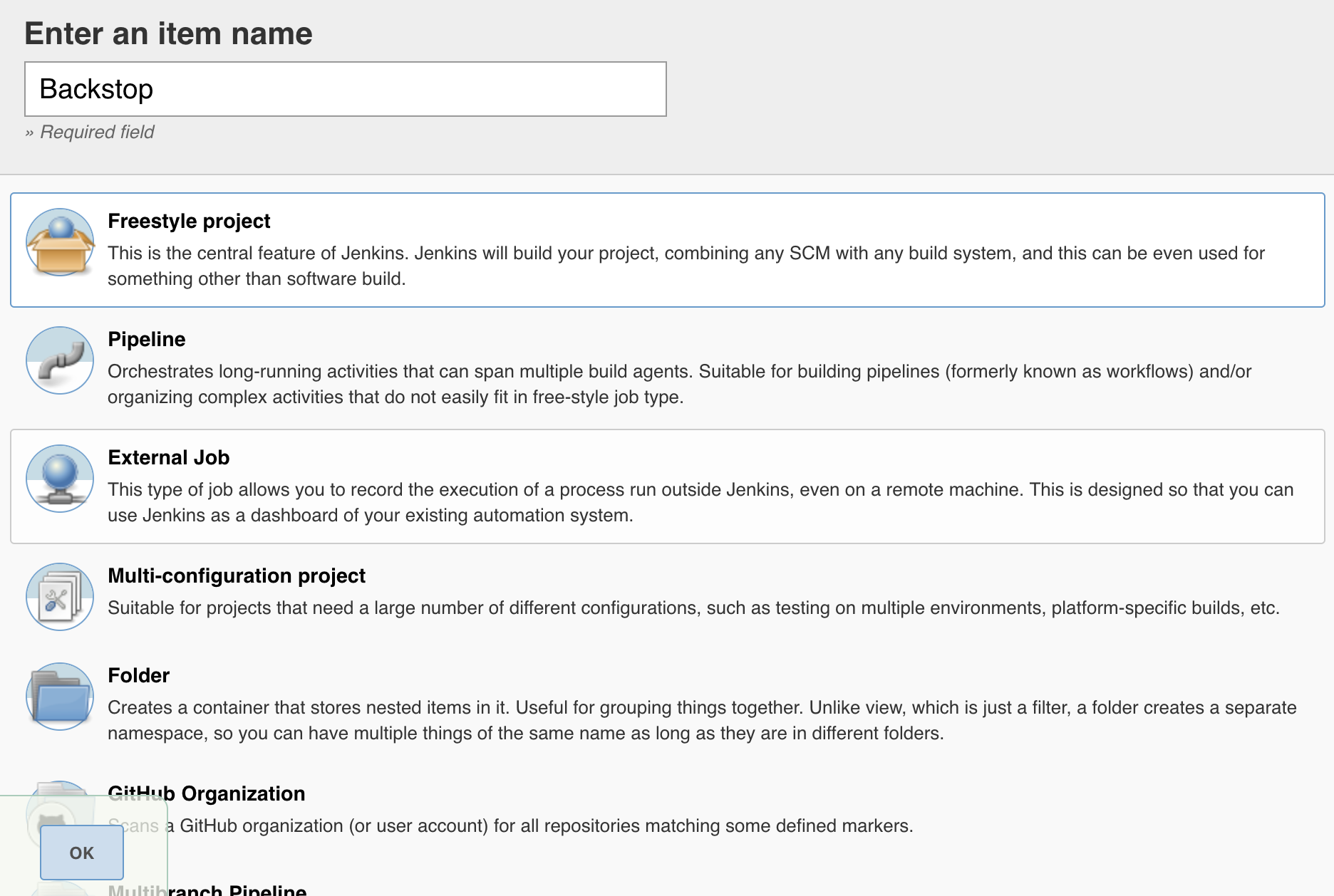
1. Go to [http://127.0.0.1:8080/newJob](http://127.0.0.1:8080/newJob), and select a "Freestyle project" to create a job
2. Configure
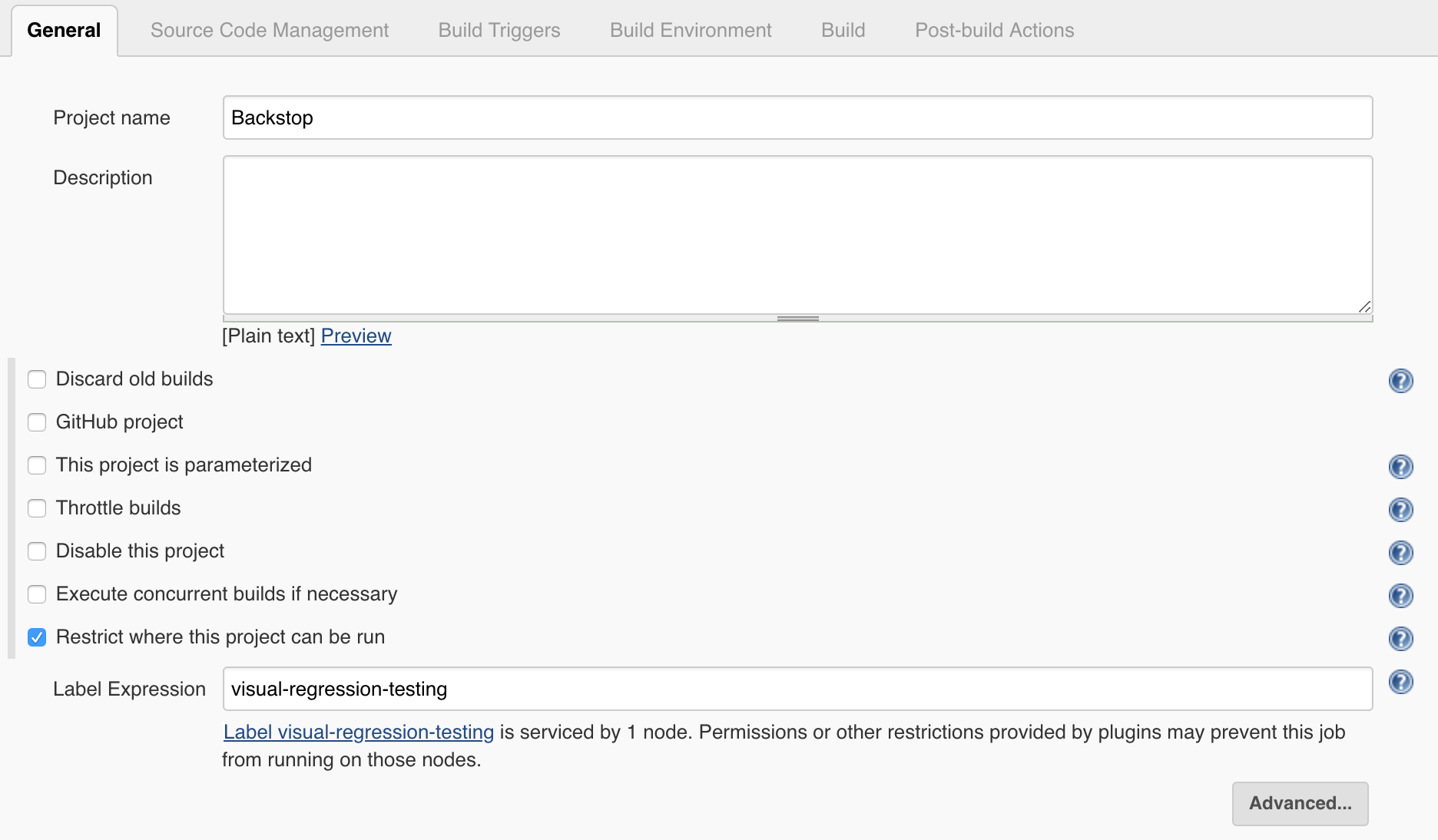
- General: Set a project name **Backstop**, and set "Restrict where this project can be run" to "visual-regression-testing"
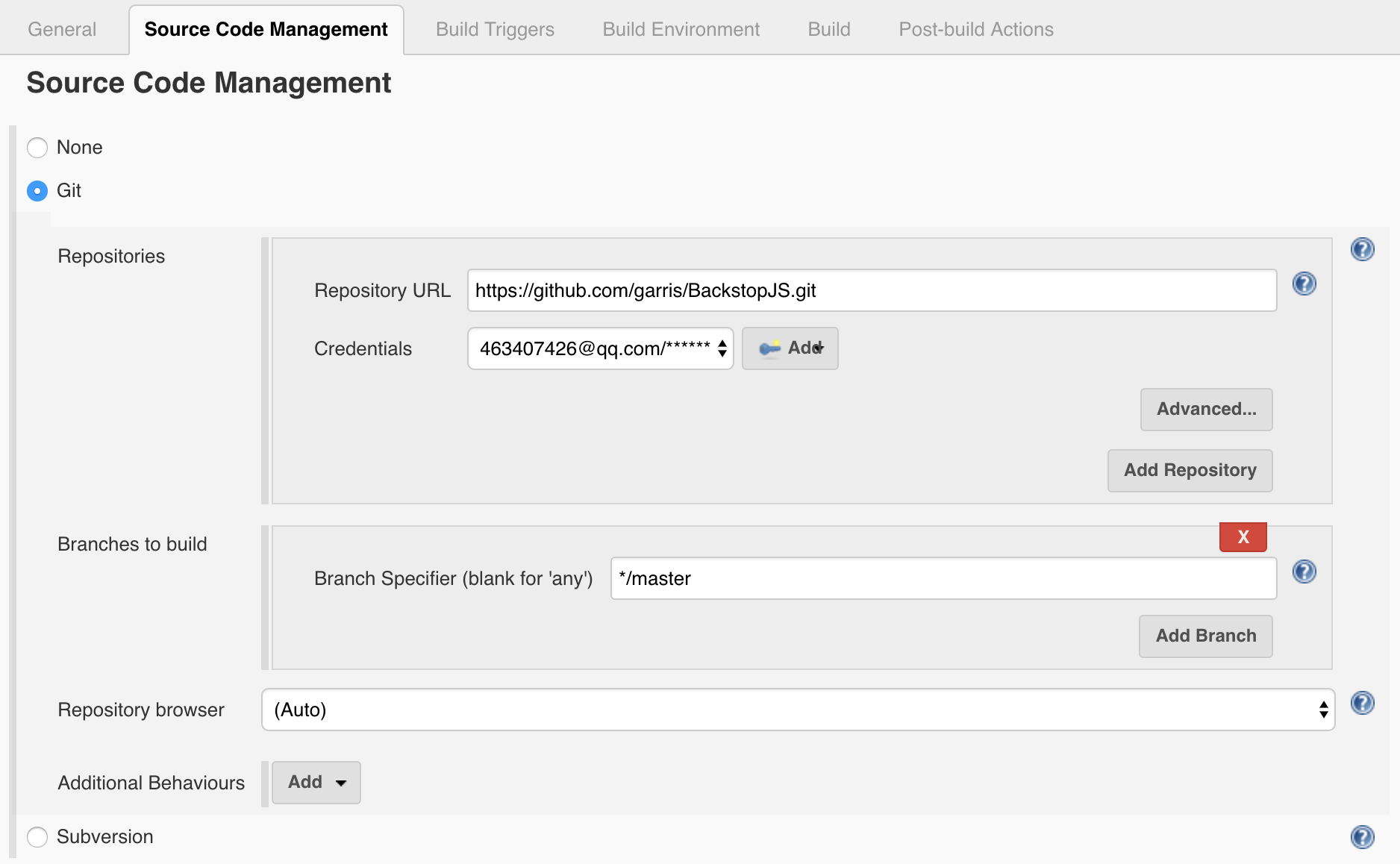
- Source Code Management: For a instance, you could clone or folk [https://github.com/garris/BackstopJS](https://github.com/garris/BackstopJS), and then set as following with your own git credential
- Build Triggers: For examples,
1) You could run daily test by setting: **Build periodically** to **H 08 * * 1-5**
2) You could Select **Poll SCM** and write "H/5 * * * *". This tells Jenkins to “ask” your repository every 5 minutes if there are changes. If there are any, trigger the job.
- Build: Add **Execute Shell**, and add following for a sample.
**IMPORTANT**: Because we use DooD, you need to mount volumes to the container by using --volumes-from \ to make user the data is there.
```
set +x
docker pull backstopjs/backstopjs:latest
docker run \
--workdir ${WORKSPACE} \
--volumes-from jenkins_agent_1 \
--rm \
--shm-size 2048m \
--name backstopjs \
--entrypoint=sh \
backstopjs/backstopjs:latest \
-c "cd examples/Jenkins/Sample/; backstop test"
# Debug Purpose: It will keep container there until job aborted
# docker run \
# --workdir ${WORKSPACE} \
# --volumes-from jenkins_agent_1 \
# --rm \
# --shm-size 2048m \
# --name backstopjs \
# --entrypoint=sh \
# backstopjs/backstopjs:latest \
# -c "cd examples/Jenkins/Sample/; while true; do sleep 1; done"
```
- Post-build Actions:
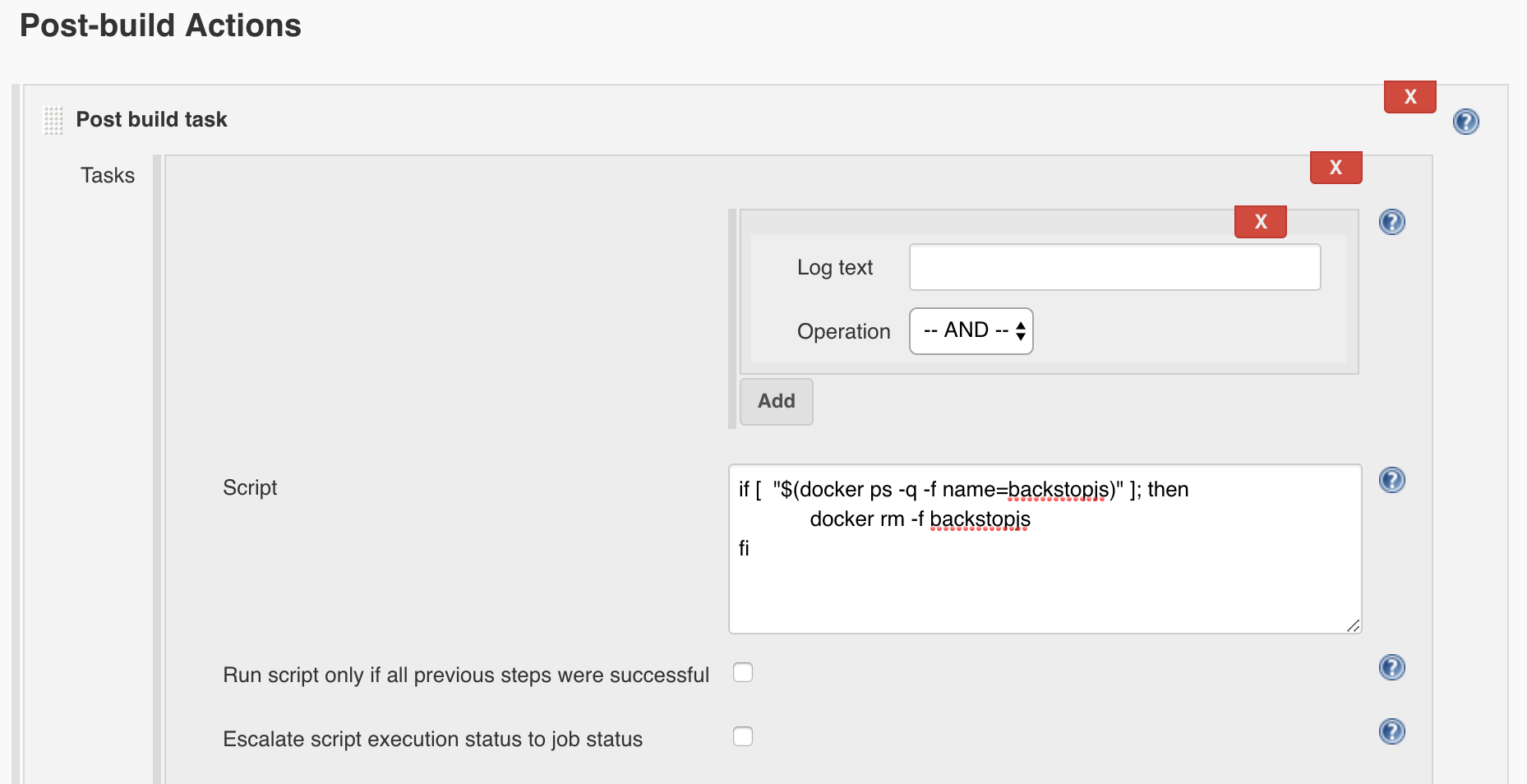
1) Add **Post build task** to delete the not exiting container
```
if [ "$(docker ps -q -f name=backstopjs)" ]; then
docker rm -f backstopjs
fi
```
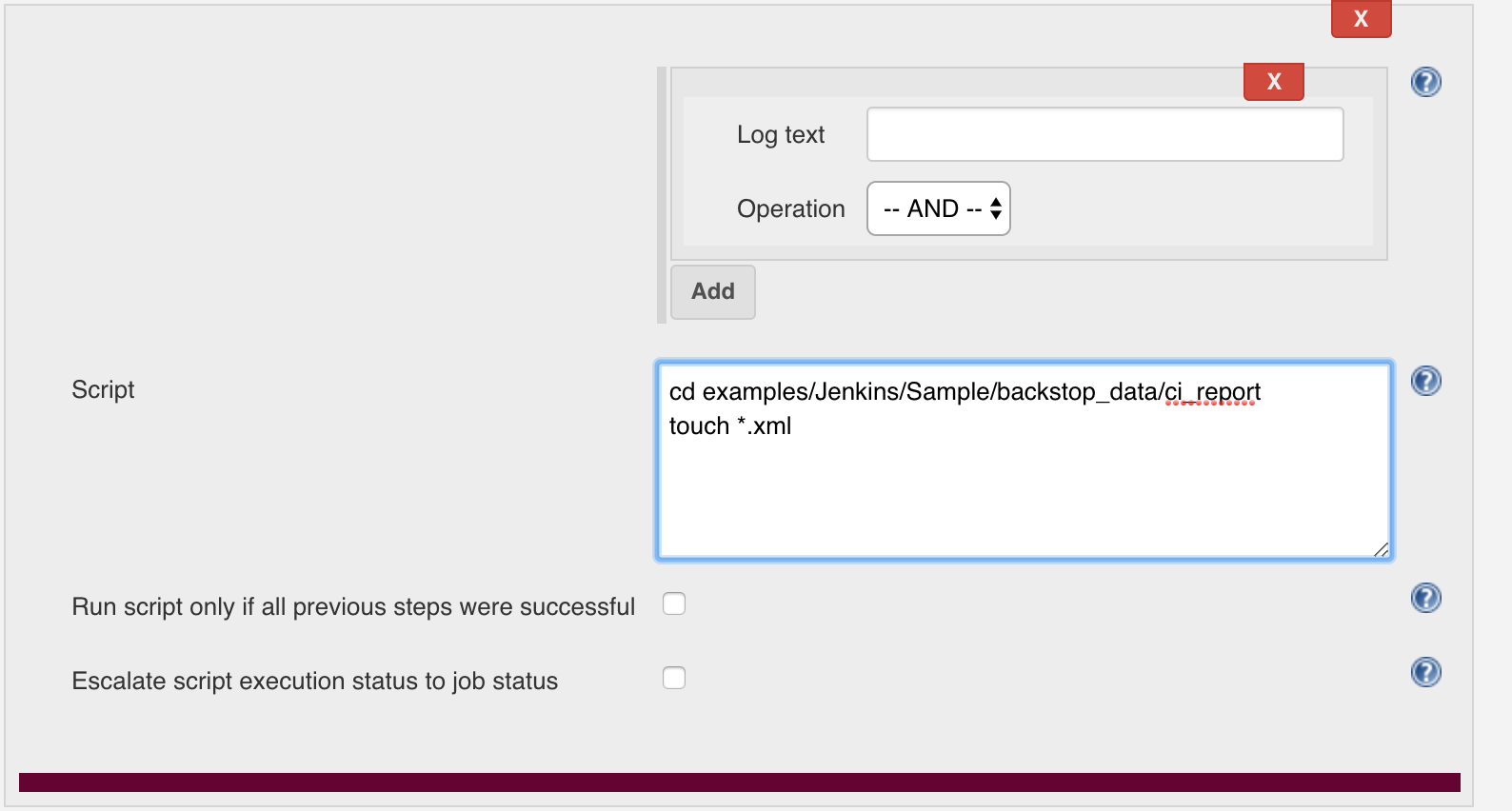
2) Add **Post build task** to avoid JUnite Test Report issue "Test reports were found but none of them are new. Did tests run?"
```
cd docker/Jenkins/Sample/backstop_data/ci_report
touch *.xml
```
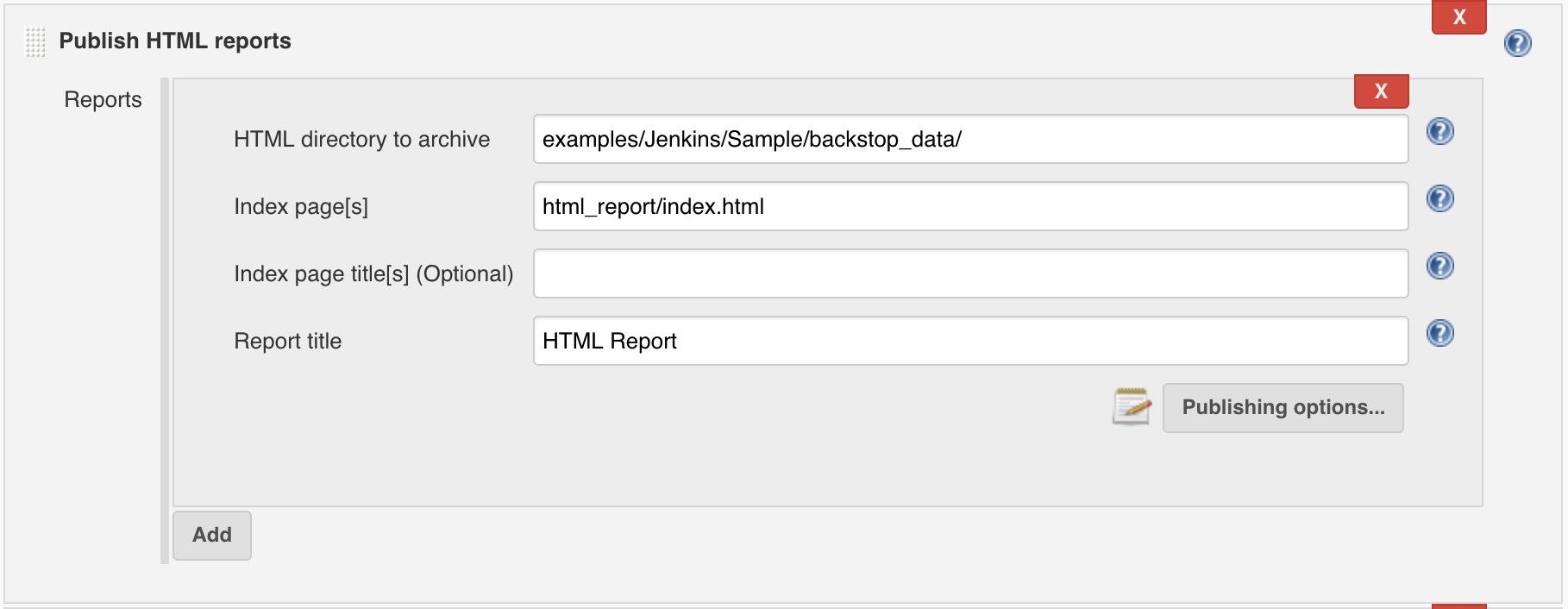
3) Add **Publish HTML reports**, and set as following.
Note: The **HTML directory to archive** is: docker/Jenkins/Sample/backstop_data/
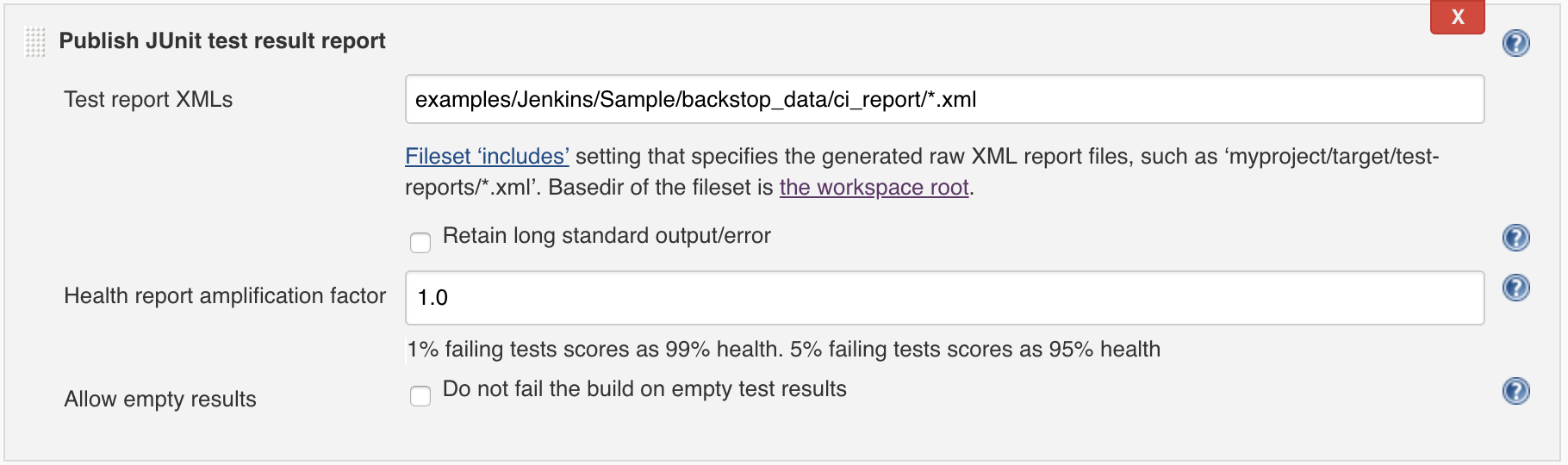
4) Add **Publish JUnit test result report**, and set as following
3. Run build - Get the HTML Report & JUnit Report