###08 插入移除操作
###08 Insert Removal operation

> https://segmentfault.com/a/1190000004896630

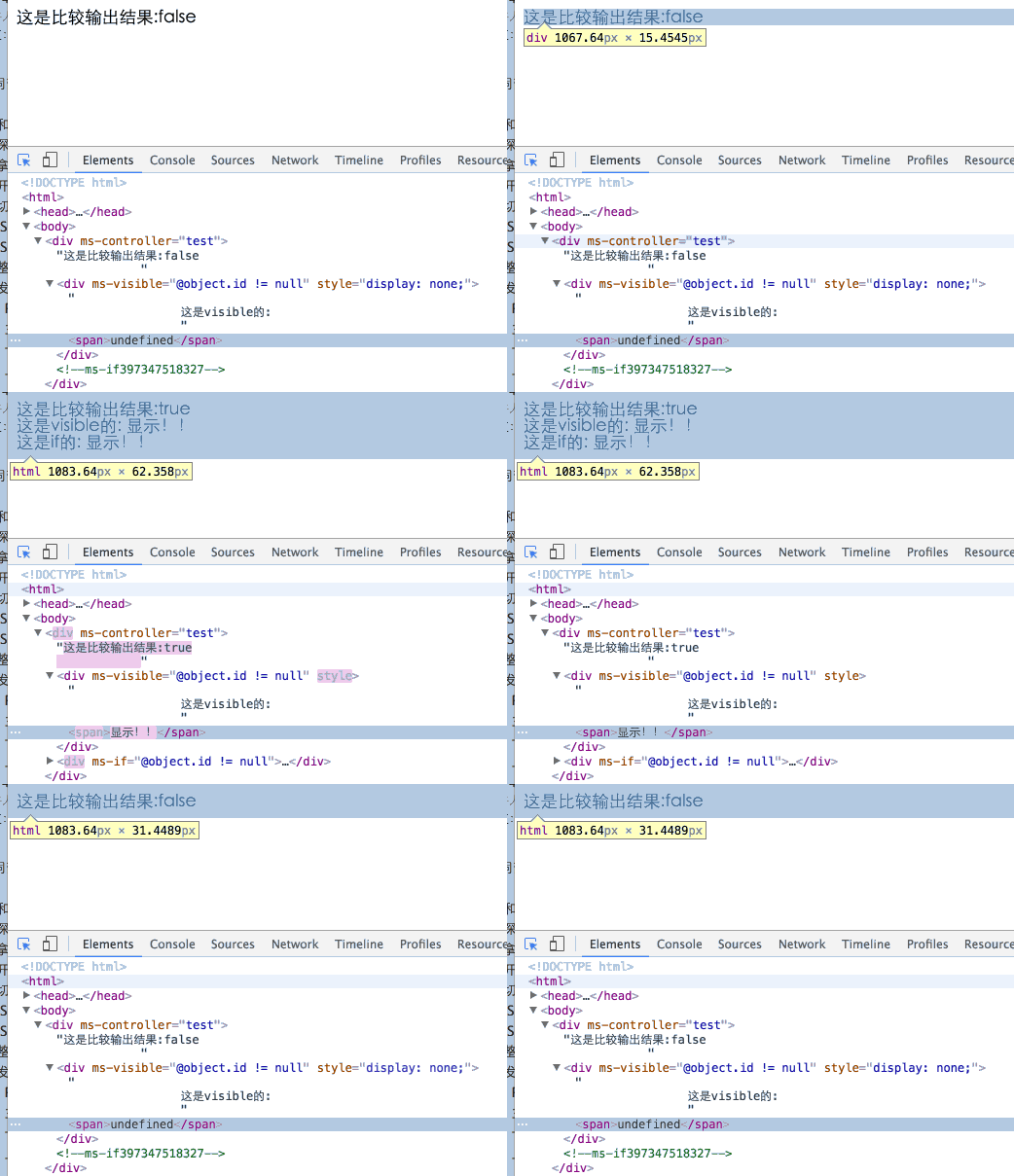
本节介绍的ms-if指令与ms-visible很相似，都是让某元素“看不见”，不同的是ms-visible是通过CSS实现，ms-if是通过移除插入节点实现。

This section describes the `ms-if` command and `ms-visible` is very similar, are to make an element "invisible", the difference is that `ms-visible` is achieved through the CSS, `ms-if` is to remove the insert node.

ms-if的用法与1.×时别无二致，只要值是真，就插入，为假时，就在原位置上替换为一个注释节点做占位符。

The use of `ms-if` and 1. × no different, as long as the value is true to insert, when false, in the original location to replace a node to do a placeholder comment.

> 注意： 在avalon1.*中，存在一个叫ms-if-loop的辅助指令，这个在2.0移除了，这个直接使用filterBy过滤器就能实现相似功能。

>Note: In avalon1. *, There is a helper instruction called `ms-if-loop`, which is removed in 2.0. This is done using filterBy filters.

	<!DOCTYPE HTML>
		<html>
		    <head>
		        <title>ms-if</title>
		        <meta http-equiv="Content-Type" content="text/html; charset=UTF-8">
		        <script src="./dist/avalon.js" ></script>
		        <script>
		            var vmodel = avalon.define({
		                $id: "test",
		                object: {}
		            })
		
		            setTimeout(function() {
		                vmodel.object = {id: "132", message: "显示！！"}
		            }, 3000)
		
		            setTimeout(function() {
		                vmodel.object = {}
		            }, 5000)
		
		        </script>
		    </head>
		    <body>
		        <div ms-controller="test" >
		            这是比较输出结果:{{@object.id != null}}
		            <div ms-visible="@object.id != null">
		                这是visible的:
		                <span>{{@object.message}}</span>
		            </div>
		            <div ms-if="@object.id != null">
		                这是if的:
		                <span>{{@object.message}}</span>
		            </div>
		        </div>
		    </body>
		</html>

![xx](./lesson08_1.gif)

现在我们用ms-if重新做一下切换卡吧

Now we use `ms-if` to do something to switch cards

	<!DOCTYPE html>
	<html>
	    <head>
	        <title>ms-if</title>
	        <meta charset="UTF-8">
	        <meta name="viewport" content="width=device-width">
	        <script src="./dist/avalon.js"></script>
	        <script >
	            var vm = avalon.define({
	                $id: "test",
	                curIndex: 0, //默认显示第一个
	                buttons: ['aaa', 'bbb', 'ccc'],
	                panels: ["<div>面板1</div>", "<p>面板2</p>", "<strong>面板3</strong>"]
	            })
	
	        </script>
	        <style>
	            button{
	                margin:1em 3em;
	            }
	            .panel div{
	                height:200px;
	                background: #a9ea00;
	            }
	            .panel p{
	                height:200px;
	                background: green;
	            }
	            .panel strong{
	                display:block;
	                width:100%;
	                height:200px;
	                background: #999;
	            }
	        </style>
	    </head>
	    <body ms-controller="test" >
	        <div>
	            <button ms-for='(i, el) in @buttons' ms-click='@curIndex = i'>{{el}}</button>
	        </div>
	        <div class='panel' ms-for='(jj, el) in @panels' ms-if='jj === @curIndex' ms-html='el'></div>
	    </body>
	</html>

![xx](./lesson08_2.gif)