<p align="center">
  <img src="https://raw.githubusercontent.com/satyajiit/aster-mcp/main/assets/logo.png" alt="Aster Logo" width="100" />
</p>

<h1 align="center">Aster</h1>

<p align="center">
  <strong>Your AI CoPilot on Mobile — or give your AI its own phone</strong>
</p>

<p align="center">
  <a href="https://www.npmjs.com/package/aster-mcp"><img src="https://img.shields.io/npm/v/aster-mcp?style=flat-square&color=blue" alt="npm version" /></a>
  <a href="https://www.npmjs.com/package/aster-mcp"><img src="https://img.shields.io/npm/dm/aster-mcp?style=flat-square&color=green" alt="npm downloads" /></a>
  <a href="https://github.com/satyajiit/aster-mcp/blob/main/LICENSE"><img src="https://img.shields.io/badge/license-MIT-blue?style=flat-square" alt="License" /></a>
  <a href="https://github.com/satyajiit/aster-mcp"><img src="https://img.shields.io/badge/MCP-compatible-brightgreen?style=flat-square" alt="MCP" /></a>
  <a href="https://clawhub.ai/satyajit/aster"><img src="https://img.shields.io/badge/ClawHub-skill-purple?style=flat-square" alt="ClawHub" /></a>
  <a href="https://openclaw.ai"><img src="https://img.shields.io/badge/OpenClaw-compatible-orange?style=flat-square" alt="OpenClaw" /></a>
  <a href="https://github.com/satyajiit/aster-mcp"><img src="https://img.shields.io/github/stars/satyajiit/aster-mcp?style=flat-square" alt="GitHub stars" /></a>
  <img src="https://img.shields.io/badge/40%2B-MCP_tools-2dd4bf?style=flat-square" alt="40+ MCP tools" />
  <img src="https://img.shields.io/badge/Android_7%2B-supported-3DDC84?style=flat-square&logo=android&logoColor=white" alt="Android 7+" />
  <img src="https://img.shields.io/badge/no_root-required-ff6b6b?style=flat-square" alt="No root required" />
  <img src="https://img.shields.io/badge/self--hosted-privacy_first-gold?style=flat-square" alt="Self-hosted" />
</p>

<p align="center">
  <img src="https://forthebadge.com/badges/ages-20-30.svg" alt="Ages 20-30" />
  <img src="https://forthebadge.com/badges/approved-by-george-costanza.svg" alt="Approved by George Costanza" />
  <img src="https://forthebadge.com/badges/made-with-vue.svg" alt="Made with Vue" />
  <img src="https://forthebadge.com/api/badges/generate?panels=2&primaryLabel=MADE+WITH&secondaryLabel=TYPESCRIPT&primaryBGColor=%23429eff&secondaryBGColor=%233178c6&primaryTextColor=%23FFFFFF&primaryFontSize=12&primaryFontWeight=600&primaryLetterSpacing=2&primaryFontFamily=Roboto&primaryTextTransform=uppercase&secondaryTextColor=%23FFFFFF&secondaryFontSize=12&secondaryFontWeight=900&secondaryLetterSpacing=2&secondaryFontFamily=Montserrat&secondaryTextTransform=uppercase&secondaryIcon=typescript&secondaryIconColor=%23FFFFFF&secondaryIconSize=16&secondaryIconPosition=left" alt="Made with TypeScript" />
  <img src="https://forthebadge.com/api/badges/generate?panels=2&primaryLabel=BUILT&secondaryLabel=WITH+NUXT&primaryBGColor=%23000000&secondaryBGColor=%2309ce44&primaryTextColor=%23FFFFFF&primaryFontSize=12&primaryFontWeight=600&primaryLetterSpacing=2&primaryFontFamily=Roboto&primaryTextTransform=uppercase&secondaryTextColor=%23FFFFFF&secondaryFontSize=12&secondaryFontWeight=900&secondaryLetterSpacing=2&secondaryFontFamily=Montserrat&secondaryTextTransform=uppercase&secondaryIcon=nuxt&secondaryIconColor=%23FFFFFF&secondaryIconSize=16&secondaryIconPosition=right" alt="Built with Nuxt" />
  <img src="https://forthebadge.com/api/badges/generate?panels=2&primaryLabel=Porsche&secondaryLabel=Cayman&primaryBGColor=%23000000&secondaryBGColor=%23ffffff&tertiaryBGColor=%23ff0000&primaryTextColor=%23FFFFFF&primaryFontSize=15&primaryFontWeight=600&primaryLetterSpacing=2&primaryFontFamily=Roboto&primaryTextTransform=capitalize&secondaryTextColor=%23000000&secondaryFontSize=15&secondaryFontWeight=900&secondaryLetterSpacing=2&secondaryFontFamily=Montserrat&secondaryTextTransform=capitalize&primaryFontVariant=small-caps&secondaryTextShadowOffsetX=0.5&secondaryTextShadowOffsetY=1.5&secondaryTextShadowColor=%23ffffff&secondaryFontVariant=small-caps&borderRadius=10&scale=1.40&secondaryIcon=porsche&secondaryIconColor=%23ff0000&secondaryIconSize=16&secondaryIconPosition=right" alt="Porsche Cayman" />
  <img src="https://forthebadge.com/badges/fuck-it-ship-it.svg" alt="Fuck it, ship it" />
  <img src="https://forthebadge.com/badges/ages-18.svg" alt="Ages 18+" />
  <img src="https://forthebadge.com/badges/powered-by-jeffs-keyboard.svg" alt="Powered by Jeff's keyboard" />
  <img src="https://forthebadge.com/badges/open-source.svg" alt="Open Source" />
</p>

<p align="center">
  <a href="https://aster.theappstack.in">Website</a> &bull;
  <a href="#installation">Installation</a> &bull;
  <a href="#connect-your-ai-assistant">Connect AI</a> &bull;
  <a href="#what-can-it-do">Features</a> &bull;
  <a href="#available-mcp-tools">Tools</a> &bull;
  <a href="#security--privacy">Security</a>
</p>

<p align="center">
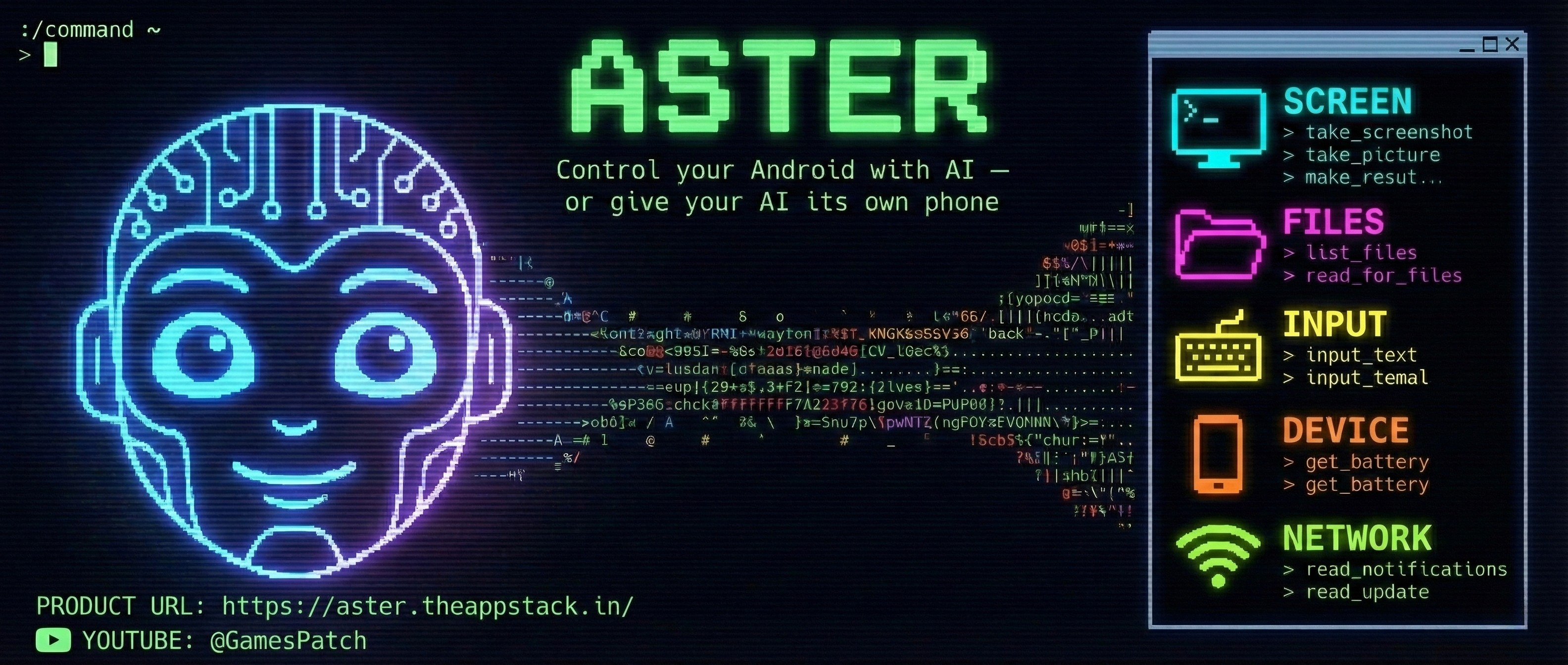
  <img src="https://raw.githubusercontent.com/satyajiit/aster-mcp/main/assets/aster_poster.png" alt="Aster — Your AI CoPilot on Mobile" width="100%" />
</p>

---

Aster is an MCP server that bridges any Android device to AI assistants. Use it as your AI CoPilot on mobile &mdash; or give your AI a dedicated device and let it call you, text you, and act autonomously. Screenshots, UI automation, file management, notifications, media search, and 40+ tools &mdash; all through natural language. Fully open source and privacy-first.

> **Built for [OpenClaw](https://openclaw.ai)** &mdash; works natively as a skill on OpenClaw, Moltbot, and Clawbot. Also supports Claude and any MCP-compatible client.

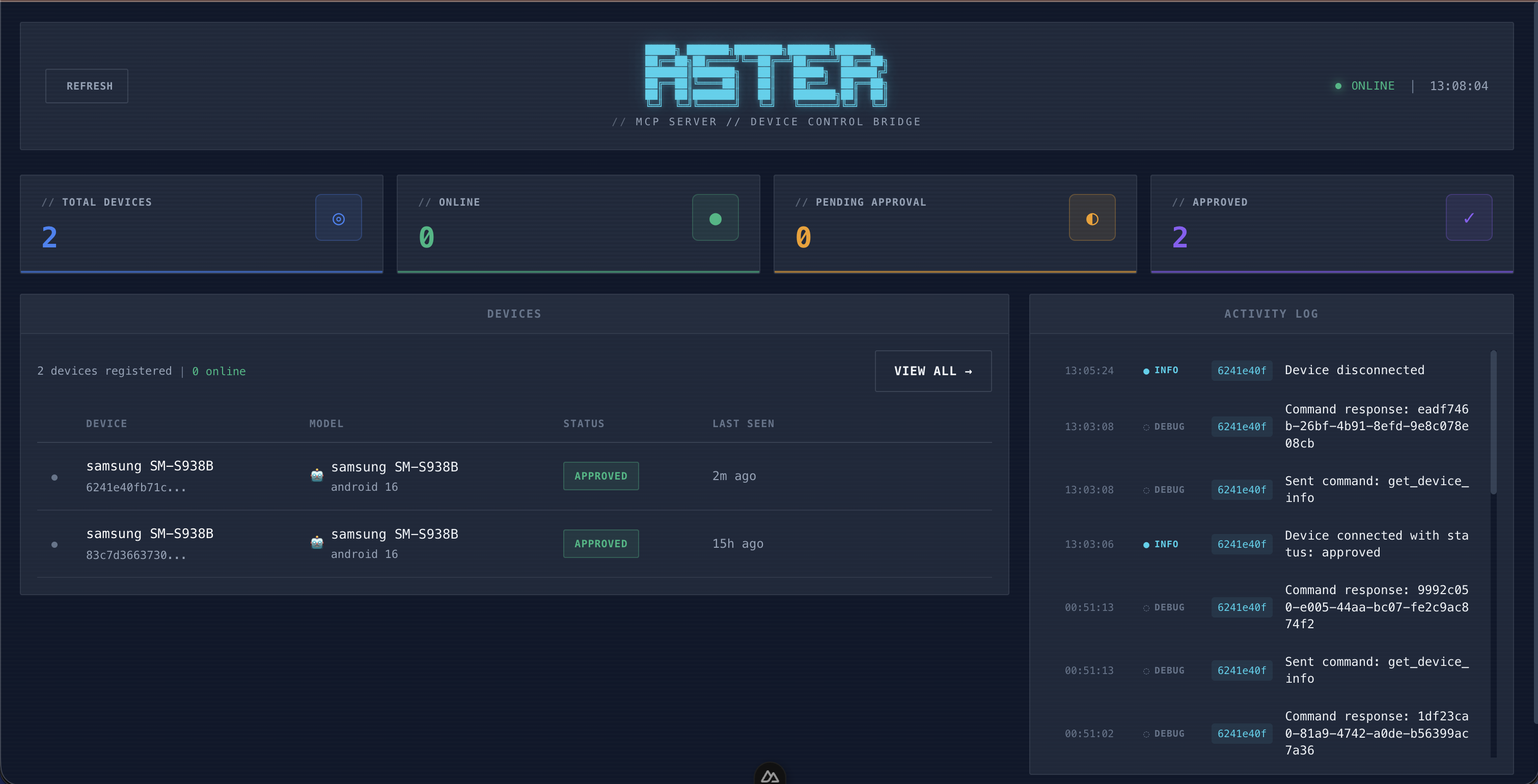
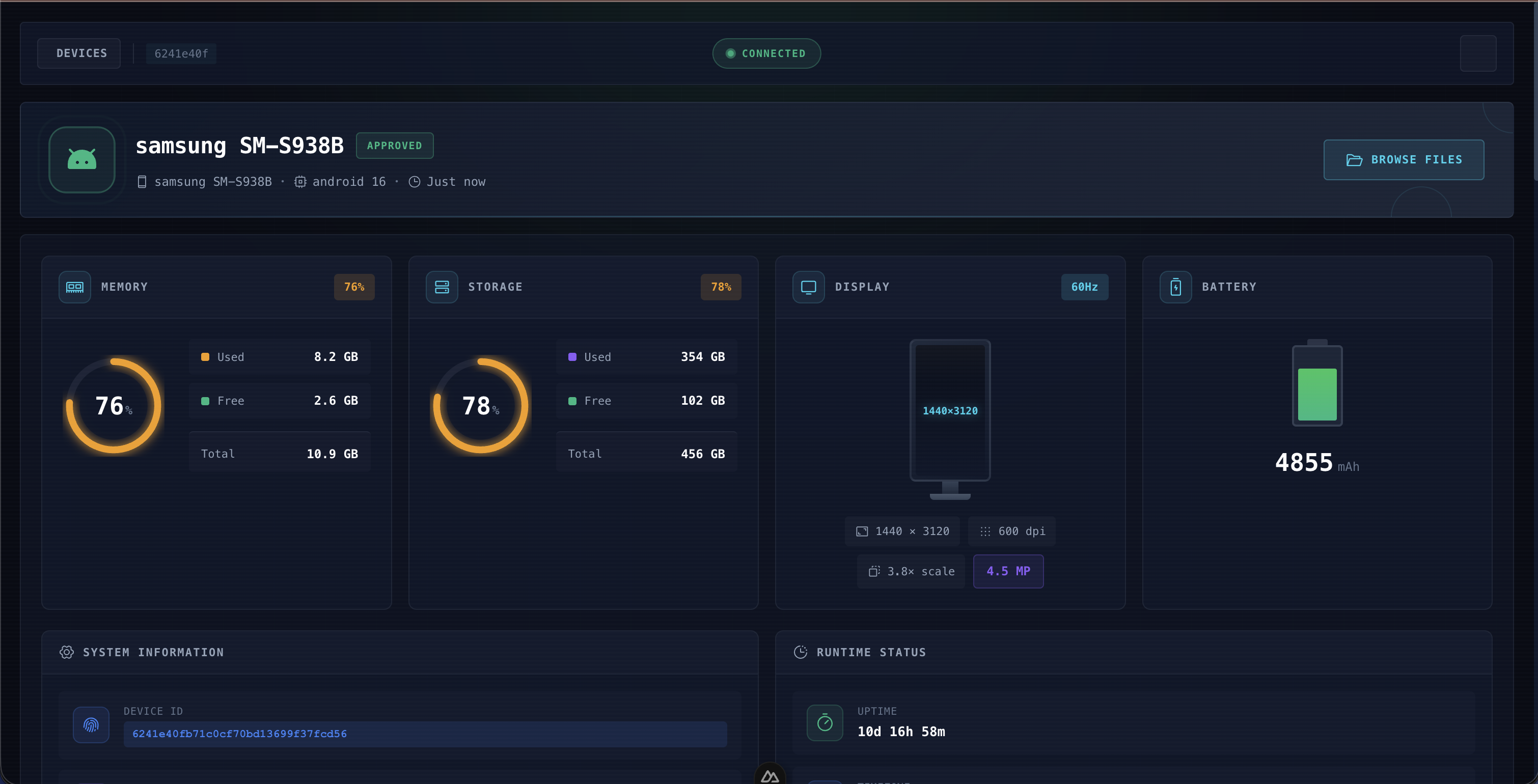
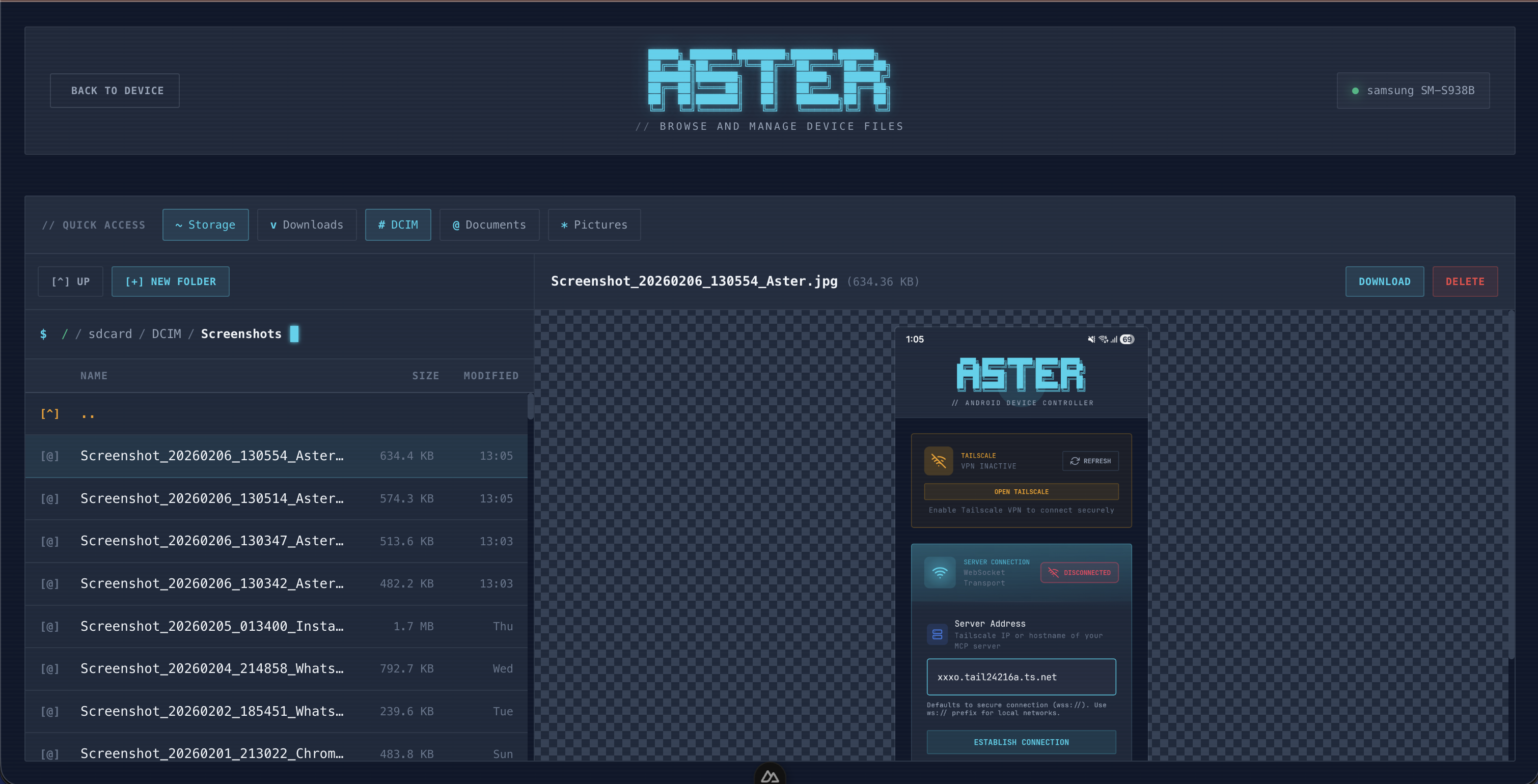
## Web Dashboard

<p align="center">
  <img src="https://raw.githubusercontent.com/satyajiit/aster-mcp/main/mcp/dashboard/screenshots/dashboard-overview.png" width="49%" alt="Dashboard Overview" />
  &nbsp;
  <img src="https://raw.githubusercontent.com/satyajiit/aster-mcp/main/mcp/dashboard/screenshots/device-telemetry.png" width="49%" alt="Device Telemetry" />
</p>
<p align="center">
  <img src="https://raw.githubusercontent.com/satyajiit/aster-mcp/main/mcp/dashboard/screenshots/file-preview.png" width="49%" alt="File Browser & Preview" />
  &nbsp;
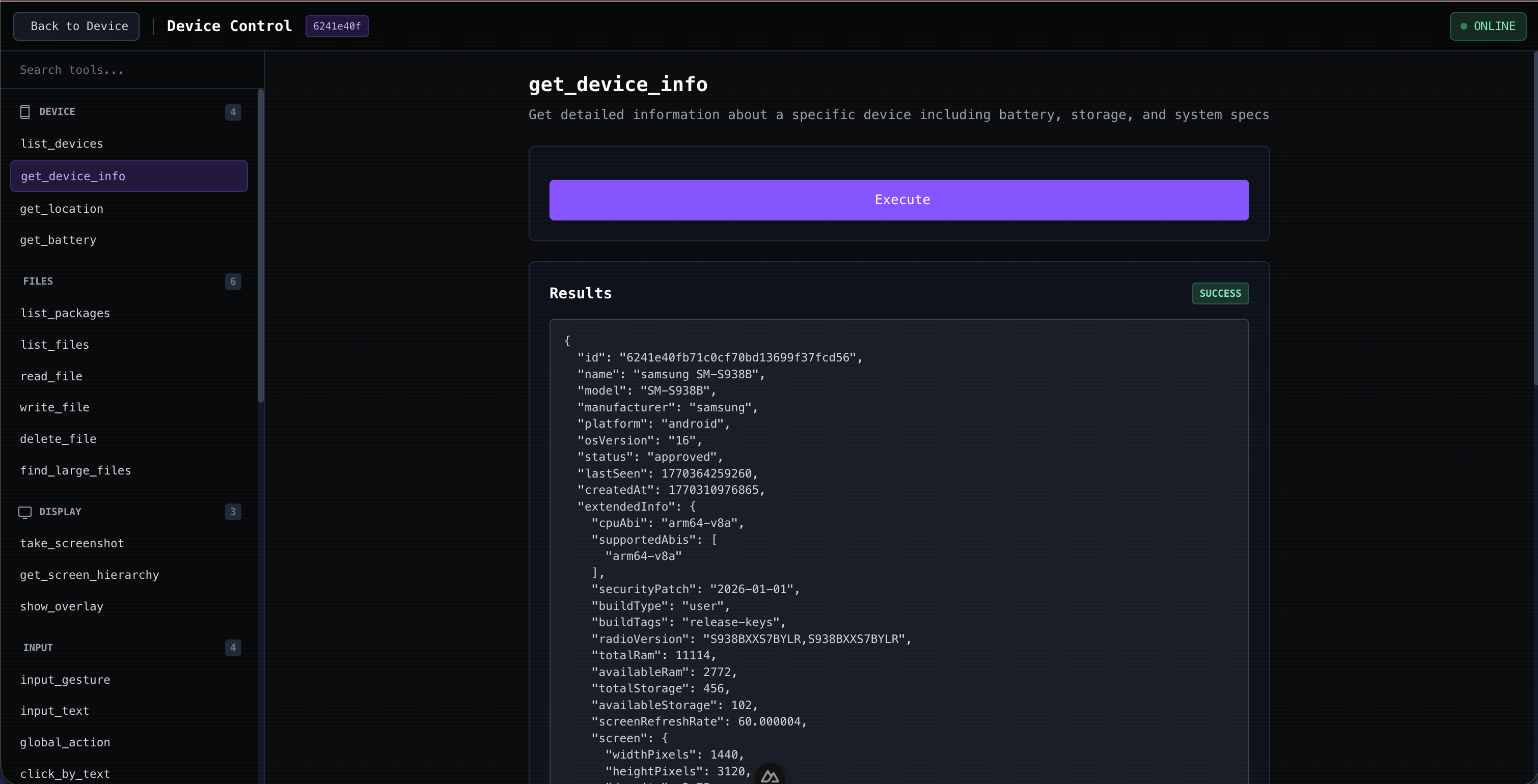
  <img src="https://raw.githubusercontent.com/satyajiit/aster-mcp/main/mcp/dashboard/screenshots/mcp-tool-explorer.png" width="49%" alt="MCP Tool Explorer" />
</p>

<p align="center">
  <sub>Dashboard Overview &nbsp;&bull;&nbsp; Device Telemetry &nbsp;&bull;&nbsp; File Browser & Preview &nbsp;&bull;&nbsp; MCP Tool Explorer</sub>
</p>

## Installation

```bash
npm install -g aster-mcp
```

## Quick Start

```bash
# 1. Start the server
aster start

# 2. Install the Aster app on any Android device
#    — your daily phone or a spare one for your AI
#    Connect using the address shown in terminal

# 3. Connect your AI assistant (see below)
```

## Connect Your AI Assistant

### OpenClaw / Moltbot / Clawbot (Recommended)

Aster is a first-class skill on [ClawHub](https://clawhub.ai/satyajit/aster). One command to install:

```bash
clawhub install aster
```

That's it. Your AI assistant is now your CoPilot on mobile — or it can use a dedicated phone as its own. See the [skill configuration](https://github.com/satyajiit/aster-mcp/tree/main/skill) for advanced setup.

### Claude Code / Claude Desktop

Add to your `.mcp.json` or Claude settings:

```json
{
  "mcpServers": {
    "aster": {
      "type": "http",
      "url": "http://localhost:5988/mcp"
    }
  }
}
```

### Any MCP-Compatible Client

Aster exposes a standard MCP HTTP endpoint at `http://localhost:5988/mcp`.

## What Can It Do?

**Your CoPilot on Mobile** — talk to your AI assistant naturally:

> "Take a screenshot of my phone"

> "Open YouTube and search for cooking videos"

> "Read my latest notifications"

> "Find photos from my trip to Mumbai last month"

> "What apps are using the most storage?"

**Give your AI its own phone** — plug in a spare Android and let it act:

> "Call me if my flight gets delayed or the gate changes"

> "Monitor delivery notifications and text me when the package arrives"

> "Back up all new photos to Google Drive every night"

## Commands

```bash
aster start              # Start the server (with optional event forwarding setup)
aster stop               # Stop the server
aster status             # Show server and device status
aster dashboard          # Open web dashboard

aster devices list       # List connected devices
aster devices approve    # Approve a pending device
aster devices reject     # Reject a device
aster devices remove     # Remove a device

aster set-openclaw-callbacks  # Configure proactive event forwarding
```

## Proactive Event Forwarding

Aster can push real-time events from the phone to your AI agent via webhook — your AI reacts the moment something happens, no polling needed.

- **Incoming SMS** — auto-reply while driving, forward OTPs, escalate urgent messages
- **App notifications** — flight delays, delivery updates, ride arrivals — your AI knows instantly
- **Device events** — device online/offline, new device pairing requests

Works out of the box with **OpenClaw**, **ClawdBot**, and **MoltBot**. Configure via the dashboard at `/settings/openclaw` or CLI:

```bash
aster set-openclaw-callbacks
```

## Available MCP Tools

| Category | Tools |
|----------|-------|
| **Screen** | `take_screenshot`, `get_screen_hierarchy`, `find_element` |
| **Input** | `input_gesture`, `input_text`, `click_by_text`, `click_by_id` |
| **Navigation** | `global_action`, `launch_intent` |
| **Device** | `list_devices`, `get_device_info`, `get_battery`, `get_location` |
| **Notifications** | `read_notifications`, `read_sms`, `send_sms`, `post_notification` |
| **Files** | `list_files`, `read_file`, `write_file`, `delete_file` |
| **Storage** | `analyze_storage`, `find_large_files`, `search_media` |
| **Clipboard** | `get_clipboard`, `set_clipboard` |
| **Calls** | `make_call`, `make_call_with_voice` |
| **Audio** | `speak_tts`, `play_audio`, `vibrate` |
| **Apps** | `list_packages`, `execute_shell` (sandboxed, no root) |

## Security & Privacy

Aster is built with a security-first, privacy-first architecture:

- **Self-Hosted** — Runs entirely on your local machine. No cloud servers, no third-party relays.
- **Zero Telemetry** — No analytics, no tracking, no usage data collection.
- **Device Approval** — Every new device must be manually approved from the dashboard before it can connect.
- **Tailscale Integration** — Optional encrypted mesh VPN with WireGuard. Secure remote access with automatic TLS, no port forwarding.
- **No Root Required** — Uses the official Android Accessibility Service API. No rooting, no ADB hacks. Every action is permission-gated and sandboxed.
- **Local Storage Only** — All data stored in a local SQLite database. Nothing is sent externally.
- **100% Open Source** — MIT licensed, fully auditable codebase.

## Requirements

- Node.js >= 20
- Any Android device with Aster app installed (your phone or a dedicated AI device)
- Device and server on same network (or [Tailscale](https://tailscale.com) for secure remote access)

## License

MIT

---

<p align="center">
  <a href="https://aster.theappstack.in">Website</a> &bull;
  <a href="https://github.com/satyajiit/aster-mcp">GitHub</a>
</p>