---
order: 0
title: 介绍
---

<p style="color: #3D446E">袋鼠云旗下的数栈 DTinsight 是集云原生、批流一体、湖仓一体、解耦灵活组合的特点于一身的一站式数据中台 PaaS，由于功能更新频繁，在不断更迭的过程中往往需要产品经理、开发者和设计者高效合作并做出快速响应。各个子产品中存在很多类似的页面以及组件，可以通过抽象得到一些稳定且高复用性的内容。在经过几个大版本的迭代中，我们沉淀出不同种类的区块级别的组件，并且在此次升级数栈 UI 5.0 的过程中把数栈 DTinsight 的特点贯穿到我们的产品界面以及交互体验上，逐步输出一套数栈 DTinsight 独有的产品设计系统。</p>

<img src="https://raw.githubusercontent.com/DTStack/ant-design-dtinsight-theme/master/theme/static/img/banner.png" style="width: 100%;box-shadow:none" />

### 设计价值观

<p style="color: #3D446E">
    DTinsight - Theme 2.0 基于「严谨理性」、「简约克制」、「节奏韵律」、「数字科技」的设计价值观，为解决各类设计问题为导向，打造全新数栈设计系统
</p>

<div style="display:flex;justify-content:space-between;margin-top:40px">
    <div style="width:25%;text-align: center">
        <img src="https://raw.githubusercontent.com/DTStack/ant-design-dtinsight-theme/master/theme/static/img/img1.png" style="width: 116px;height: 116px" />
        <p style="margin-top: 19px;margin-bottom: 10px;color:#3D446E;font-weight:500">严谨理性</p>
        <p style="color:#3D446E;font-size:12px">降低使用者因为操作流程复杂带来的焦虑</p>
    </div>
    <div style="width:25%;text-align: center">
        <img src="https://raw.githubusercontent.com/DTStack/ant-design-dtinsight-theme/master/theme/static/img/img3.png" style="width: 116px;height: 116px" />
        <p style="margin-top: 19px;margin-bottom: 10px;color:#3D446E;font-weight:500">简约克制</p>
        <p style="color:#3D446E;font-size:12px">信息降噪，简洁克制的颜色搭配和样式设计</p>
    </div>
    <div style="width:25%;text-align: center">
        <img src="https://raw.githubusercontent.com/DTStack/ant-design-dtinsight-theme/master/theme/static/img/img2.png" style="width: 116px;height: 116px" />
        <p style="margin-top: 19px;margin-bottom: 10px;color:#3D446E;font-weight:500">节奏韵律</p>
        <p style="color:#3D446E;font-size:12px">使用栅格网格系统设计，提升体验和视觉的一致性</p>
    </div>
    <div style="width:25%;text-align: center">
        <img src="https://raw.githubusercontent.com/DTStack/ant-design-dtinsight-theme/master/theme/static/img/img4.png" style="width: 116px;height: 116px" />
        <p style="margin-top: 19px;margin-bottom: 10px;color:#3D446E;font-weight:500">数字科技</p>
        <p style="color:#3D446E;font-size:12px">云原生的一站式大数据开发平台自带的属性</p>
    </div>
</div>

### 设计原则

<p style="color: #3D446E">
    DTinsight - Theme 2.0 设计系统坚持「清晰明了」、「高效操作」、「一致性」、「容错机制」、「灵活易用」、「信噪比」、「业务优先」的设计原则
</p>

<p style="color:3D446E;font-size:17px;margin-bottom: 11px;margin-top:48px"><img src="https://raw.githubusercontent.com/DTStack/ant-design-dtinsight-theme/master/theme/static/img/item.svg" style="height:28px;width:28px;margin:0px 0px;margin-right: 7px;box-shadow:none" />清晰明了</p>

<div style="color: #3D446E">
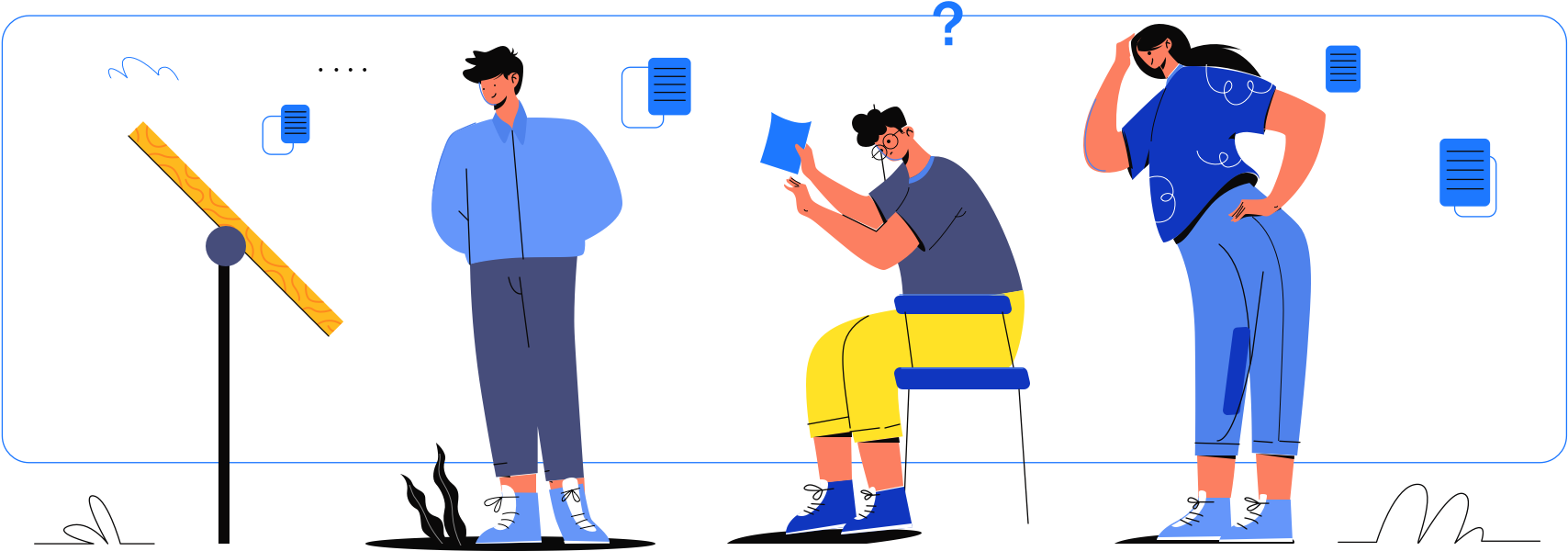
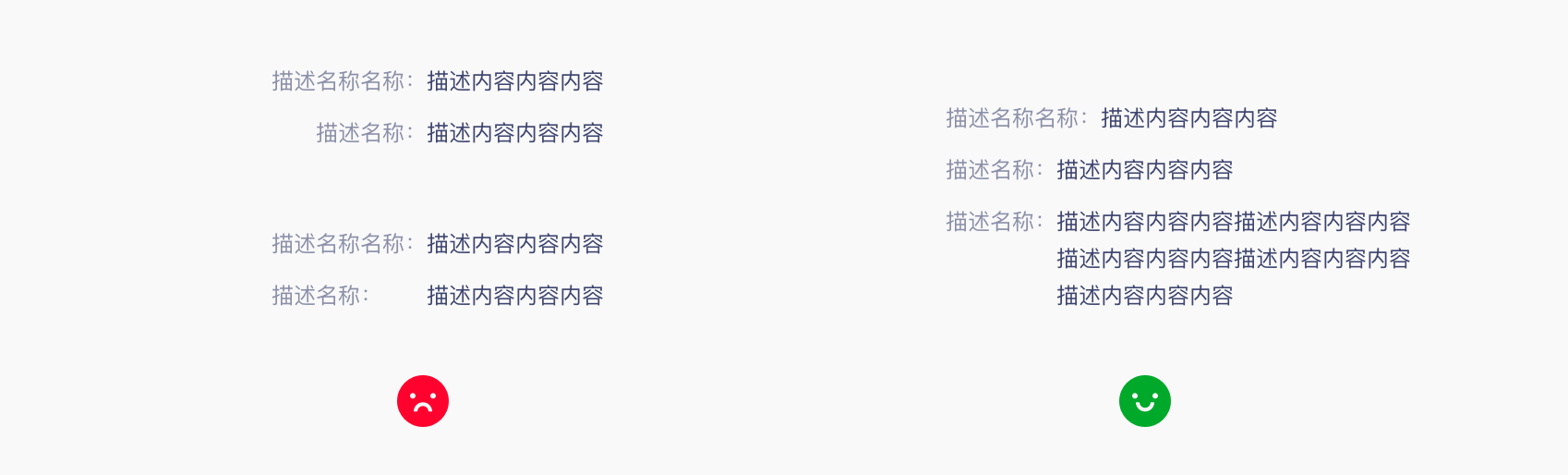
    设计是服务于产品的，是为了解决产品上碰到的问题而发挥作用的。因此，我们所要设计的产品需要在某个界面或者节点上完成某个目标。这个时候用户在足够清晰的界面环境中轻易完成任务是重中之重。消灭歧义，帮助用户更准确的理解和使用产品应该是排在首位的，因此该设计原则也是所有设计原则中的首位。
</div>

<div>
<img src="https://raw.githubusercontent.com/DTStack/ant-design-dtinsight-theme/master/theme/static/img/清晰明了.png" style="width: 849px; height: 468px;margin: 0 auto;display:block" />
</div>

<p style="color:3D446E;font-size:17px;margin-bottom: 11px;margin-top:48px;font-weight:500"><img src="https://raw.githubusercontent.com/DTStack/ant-design-dtinsight-theme/master/theme/static/img/item.svg" style="height:28px;width:28px;margin:0px 0px;margin-right: 7px;box-shadow:none" />高效操作</p>

<div style="color: #3D446E">
    高效往往并不意味着清晰正确的处理目标任务，高效无障碍不代表不会出错，很顺畅的出错是大忌，这个出错成本相当大。一些功能交互层级太复杂，本来两步就可以完成的东西，结果却饶了一圈，搞个4-5步才完成，这类产品会被吐槽得很惨就是直接弃之。优化功能逻辑，减少层级，同时预判结果，让流程更顺畅，让用户使用起来更加轻松快捷的完成设计目标。
</div>

<div>
<img src="https://raw.githubusercontent.com/DTStack/ant-design-dtinsight-theme/master/theme/static/img/高效操作.png" style="width: 849px; height: 394px;margin: 0 auto;display:block" />
</div>

<p style="color:3D446E;font-size:17px;margin-bottom: 11px;margin-top:48px;font-weight:500"><img src="https://raw.githubusercontent.com/DTStack/ant-design-dtinsight-theme/master/theme/static/img/item.svg" style="height:28px;width:28px;margin:0px 0px;margin-right: 7px;box-shadow:none" />一致性</p>

<div style="color: #3D446E">
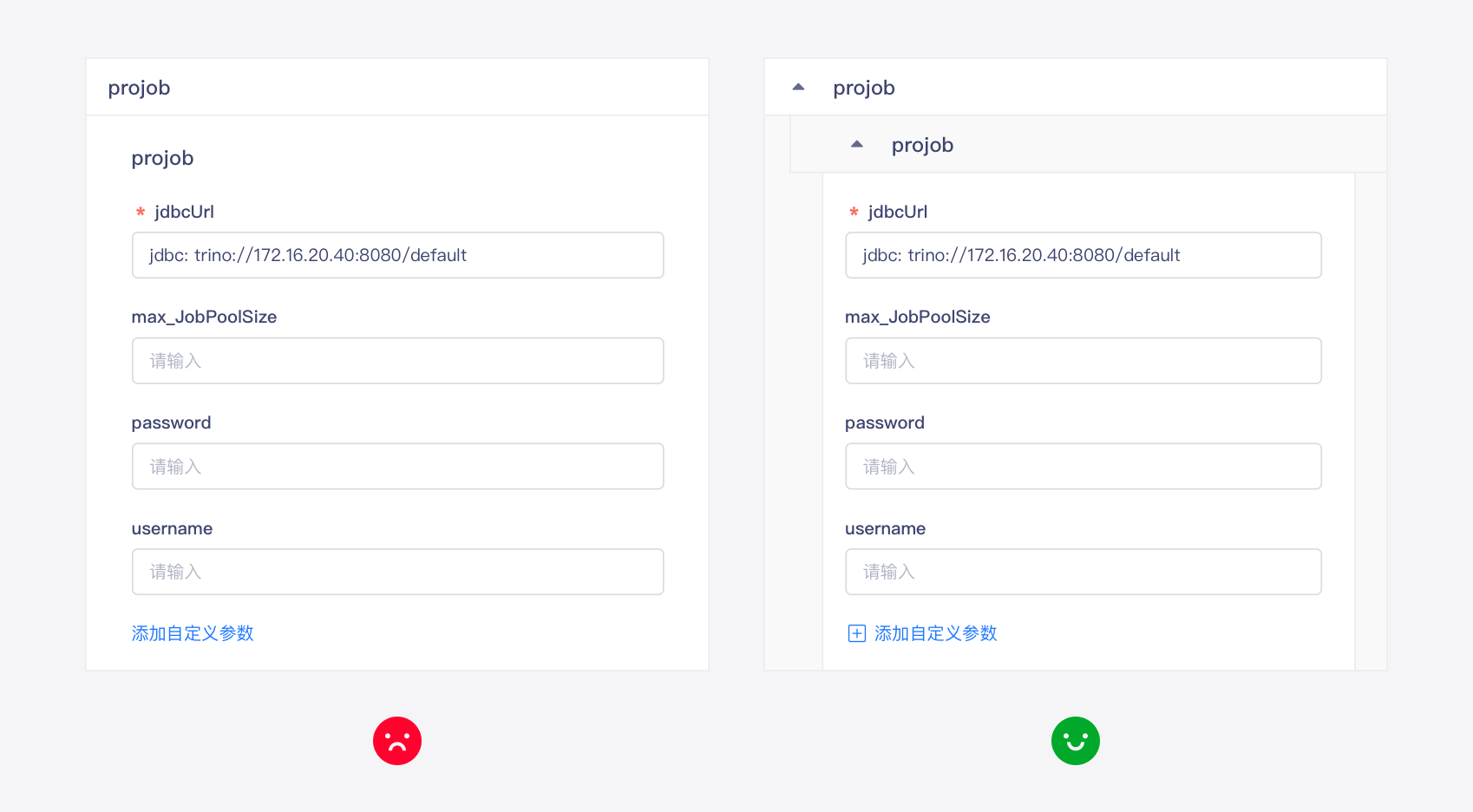
    对于相同的问题，提供相同的解决方案，减轻用户的认知及记忆负荷，一旦确定一个设计模式，打造更符合直觉的产品体验显得相当重要。虽然在某些时候，为了能够突出某个功能，或者让人加深印象，故意设计成不一致，为了产品的目标，灵活运用此原则即可
</div>

<div>
<img src="https://raw.githubusercontent.com/DTStack/ant-design-dtinsight-theme/master/theme/static/img/一致性.png" style="width: 849px; height: 257px;margin: 0 auto;display:block" />
</div>

<p style="color:3D446E;font-size:17px;margin-bottom: 11px;margin-top:48px;font-weight:500"><img src="https://raw.githubusercontent.com/DTStack/ant-design-dtinsight-theme/master/theme/static/img/item.svg" style="height:28px;width:28px;margin:0px 0px;margin-right: 7px;box-shadow:none" />容错机制</p>

<div style="color: #3D446E">
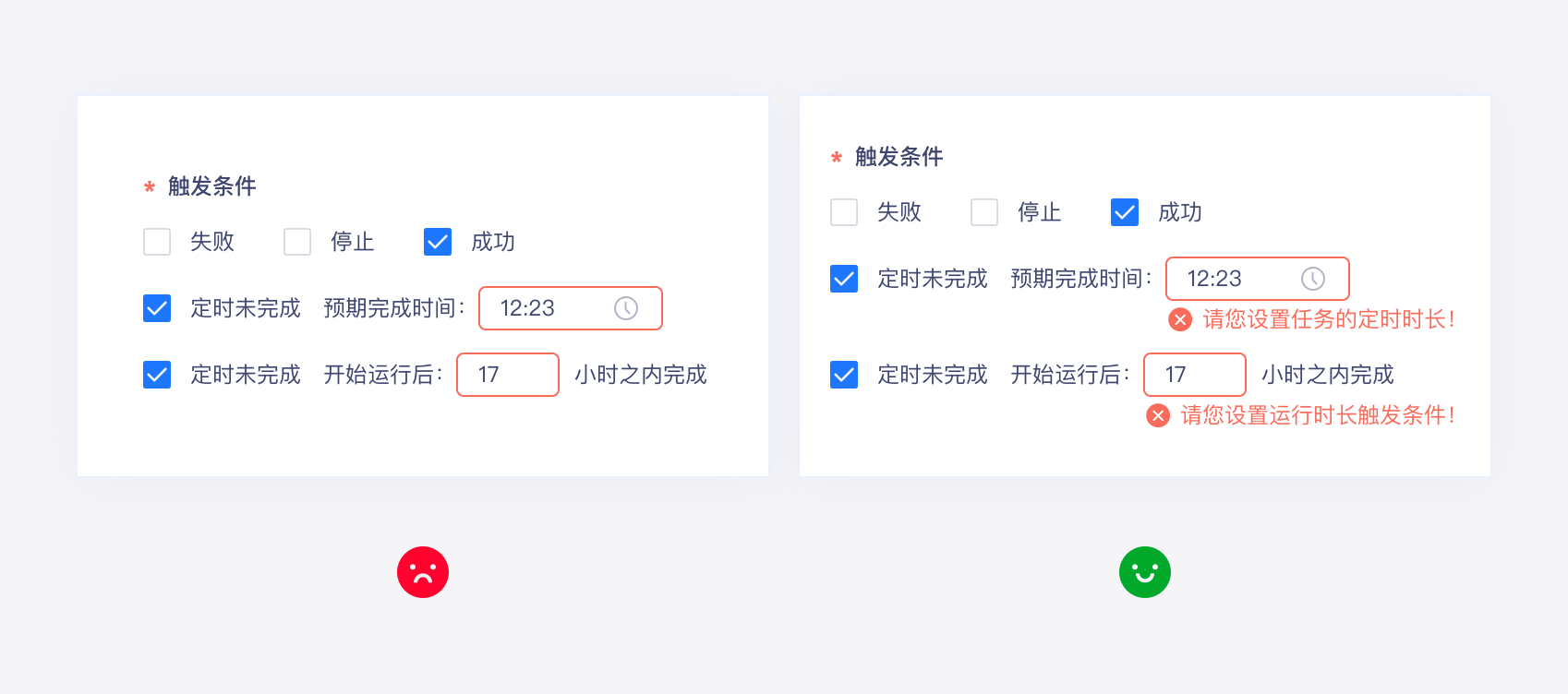
    好的设计应该帮助用户避免错误，并在错误发生时，帮助用户最大限度地减少错误所造成的负面影响。避免错误的最佳方法，是创建具有良好可供性的设计，模拟出事物的物理特性，引导用户正确使用和交互；提供可逆性的功能，建立「安全网」—— 借助可逆的操作防止灾难性错误；确保用户在执行重要且不可逆转的操作之前，进行确认。
</div>

<div>
<img src="https://raw.githubusercontent.com/DTStack/ant-design-dtinsight-theme/master/theme/static/img/容错机制.png" style="width: 849px; height: 376px;margin: 0 auto;display:block" />
</div>

<p style="color:3D446E;font-size:17px;margin-bottom: 11px;margin-top:48px;font-weight:500"><img src="https://raw.githubusercontent.com/DTStack/ant-design-dtinsight-theme/master/theme/static/img/item.svg" style="height:28px;width:28px;margin:0px 0px;margin-right: 7px;box-shadow:none" />灵活易用</p>

<div style="color: #3D446E">
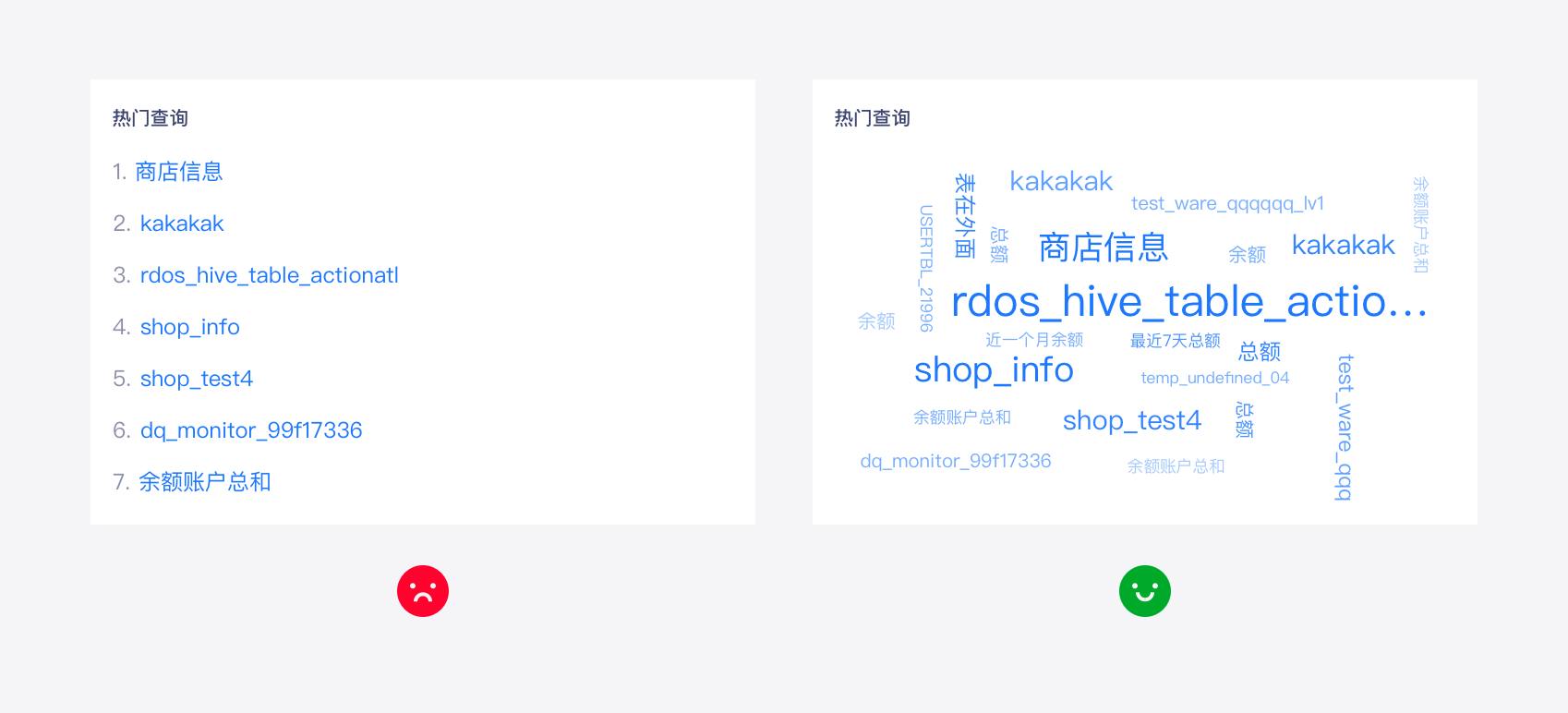
    当无法清晰预测目标受众的需求时，让产品保持尽可能大的灵活性。但是，不要忘记为用户提供智能的初始设置，并且要提供开箱即用的解决方案。每个新功能都会增加产品的复杂性，所以需要确定各个功能的优先级，并缩小范围。专注于关键产品，围绕核心的价值点。每个新版本都尝试改进现有功能集，而不仅仅是添加新功能。限制相同需求的替代方案的数量，设计更具规范性的用户界面。
</div>


<div>
<img src="https://raw.githubusercontent.com/DTStack/ant-design-dtinsight-theme/master/theme/static/img/灵活易用.png" style="width: 849px; height: 386px;margin: 0 auto;display:block" />
</div>

<p style="color:3D446E;font-size:17px;margin-bottom: 11px;margin-top:48px;font-weight:500"><img src="https://raw.githubusercontent.com/DTStack/ant-design-dtinsight-theme/master/theme/static/img/item.svg" style="height:28px;width:28px;margin:0px 0px;margin-right: 7px;box-shadow:none" />信噪比</p>

<div style="color: #3D446E">
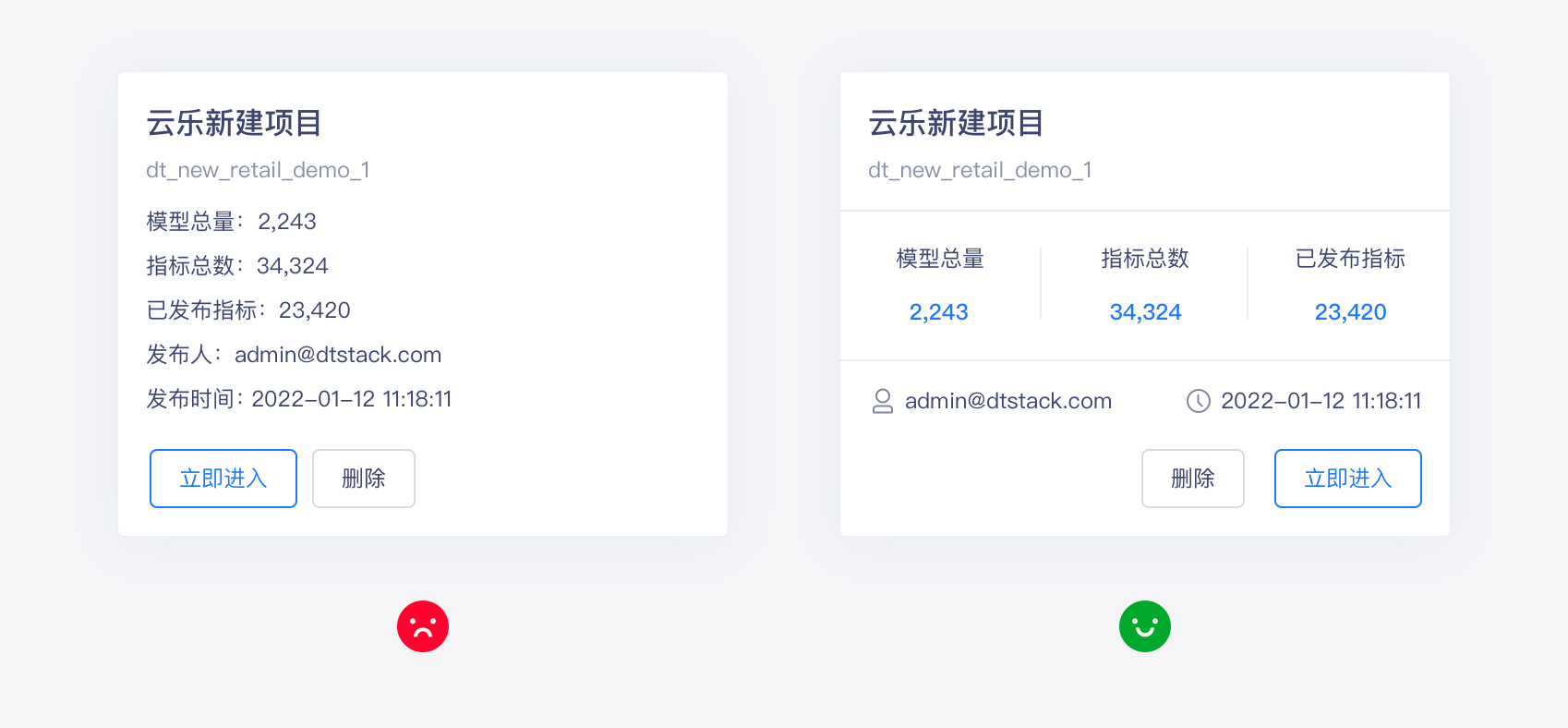
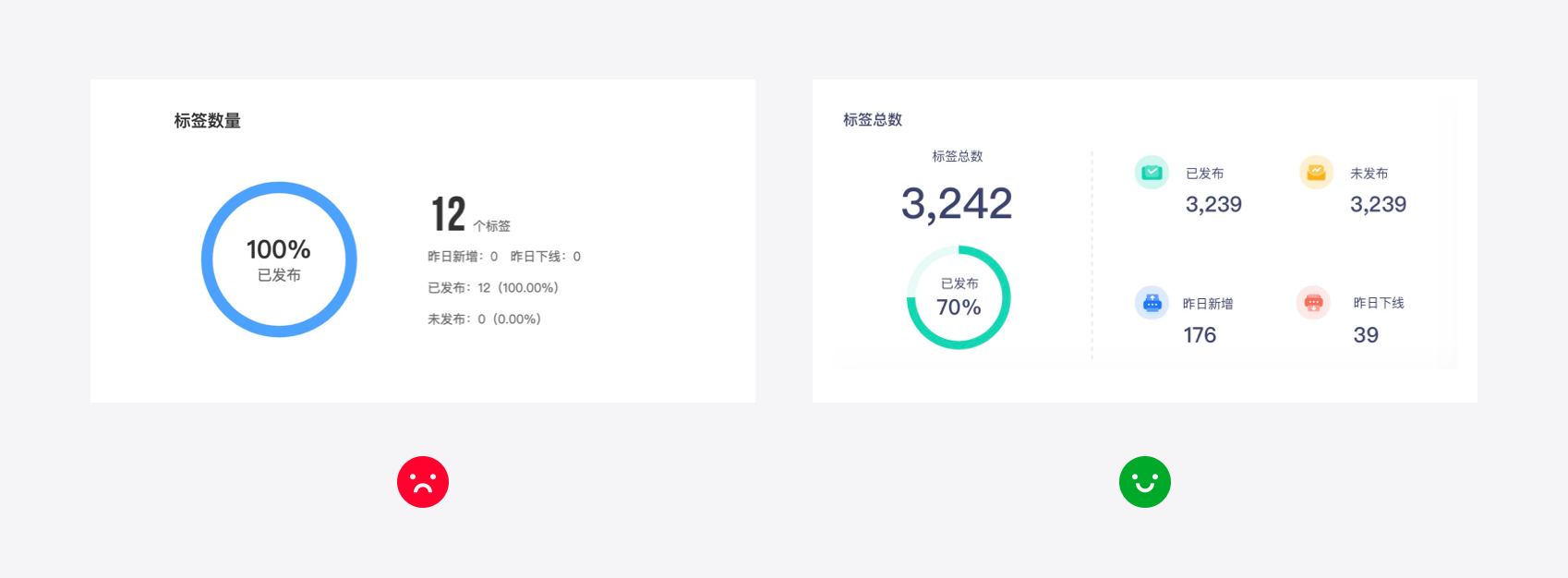
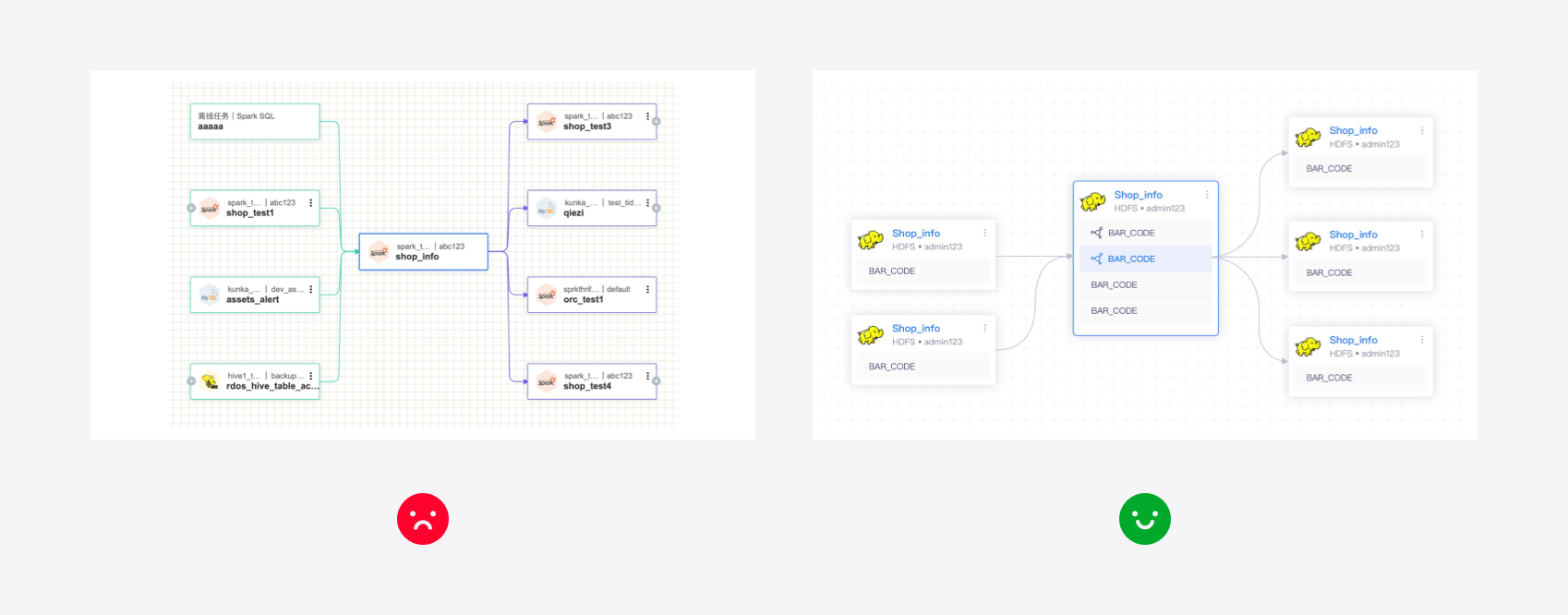
    人机交互在本质上是信息的传输和接收，任何过度设计的样式或信息，以低效或不恰当的方式呈现，都会降低信号质量，换句话说，就是增加设计的「噪声」。高信噪比（高有效信息，低噪音）是我们追求的关键目标。干扰有效信息传递的原因有很多：缺乏层次结构、信息过载、高度风格化的排版和图表、不清晰的图标和不适当的视觉效果等。确定关键用户的目标以及用户做出决策所需的基本信息，保持设计足够简单。平衡设计中每个元素的大小、对比度和视觉重量。使用文字排版、颜色建立清晰的视觉层次结构，并将重点放在应该传达给用户的信息上。
</div>

<div>
    <img src="https://raw.githubusercontent.com/DTStack/ant-design-dtinsight-theme/master/theme/static/img/信噪比.png" style="width: 849px; height: 313px;margin: 0 auto;display:block" />
</div>

<p style="color:3D446E;font-size:17px;margin-bottom: 11px;margin-top:48px;font-weight:500"><img src="https://raw.githubusercontent.com/DTStack/ant-design-dtinsight-theme/master/theme/static/img/item.svg" style="height:28px;width:28px;margin:0px 0px;margin-right: 7px;box-shadow:none" />业务优先</p>

<div style="color: #3D446E">
    在进行设计过程中，所有的工作目标，都是围绕在更好的解决业务问题展开的。一个完整的业务需求，必然是包含大量的组件、流程的共同参与。在设计内容的过程中，往往会掉进过度关注某个单元的细节，而忽略对整体业务目标、重点的认知，出现本末倒置的问题。所以，针对每个局部的组件，一定要思考它在流程中的重要性，使用频率，使用场景。
</div>


<div>
<img src="https://raw.githubusercontent.com/DTStack/ant-design-dtinsight-theme/master/theme/static/img/业务优先.png" style="width: 849px; height: 333px;margin: 0 auto;display:block" />
</div>