# angular-scroll-watch
Scroll-aware AngularJS with ease.
 #### Features
- Pure AngularJS, no dependencies
- **style** and **class** directives with scrolling locals
- Supports multiple **stages**
- Triggers scope digest only when needed
- Of course it utilizes [requestAnimationFrame](http://www.html5rocks.com/en/tutorials/speed/animations/)
#### Examples
Scroll them to see the effects!
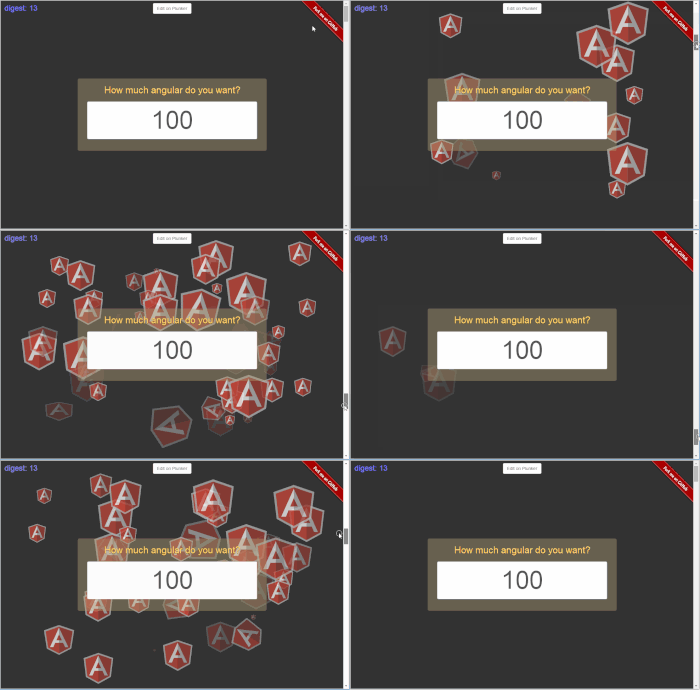
- [How much angular do you want? (`sw-class` with `ng-repeat`)](http://pc035860.github.io/angular-scroll-watch/example/sw-class-with-ng-repeat/)
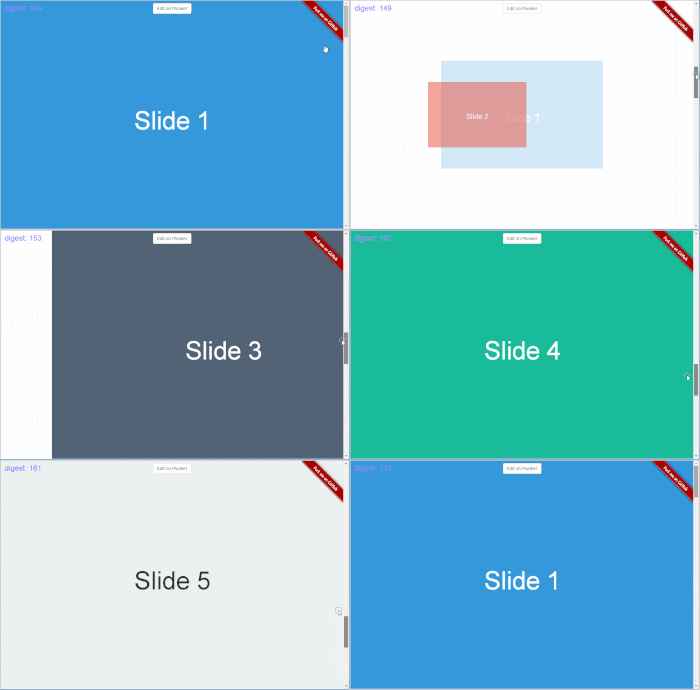
- [Lovely slides (`sw-broadcast`)](http://pc035860.github.io/angular-scroll-watch/example/sw-broadcast/)
- [Two controls on the shield (`sw-stage`)](http://pc035860.github.com/angular-scroll-watch/example/sw-stage/)
Check out the [example directory](example/) for a full list of examples.
## Requirements
AngularJS 1.2+
## Getting started
Include the `angular-scroll-watch` module with AngularJS script in your page.
```html
```
Add `pc035860.scrollWatch` to your app module's dependency.
```js
angular.module('myApp', ['pc035860.scrollWatch']);
```
### Install with Bower
```sh
bower install angular-scroll-watch
```
### Install with npm
```sh
npm install angular-scroll-watch
```
## Usage
### scroll-watch
**Type**: `expression`
Base directive to specify a scroll-watch configuration. **Required for any watching activity.**
`scroll-watch` should be used at least one of these directives: `sw-style`, `sw-class`, `sw-broadcast` to take effect, since itself is just a configuration directive.
```html
#### Features
- Pure AngularJS, no dependencies
- **style** and **class** directives with scrolling locals
- Supports multiple **stages**
- Triggers scope digest only when needed
- Of course it utilizes [requestAnimationFrame](http://www.html5rocks.com/en/tutorials/speed/animations/)
#### Examples
Scroll them to see the effects!
- [How much angular do you want? (`sw-class` with `ng-repeat`)](http://pc035860.github.io/angular-scroll-watch/example/sw-class-with-ng-repeat/)
- [Lovely slides (`sw-broadcast`)](http://pc035860.github.io/angular-scroll-watch/example/sw-broadcast/)
- [Two controls on the shield (`sw-stage`)](http://pc035860.github.com/angular-scroll-watch/example/sw-stage/)
Check out the [example directory](example/) for a full list of examples.
## Requirements
AngularJS 1.2+
## Getting started
Include the `angular-scroll-watch` module with AngularJS script in your page.
```html
```
Add `pc035860.scrollWatch` to your app module's dependency.
```js
angular.module('myApp', ['pc035860.scrollWatch']);
```
### Install with Bower
```sh
bower install angular-scroll-watch
```
### Install with npm
```sh
npm install angular-scroll-watch
```
## Usage
### scroll-watch
**Type**: `expression`
Base directive to specify a scroll-watch configuration. **Required for any watching activity.**
`scroll-watch` should be used at least one of these directives: `sw-style`, `sw-class`, `sw-broadcast` to take effect, since itself is just a configuration directive.
```html
```
#### Options
Name | Type | Description | Required
--- | --- | --- | :---:
from | Number | Watch-range starting point. Can be a positive or a negative (calculated from bottom to top) value. Note that `from`'s visual value (**scrollTop**) must be higher than `to`. | Yes
to | Number | Watch-range starting point. Can be a positive or a negative (calculated from bottom to top) value. Note that `to`'s visual value (**scrollTop**) musts be lower than `from`. | Yes
stage | String | Specify the stage name to watch for scrolling. Stages are defined via `sw-stage`. If no stage is specified, default to browser window. | No
digestSync | Boolean | Normally, `scroll-watch` only reevaluate watchs on `scroll` event fired. Setting `digestSync` to `true` will force `scroll-watch` to do the reevaluation everytime the binded scope gets digested. | No
#### Examples
- [All examples listed](example/)
### sw-style
**Type**: `expression`
Provides basically the same function with [built-in `ng-style`](https://docs.angularjs.org/api/ng/directive/ngStyle).
`sw-style` gets reevaluated when the target stage firse `scroll` event or the scope it belongs to get digested (available with `digestSync` option set to `true`).
There are couple of **locals** available in the expression. See [Locals](#locals) section for more information.
```html
```
#### Examples
- [`sw-style` basic](http://pc035860.github.io/angular-scroll-watch/example/sw-style/)
- [`sw-style` touch-enabled](http://pc035860.github.io/angular-scroll-watch/example/sw-style-touch/)
- [Digest sync](http://pc035860.github.com/angular-scroll-watch/example/digest-sync/)
### sw-class
**Type**: `expression`
Provides basically the same function with [built-in `ng-class`](https://docs.angularjs.org/api/ng/directive/ngClass). All the animation goodies added after AngularJS 1.2 are also supported.
`sw-class` gets reevaluated when the target stage fires `scroll` event or the scope it belongs to get digested (available with `digestSync` option set to `true`).
There are couple of **locals** available in the expression. See [Locals](#locals) section for more information.
```html
```
#### Examples
- [`sw-class` basic](http://pc035860.github.com/angular-scroll-watch/example/sw-class/)
- [`sw-class` with `ng-repeat`](http://pc035860.github.com/angular-scroll-watch/example/sw-class-with-ng-repeat/)
### sw-broadcast
**Type**: `expression`
`$broadcast`(or `$emit`) certain event when specified condition expression result changes from `false` to `true` or from `true` to `false`.
**Note that conditions must be written as String rather than Expression.**
```html
```
By default, all the events `$broadcast`(or `$emit`) by `sw-broadcast` will be **inside the digest loop**. From time to time, you might need the event to be `$broadcast`(or `$emit`) on every stage `scroll`. Setting the condition to `true` will do the work, and no longer trigger the scope digest due to performance consideration.
```html
```
#### The event
We then receive the event with `$scope.$on`.
```js
$scope.$on('event name', function ($evt, active, locals) {
/**
* active
*
* The evaluation result of the condition.
* Will be `null` when used with "keep firing" events.
*/
/**
* locals
*
* See the Locals section for more information.
*/
});
```
#### Special options
To cover various use cases, `sw-broadcast` comes with serveral special options. **They are all optional.**
Name | Type | Description |
--- | --- | ---
$rootScope | Boolean | `$broadcast`(or `$emit`) the event from `$rootScope`. Default to `false`.
$emit | Boolean | Use `$emit` instead of `$broadcast`. Default to `false`.
```html
```
#### Examples
- [`sw-broadcast` basic](http://pc035860.github.com/angular-scroll-watch/example/sw-broadcast/)
- [`sw-broadcast` through `$emit`](http://pc035860.github.com/angular-scroll-watch/example/sw-broadcast-through-emit/)
- [Locals](http://pc035860.github.com/angular-scroll-watch/example/locals/)
- [Infinite scroll](http://pc035860.github.com/angular-scroll-watch/example/infinite-scroll/)
### sw-stage
**Type**: `string` (interpolation-ready)
`sw-stage` let you specify the scrolling element (the container) to watch with a customized name.
A default stage named `pc035860` (Ya!!), which is the browser window, will always be presented. (And will be used if you don't specify the `stage` option in `scroll-watch`.)
Basically there's no restriction on the DOM structure of `scroll-watch` and `sw-stage`, even the directive creation order doesn't matter.
```html
```
#### Examples
- [`sw-stage` basic](http://pc035860.github.io/angular-scroll-watch/example/sw-stage/)
- [Locals](http://pc035860.github.io/angular-scroll-watch/example/locals/)
### Locals
**Locals** here means a set of locally available variables inside our `sw-style`, `sw-class`, `sw-broadcast` expressions, which can be very useful when we're implmenting various effects.
Their values depend on which stage your expression is watching (specified in `scroll-watch`'s `stage`) and where you're `scroll-watch` located in DOM.
**All locals are presented as Number.**
Name | Description
--- | ---
$positive | Scrolled value in pixel.
$negative | Scrolled value in pixel, but calculated from the stage bottom. This is a negative number.
$progress | Scrolling progress. Ranged from `0` to `1`.
$percentage | Scrolling progress presented in percentage. Ranged from `0` to `100`.
$direction | Scrolling direction. `1` means from top to bottom. `-1` means from bottom to top.
$height | The watcher(`scroll-watch`) element's DOM height.
$offsetTop | The watcher(`scroll-watch`) element's **overall top value**.
$stageTop | The watcher(`scroll-watch`) element's **relative top value to the stage**. **This value is only presented when the watcher is a children of its stage.**
#### Examples
- [Locals](http://pc035860.github.io/angular-scroll-watch/example/locals/)
- [All the others listed](example/)
## Development
Thie module uses [gulp.js](http://gulpjs.com/) for development tasks.
### Setup
Install all the required node packages.
```sh
# Install node packages
npm install
```
### Gulp tasks
```sh
# Lint the source file
gulp lint
# Build
gulp build
# Watch the source file for auto-build
gulp watch
# Serve the example at http://localhost:9000
# Gulp will also watch for source/example changes
gulp example
```