# angular-monnify

> An Angular library that abstracts the complexity of taking [Monnify](https://monnify.com) payments — as a component, a directive, or a service.

[![npm](https://img.shields.io/npm/v/angular-monnify.svg)](https://www.npmjs.com/package/angular-monnify)
[![license](https://img.shields.io/npm/l/angular-monnify.svg)](LICENSE.md)

---

![Monnify checkout: bank transfer, card and success states](https://raw.githubusercontent.com/Dansteve/angular-monnify/master/App.png 'Monnify checkout via angular-monnify')

<p align="center">
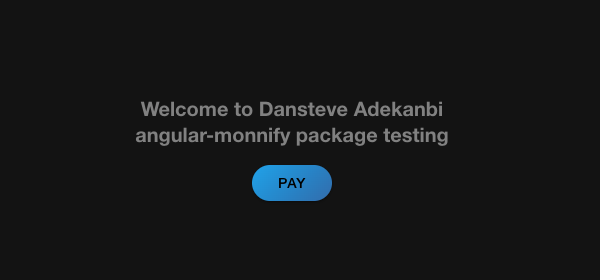
  <img src="https://raw.githubusercontent.com/Dansteve/angular-monnify/master/docs/demo-app.png" alt="The bundled demo app" width="460">
</p>

---

## Upgrading from 1.3.2 — what actually changed

1.3.2 and earlier had a bug where `AngularMonnifyService.loadScript()` contained an `if (this.isTestMode)` whose two branches were identical — both requested `https://sandbox.sdk.monnify.com/plugin/monnify.js`.

**In practice this had no runtime effect, and there is nothing for you to reconcile.** The two hosts serve a byte-for-byte identical file:

```
sandbox.sdk.monnify.com/plugin/monnify.js  sha256 4b217d7df359faaa2eb21e7461cb0e6c62ec309eb204f462b5b7328dca7fc6be
sdk.monnify.com/plugin/monnify.js          sha256 4b217d7df359faaa2eb21e7461cb0e6c62ec309eb204f462b5b7328dca7fc6be
```

and the SDK selects its environment from your API key prefix (`MK_PROD_`), not from the host the script came from. **Live keys always reached the live gateway.** The dead branch was still a real bug — relying on two URLs staying identical is fragile, and Monnify could diverge them at any time — so 2.0.0 fixes it and a regression test now asserts the two modes can never resolve to the same URL.

The changes that *will* affect you are the Angular version requirement, the package output format, and several genuine correctness bugs — see [Migrating](#migrating-from-1x-to-20).

---

## Requirements

| angular-monnify | Angular            |
| --------------- | ------------------ |
| `2.x`           | 16 – 20            |
| `1.x`           | 8 – 12 (unmaintained) |

`2.0.0` is compiled with Angular 20 in Ivy **partial compilation** mode. The declared peer range is `^16 || ^17 || ^18 || ^19 || ^20`; Angular 20 is the version it is built and tested against, and the one we recommend.

## Install

```sh
npm install angular-monnify
```

## Setup

Register your merchant credentials once, at the root of the app. Pick whichever style your app uses.

### Standalone apps (recommended)

```ts
import { bootstrapApplication } from '@angular/platform-browser';
import { provideAngularMonnify } from 'angular-monnify';

import { AppComponent } from './app/app.component';

bootstrapApplication(AppComponent, {
  providers: [
    // apiKey, contractCode, isTestMode (defaults to false = production)
    provideAngularMonnify('MK_TEST_GC3B8XG2XX', '5867418298', true),
  ],
});
```

### NgModule apps

`forRoot()` works exactly as it did in 1.x:

```ts
import { NgModule } from '@angular/core';
import { AngularMonnifyModule } from 'angular-monnify';

@NgModule({
  imports: [AngularMonnifyModule.forRoot('MK_TEST_GC3B8XG2XX', '5867418298', true)],
})
export class AppModule {}
```

In feature modules, import the module without `forRoot()`:

```ts
@NgModule({
  imports: [AngularMonnifyModule],
  declarations: [CheckoutPage],
})
export class CheckoutModule {}
```

> `isTestMode` is the third argument. Pass `true` for the sandbox, `false` (or omit it) for live payments.

## Usage

There are two ways to trigger checkout. Both are **standalone** in 2.x, so a standalone component can import either one directly:

```ts
import { Component } from '@angular/core';
import { AngularMonnifyComponent, AngularMonnifyDirective } from 'angular-monnify';

@Component({
  selector: 'app-checkout',
  standalone: true,
  imports: [AngularMonnifyComponent, AngularMonnifyDirective],
  templateUrl: './checkout.component.html',
})
export class CheckoutComponent {}
```

### 1. `AngularMonnifyComponent`

Renders its own `<button>` and projects your content into it.

```html
<angular-Monnify
  [customerFullName]="'John Doe'"
  [customerMobileNumber]="'08121281921'"
  [customerEmail]="'john@example.com'"
  [paymentDescription]="'Order #1234'"
  [amount]="5000"
  [reference]="reference"
  (paymentInit)="paymentInit()"
  (onClose)="paymentCancel($event)"
  (onComplete)="paymentDone($event)"
>
  Pay with Monnify
</angular-Monnify>
```

The component also accepts `[class]` and `[style]`, which are applied to the button it renders:

```html
<angular-Monnify [class]="'btn btn-primary btn-lg'" ...>Pay</angular-Monnify>
```

### 2. `AngularMonnifyDirective`

Attach it to any clickable element you already have — a plain `<button>`, an `<ion-button>`, anything.

```html
<button
  angular-Monnify
  class="btn btn-primary"
  [customerFullName]="'John Doe'"
  [customerMobileNumber]="'08121281921'"
  [customerEmail]="'john@example.com'"
  [paymentDescription]="'Order #1234'"
  [amount]="5000"
  [reference]="reference"
  (paymentInit)="paymentInit()"
  (onClose)="paymentCancel($event)"
  (onComplete)="paymentDone($event)"
>
  Pay with Monnify
</button>
```

> The directive does **not** declare `class` or `style` inputs, so `class` / `[class]` / `[ngClass]` on the host behave natively. (In 1.x the directive declared them and silently swallowed your class binding.)

### The component class

```ts
import { Component } from '@angular/core';

@Component({
  selector: 'app-checkout',
  templateUrl: './checkout.component.html',
})
export class CheckoutComponent {
  // Monnify rejects a re-used reference, so mint a fresh one per attempt.
  reference = `${Math.floor(Math.random() * 1_000_000_000 + 1)}`;

  paymentInit(): void {
    this.reference = `${Math.floor(Math.random() * 1_000_000_000 + 1)}`;
    console.log('Payment initialized');
  }

  paymentDone(response: unknown): void {
    console.log('Payment successful', response);
  }

  paymentCancel(response: unknown): void {
    console.log('Payment modal closed', response);
  }
}
```

> **`(onComplete)` is required.** If nothing is subscribed to it, `pay()` refuses to open checkout and returns an error string instead — there would be no way to learn the outcome of the payment.

### Passing one options object

Instead of individual inputs, bind a single `monnifyOptions` object:

```html
<button
  angular-Monnify
  [monnifyOptions]="options"
  (paymentInit)="paymentInit()"
  (onClose)="paymentCancel($event)"
  (onComplete)="paymentDone($event)"
>
  Pay with Monnify
</button>
```

```ts
import { Component } from '@angular/core';
import { MonnifyOptions } from 'angular-monnify';

@Component({
  selector: 'app-checkout',
  templateUrl: './checkout.component.html',
})
export class CheckoutComponent {
  options: MonnifyOptions = {
    amount: 5000,
    currency: 'NGN',
    reference: `${Math.floor(Math.random() * 1_000_000_000 + 1)}`,
    customerFullName: 'John Doe',
    customerEmail: 'monnify@monnify.com',
    customerMobileNumber: '08121281921',
    apiKey: 'MK_TEST_GC3B8XG2XX',
    contractCode: '5867418298',
    paymentDescription: 'Test Pay',
    isTestMode: true,
    metadata: { name: 'Damilare', age: 45 },
  };

  paymentInit(): void {}
  paymentDone(response: unknown): void {}
  paymentCancel(response: unknown): void {}
}
```

> `monnifyOptions` is only used when it has **two or more** keys; otherwise the library falls back to reading the individual inputs.

### Splitting income across sub-accounts

```ts
import { MonnifyOptions } from 'angular-monnify';

options: MonnifyOptions = {
  // ...the required fields...
  incomeSplitConfig: [
    { subAccountCode: 'MFY_SUB_342113621921', feePercentage: 50, splitAmount: 1900, feeBearer: true },
    { subAccountCode: 'MFY_SUB_342113621922', feePercentage: 50, splitAmount: 2100, feeBearer: true },
  ],
};
```

### Per-payment credential overrides

`apiKey`, `contractCode` and `isTestMode` set on the component/directive take precedence over the values you registered at the root:

```ts
// root
provideAngularMonnify('globalApiKey', 'globalContract', false);
```

```html
<!-- this one payment uses apiKey2 / contractCode2 instead -->
<button
  angular-Monnify
  [apiKey]="'apiKey2'"
  [contractCode]="'contractCode2'"
  ...
></button>
```

## API

### Inputs

Available on both `AngularMonnifyComponent` and `AngularMonnifyDirective`. All are optional; the ones marked **required** must be resolvable either from the input, from `monnifyOptions`, or (for `apiKey` / `contractCode` / `isTestMode`) from your root registration.

| Input                  | Type                    | Notes                                                                        |
| ---------------------- | ----------------------- | ---------------------------------------------------------------------------- |
| `amount`               | `number`                | **Required.** Amount to charge.                                               |
| `reference`            | `string`                | **Required.** Unique per transaction; Monnify rejects duplicates.             |
| `customerFullName`     | `string`                | **Required.** Full name of the customer.                                      |
| `customerEmail`        | `string`                | **Required.** Email address of the customer.                                  |
| `customerMobileNumber` | `string`                | **Required.** Phone number of the customer.                                   |
| `apiKey`               | `string`                | **Required** (input or root). From the Monnify dashboard.                     |
| `contractCode`         | `string`                | **Required** (input or root). From the Monnify dashboard.                     |
| `currency`             | `string`                | Defaults to `'NGN'`.                                                          |
| `isTestMode`           | `boolean`               | `true` → sandbox SDK, `false` → live SDK. Defaults to `false`.                |
| `paymentDescription`   | `string`                | Used as the account name for bank-transfer payments.                          |
| `redirectUrl`          | `string`                | Where Monnify sends the customer after payment.                               |
| `incomeSplitConfig`    | `MonnifySplitOptions[]` | How to split the payment across sub-accounts.                                 |
| `metadata`             | `object`                | Arbitrary extra data echoed back to you.                                      |
| `monnifyOptions`       | `Partial<MonnifyOptions>` | All of the above as one object (used when it has ≥ 2 keys).                 |
| `class`                | `string`                | **Component only.** Applied to the rendered button.                           |
| `style`                | `object`                | **Component only.** Applied to the rendered button.                           |

### Outputs

| Output        | Payload   | Fires when                                                          |
| ------------- | --------- | ------------------------------------------------------------------- |
| `paymentInit` | —         | Validation passed and checkout is about to open.                     |
| `onComplete`  | `unknown` | Monnify reports the payment finished. **Subscribing is mandatory.**  |
| `onClose`     | `unknown` | The customer dismissed the checkout modal.                           |

### `MonnifySplitOptions`

| Field             | Type      | Notes                                                        |
| ----------------- | --------- | ------------------------------------------------------------ |
| `subAccountCode`  | `string`  | **Required.** Sub-account that receives the split.            |
| `feeBearer`       | `boolean` | Whether the sub-account bears transaction fees.               |
| `feePercentage`   | `number`  | Share of the transaction fee borne by the sub-account.        |
| `splitPercentage` | `string`  | Percentage of the payment to route to the sub-account.        |
| `splitAmount`     | `number`  | Flat amount to route to the sub-account.                      |

### `AngularMonnifyService`

Injectable with `providedIn: 'root'`, so you can use it directly if you want to drive checkout yourself:

```ts
import { inject } from '@angular/core';
import { AngularMonnifyService } from 'angular-monnify';

const monnify = inject(AngularMonnifyService);

monnify.getScriptUrl();        // the SDK url for the configured mode
monnify.getScriptUrl(true);    // force the sandbox url
await monnify.loadScript();    // inject the SDK <script>, resolves once loaded
monnify.checkInput(options);   // '' when valid, otherwise the error message
monnify.getMonnifyOptions(o);  // merge with root config + apply defaults
```

The SDK URLs are exported too, if you need them for a CSP allow-list:

```ts
import { MONNIFY_LIVE_SDK_URL, MONNIFY_SANDBOX_SDK_URL } from 'angular-monnify';
// 'https://sdk.monnify.com/plugin/monnify.js'
// 'https://sandbox.sdk.monnify.com/plugin/monnify.js'
```

## Migrating from 1.x to 2.0

### 1. Check your production mode (see the notice at the top)

This is the reason 2.0 exists. Confirm `isTestMode` is `false` for production builds. As explained in [the notice above](#upgrading-from-132--what-actually-changed), the 1.x bug had no runtime effect — there is nothing to reconcile.

### 2. Angular 16+ is required

1.x supported Angular 8–12. If you are still on Angular 12 or lower, upgrade Angular first — [`ng update`](https://angular.dev/update-guide) one major at a time.

### 3. `(close)` was never a real output — use `(onClose)`

The 1.x README documented `(close)="paymentCancel()"`. **No such output has ever existed**; that binding silently did nothing. The output is and always was `onClose`:

```diff
- (close)="paymentCancel()"
+ (onClose)="paymentCancel($event)"
```

### 4. `customerName` was never a real input — use `customerFullName`

The 1.x options table listed `customerName`. The actual input is `customerFullName`.

### 5. `[amount]` takes a number

The 1.x README bound it as a string (`[amount]="'5000000'"`). With Angular's strict template checking that is now a compile error:

```diff
- [amount]="'5000000'"
+ [amount]="5000000"
```

### 6. The directive no longer declares `class` / `style` inputs

It never used them, and declaring them meant a `[class]` binding on the host was swallowed instead of applied. Remove nothing — your existing `class` / `[class]` / `[ngClass]` now simply works. The **component** still has both inputs.

### 7. Standalone is available (optional)

`AngularMonnifyComponent` and `AngularMonnifyDirective` are now standalone, and `provideAngularMonnify()` is the standalone counterpart to `forRoot()`. **`AngularMonnifyModule.forRoot()` still works** — nothing forces you to migrate.

### 8. Smaller behavioural fixes

- A missing `apiKey` now reports `'ANGULAR-Monnify: Monnify apiKey cannot be empty'` (was the ungrammatical `'Please insert a your apiKey'`).
- A `contractCode` supplied only via `forRoot()` / `provideAngularMonnify()` is now honoured; 1.x always reported it missing unless it was also set on the component.
- Checkout can be re-opened after the modal is closed. In 1.x an internal flag was set and never cleared, so the second and every later click did nothing.
- A per-payment `isTestMode: false` is no longer overridden by a root `true`.
- `loadScript()` now rejects if the SDK fails to load, instead of hanging forever.
- The stray `console.log('loaded')` on every checkout is gone.

## Contributing

Fork the repo and open a pull request — contributions are welcome.

```sh
npm install
npm run build:lib     # build the library with ng-packagr
npm test              # unit tests (Karma + Chrome)
npm run lint          # ESLint
npm start             # run the Ionic demo app
```

## Links

- [Monnify developer documentation](https://developers.monnify.com/)
- [Report an issue](https://github.com/dansteve/angular-monnify/issues)

## How can I thank you?

Star the repo, or share it. And [follow me on Twitter](https://twitter.com/dansteveade)!

Thanks!
Dansteve Adekanbi — [dansteve.com](https://dansteve.com)

## License

The MIT License (MIT). Please see the [License File](LICENSE.md) for more information.