## Captcha
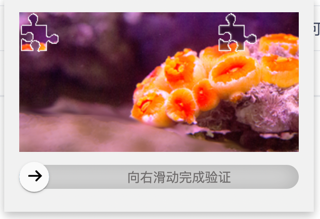
[AJ-Captcha](https://gitee.com/anji-plus/captcha) React版 ,界面优化调整 支持滑块和点选切换

## Getting Started
Install dependencies,
```bash
$ yarn add aj-captcha-react
// or
$ npm install aj-captcha-react
```
## API
| 属性 | 说明 | 类型 | 默认值 |
| ----------- | ------------------------------------------------- | -------- | -------------------------- |
| onFail | 校验失败时的函数回调 | Function | - |
| onSuccess | 校验成功时的函数回调,会将二次校验参数作为参数传递 | Function | - |
| type | 显示校验模块的方式,可选 point(点选),slide(滑动) | String | auto |
| path | 后端路径前缀 | String | - |
## hooks
useCaptcha
```jsx
import React, { useRef } from 'react';
import { useCaptcha } from 'aj-captcha-react';
export default () => {
const [run] = useCaptcha({ path: 'http://foo.com', type: 'auto' });
const click = async () => {
const data = await run()
console.log(data)
};
return ();
}
```
## Demo
```jsx
import React, { useRef } from 'react';
import { Captcha } from 'aj-captcha-react';
export default () => {
const ref = useRef();
const click = () => {
ref.current?.verify();
};
return (
console.log(data)}
path='https://api.xxx.com'
type='auto'
ref={ref}
>
);
}
```