## THIS PACKAGE HAS BEEN DEPRECATED IN FAVOR OF:
https://www.npmjs.com/package/aframe-aabb-collider-component
Kevin's approach is faster, less memory intensive, and does a great job!
There is slight chance that we may retake the project in the future.
## aframe-pardo-collider-component
[](https://npmjs.org/package/aframe-pardo-collider-component)
[](https://npmjs.org/package/aframe-pardo-collider-component)
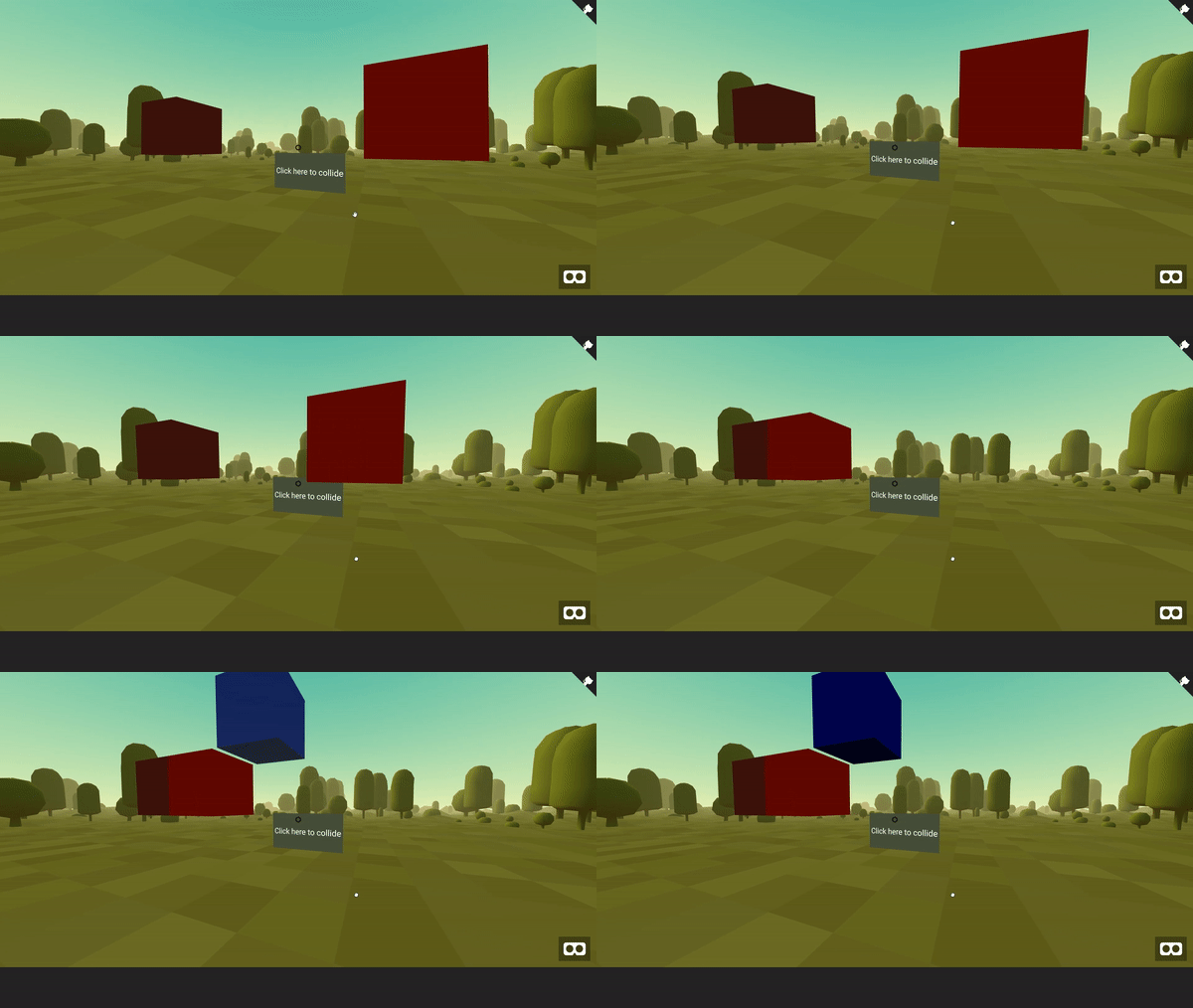 A simple collider for detecting when two objects or entities collide/clash with each other.
It uses Three JS' Box3. It calculates the bounding box of the element by passing the element's vertices. More on the [aframe-pardo-collider-component.ts] (./dist/aframe-pardo-collider-component.ts)
For [A-Frame](https://aframe.io).
### API
There are no properties to be used. Just assign the `collider` attribute on the entities you want to detect collision. Yes, you need to assign this to all the entities that are going to collide. **It's important** that you need to set it to an entity with an object3D already set.
| Event | Description | Return Value |
| -------- | ----------- | ------------- |
| collideStart | Event fired from the entity that caused the collision. | Returns a `collisionResult` object which contains an array of all the elements intersected `intersectedElements` and the colliding object `collidingElement`. See the example for a better explanation. |
| collideEnd | Event fired from the entity that was colliding. Note: This will only fire when the element stops intersecting another element. | Returns a `collisionResult` object which contains an array of all the elements intersected `intersectedElements` and the colliding object `collidingElement`. See the example for a better explanation. |
### Installation
### Requirement
For this to work, the object that you assign this to **must have** an object 3D property. This means that assigning it to an `` without any meshes will not work.
#### Browser
Install and use by directly including the [browser files](dist) and instantiating the class :
```html
My A-Frame Scene
```
#### npm
Install via npm:
```bash
npm install aframe-pardo-collider-component
```
Then require and use.
```js
require('aframe');
require('aframe-pardo-collider-component');
// You must instantiate the Collider:
new ColliderComponent();
```
### Example
```html
```
### How it works:
This may not be the most performant solution. It doesn't use raycaster, and it needs to add the `collider` component to each entity that you want to detect the collision. This means that if you have:
``` html
```
The collider will **not** trigger. They both need to have a collider:
``` html
```
Assisgning to an entity that doesn't have an object3D (Like a blank entity) will also cause problems:
``` html
```
### Limitations:
### About:
Pardo Lab
A simple collider for detecting when two objects or entities collide/clash with each other.
It uses Three JS' Box3. It calculates the bounding box of the element by passing the element's vertices. More on the [aframe-pardo-collider-component.ts] (./dist/aframe-pardo-collider-component.ts)
For [A-Frame](https://aframe.io).
### API
There are no properties to be used. Just assign the `collider` attribute on the entities you want to detect collision. Yes, you need to assign this to all the entities that are going to collide. **It's important** that you need to set it to an entity with an object3D already set.
| Event | Description | Return Value |
| -------- | ----------- | ------------- |
| collideStart | Event fired from the entity that caused the collision. | Returns a `collisionResult` object which contains an array of all the elements intersected `intersectedElements` and the colliding object `collidingElement`. See the example for a better explanation. |
| collideEnd | Event fired from the entity that was colliding. Note: This will only fire when the element stops intersecting another element. | Returns a `collisionResult` object which contains an array of all the elements intersected `intersectedElements` and the colliding object `collidingElement`. See the example for a better explanation. |
### Installation
### Requirement
For this to work, the object that you assign this to **must have** an object 3D property. This means that assigning it to an `` without any meshes will not work.
#### Browser
Install and use by directly including the [browser files](dist) and instantiating the class :
```html
My A-Frame Scene
```
#### npm
Install via npm:
```bash
npm install aframe-pardo-collider-component
```
Then require and use.
```js
require('aframe');
require('aframe-pardo-collider-component');
// You must instantiate the Collider:
new ColliderComponent();
```
### Example
```html
```
### How it works:
This may not be the most performant solution. It doesn't use raycaster, and it needs to add the `collider` component to each entity that you want to detect the collision. This means that if you have:
``` html
```
The collider will **not** trigger. They both need to have a collider:
``` html
```
Assisgning to an entity that doesn't have an object3D (Like a blank entity) will also cause problems:
``` html
```
### Limitations:
### About:
Pardo Lab