## aframe-immersive-video-component
[](https://npmjs.org/package/aframe-immersive-video-component)
[](https://npmjs.org/package/aframe-immersive-video-component)
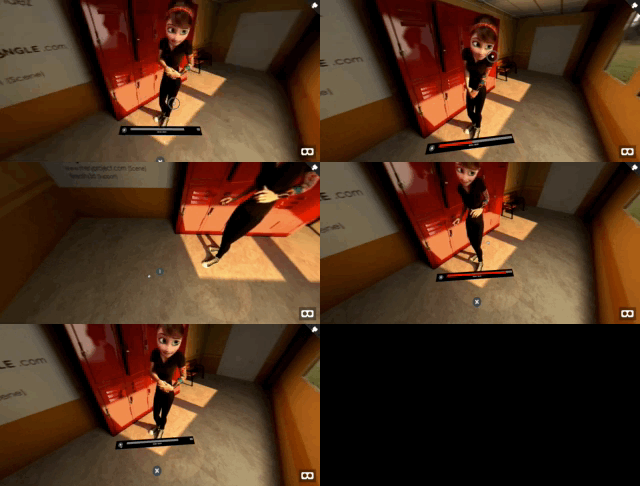
**A one-liner component for viewing Stereo/Mono 360/180 videos in WebVR, including a control bar for it**.
You can choose a 'theme' for the bar.
Also, **the component will detect the headset** and do the following: On Desktop, you can point and click the UI with the mouse. On Mobile, a gaze-based interaction will be used. On Oculus Go and GearVR, the controller will be used as a laser. On HTC Vive and Oculus you'll also have a 'laser control'.
See [example here](https://oscarmarinmiro.github.io/aframe-immersive-video/)
For [A-Frame](https://aframe.io).
 ### API
| Property | Description | Default Value |
| -------- | ----------- | ------------- |
| type | Any combination of "360", "180", "mono", "stereo", "horizontal", "vertical" that describe the video format. E.g: "360_stereo_vertical" is a 360 stereo top/bottom format, "180_stereo_horizontal" is a stereo 180 L/R format | 360_mono_horizontal |
| source | URL of the video to display (remember it must be served with 'CORS' headers if in a different domain) | None |
| theme | The 'theme' of the video controls: "dark" or "light" | "dark" |
| controls | Whether to show controls at the feet of the user | true |
| open | Whether controls should be open or closed on video launch | true |
### Installation
#### Browser
Install and use by directly including the [browser files](dist):
```html
My A-Frame Scene
```
#### npm
Install via npm:
```bash
npm install aframe-immersive-video-component
```
Then require and use.
```js
require('aframe');
require('aframe-immersive-video-component');
```
#### Credits
The video used in the examples is from http://pedrofe.com/rendering-for-oculus-rift-with-arnold/, from the project http://www.meryproject.com/
### API
| Property | Description | Default Value |
| -------- | ----------- | ------------- |
| type | Any combination of "360", "180", "mono", "stereo", "horizontal", "vertical" that describe the video format. E.g: "360_stereo_vertical" is a 360 stereo top/bottom format, "180_stereo_horizontal" is a stereo 180 L/R format | 360_mono_horizontal |
| source | URL of the video to display (remember it must be served with 'CORS' headers if in a different domain) | None |
| theme | The 'theme' of the video controls: "dark" or "light" | "dark" |
| controls | Whether to show controls at the feet of the user | true |
| open | Whether controls should be open or closed on video launch | true |
### Installation
#### Browser
Install and use by directly including the [browser files](dist):
```html
My A-Frame Scene
```
#### npm
Install via npm:
```bash
npm install aframe-immersive-video-component
```
Then require and use.
```js
require('aframe');
require('aframe-immersive-video-component');
```
#### Credits
The video used in the examples is from http://pedrofe.com/rendering-for-oculus-rift-with-arnold/, from the project http://www.meryproject.com/