# ack-angular-webcam
A cross-browser Angular component, it will use the browser's native `getUserMedia()` implementation, otherwise an optional Flash fallback is available. [Demo Page Here
](https://ackerapple.github.io/ack-angular-webcam/)
[](https://ackerapple.github.io/resume/)
[](http://badge.fury.io/js/ack-angular-webcam)
[](https://npmjs.org/ack-angular-webcam)
[](https://david-dm.org/ackerapple/ack-angular-webcam)
### BEWARE
- HTTPS or localhost required
- Host must be localhost or an https connection
- SAFARI seems to always always always require an https connection (no localhost)
- Internet Explorer
- Internet Explorer is not at all supported. Sorry not sorry
- **Internet Edge** is fully supported
### Table of Contents
- [Screenshot](#screenshot)
- [Notes](#notes)
- [ack-webcam Component](#ack-webcam-component)
- [Getting Started](#getting-started)
- [Installation](#installation)
- [Importing](#importing)
- [Example Usage](#example-usage)
- [Bindings](#bindings)
- [Flash Fallback](#flash-fallbak)
- [Example and Tests](#example-and-tests)
- [Locally-Test](#locally-test)
- [ack-media-devices Directive](#ack-media-devices-directive)
- [WoRk On ThIs PaCkAgE](#work-on-this-package)
- [If You Like ack-webpack](#if-you-like-ack-webpack)
- [Credits](#credits)
- [Spec References](#spec-references)
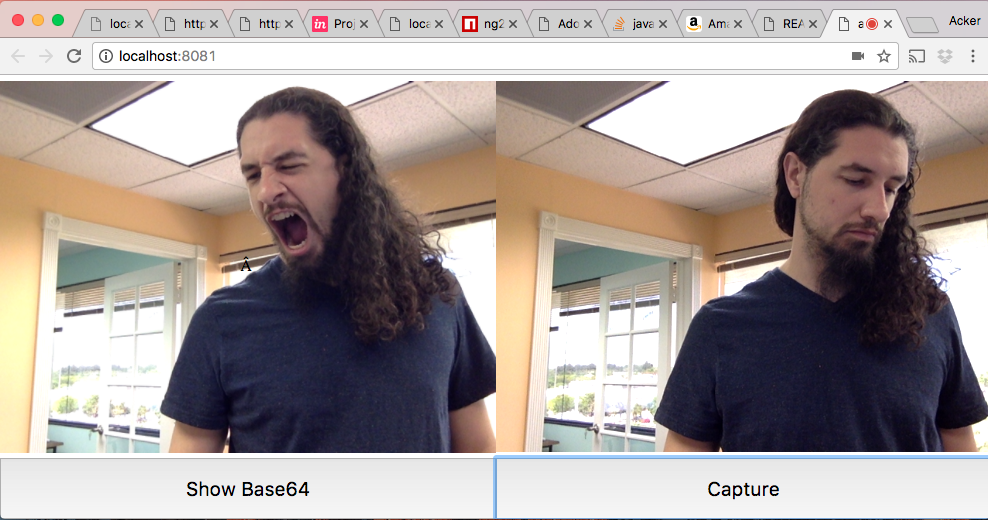
## Screenshot
## Notes
This component is based on [MediaDevices](https://developer.mozilla.org/en-US/docs/Web/API/MediaDevices) and [getUserMedia.js Polyfill](https://github.com/addyosmani/getUserMedia.js).
Please, check original repository for clear understanding
# ack-webcam Component
## Getting Started
### Installation
```bash
npm install ack-angular-webcam --save-dev
```
### Importing
```javascript
import { WebCamModule } from 'ack-angular-webcam';
@NgModule({
imports: [
BrowserModule,
WebCamModule
],
declarations: [
AppComponent
],
bootstrap: [ AppComponent ]
})
class AppModule {
}
export default AppModule;
```
### Example Usage
app.component.ts
```javascript
import { Component } from '@angular/core';
import { Http, Request } from '@angular/http';
//imported here just for type checking. Optional
import { WebCamComponent } from 'ack-angular-webcam';
const template = `
`
@Component({
selector:'app-component',
template:template
}) export class AppComponent{
base64
constructor(public http:Http){}
genBase64( webcam:WebCamComponent ){
webcam.getBase64()
.then( base=>this.base64=base)
.catch( e=>console.error(e) )
}
//get HTML5 FormData object and pretend to post to server
genPostData( webcam:WebCamComponent ){
webcam.captureAsFormData({fileName:'file.jpg'})
.then( formData=>this.postFormData(formData) )
.catch( e=>console.error(e) )
}
//a pretend process that would post the webcam photo taken
postFormData(formData){
const config = {
method:"post",
url:"http://www.aviorsciences.com/",
body: formData
}
const request = new Request(config)
return this.http.request( request )
}
onCamError(err){}
onCamSuccess(){}
}
```
## Bindings
ack-angular-webcam inputs and outputs
```typescript
[videoDevice] : MediaDeviceInfo
[videoDeviceId] : string
[audioDeviceId] : string
[mime] : string = 'image/jpeg'
[useParentWidthHeight] : boolean = false
[facingMode] : "user"|"environment"|"left"|"right"|string
[reflect]:boolean //mirror camera image
(success) = new EventEmitter()
(catch) : EventEmitter = new EventEmitter()
[(error)] : Error
[options]:{
video : boolean | MediaTrackConstraints
audio : boolean
width : number
height : number
fallback : boolean
fallbackSrc: string
fallbackMode: string
fallbackQuality: number
}
```
> Binding Resource Links
>> - [MediaDeviceInfo](https://developer.mozilla.org/en-US/docs/Web/API/MediaDeviceInfo)
>> - [MediaTrackConstraints](https://developer.mozilla.org/en-US/docs/Web/API/MediaTrackConstraints)
Tested for tablet (Android 4.4.2 GT-N5110) and phone (Android 4.1.2 GT-I8268)
## Flash Fallback
Quite Simple: You must indicate the URL of the swf fallback file named **jscam_canvas_only.swf**
> This file is included and located at ack-angular-webcam/jscam_canvas_only.swf
## Example and Tests
You can check example using following npm commands:
```
npm run watch
```
### Locally Test
Type the following commands in a command prompt terminal
Step 1 of 4
```
git clone https://github.com/ackerapple/ack-angular-webcam -b master
```
Step 2 of 4
```
cd ack-angular-webcam
```
Step 3 of 4
```
npm install
```
Step 4 of 4
```
npm run watch
```
> After step 4, a web browser should auto open a demo page and any code changes you perform to ack-angular-webcam will cause an auto-refresh of browser
# ack-media-devices Directive
Get listing of users media devices
```html
```
**Bindings**
```typescript
[(array)]:MediaDeviceInfo[] = []
[(error)]:Error
[(videoInputs)]:MediaDeviceInfo[]
[(audioInputs)]:MediaDeviceInfo[]
[(audioOutputs)]:MediaDeviceInfo[]
(catch):EventEmitter = new EventEmitter()
```
## WoRk On ThIs PaCkAgE
Nobodies perfect
> Source files are on not the default github branch
- [Source files here](https://github.com/AckerApple/ack-angular-webcam/tree/master)
### Process to pull request
- Make changes in master branch
- Change package version number based on impact of change 0.0.0
- npm run build
## If You Like ack-webpack
You might also want to give these packages a try
- [ack-angular](https://www.npmjs.com/package/ack-angular)
- [ack-angular-fx](https://www.npmjs.com/package/ack-angular-fx)
- [ack-css-boot](https://www.npmjs.com/package/ack-css-boot)
## Credits
- [pre-fork package credits](https://github.com/addyosmani/getUserMedia.js#credits)
- Fork from : [Artur Basak](https://www.npmjs.com/~archik408)
- Forked by : [Acker Apple](https://www.npmjs.com/~ackerapple)
## Spec References
* [MediaDevices](https://developer.mozilla.org/en-US/docs/Web/API/MediaDevices)
* [getUserMedia()](https://w3c.github.io/mediacapture-main/getusermedia.html)
* [WebRTC 1.0](http://w3c.github.io/webrtc-pc/)