# accessibility-buttons
Web component for adding/removing contrast and increasing/decreasing font size, enhancing the user experience for everyone.
[](https://www.webcomponents.org/element/accessibility-buttons)
## Install
```bash
npm install accessibility-buttons --save
```
## Usage
### Contrast Button
```js
// js
import 'accessibility-buttons/ContrastButton'
```
```html
```
_All props are optional._
#### Styling contrast
Color, background and transition styles could be overridden by CSS variables. They are optional.
```css
:root {
--a11y-color: #fff;
--a11y-color-transition: color 0.95s ease-in;
--a11y-background: #000;
--a11y-background-transition: background 0.95s ease-in;
}
```
### Font Size Button
```js
import 'accessibility-buttons/FontSizeButton'
```
```html
```
#### Limitation
Font size works only with relative units, example `em` or `rem`.
#### Styling font size
Color, background and transition styles could be overridden by CSS variables. They are optional.
```css
:root {
--a11y-font-size: 110%;
--a11y-font-size-transition: font-size 0.7s linear;
}
```
### Styling
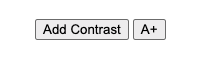
The button components are intentionally unstyled. This design choice, along with their rendering in the light DOM, allows for complete styling flexibility. You can apply custom styles directly using CSS, providing a seamless and familiar way to integrate them into your project`s design system.
Options:
```css
/* Global */
button {
background: #000;
color: #fff;
}
/* Contrast Button Component */
a11y-contrast-button button,
a11y-font-size-button button {
background: #000;
color: #000;
}
.a11y-contrast a11y-contrast-button button,
.a11y-contrast a11y-font-size-button button {
border-color: #e3ff17;
color: #e3ff17;
}
```
## Contributing
[Check how to contribute](https://github.com/tiagoporto/.github/blob/main/CONTRIBUTING.md).
## License
Accessibility Buttons © 2015 by Tiago Porto is licensed under [MIT License](LICENSE).