[](https://travis-ci.org/ebiwd/EBI-Icon-fonts)
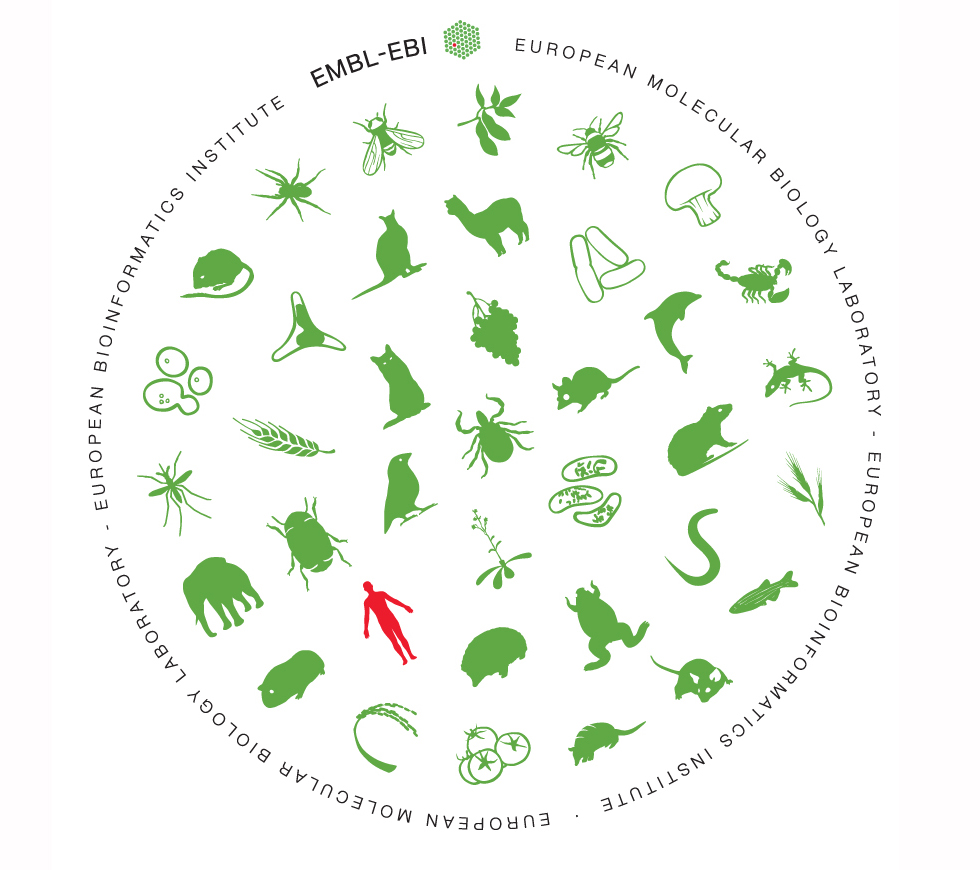 # EMBL-EBI Icon fonts for the life sciences
[View all the icons and usage information at this gallery](https://www.ebi.ac.uk/style-lab/general/fonts/).
Reference the
# EMBL-EBI Icon fonts for the life sciences
[View all the icons and usage information at this gallery](https://www.ebi.ac.uk/style-lab/general/fonts/).
Reference the [fonts.css](https://ebi.emblstatic.net/web_guidelines/EBI-Icon-fonts/v1.3/fonts.css) stylesheet automatically loads a range of icon fonts that you can use.
Icons are added automatically through CSS using the :before feature in CSS, so they will appear before whatever piece of text you associate them with. To make this association, you need to include particular class and data-icon attributes in the relevant HTML element: e.g. <h4><span class="icon icon-generic" data-icon="4"></span> Travel by plane</h4>.
## What's new in v1.3?
This version brings the most user-facing changes in several years as we've added in far more "common" icons and simplified the font stack.
- A new `EBI-Common` that supersedes EBI-Social, EBI-Generic, EBI-Functional and adds Font Awesome icons
- The new version is a backwards compatible release, just point your css include to `https://ebi.emblstatic.net/web_guidelines/EBI-Icon-fonts/v1.3/fonts.css`
- v1.3 and onwards are only available on the ebi.emblstatic.net CDN
- New icons are only added to the current version (v1.3) and are not added to v1.1 or v1.2
- We now show the escaped unicode and along with its rendered variant in the gallery:
- `data-icon="a"` and `data-icon="a"`
- You are able to select icons by data attributes and classes
- `class="icon icon-generic icon-alert"` and `class="icon icon-generic" data-icon="l"`
- We now send over only the [woff and woff2 formats](https://github.com/ebiwd/EBI-Icon-fonts/issues/17)
- See also issues #22, #21
[View all the icons and usage information at this gallery](https://www.ebi.ac.uk/style-lab/general/fonts/v1.3/).
## Need a new icon?
If you're in need of an icon for a squirrel, bucket, or something useful: [use this form](https://docs.google.com/a/ebi.ac.uk/forms/d/e/1FAIpQLSe7_lFbhVdt-AJeGQChjkiab642nDkfKTVoNQRosPAKuBP3_g/viewform?c=0&w=1).
### Want to fork an icon?
PR welcome. And if you want to fork a Font Awesome icon, see EBI-Icon-fonts/source/common/font-awesome/README.md
## Using these fonts in your project
- Releases are homed at [https://ebi.emblstatic.net/web_guidelines/EBI-Icon-fonts/](https://ebi.emblstatic.net/web_guidelines/EBI-Icon-fonts)
- You can load the default CSS by linking to the v1.3 release at [https://ebi.emblstatic.net/web_guidelines/EBI-Icon-fonts/v1.3/fonts.css](https://ebi.emblstatic.net/web_guidelines/EBI-Icon-fonts/v1.3/fonts.css)
- NPM users can get the code from [npmjs.com/package/EBI-Icon-fonts](https://www.npmjs.com/package/EBI-Icon-fonts)
- React users that are working with the EBI Species icons should check out [wbazant/react-ebi-species](https://www.npmjs.com/package/react-ebi-species)
- We suggest using with the [EBI Visual Framework v1.3](https://github.com/ebiwd/EBI-Framework/tree/v1.3), but older versions work -- and you don't even really need to use the EBI Visual Framework at all.
- Need desktop fonts? [Get them from the Style Lab](https://www.ebi.ac.uk/style-lab/general/fonts/v1.3#desktop).
# Code structure, developing the fonts
## Versioning
We are using a semantic versioning style of releases.
| Major release | Minor release | Note |
| ------------- | ------------- | ---- |
| (Branch) | (Tag) | |
| 1.1 | .0 | Initial major release |
| " | .1 | Tagged minor release |
| " | .2 | Tagged minor release |
| " | .3 | Tagged minor release |
| 1.2 | .0 | Documented, breaking release |
| " | .1 | Tagged minor release |
| 1.3 | .0 | Documented, breaking release |
Difference between major, minor releases:
- Major releases (1.1, 1.2, 1.3...) can have breaking changes and any such changes will be detailed and tested.
- Minor releases (0.0.X) will not have changes to code structure or parts and will mainly add features or update visual assets (such as logos or icon fonts).
## Building the icon fonts
The git repo does not contain the compiled font assets. If you're a developer looking to compile/edit/tweak the font from its source files, here's what you need to do.
(NOTE: Only developers would have the need do this.)
1. Clone the repo
2. Run `npm install` and you may also need to (Mac oriented commands)
- `npm install grunt-cli -g`
- install brew: https://brew.sh/
- install grunt-webfont dependencies: https://github.com/sapegin/grunt-webfont#installation
3. Build the files by running the [Gruntfile.js](https://github.com/ebiwd/EBI-Icon-fonts/blob/v1.3/Gruntfile.js) tasks with:
- `grunt` master build of all below tasks
- `grunt webfont` generate the webfont files
- `grunt grunticon` make the png static files
- `grunt copy` copy svg source files into font static files
- `grunt webfont && grunt includes` regenerate the HTML templates
4. Optional tasks
- `grunt svgmin` minify svg source files
## Docker build
Build the fonts with the docker image (as used by gitlab) as follows
`docker run -it --rm -v $PWD:/workspace -w /workspace ebiwd/node-fontforge-grunt:6 sh -c 'npm install && grunt'`
# Licensing
EMBL-EBI created icons and the project are licenced under an Apache 2.0 and [Creative Commons Attribution-ShareAlike 4.0](https://creativecommons.org/licenses/by-sa/4.0/). Non-EMBL-EBI created elements are licenced under their indicated licence. For more information, see [LICENSE.md](LICENSE.md)
This project also uses Font Awesome icons, those icons are licenced [as specified in the respective LICENSE.txt](https://github.com/ebiwd/EBI-Icon-fonts/blob/v1.3/source/common/font-awesome/LICENSE.txt).