<p align="center">
  <a href="http://zumerlab.github.io/snapdom">
    <img src="https://raw.githubusercontent.com/zumerlab/snapdom/main/docs/assets/newhero.png" width="80%">
  </a>
</p>

<p align="center">
 <a href="https://www.npmjs.com/package/@zumer/snapdom">
    <img alt="NPM version" src="https://img.shields.io/npm/v/@zumer/snapdom?style=flat-square&label=Version">
  </a>
  <a href="https://www.npmjs.com/package/@zumer/snapdom">
    <img alt="NPM weekly downloads" src="https://img.shields.io/npm/dw/@zumer/snapdom?style=flat-square&label=Downloads">
  </a>
  <a href="https://github.com/zumerlab/snapdom/graphs/contributors">
    <img alt="GitHub contributors" src="https://img.shields.io/github/contributors/zumerlab/snapdom?style=flat-square&label=Contributors">
  </a>
  <a href="https://github.com/zumerlab/snapdom/stargazers">
    <img alt="GitHub stars" src="https://img.shields.io/github/stars/zumerlab/snapdom?style=flat-square&label=Stars">
  </a>
  <a href="https://github.com/zumerlab/snapdom/network/members">
    <img alt="GitHub forks" src="https://img.shields.io/github/forks/zumerlab/snapdom?style=flat-square&label=Forks">
  </a>
  <a href="https://github.com/sponsors/tinchox5">
    <img alt="Sponsor tinchox5" src="https://img.shields.io/github/sponsors/tinchox5?style=flat-square&label=Sponsor">
  </a>

  <a href="https://github.com/zumerlab/snapdom/blob/main/LICENSE">
    <img alt="License" src="https://img.shields.io/github/license/zumerlab/snapdom?style=flat-square">
  </a>
</p>

<p align="center">English | <a href="README_CN.md">简体中文</a></p>

# SnapDOM

**SnapDOM** is a next-generation **DOM Capture Engine** — ultra-fast, modular, and extensible.  
It converts any DOM subtree into a self-contained representation that can be exported to SVG, PNG, JPG, WebP, Canvas, Blob, or **any custom format** through plugins.

* Full DOM capture
* Embedded styles, pseudo-elements, and fonts
* Export to SVG, PNG, JPG, WebP, `canvas`, or Blob
* ⚡ Ultra fast, no dependencies
* 100% based on standard Web APIs
* Support same-origin `ìframe`
* Support CSS counter() and CSS counters()
* Support `...` line-clamp

## Demo

[https://snapdom.dev](https://snapdom.dev)


## Quick Start

**Capture any DOM element to PNG in one line:**

```js
import { snapdom } from '@zumer/snapdom';

const img = await snapdom.toPng(document.querySelector('#card'));
document.body.appendChild(img);
```

**Reusable capture** (one clone, multiple exports):

```js
const result = await snapdom(document.querySelector('#card'));
await result.toPng();      // → HTMLImageElement
await result.toSvg();      // → SVG as Image
await result.download({ format: 'jpg', filename: 'card.jpg' });
```

---

## Capture Flow

SnapDOM transforms your DOM element through these stages:

```
DOM Element
    ↓
Clone
    ↓
Styles & Pseudo
    ↓
Images & Backgrounds
    ↓
Fonts
    ↓
SVG foreignObject
    ↓
data:image/svg+xml
    ↓
toPng / toSvg / toBlob / download
```

| Stage | What happens |
|-------|--------------|
| **Clone** | Deep clone with styles, Shadow DOM, iframes. Exclude/filter nodes. |
| **Styles & Pseudo** | Inline `::before`/`::after` as elements, resolve `counter()`/`counters()`. |
| **Images & Backgrounds** | Fetch and inline external images/backgrounds as data URLs. |
| **Fonts** | Embed `@font-face` (optional) and icon fonts. |
| **SVG** | Wrap clone in `<foreignObject>`, serialize to `data:image/svg+xml`. |
| **Export** | Convert SVG to PNG/JPG/WebP/Blob or trigger download. |

Plugin hooks: `beforeSnap` → `beforeClone` → `afterClone` → `beforeRender` → `afterRender` → `beforeExport` → `afterExport`.


## Table of Contents

- [Quick Start](#quick-start)
- [Capture Flow](#capture-flow)
- [Installation](#installation)
  - [NPM / Yarn (stable)](#npm--yarn-stable)
  - [NPM / Yarn (dev builds)](#npm--yarn-dev-builds)
  - [CDN (stable)](#cdn-stable)
  - [CDN (dev builds)](#cdn-dev-builds)
- [Build Outputs](#build-outputs--tree-shaking)
- [Usage](#usage)
  - [Reusable capture](#reusable-capture)
  - [One-step shortcuts](#one-step-shortcuts)
- [API](#api)
  - [snapdom(el, options?)](#snapdomel-options)
  - [Shortcut methods](#shortcut-methods)
- [Options](#options)
  - [debug](#debug)
  - [Fallback image on `<img>` load failure](#fallback-image-on-img-load-failure)
  - [Dimensions (`scale`, `width`, `height`)](#dimensions-scale-width-height)
  - [Cross-Origin Images & Fonts (`useProxy`)](#cross-origin-images--fonts-useproxy)
  - [Fonts](#fonts)
    - [embedFonts](#embedfonts)
    - [localFonts](#localfonts)
    - [iconFonts](#iconfonts)
    - [excludeFonts](#excludefonts)
  - [Filtering nodes: `exclude` vs `filter`](#filtering-nodes-exclude-vs-filter)
  - [outerTransforms](#outerTransforms)
  - [outerShadows](#no-shadows)
  - [Cache control](#cache-control)
- [preCache](#precache--optional-helper)
- [Plugins (BETA)](#plugins-beta)
  - [Official Plugins](#official-plugins)
  - [Community Plugins](#community-plugins)
  - [Build a Plugin in 5 Minutes](#build-a-plugin-in-5-minutes)
  - [Registering Plugins](#registering-plugins)
  - [Plugin Lifecycle Hooks](#plugin-lifecycle-hooks)
  - [Context Object](#context-object)
  - [Custom Exports via Plugins](#custom-exports-via-plugins)
  - [Example: Overlay Filter Plugin](#example-overlay-filter-plugin)
  - [Full Plugin Template](#full-plugin-template)
- [Limitations](#limitations)
- [⚡ Performance Benchmarks (Chromium)](#performance-benchmarks)
  - [Simple elements](#simple-elements)
  - [Complex elements](#complex-elements)
  - [Run the benchmarks](#run-the-benchmarks)
- [Roadmap](#roadmap)
- [Development](#development)
- [Contributors 🙌](#contributors)
- [💖 Sponsors](#sponsors)
- [Star History](#star-history)
- [License](#license)


## Installation

### NPM / Yarn (stable)

```bash
npm i @zumer/snapdom
yarn add @zumer/snapdom
```

### NPM / Yarn (dev builds)

For early access to new features and fixes:

```bash
npm i @zumer/snapdom@dev
yarn add @zumer/snapdom@dev
```

⚠️ The `@dev` tag usually includes improvements before they reach production, but may be less stable.


### CDN (stable)

```html
<!-- Minified build -->
<script src="https://unpkg.com/@zumer/snapdom/dist/snapdom.js"></script>

<!-- Minified ES Module build -->
<script type="module">
  import { snapdom } from "https://unpkg.com/@zumer/snapdom/dist/snapdom.mjs";
</script>
```

### CDN (dev builds)

```html
<!-- Minified build (dev) -->
<script src="https://unpkg.com/@zumer/snapdom@dev/dist/snapdom.js"></script>

<!-- Minified ES Module build (dev) -->
<script type="module">
  import { snapdom } from "https://unpkg.com/@zumer/snapdom@dev/dist/snapdom.mjs";
</script>
```

## Build Outputs

| Variant | File | Use case |
|---------|------|----------|
| **ESM** (tree-shakeable) | `dist/snapdom.mjs` | Bundlers (Vite, webpack), `import` |
| **IIFE** (global) | `dist/snapdom.js` | Script tag, legacy `require` |

**Bundler (npm):**
```js
import { snapdom } from '@zumer/snapdom';  // → dist/snapdom.mjs
```

**Script tag (CDN):**
```html
<script src="https://unpkg.com/@zumer/snapdom/dist/snapdom.js"></script>
<script> snapdom.toPng(document.body).then(img => document.body.appendChild(img)); </script>
```

**Subpath imports** (lighter bundle if you only need one):
```js
import { preCache } from '@zumer/snapdom/preCache';
import { plugins } from '@zumer/snapdom/plugins';
```


## Usage

| Pattern | When to use |
|---------|-------------|
| **Reusable** `snapdom(el)` | One clone → many exports (PNG + JPG + download). |
| **Shortcuts** `snapdom.toPng(el)` | Single export, less code. |

### Reusable capture

Capture once, export many times (no re-clone):

```js
const el = document.querySelector('#target');
const result = await snapdom(el);

const img = await result.toPng();
document.body.appendChild(img);
await result.download({ format: 'jpg', filename: 'my-capture.jpg' });
```

### One-step shortcuts

Direct export when you need a single format:

```js
const png = await snapdom.toPng(el);
const blob = await snapdom.toBlob(el);
document.body.appendChild(png);
```

## API

### `snapdom(el, options?)`

Returns an object with reusable export methods:

```js
{
  url: string;
  toRaw(): string;
  toImg(): Promise<HTMLImageElement>; // deprecated 
  toSvg(): Promise<HTMLImageElement>;
  toCanvas(): Promise<HTMLCanvasElement>;
  toBlob(options?): Promise<Blob>;
  toPng(options?): Promise<HTMLImageElement>;
  toJpg(options?): Promise<HTMLImageElement>;
  toWebp(options?): Promise<HTMLImageElement>;
  download(options?): Promise<void>;
}
```

### Shortcut methods

| Method                         | Description                       |
| ------------------------------ | --------------------------------- |
| `snapdom.toImg(el, options?)`  | Returns an SVG `HTMLImageElement` (deprecated) |
| `snapdom.toSvg(el, options?)`  | Returns an SVG `HTMLImageElement` |
| `snapdom.toCanvas(el, options?)` | Returns a `Canvas`               |
| `snapdom.toBlob(el, options?)` | Returns an SVG or raster `Blob`   |
| `snapdom.toPng(el, options?)`  | Returns a PNG image               |
| `snapdom.toJpg(el, options?)`  | Returns a JPG image               |
| `snapdom.toWebp(el, options?)` | Returns a WebP image              |
| `snapdom.download(el, options?)` | Triggers a download              |

### Exporter-specific options

Some exporters accept a small set of **export-only options** in addition to the global capture options.

#### `download()` 

| Option | Type | Default | Description |
| --- | --- | --- | --- |
| `filename` | `string` | `snapdom` | Download name. |
| `format` | `"png" \| "jpeg" \| "jpg" \| "webp" \| "svg"` | `"png"` | Output format for the downloaded file. |

**Example:**

```js
await result.download({
  format: 'jpg',
  quality: 0.92,
  filename: 'my-capture'
});
```

#### `toBlob()`

| Option | Type | Default | Description |
| --- | --- | --- | --- |
| `type` | `"svg" \| "png" \| "jpeg" \| "jpg" \| "webp"` | `"svg"` | Blob type to generate. |

**Example:**

```js
const blob = await result.toBlob({ type: 'jpeg', quality: 0.92 });
```

## Options

All capture methods accept an `options` object:


| Option            | Type     | Default  | Description                                     |
| ----------------- | -------- | -------- | ----------------------------------------------- |
| `debug`           | boolean  | `false`  | When `true`, logs suppressed errors to `console.warn` for troubleshooting |
| `fast`            | boolean  | `true`   | Skips small idle delays for faster results      |
| `embedFonts`      | boolean  | `false`  | Inlines non-icon fonts (icon fonts always on)   |
| `localFonts`      | array    | `[]`     | Local fonts `{ family, src, weight?, style? }`  |
| `iconFonts`       | string\|RegExp\|Array | `[]` | Extra icon font matchers                      |
| `excludeFonts`    | object   | `{}`     | Exclude families/domains/subsets during embedding |
| `scale`           | number   | `1`      | Output scale multiplier                         |
| `dpr`             | number   | `devicePixelRatio` | Device pixel ratio                     |
| `width`           | number   | -        | Output width                                    |
| `height`          | number   | -        | Output height                                   |
| `backgroundColor` | string   | `"#fff"` | Fallback color for JPG/WebP                     |
| `quality`         | number   | `1`      | Quality for JPG/WebP (0 to 1)                   |
| `useProxy`        | string   | `''`     | Proxy base for CORS fallbacks                   |
| `exclude`         | string[] | -        | CSS selectors to exclude                        |
| `excludeMode`     | `"hide"`\|`"remove"` | `"hide"` | How `exclude` is applied                  |
| `filter`          | function | -        | Custom predicate `(el) => boolean`              |
| `filterMode`      | `"hide"`\|`"remove"` | `"hide"` | How `filter` is applied                   |
| `cache`           | string   | `"soft"` | `disabled` \| `soft` \| `auto` \| `full`        |
| `placeholders`    | boolean  | `true`   | Show placeholders for images/CORS iframes       |
| `fallbackURL`     | string \| function  | - | Fallback image for `<img>` load failure |
| `outerTransforms`      | boolean  | `true`  | When `false` removes `translate/rotate` but preserves `scale/skew`, producing a flat, reusable capture |
| `outerShadows`       | boolean  | `false`  | Do not expand the root’s bounding box for shadows/blur/outline, and strip those visual effects from the cloned root |
| `safariWarmupAttempts` | number   | `3`      | Safari only: iterations to prime font/decode (WebKit #219770). Use `1` if 3 causes lag |

### debug

When `debug: true`, SnapDOM logs normally suppressed errors to `console.warn` (with the `[snapdom]` prefix). Useful for troubleshooting capture issues (canvas failures, blob resolution, style stripping, etc.) without noisy output in production.

```js
await snapdom.toPng(el, { debug: true });
```

### Fallback image on `<img>` load failure

Provide a default image for failed `<img>` loads. You can pass a fixed URL or a callback that receives measured dimensions and returns a URL (handy to generate dynamic placeholders).

```js
// 1) Fixed URL fallback
await snapdom.toSvg(element, {
  fallbackURL: '/images/fallback.png'
});

// 2) Dynamic placeholder via callback
await snapdom.toSvg(element, {
  fallbackURL: ({ width: 300, height: 150 }) =>
    `https://placehold.co/${width}x${height}`
});

// 3) With proxy (if your fallback host has no CORS)
await snapdom.toSvg(element, {
  fallbackURL: ({ width = 300, height = 150 }) =>
    `https://dummyimage.com/${width}x${height}/cccccc/666.png&text=img`,
  useProxy: 'https://proxy.corsfix.com/?'
});
```

Notes:
- If the fallback image also fails to load, snapDOM replaces the `<img>` with a placeholder block preserving width/height.
- Width/height used by the callback are gathered from the original element (dataset, style/attrs, etc.) when available.


### Dimensions (`scale`, `width`, `height`)

* If `scale` is provided, it **takes precedence** over `width`/`height`.
* If only `width` is provided, height scales proportionally (and vice versa).
* Providing both `width` and `height` forces an exact size (may distort).

### Cross-Origin Images & Fonts (`useProxy`)

By default snapDOM tries `crossOrigin="anonymous"` (or `use-credentials` for same-origin). If an asset is CORS-blocked, you can set `useProxy` to a prefix URL that forwards the actual `src`:

```js
await snapdom.toPng(el, {
  useProxy: 'https://proxy.corsfix.com/?' // Note: Any cors proxy could be used 'https://proxy.corsfix.com/?'
});
```


* The proxy is only used as a **fallback**; same-origin and CORS-enabled assets skip it.

### Fonts

#### `embedFonts`
When `true`, snapDOM embeds **non-icon** `@font-face` rules detected as used within the captured subtree. Icon fonts (Font Awesome, Material Icons, etc.) are embedded **always**.

#### `localFonts`
If you serve fonts yourself or have data URLs, you can declare them here to avoid extra CSS discovery:

```js
await snapdom.toPng(el, {
  embedFonts: true,
  localFonts: [
    { family: 'Inter', src: '/fonts/Inter-Variable.woff2', weight: 400, style: 'normal' },
    { family: 'Inter', src: '/fonts/Inter-Italic.woff2', style: 'italic' }
  ]
});
```

#### `iconFonts`
Add custom icon families (names or regex matchers). Useful for private icon sets:

```js
await snapdom.toPng(el, {
  iconFonts: ['MyIcons', /^(Remix|Feather) Icons?$/i]
});
```

#### `excludeFonts`
Skip specific non-icon fonts to speed up capture or avoid unnecessary downloads.

```js
await snapdom.toPng(el, {
  embedFonts: true,
  excludeFonts: {
    families: ['Noto Serif', 'SomeHeavyFont'],     // skip by family name
    domains: ['fonts.gstatic.com', 'cdn.example'], // skip by source host
    subsets: ['cyrillic-ext']                      // skip by unicode-range subset tag
  }
});
```
*Notes*
- `excludeFonts` only applies to **non-icon** fonts. Icon fonts are always embedded.
- Matching is case-insensitive for `families`. Hosts are matched by substring against the resolved URL.


#### Filtering nodes: `exclude` vs `filter`

* `exclude`: remove by **selector**.
* `excludeMode`: `hide` applies `visibility:hidden` CSS rule on excluded nodes and the layout remains as the original. `remove` do not clone excluded nodes at all.
* `filter`: advanced predicate per element (return `false` to drop).
* `filterMode`: `hide` applies `visibility:hidden` CSS rule on filtered nodes and the layout remains as the original. `remove` do not clone filtered nodes at all.

**Example: filter out elements with `display:none`:**
```js
/**
 * Example filter: skip elements with display:none
 * @param {Element} el
 * @returns {boolean} true = keep, false = exclude
 */
function filterHidden(el) {
  const cs = window.getComputedStyle(el);
  if (cs.display === 'none') return false;
  return true;
}

await snapdom.toPng(document.body, { filter: filterHidden });
```

**Example with `exclude`:** remove banners or tooltips by selector
```js
await snapdom.toPng(el, {
  exclude: ['.cookie-banner', '.tooltip', '[data-test="debug"]']
});
```

### outerTransforms 

When capturing rotated or translated elements, you may want use **outerTransforms: false** option if you want to eliminate those external transforms. So, the output is **flat, upright, and ready** to use elsewhere.

- **`outerTransforms: true (default)`**  
  **Keeps the original `transforms` and `rotate`**.  
  

### outerShadows
- **`outerShadows: false (default)`**  
  Prevents expanding the bounding box for shadows, blur, or outline on the root, and also strips `box-shadow`, `text-shadow`, `filter: blur()/drop-shadow()`, and `outline` from the cloned root.  

> 💡 **Tip:** Using both (`outerTransforms: false` + `outerShadows: false`) produces a strict, minimal bounding box with no visual bleed.

**Example**

```js
// outerTransforms and remove shadow bleed
await snapdom.toSvg(el, { outerTransforms: true, outerShadows: true });
```

## Cache control

SnapDOM maintains internal caches for images, backgrounds, resources, styles, and fonts.
You can control how they are cleared between captures using the `cache` option:

| Mode        | Description                                                                 |
| ----------- | --------------------------------------------------------------------------- |
| `"disabled"`| No cache                   |
| `"soft"`    | Clears session caches (`styleMap`, `nodeMap`, `styleCache`) _(default)_      |
| `"auto"`    | Minimal cleanup: only clears transient maps                                 |
| `"full"`    | Keeps all caches (nothing is cleared, maximum performance)                  |

**Examples:**

```js
// Use minimal but fast cache
await snapdom.toPng(el, { cache: 'auto' });

// Keep everything in memory between captures
await snapdom.toPng(el, { cache: 'full' });

// Force a full cleanup on every capture
await snapdom.toPng(el, { cache: 'disabled' });
```

## `preCache()` – Optional helper

Preloads external resources to avoid first-capture stalls (helpful for big/complex trees).

```js
import { preCache } from '@zumer/snapdom';

await preCache({
  root: document.body,
  embedFonts: true,
  localFonts: [{ family: 'Inter', src: '/fonts/Inter.woff2', weight: 400 }],
  useProxy: 'https://proxy.corsfix.com/?'
});
```

## Plugins (BETA)

SnapDOM includes a lightweight **plugin system** that allows you to extend or override behavior at any stage of the capture and export process — without touching the core library.

A plugin is a simple object with a unique `name` and one or more lifecycle **hooks**.
Hooks can be synchronous or `async`, and they receive a shared **`context`** object.

### Official Plugins

Install the official plugin package:

```bash
npm install @zumer/snapdom-plugins
```

```js
import { filter } from '@zumer/snapdom-plugins/filter';
import { timestampOverlay } from '@zumer/snapdom-plugins/timestamp-overlay';
```

| Plugin | Category | Description |
|--------|----------|-------------|
| `picture-resolver` | Capture | Resolves lazy-loaded `<picture>` placeholders. Detects base64 stubs and fetches the real image before capture. |
| `timestamp-overlay` | Transform | Adds a configurable timestamp label on the captured clone. Supports multiple date formats and positions. |
| `filter` | Transform | Applies CSS filter effects to captures. Ships with presets: `grayscale`, `sepia`, `blur`, `vintage`, `dramatic`. |
| `replace-text` | Transform | Find-and-replace text in the captured clone. Supports strings and regex patterns. |
| `color-tint` | Transform | Tints the entire capture to a specified color using an overlay with `mix-blend-mode`. |
| `ascii-export` | Export | Adds a `toAscii()` method that converts captures to ASCII art. Configurable width, charset, and luminance. |
| `pdf-image` | Export | Exports the capture as a PNG embedded in a downloadable PDF. Supports portrait and landscape orientations. |
| `html-in-canvas` | Export | Uses the experimental WICG `drawElementImage` API for direct DOM-to-canvas rendering where supported. |
| `prompt-export` | Export | LLM-friendly capture: adds a `toPrompt()` method that returns an annotated screenshot, structured element map with bounding boxes, and a pre-formatted text prompt. |

### Community Plugins

Community plugins are listed on the [Plugins page](https://zumerlab.github.io/snapdom/plugins.html). To submit your plugin, open a PR adding one line to `community-plugins.md`. See [CONTRIBUTING_PLUGINS.md](CONTRIBUTING_PLUGINS.md).

### Build a Plugin in 5 Minutes

SnapDOM's hook system gives you full control over every stage of the capture pipeline:

1. **Clone the template** — `npx degit zumerlab/snapdom/packages/plugin-template my-plugin`
2. **Write your hook logic** — `export function myPlugin() {}`
3. **Get listed** — open a PR adding one line to `community-plugins.md`

See [PLUGIN_SPEC.md](PLUGIN_SPEC.md) for the full specification and [CONTRIBUTING_PLUGINS.md](CONTRIBUTING_PLUGINS.md) for submission guidelines.

### Registering Plugins

**Global registration** (applies to all captures):

```js
import { snapdom } from '@zumer/snapdom';

// You can register instances, factories, or [factory, options]
snapdom.plugins(
  myPluginInstance,
  [myPluginFactory, { optionA: true }],
  { plugin: anotherFactory, options: { level: 2 } }
);
```

**Per-capture registration** (only for that specific call):

```js
const out = await snapdom(element, {
  plugins: [
    [overlayFilterPlugin, { color: 'rgba(0,0,0,0.25)' }],
    [myFullPlugin, { providePdf: true }]
  ]
});
```

* **Execution order = registration order** (first registered, first executed).
* **Per-capture plugins** run **before** global ones.
* Duplicates are automatically skipped by `name`; a per-capture plugin with the same `name` overrides its global version.

### Plugin Lifecycle Hooks

Hooks run in capture order (see [Capture Flow](#capture-flow)):

| Hook | Stage | Purpose |
|------|-------|---------|
| `beforeSnap` | Start | Adjust options before any work. |
| `beforeClone` | Pre-clone | Before DOM clone (modify live DOM carefully). |
| `afterClone` | Post-clone | Modify cloned tree safely (e.g. inject overlay). |
| `beforeRender` | Pre-serialize | Right before SVG → data URL. |
| `afterRender` | Post-serialize | Inspect `context.svgString` / `context.dataURL`. |
| `beforeExport` | Per export | Before each `toPng`, `toSvg`, etc. |
| `afterExport` | Per export | Transform returned result. |
| `afterSnap` | Once | After first export; cleanup. |
| `defineExports` | Setup | Add custom exporters (e.g. `toPdf`). |

> Returned values from `afterExport` are chained to the next plugin (transform pipeline).

### Context Object

Every hook receives a single `context` object that contains normalized capture state:

* **Input & options:**
  `element`, `debug`, `fast`, `scale`, `dpr`, `width`, `height`, `backgroundColor`, `quality`, `useProxy`, `cache`, `outerTransforms`, `outerShadows`, `safariWarmupAttempts`, `embedFonts`, `localFonts`, `iconFonts`, `excludeFonts`, `exclude`, `excludeMode`, `filter`, `filterMode`, `fallbackURL`.

* **Intermediate values (depending on stage):**
  `clone`, `classCSS`, `styleCache`, `fontsCSS`, `baseCSS`, `svgString`, `dataURL`.

* **During export:**
  `context.export = { type, options, url }`
  where `type` is the exporter name (`"png"`, `"jpeg"`, `"svg"`, `"blob"`, etc.), and `url` is the serialized SVG base.

> You may safely modify `context` (e.g., override `backgroundColor` or `quality`) — but do so early (`beforeSnap`) for global effects or in `beforeExport` for single-export changes.


## Custom Exports via Plugins

Plugins can add new exports using `defineExports(context)`.
For each export key you return (e.g., `"pdf"`), SnapDOM automatically exposes a helper method named **`toPdf()`** on the capture result.

**Register the plugin (global or per capture):**

```js
import { snapdom } from '@zumer/snapdom';

// global
snapdom.plugins(pdfExportPlugin());

// or per capture
const out = await snapdom(element, { plugins: [pdfExportPlugin()] });
```

**Call the custom export:**

```js
const out = await snapdom(document.querySelector('#report'));

// because the plugin returns { pdf: async (ctx, opts) => ... }
const pdfBlob = await out.toPdf({
  // exporter-specific options (width, height, quality, filename, etc.)
});
```

### Example: Overlay Filter Plugin

Adds a translucent overlay or color filter **only** to the captured clone (not your live DOM).
Useful for highlighting or dimming sections before export.

```js
/**
 * Ultra-simple overlay filter for SnapDOM (HTML-only).
 * Inserts a full-size <div> overlay on the cloned root.
 *
 * @param {{ color?: string; blur?: number }} [options]
 *   color: overlay color (rgba/hex/hsl). Default: 'rgba(0,0,0,0.25)'
 *   blur: optional blur in px (default: 0)
 */
export function overlayFilterPlugin(options = {}) {
  const color = options.color ?? 'rgba(0,0,0,0.25)';
  const blur = Math.max(0, options.blur ?? 0);

  return {
    name: 'overlay-filter',

    /**
     * Add a full-coverage overlay to the cloned HTML root.
     * @param {any} context
     */
    async afterClone(context) {
      const root = context.clone;
      if (!(root instanceof HTMLElement)) return; // HTML-only

      // Ensure containing block so absolute overlay anchors to the root
      if (getComputedStyle(root).position === 'static') {
        root.style.position = 'relative';
      }

      const overlay = document.createElement('div');
      overlay.style.position = 'absolute';
      overlay.style.left = '0';
      overlay.style.top = '0';
      overlay.style.right = '0';
      overlay.style.bottom = '0';
      overlay.style.background = color;
      overlay.style.pointerEvents = 'none';
      if (blur) overlay.style.filter = `blur(${blur}px)`;

      root.appendChild(overlay);
    }
  };
}

```

**Usage:**

```js
import { snapdom } from '@zumer/snapdom';

// Global registration
snapdom.plugins([overlayFilterPlugin, { color: 'rgba(0,0,0,0.3)', blur: 2 }]);

// Per-capture
const out = await snapdom(document.querySelector('#card'), {
  plugins: [[overlayFilterPlugin, { color: 'rgba(255,200,0,0.15)' }]]
});

const png = await out.toPng();
document.body.appendChild(png);
```

> The overlay is injected **only in the cloned tree**, never in your live DOM, ensuring perfect fidelity and zero flicker.


### Full Plugin Template

Use this as a starting point for custom logic or exporters.

```js
export function myPlugin(options = {}) {
  return {
    /** Unique name used for de-duplication/overrides */
    name: 'my-plugin',

    /** Early adjustments before any clone/style work. */
    async beforeSnap(context) {},

    /** Before subtree cloning (use sparingly if touching the live DOM). */
    async beforeClone(context) {},

    /** After subtree cloning (safe to modify the cloned tree). */
    async afterClone(context) {},

    /** Right before serialization (SVG/dataURL). */
    async beforeRender(context) {},

    /** After serialization; inspect context.svgString/context.dataURL if needed. */
    async afterRender(context) {},

    /** Before EACH export call (toPng/toSvg/toBlob/...). */
    async beforeExport(context) {},

    /**
     * After EACH export call.
     * If you return a value, it becomes the result for the next plugin (chaining).
     */
    async afterExport(context, result) { return result; },

    /**
     * Define custom exporters (auto-added as helpers like out.toPdf()).
     * Return a map { [key: string]: (ctx:any, opts:any) => Promise<any> }.
     */
    async defineExports(context) { return {}; },

    /** Runs ONCE after the FIRST export finishes (cleanup). */
    async afterSnap(context) {}
  };
}
```

**Quick recap:**

* Plugins can modify capture behavior (`beforeSnap`, `afterClone`, etc.).
* You can inject visuals or transformations safely into the cloned tree.
* New exporters defined in `defineExports()` automatically become helpers like `out.toPdf()`.
* All hooks can be asynchronous, run in order, and share the same `context`.


## Limitations

* External images should be CORS-accessible (use `useProxy` option for handling CORS denied)
* When WebP format is used on Safari, it will fallback to PNG rendering.
* `@font-face` CSS rule is well supported, but if need to use JS `FontFace()`, see this workaround [`#43`](https://github.com/zumerlab/snapdom/issues/43)
* **Safari**: captures with `embedFonts` or background/mask images run slower due to [WebKit #219770](https://bugs.webkit.org/show_bug.cgi?id=219770) (font decode timing). SnapDOM does pre-captures + `drawImage` to prime the pipeline; configurable via `safariWarmupAttempts` (default 3).
* **Custom scrollbar styles** (`::-webkit-scrollbar`): Applied only when the element has *not* been scrolled. When scrolled, the viewport content is captured without the scrollbar.


## Performance Benchmarks

**Setup.** Vitest benchmarks on Chromium, repo tests. Hardware may affect results.
Values are **average capture time (ms)** → lower is better.

### Simple elements

| Scenario                 | SnapDOM current | SnapDOM v1.9.9 | html2canvas | html-to-image |
| ------------------------ | --------------- | -------------- | ----------- | ------------- |
| Small (200×100)          | **0.5 ms**      | 0.8 ms         | 67.7 ms     | 3.1 ms        |
| Modal (400×300)          | **0.5 ms**      | 0.8 ms         | 75.5 ms     | 3.6 ms        |
| Page View (1200×800)     | **0.5 ms**      | 0.8 ms         | 114.2 ms    | 3.3 ms        |
| Large Scroll (2000×1500) | **0.5 ms**      | 0.8 ms         | 186.3 ms    | 3.2 ms        |
| Very Large (4000×2000)   | **0.5 ms**      | 0.9 ms         | 425.9 ms    | 3.3 ms        |


### Complex elements

| Scenario                 | SnapDOM current | SnapDOM v1.9.9 | html2canvas | html-to-image |
| ------------------------ | --------------- | -------------- | ----------- | ------------- |
| Small (200×100)          | **1.6 ms**      | 3.3 ms         | 68.0 ms     | 14.3 ms       |
| Modal (400×300)          | **2.9 ms**      | 6.8 ms         | 87.5 ms     | 34.8 ms       |
| Page View (1200×800)     | **17.5 ms**     | 50.2 ms        | 178.0 ms    | 429.0 ms      |
| Large Scroll (2000×1500) | **54.0 ms**     | 201.8 ms       | 735.2 ms    | 984.2 ms      |
| Very Large (4000×2000)   | **171.4 ms**    | 453.7 ms       | 1,800.4 ms  | 2,611.9 ms    |


### Run the benchmarks

```sh
git clone https://github.com/zumerlab/snapdom.git
cd snapdom
npm install
npm run test:benchmark
```


## Roadmap

Planned improvements for future versions of SnapDOM:

* [X] **Implement plugin system**
  SnapDOM will support external plugins to extend or override internal behavior (e.g. custom node transformers, exporters, or filters).

* [ ] **Refactor to modular architecture**
  Internal logic will be split into smaller, focused modules to improve maintainability and code reuse.

* [X] **Decouple internal logic from global options**
  Functions will be redesigned to avoid relying directly on `options`. A centralized capture context will improve clarity, autonomy, and testability. See [`next` branch](https://github.com/zumerlab/snapdom/tree/main)

* [X] **Expose cache control**
  Users will be able to manually clear image and font caches or configure their own caching strategies.

* [X] **Auto font preloading**
  Required fonts will be automatically detected and preloaded before capture, reducing the need for manual `preCache()` calls.

* [X] **Document plugin development**
  A full guide will be provided for creating and registering custom SnapDOM plugins.

* [ ] **Make export utilities tree-shakeable**
  Export functions like `toPng`, `toJpg`, `toBlob`, etc. will be restructured into independent modules to support tree shaking and minimal builds.

Have ideas or feature requests?
Feel free to share suggestions or feedback in [GitHub Discussions](https://github.com/zumerlab/snapdom/discussions).


## Development

**Source layout:**
- `src/api/` – Public API (`snapdom`, `preCache`)
- `src/core/` – Capture pipeline, clone, prepare, plugins
- `src/modules/` – Images, fonts, pseudo-elements, backgrounds, SVG
- `src/exporters/` – toPng, toSvg, toBlob, etc.
- `dist/` – Build output (`snapdom.js`, `snapdom.mjs`, `preCache.mjs`, `plugins.mjs`)

**Build:**
```sh
git clone https://github.com/zumerlab/snapdom.git
cd snapdom
git checkout dev
npm install
npm run compile
```

**Test:**
```sh
npx playwright install   # Required for browser tests
npm test
npm run test:benchmark
```

For detailed guidelines, see [CONTRIBUTING](https://github.com/zumerlab/snapdom/blob/main/CONTRIBUTING.md).


## Contributors

<!-- CONTRIBUTORS:START -->
<p>
<a href="https://github.com/tinchox5" title="tinchox5"><img src="https://avatars.githubusercontent.com/u/11557901?v=4&s=100" style="border-radius:10px; width:60px; height:60px; object-fit:cover; margin:5px;" alt="tinchox5"/></a>
<a href="https://github.com/Jarvis2018" title="Jarvis2018"><img src="https://avatars.githubusercontent.com/u/36788851?v=4&s=100" style="border-radius:10px; width:60px; height:60px; object-fit:cover; margin:5px;" alt="Jarvis2018"/></a>
<a href="https://github.com/tarwin" title="tarwin"><img src="https://avatars.githubusercontent.com/u/646149?v=4&s=100" style="border-radius:10px; width:60px; height:60px; object-fit:cover; margin:5px;" alt="tarwin"/></a>
<a href="https://github.com/Amyuan23" title="Amyuan23"><img src="https://avatars.githubusercontent.com/u/25892910?v=4&s=100" style="border-radius:10px; width:60px; height:60px; object-fit:cover; margin:5px;" alt="Amyuan23"/></a>
<a href="https://github.com/kohaiy" title="kohaiy"><img src="https://avatars.githubusercontent.com/u/15622127?v=4&s=100" style="border-radius:10px; width:60px; height:60px; object-fit:cover; margin:5px;" alt="kohaiy"/></a>
<a href="https://github.com/airamhr9" title="airamhr9"><img src="https://avatars.githubusercontent.com/u/57371081?v=4&s=100" style="border-radius:10px; width:60px; height:60px; object-fit:cover; margin:5px;" alt="airamhr9"/></a>
<a href="https://github.com/FlavioLimaMindera" title="FlavioLimaMindera"><img src="https://avatars.githubusercontent.com/u/96424442?v=4&s=100" style="border-radius:10px; width:60px; height:60px; object-fit:cover; margin:5px;" alt="FlavioLimaMindera"/></a>
<a href="https://github.com/jswhisperer" title="jswhisperer"><img src="https://avatars.githubusercontent.com/u/1177690?v=4&s=100" style="border-radius:10px; width:60px; height:60px; object-fit:cover; margin:5px;" alt="jswhisperer"/></a>
<a href="https://github.com/K1ender" title="K1ender"><img src="https://avatars.githubusercontent.com/u/146767945?v=4&s=100" style="border-radius:10px; width:60px; height:60px; object-fit:cover; margin:5px;" alt="K1ender"/></a>
<a href="https://github.com/17biubiu" title="17biubiu"><img src="https://avatars.githubusercontent.com/u/13295895?v=4&s=100" style="border-radius:10px; width:60px; height:60px; object-fit:cover; margin:5px;" alt="17biubiu"/></a>
<a href="https://github.com/av01d" title="av01d"><img src="https://avatars.githubusercontent.com/u/6247646?v=4&s=100" style="border-radius:10px; width:60px; height:60px; object-fit:cover; margin:5px;" alt="av01d"/></a>
<a href="https://github.com/CHOYSEN" title="CHOYSEN"><img src="https://avatars.githubusercontent.com/u/25995358?v=4&s=100" style="border-radius:10px; width:60px; height:60px; object-fit:cover; margin:5px;" alt="CHOYSEN"/></a>
<a href="https://github.com/pedrocateexte" title="pedrocateexte"><img src="https://avatars.githubusercontent.com/u/207524750?v=4&s=100" style="border-radius:10px; width:60px; height:60px; object-fit:cover; margin:5px;" alt="pedrocateexte"/></a>
<a href="https://github.com/claude" title="claude"><img src="https://avatars.githubusercontent.com/u/81847?v=4&s=100" style="border-radius:10px; width:60px; height:60px; object-fit:cover; margin:5px;" alt="claude"/></a>
<a href="https://github.com/domialex" title="domialex"><img src="https://avatars.githubusercontent.com/u/4694217?v=4&s=100" style="border-radius:10px; width:60px; height:60px; object-fit:cover; margin:5px;" alt="domialex"/></a>
<a href="https://github.com/elliots" title="elliots"><img src="https://avatars.githubusercontent.com/u/622455?v=4&s=100" style="border-radius:10px; width:60px; height:60px; object-fit:cover; margin:5px;" alt="elliots"/></a>
<a href="https://github.com/stypr" title="stypr"><img src="https://avatars.githubusercontent.com/u/6625978?v=4&s=100" style="border-radius:10px; width:60px; height:60px; object-fit:cover; margin:5px;" alt="stypr"/></a>
<a href="https://github.com/mon-jai" title="mon-jai"><img src="https://avatars.githubusercontent.com/u/91261297?v=4&s=100" style="border-radius:10px; width:60px; height:60px; object-fit:cover; margin:5px;" alt="mon-jai"/></a>
<a href="https://github.com/RinZ27" title="RinZ27"><img src="https://avatars.githubusercontent.com/u/222222878?v=4&s=100" style="border-radius:10px; width:60px; height:60px; object-fit:cover; margin:5px;" alt="RinZ27"/></a>
<a href="https://github.com/sharuzzaman" title="sharuzzaman"><img src="https://avatars.githubusercontent.com/u/7421941?v=4&s=100" style="border-radius:10px; width:60px; height:60px; object-fit:cover; margin:5px;" alt="sharuzzaman"/></a>
<a href="https://github.com/simon1uo" title="simon1uo"><img src="https://avatars.githubusercontent.com/u/60037549?v=4&s=100" style="border-radius:10px; width:60px; height:60px; object-fit:cover; margin:5px;" alt="simon1uo"/></a>
<a href="https://github.com/titoBouzout" title="titoBouzout"><img src="https://avatars.githubusercontent.com/u/64156?v=4&s=100" style="border-radius:10px; width:60px; height:60px; object-fit:cover; margin:5px;" alt="titoBouzout"/></a>
<a href="https://github.com/ZiuChen" title="ZiuChen"><img src="https://avatars.githubusercontent.com/u/64892985?v=4&s=100" style="border-radius:10px; width:60px; height:60px; object-fit:cover; margin:5px;" alt="ZiuChen"/></a>
<a href="https://github.com/harshasiddartha" title="harshasiddartha"><img src="https://avatars.githubusercontent.com/u/147021873?v=4&s=100" style="border-radius:10px; width:60px; height:60px; object-fit:cover; margin:5px;" alt="harshasiddartha"/></a>
<a href="https://github.com/karasHou" title="karasHou"><img src="https://avatars.githubusercontent.com/u/27048083?v=4&s=100" style="border-radius:10px; width:60px; height:60px; object-fit:cover; margin:5px;" alt="karasHou"/></a>
<a href="https://github.com/jhbae200" title="jhbae200"><img src="https://avatars.githubusercontent.com/u/20170610?v=4&s=100" style="border-radius:10px; width:60px; height:60px; object-fit:cover; margin:5px;" alt="jhbae200"/></a>
<a href="https://github.com/xiaobai-web715" title="xiaobai-web715"><img src="https://avatars.githubusercontent.com/u/81091224?v=4&s=100" style="border-radius:10px; width:60px; height:60px; object-fit:cover; margin:5px;" alt="xiaobai-web715"/></a>
<a href="https://github.com/miusuncle" title="miusuncle"><img src="https://avatars.githubusercontent.com/u/7549857?v=4&s=100" style="border-radius:10px; width:60px; height:60px; object-fit:cover; margin:5px;" alt="miusuncle"/></a>
</p>
<!-- CONTRIBUTORS:END -->

## Sponsors

Special thanks to [@megaphonecolin](https://github.com/megaphonecolin), [@sdraper69](https://github.com/sdraper69), [@reynaldichernando](https://github.com/reynaldichernando), [@gamma-app](https://github.com/gamma-app) and [@jrjohnson](https://github.com/jrjohnson),for supporting this project!

If you'd like to support this project too, you can [become a sponsor](https://github.com/sponsors/tinchox5).

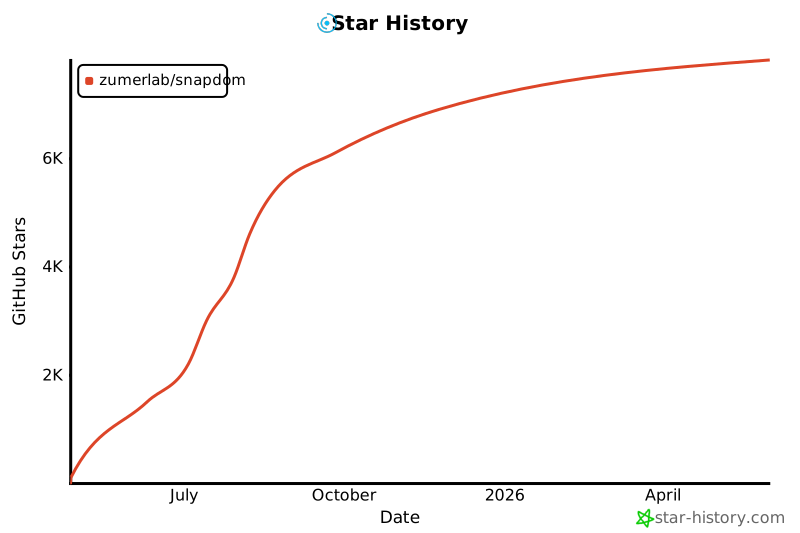
## Star History

[![Star History Chart](https://api.star-history.com/svg?repos=zumerlab/snapdom&type=Date)](https://www.star-history.com/#zumerlab/snapdom&Date)
## License

MIT © Zumerlab