# Overview
- - -
[](https://discord.gg/EtNRATttyp)
> If you have any questions regarding bugs and feature requests, visit the [ZEGOCLOUD community](https://discord.gg/EtNRATttyp) .
**Call Kit** is a prebuilt feature-rich call component, which enables you to build **one-on-one and group voice/video calls** into your app with only a few lines of code.
And it includes the business logic with the UI, you can add or remove features accordingly by customizing UI components.
|One-on-one call|Group call|
|---|---|
|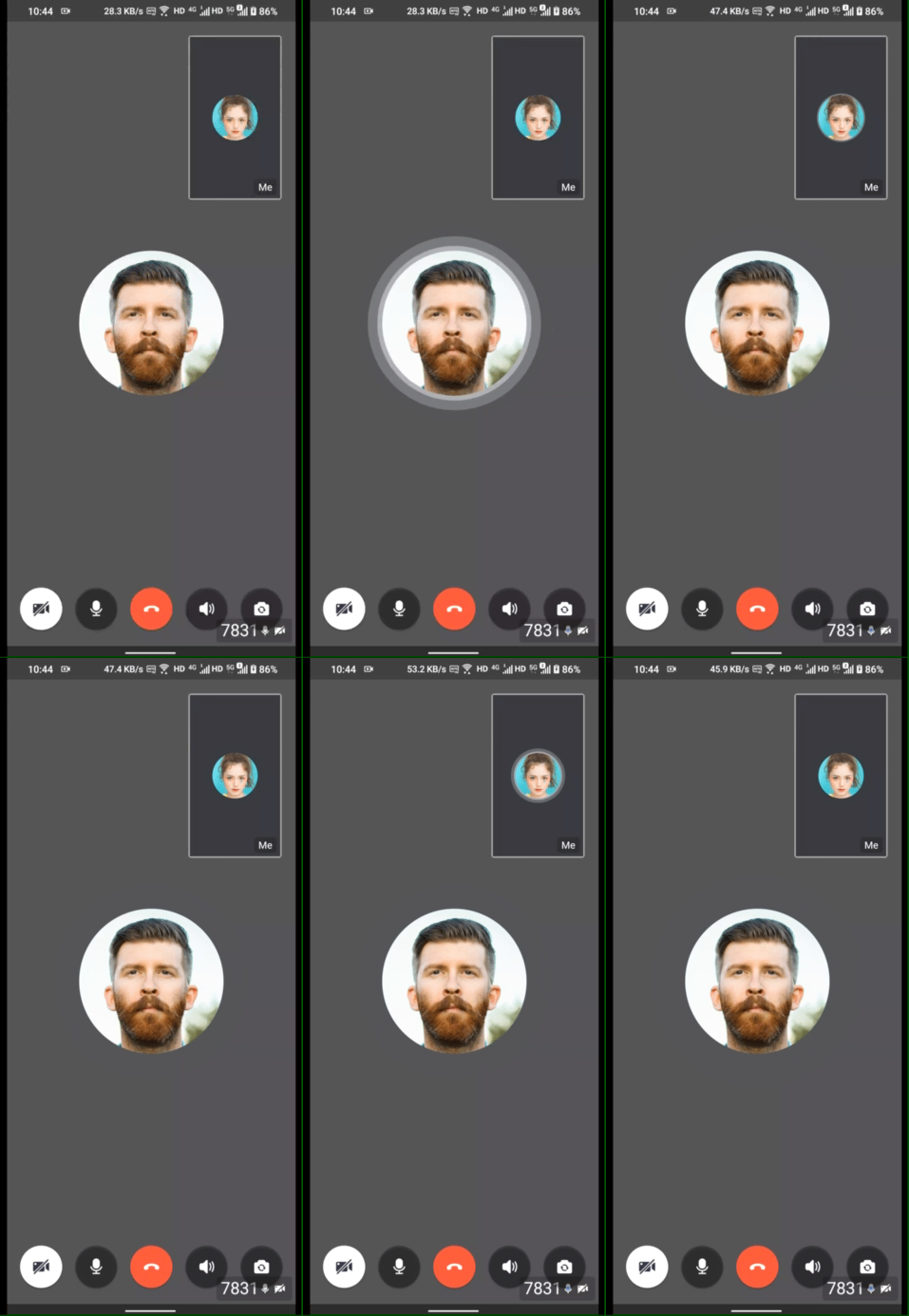|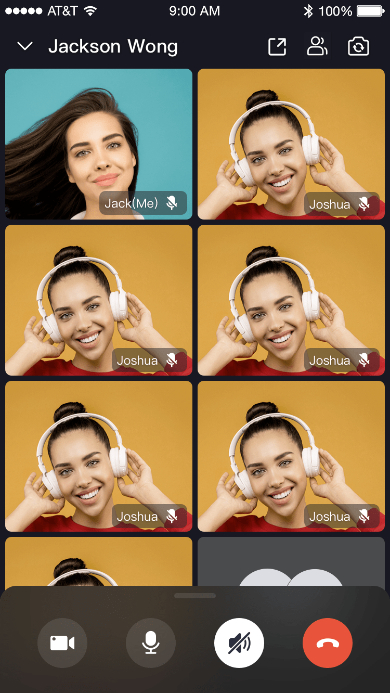|
[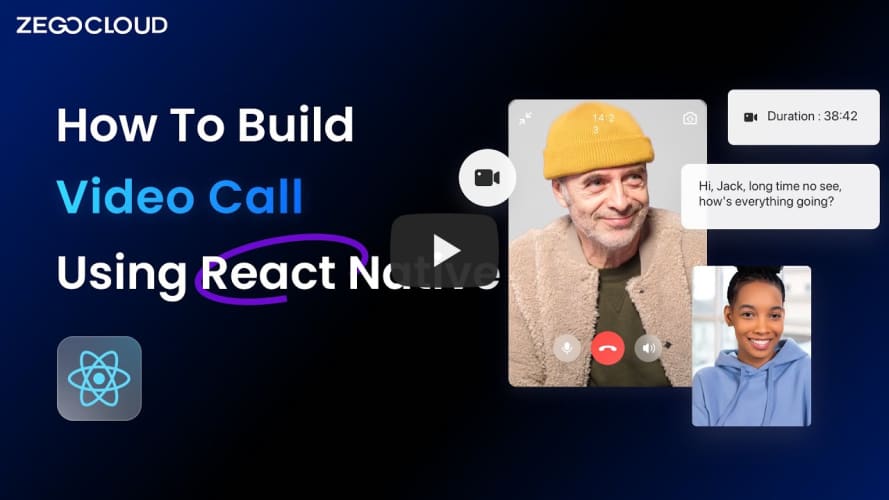](https://youtu.be/hDE9s7hpE3A "Tutorial | How to build video call using React Native in 10 mins with ZEGOCLOUD")
## When do you need the Call Kit
- Build apps faster and easier
- When you want to prototype 1-on-1 or group voice/video calls **ASAP**
- Consider **speed or efficiency** as the first priority
- Call Kit allows you to integrate **in minutes**
- Customize UI and features as needed
- When you want to customize in-call features **based on actual business needs**
- **Less time wasted** developing basic features
- Call Kit includes the business logic along with the UI, allows you to **customize features accordingly**
## Embedded features
- Ready-to-use one-on-one/group calls
- Customizable UI styles
- Real-time sound waves display
- Device management
- Switch views during a one-on-one call
- Extendable top/bottom menu bar
- Participant list
# Quick start
- - -
 Read more from [our official website](https://docs.zegocloud.com/article/14764)
## Integrate the SDK
### Import the SDK
### Add @zegocloud/zego-uikit-prebuilt-call-rn as dependencies
```bash
yarn add @zegocloud/zego-uikit-prebuilt-call-rn
```
### Add other dependencies
Run the following command to install other dependencies for making sure the `@zegocloud/zego-uikit-prebuilt-call-rn` can work properly:
```bash
yarn add @zegocloud/zego-uikit-rn react-delegate-component zego-express-engine-reactnative
```
### Using the `ZegoUIKitPrebuiltCall` Component in your project
- Go to [ZEGOCLOUD Admin Console\|_blank](https://console.zegocloud.com/), get the `appID` and `appSign` of your project.
- Get the `userID` and `userName` for connecting the Video Call Kit service.
- And also get a `callID` for making a call.
Read more from [our official website](https://docs.zegocloud.com/article/14764)
## Integrate the SDK
### Import the SDK
### Add @zegocloud/zego-uikit-prebuilt-call-rn as dependencies
```bash
yarn add @zegocloud/zego-uikit-prebuilt-call-rn
```
### Add other dependencies
Run the following command to install other dependencies for making sure the `@zegocloud/zego-uikit-prebuilt-call-rn` can work properly:
```bash
yarn add @zegocloud/zego-uikit-rn react-delegate-component zego-express-engine-reactnative
```
### Using the `ZegoUIKitPrebuiltCall` Component in your project
- Go to [ZEGOCLOUD Admin Console\|_blank](https://console.zegocloud.com/), get the `appID` and `appSign` of your project.
- Get the `userID` and `userName` for connecting the Video Call Kit service.
- And also get a `callID` for making a call.
- `userID` and `callID` can only contain numbers, letters, and underlines (_).
- Users that join the call with the same `callID` can talk to each other.
// App.js
import React, { Component } from 'react';
import { ZegoUIKitPrebuiltCall } from '@zegocloud/zego-uikit-prebuilt-call-rn';

export default function App() {
  return (

    <ZegoUIKitPrebuiltCall
      appID={Get your app ID from ZEGOCLOUD Admin Console.}
      appSign='Get your app Sign from ZEGOCLOUD Admin Console.'
      userID='12345' // userID can only contain numbers, letters, and underlines (_).
      userName='Oliver'
      callID='rn12345678' // roomID can only contain numbers, letters, and underlines (_).
      config={{
        //onHangUp: () => {props.navigation.popTo('HomePage')}
      }}
    />

  );
}
## Configure your project
- Android:
Open `my_project/android/app/src/main/AndroidManifest.xml` file and add the code as follow:
 ```xml
```
- iOS:
Open `my_project/ios/my_project/Info.plist` file and add the code as follow:
```xml
```
- iOS:
Open `my_project/ios/my_project/Info.plist` file and add the code as follow:
 ```xml
NSCameraUsageDescription
NSMicrophoneUsageDescription
```
## Run & Test
- Run on an iOS device:
```bash
yarn android
```
- Run on an Android device:
```bash
yarn ios
```
## Related guide
[Customize prebuilt UI](!ZEGOUIKIT_Custom_prebuilt_UI)
## Recommended resources
[Custom prebuilt UI](https://docs.zegocloud.com/article/14767)
[Complete Sample Code](https://github.com/ZEGOCLOUD/zego_uikit_prebuilt_call_example_rn)
[About Us](https://www.zegocloud.com)
```xml
NSCameraUsageDescription
NSMicrophoneUsageDescription
```
## Run & Test
- Run on an iOS device:
```bash
yarn android
```
- Run on an Android device:
```bash
yarn ios
```
## Related guide
[Customize prebuilt UI](!ZEGOUIKIT_Custom_prebuilt_UI)
## Recommended resources
[Custom prebuilt UI](https://docs.zegocloud.com/article/14767)
[Complete Sample Code](https://github.com/ZEGOCLOUD/zego_uikit_prebuilt_call_example_rn)
[About Us](https://www.zegocloud.com)