# ACP TypeScript Examples
This directory contains examples using the [ACP](https://agentclientprotocol.com) library for TypeScript:
- [`agent.ts`](./agent.ts) - A minimal agent implementation that simulates LLM interaction
- [`client.ts`](./client.ts) - A minimal client implementation that spawns the [`agent.ts`](./agent.ts) as a subprocess
## Running the Agent
### In Zed
While minimal, [`agent.ts`](./agent.ts) implements a compliant [ACP](https://agentclientprotocol.com) Agent. This means we can connect to it from an ACP client like [Zed](https://zed.dev)!
1. Clone this repo
```sh
$ git clone https://github.com/zed-industries/agent-client-protocol.git
```
2. Add the following at the root of your [Zed](https://zed.dev) settings:
```json
"agent_servers": {
"Example Agent": {
"command": "npx",
"args": [
"tsx",
"/path/to/agent-client-protocol/typescript/examples/agent.ts"
]
}
```
❕ Make sure to replace `/path/to/agent-client-protocol` with the path to your clone of this repository.
Note: This configuration assumes you have [npx](https://docs.npmjs.com/cli/v8/commands/npx) in your `PATH`.
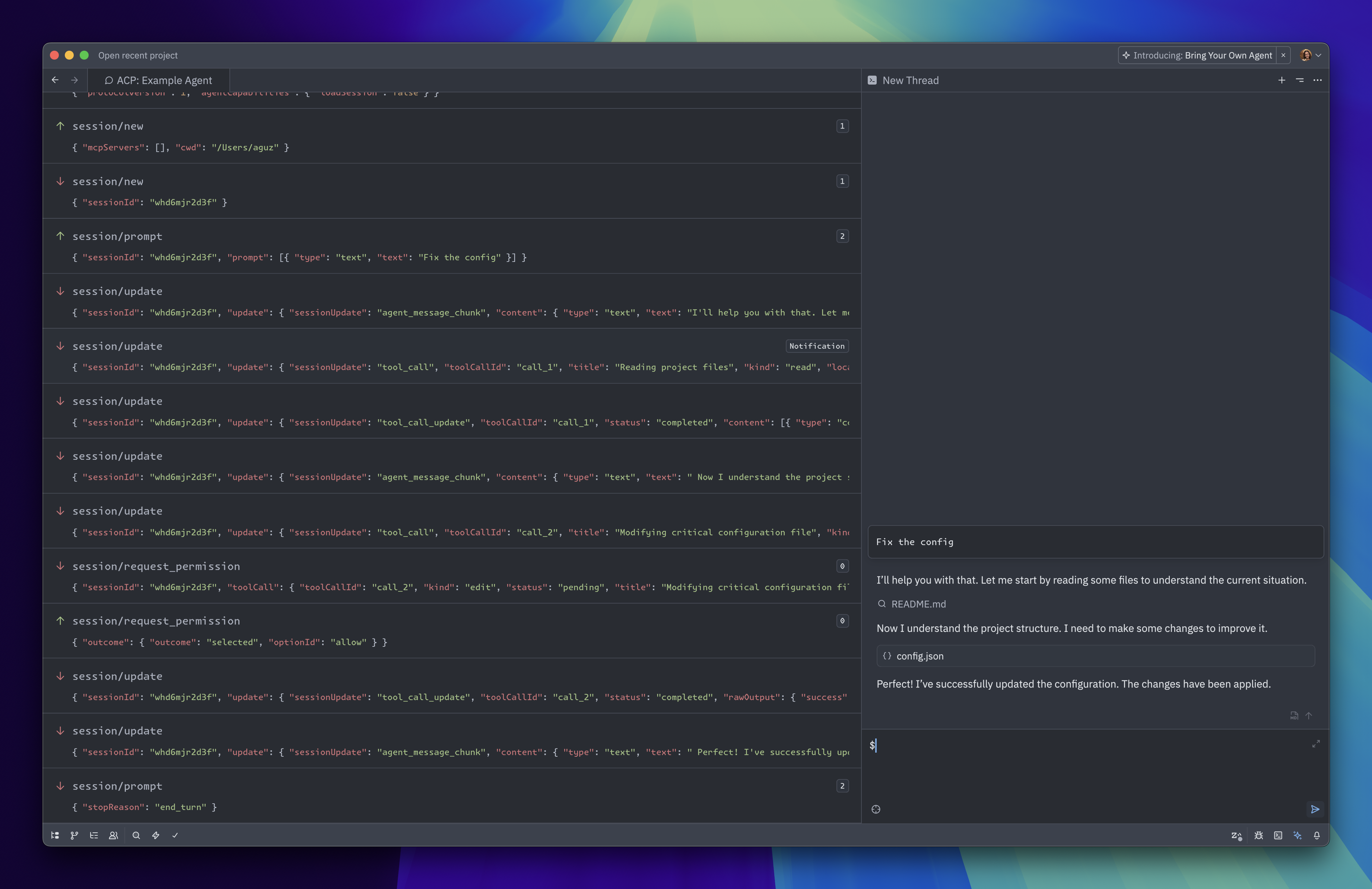
3. Run the `acp: open acp logs` action from the command palette (⌘⇧P on macOS, ctrl-shift-p on Windows/Linux) to see the messages exchanged between the example agent and Zed.
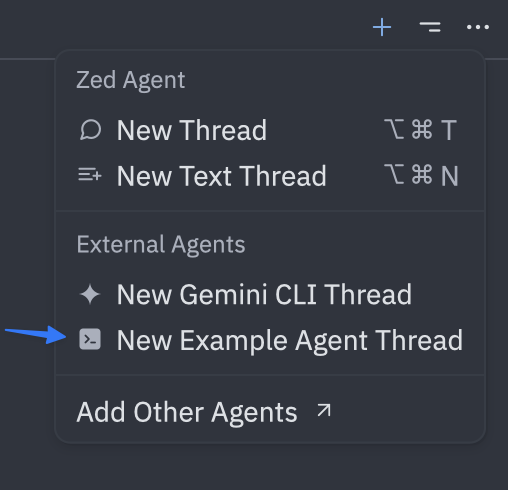
4. Then open the Agent Panel, and click "New Example Agent Thread" from the `+` menu on the top-right.
5. Finally, send a message and see the Agent respond!
### By itself
You can also run the Agent directly and send messages to it:
```bash
npx tsx typescript/examples/agent.ts
```
Paste this into your terminal and press enter:
```json
{"jsonrpc":"2.0","id":0,"method":"initialize","params":{"protocolVersion":1}}
```
You should see it respond with something like:
```json
{"jsonrpc":"2.0","id":0,"result":{"protocolVersion":1,"agentCapabilities":{"loadSession":false}}}
```
From there, you can try making a [new session](https://agentclientprotocol.com/protocol/session-setup#creating-a-session) and [sending a prompt](https://agentclientprotocol.com/protocol/prompt-turn#1-user-message).
## Running the Client
Run the client example from the root directory:
```bash
npx tsx typescript/examples/client.ts
```
This client will spawn the example agent as a subprocess, send a message, and print the content it receives from it.