# LiquidGlass

[![LiquidGlass Banner](https://liquid-glass.ybouane.com/banner.jpg)](https://liquid-glass.ybouane.com/)

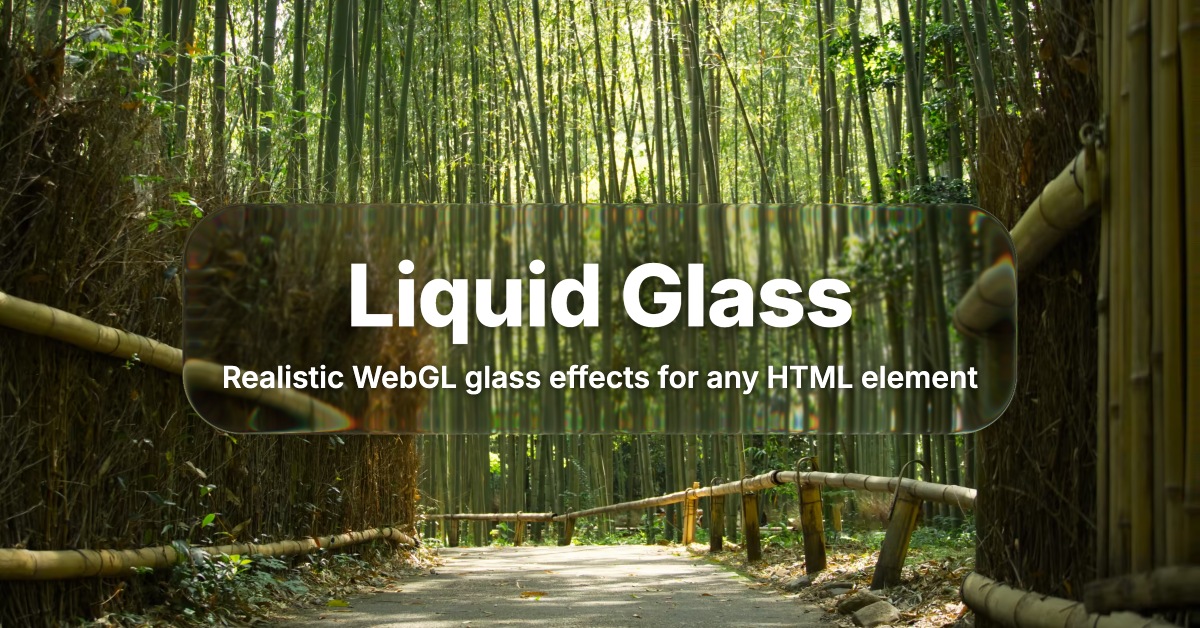
A liquid glass effect library for the web. **[Live Demo](https://liquid-glass.ybouane.com/)** Apply realistic glass refraction, blur, chromatic aberration, and lighting effects to any HTML element using WebGL shaders.

## Demo

[https://liquid-glass.ybouane.com/](https://liquid-glass.ybouane.com/)

## Installation

```bash
npm install @ybouane/liquidglass
```

Or skip the install and import directly from a CDN:

```html
<script type="module">
  import { LiquidGlass } from 'https://cdn.jsdelivr.net/npm/@ybouane/liquidglass/dist/index.js';
</script>
```

## Quick Start

```html
<div id="root">
  <!-- Background image (sibling of the glass, captured by the shader) -->
  <img class="bg" src="background.jpg" alt="">

  <!-- Static content -->
  <h1 class="title">Hello World</h1>

  <!-- Animated content needs data-dynamic so it re-captures every frame -->
  <div class="counter" data-dynamic>0</div>

  <!-- Glass element -->
  <div class="my-glass">Glass Panel</div>
</div>

<script type="module">
  import { LiquidGlass } from '@ybouane/liquidglass';

  const glassEl = document.querySelector('.my-glass');
  glassEl.dataset.config = JSON.stringify({
    floating: true,
    blurAmount: 0.25,
  });

  const instance = await LiquidGlass.init({
    root: document.querySelector('#root'),
    glassElements: [glassEl],
  });

  // Later, to tear down:
  // instance.destroy();
</script>
```

## How It Works

1. **Non-glass children of the root** are rasterised onto a hidden canvas using `html-to-image` (which clones the subtree, inlines computed styles, and renders via SVG `foreignObject`). Static children are captured once and cached; children with `data-dynamic` (or any `<video>`) are re-captured every frame.
2. **`<img>`, `<canvas>`, and `<video>`** are drawn directly via `ctx.drawImage` (faster than `html-to-image`, and the only way to capture live video frames).
3. **Glass elements** receive an injected child `<canvas>` that displays the WebGL output. For each glass element, the renderer crops the scene at the panel's location, runs an optional Gaussian blur, then runs a fragment shader that applies refraction, chromatic aberration, Fresnel reflection, multi-light specular highlights, an inner-stroke rim, and a drop shadow.
4. **Layered compositing** writes each rendered glass canvas back to the compositing canvas before the next glass element runs, so a glass element above another sees the lower one in its refraction.

## API

### `LiquidGlass.init(options)`

Async — creates and starts a LiquidGlass instance. Resolves once the page's webfonts have been pre-fetched and every glass element's content has been pre-captured.

| Option | Type | Default | Description |
|---|---|---|---|
| `root` | `HTMLElement` | *(required)* | The container element. Glass elements must be **direct children** of this element. |
| `glassElements` | `NodeList \| HTMLElement[]` | `[]` | Elements to apply the glass effect to. |
| `defaults` | `Partial<GlassConfig>` | `{}` | Override the default per-element configuration values for this instance. |

**Returns** a `Promise<LiquidGlass>` resolving to the instance, which exposes:

- `.fps: number` — current measured frames-per-second (updated once per second).
- `.destroy(): void` — stop the render loop, remove injected canvases, restore mutated inline styles, and free WebGL resources.
- `.markChanged(element?: HTMLElement): void` — manually flag content the library can't observe on its own (see below).

The library also exports:

- `invalidateFontEmbedCache(): void` — call after dynamically loading new font stylesheets so the next `init()` rebuilds the embedded font cache.

```javascript
const instance = await LiquidGlass.init({
  root: document.querySelector('#root'),
  glassElements: document.querySelectorAll('.glass'),
  defaults: {
    cornerRadius: 24,
    refraction: 0.8,
  },
});
```

## Per-Element Configuration

Configure individual glass elements by setting `data-config` to a JSON string:

```javascript
element.dataset.config = JSON.stringify({
  blurAmount: 0.25,
  floating: true,
  cornerRadius: 40,
});
```

The library re-reads `data-config` whenever it changes (via a MutationObserver), so you can update it dynamically.

### Available Options

| Option | Type | Default | Description |
|---|---|---|---|
| `blurAmount` | `number` | `0.00` | Background blur strength (0 = sharp, 1 = maximum blur) |
| `refraction` | `number` | `0.69` | How much the glass bends the image behind it |
| `chromAberration` | `number` | `0.05` | Chromatic aberration / colour fringing at edges |
| `edgeHighlight` | `number` | `0.05` | Edge glow / rim lighting intensity |
| `specular` | `number` | `0.00` | Specular highlight intensity (multi-light Blinn-Phong) |
| `fresnel` | `number` | `1.00` | Fresnel reflection at grazing angles |
| `distortion` | `number` | `0.00` | Micro-distortion noise strength |
| `cornerRadius` | `number` | `65` | Corner radius in CSS pixels |
| `zRadius` | `number` | `40` | Bevel depth — controls the curvature of the pill's cross-section |
| `opacity` | `number` | `1.00` | Overall glass panel opacity |
| `saturation` | `number` | `0.00` | Saturation adjustment (-1 = grayscale, 0 = normal, 1 = vivid) |
| `tintStrength` | `number` | `0.00` | Cool blue glass tint strength |
| `brightness` | `number` | `0.00` | Brightness adjustment (-0.5 to 0.5) |
| `shadowOpacity` | `number` | `0.30` | Drop shadow opacity |
| `shadowSpread` | `number` | `10` | Drop shadow spread in CSS pixels |
| `shadowOffsetY` | `number` | `1` | Shadow vertical offset in CSS pixels |
| `floating` | `boolean` | `false` | Enable drag-to-move via Pointer Events |
| `button` | `boolean` | `false` | Button mode — hovering brightens the panel; pressing flattens the bevel and deepens the shadow |
| `bevelMode` | `0 \| 1` | `0` | `0` = biconvex pill (default). `1` = dome / plano-convex; pair with `cornerRadius === zRadius` for a half-sphere magnifier. |

## Element Attributes

### `data-dynamic`

Add `data-dynamic` to any **direct child of the root** whose contents change every frame (counters, animated text, charts). Without it, that wrapper is captured once and cached forever.

```html
<div id="root">
  <div class="static-bg">...</div>          <!-- captured once, cached -->
  <div class="counter" data-dynamic>...</div> <!-- re-captured every frame -->
  <div class="glass">...</div>
</div>
```

`data-dynamic` elements are treated as **always dirty by definition** — the library re-rasterises them every frame and re-runs the shader for every glass that overlaps them. Use it sparingly: it's the only thing on the page that defeats the per-element dirty-tracking optimisation.

`<video>` elements are auto-detected as dynamic — you don't need to add `data-dynamic` to them.

For one-shot updates that don't happen every frame, prefer `instance.markChanged()` (see below) — it costs nothing on idle frames.

### `data-config`

JSON string of per-element configuration options (see the table above). Must decode to an object; invalid JSON or non-object values are ignored with a console warning.

## Manually invalidating content: `instance.markChanged()`

The library auto-detects most things that affect the glass: DOM mutations inside glass subtrees, `data-config` changes, layout shifts, drag, hover/press, window resize, async capture cache landings, and `data-dynamic` / `<video>` elements (which are treated as **always dirty by definition** and re-rendered every frame).

What it cannot detect:

- A `<canvas>` whose pixels you just updated via `getContext('2d')` / WebGL.
- An `<img>` whose `src` you just swapped via JS.
- A wrapper whose CSS `background-image` or other paint property you just updated.
- Anything else that changes visually without firing a DOM mutation the library is watching.

For these cases, call:

```javascript
const instance = await LiquidGlass.init({ root, glassElements });

// You just repainted a wrapper — only glasses overlapping it will re-render.
instance.markChanged(myCanvasElement);

// Or invalidate everything on this instance:
instance.markChanged();
```

`markChanged(element)` walks every glass on the instance, finds the ones whose sample rect intersects the element's bounding rect, and marks just those for a re-render on the next frame. Glasses that don't overlap the element keep their cached output and skip the WebGL pipeline entirely.

`markChanged()` with no argument flags every glass — useful as a "I don't know what changed but please redraw" escape hatch.

For elements with `data-dynamic`, calling `markChanged` is harmless but unnecessary — the library already treats them as dirty every frame.

## Stacking & Z-Index

The library re-implements the CSS stacking-context spec to decide painting order on the compositing canvas. It recognises the following stacking-context triggers on direct children of the root:

- Non-static `position` (with z-index)
- Grid/flex item with explicit `z-index`
- `opacity < 1`
- `transform`, `filter`, `perspective`, `clip-path`, `mix-blend-mode`, `isolation`, `backdrop-filter`, `mask-image`, `contain: layout|paint|strict|content`
- `will-change` listing any of the above properties

If you put an overlay above a background image and the glass shows the bg but not the overlay, you've hit a missing trigger — file an issue with the property name.

## Limitations & Gotchas

### Structural

- **Glass elements must be direct children of the root.** Nested glass is rejected at init with a console warning. If you need glass inside a wrapper, give the wrapper its own `LiquidGlass.init()` call.
- **The root itself is never captured.** The shader samples the root's *children*, so any background image, padding, or border on the root is invisible to the glass effect. Put backgrounds in a sibling element *inside* the root.
- **A `<canvas>` is injected as the glass element's first child** for shader output. Avoid `:first-child` selectors on glass elements.
- **Multiple LiquidGlass roots cannot share refraction.** A glass element in one root cannot see what another root's glass elements are rendering — they each have their own compositing canvas.
- **The shadow halo extends beyond the glass element.** The injected canvas overflows its parent's box and will be clipped by any ancestor with `overflow: hidden`.

### Performance

- **Capturing DOM into a canvas is expensive.** Every non-glass wrapper is rasterised via `html-to-image` (style inlining + SVG-foreignObject decode). Keep wrappers small and shallow.
- **`data-dynamic` re-captures every frame.** Use it sparingly — only for content that actually changes.
- **Each LiquidGlass instance opens its own WebGL context.** Browsers cap concurrent contexts (typically 16 system-wide); don't spawn dozens.
- **Window resize re-captures everything.** Don't drive layout in a tight resize loop.
- **The render loop short-circuits when nothing is dirty** — a static page with no `<video>` and no `data-dynamic` content does almost no work per frame.

### Text & fonts

- **Webfonts must be loaded before `init()`** and served with CORS-friendly headers. Google Fonts, jsdelivr, and unpkg work out of the box. Webfonts loaded after init will fall back to system fonts inside captured rasters. Call `invalidateFontEmbedCache()` then re-init if you load fonts dynamically.
- **Cross-origin `<img>` elements need `crossorigin="anonymous"`.** Tainted canvases break texture upload and disable the glass effect for the entire root.

### API

- **`LiquidGlass.init()` is async.** It resolves only after the font CSS prefetch, glass content pre-capture, and static-content pre-warm have all completed (typically 100–500 ms on a fresh page).
- **`data-dynamic` only catches direct children of the root.** Live content nested inside a wrapper that lacks `data-dynamic` will not trigger re-captures.
- **`destroy()` does not restore an element's original `position: static`** if the library overwrote it with `relative`. Re-init on the same elements is fine; exotic external mutation in between is not.

## Browser Support

Requires WebGL 1.0 + Canvas 2D + SVG `foreignObject`. Effectively all evergreen browsers (Chrome, Firefox, Safari, Edge). WebGL context loss is recovered automatically.

## License

MIT
