# pi-context-view




[Pi](https://pi.dev) extension that visualizes context usage and lets you inspect the parts you
normally can't see: the system prompt, tool definitions, and instructions
injected by other extensions.
## Features
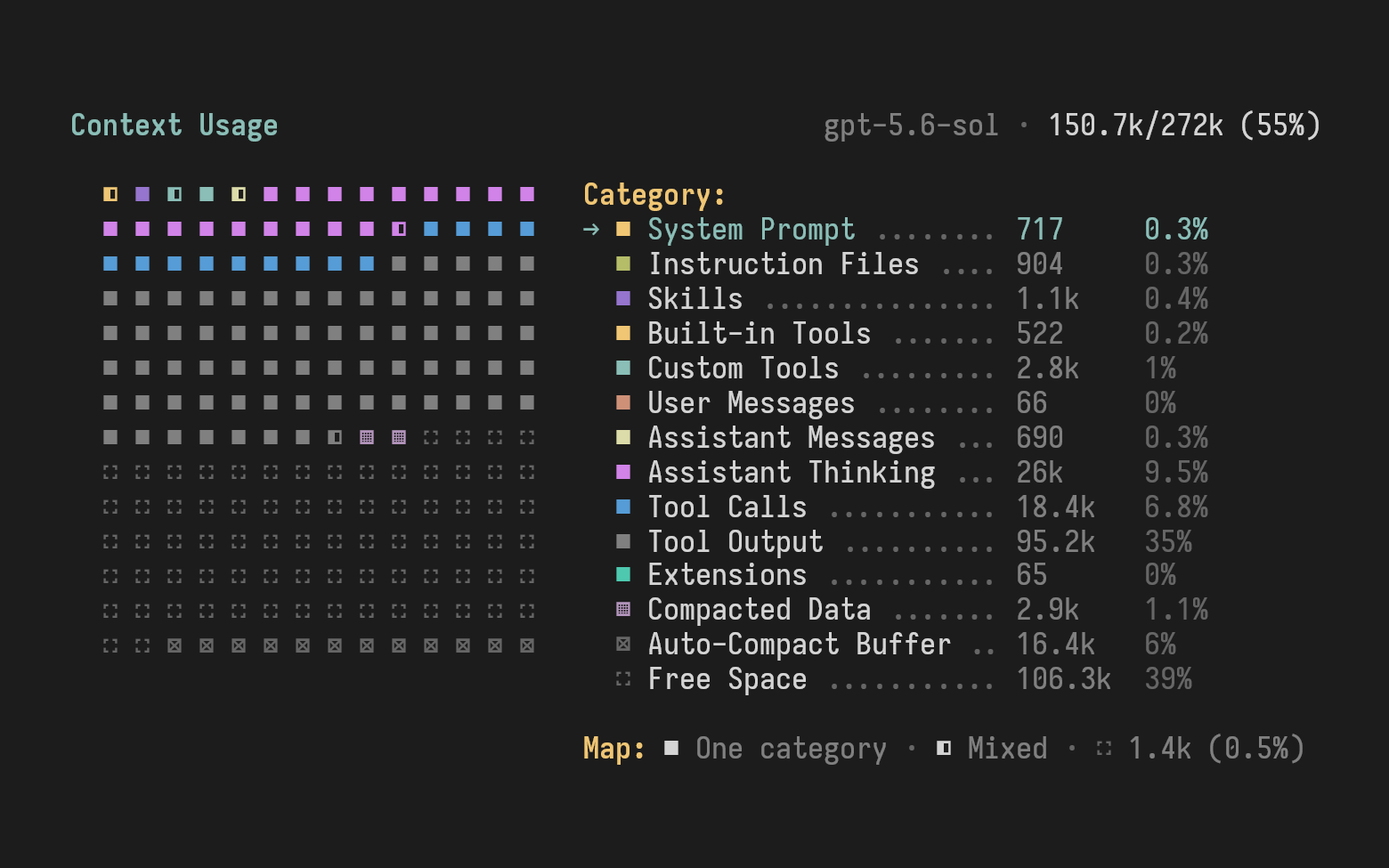
- **Context usage map** - visualize used and free context space, grouped by
category (tools, skills, messages, and more).
- **Context injections** - explore the hidden parts of the context: the
system prompt, tool definitions, and extension injections, including
changes that extensions make only to the request sent to the model.
## Commands
- `/context` - shorthand for `/context usage`.
- `/context usage` - open the context usage visualization.
- `/context injections` - explore the latest request's injections: its system
prompt, tool definitions, and extension contributions.
- `/context config` - create the global configuration file populated with
defaults, useful for
[customization](https://github.com/dimk90/pi-context-view#customization).
## Demo: `/context`
See what fills your context, for example, what survives compaction:
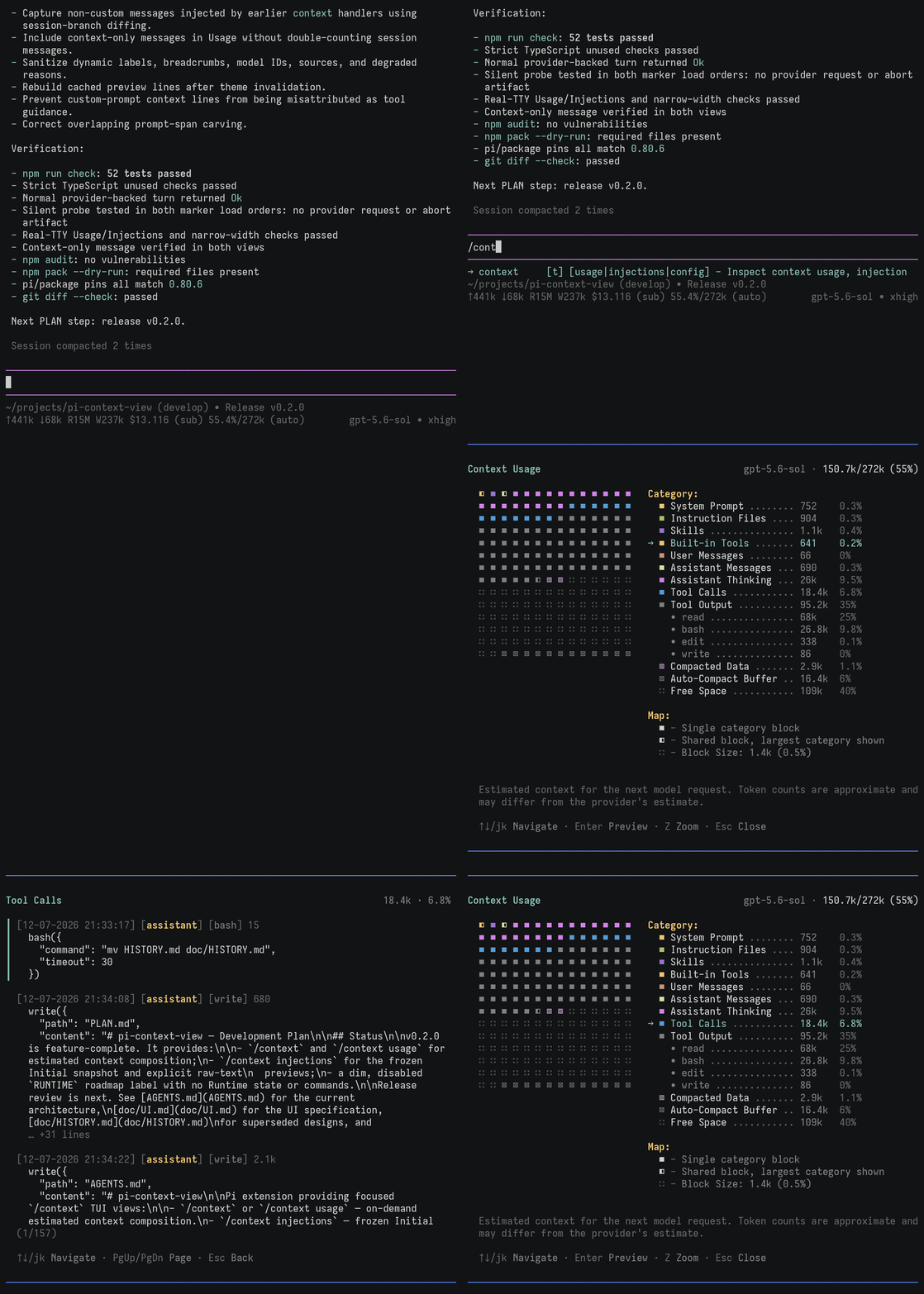
➥ Pi theme in this demo: [`dark-legacy`](https://github.com/dimk90/pi-context-view/blob/master/doc/dark-legacy.json).
## Demo: `/context injections`
Inspect hidden parts of the context, such as tool definitions:
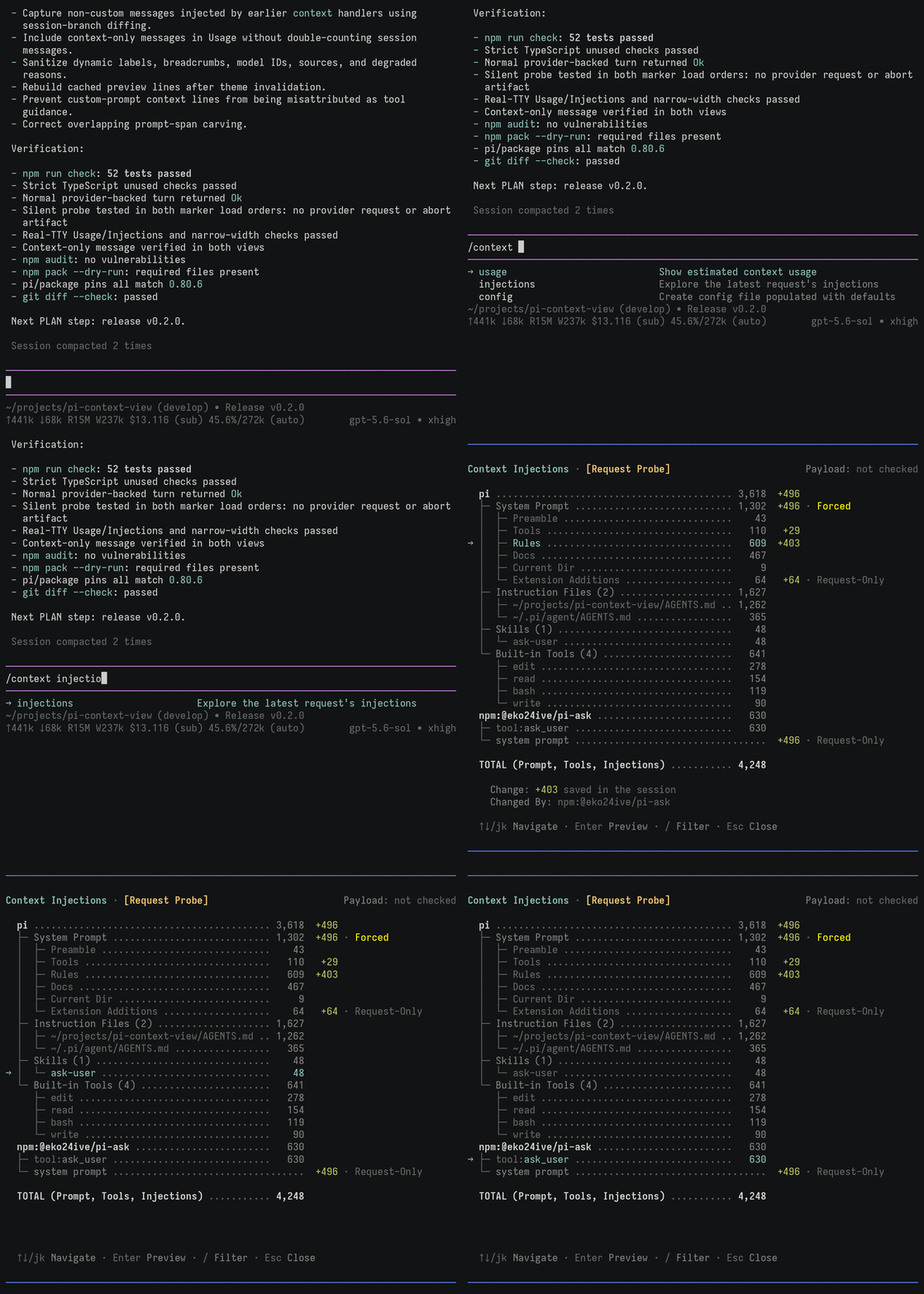
➥ Pi theme in this demo: [`dark-legacy`](https://github.com/dimk90/pi-context-view/blob/master/doc/dark-legacy.json).
## Demo: Zoom
Zoom in for a more detailed breakdown of large context windows, such as
1M-token windows:
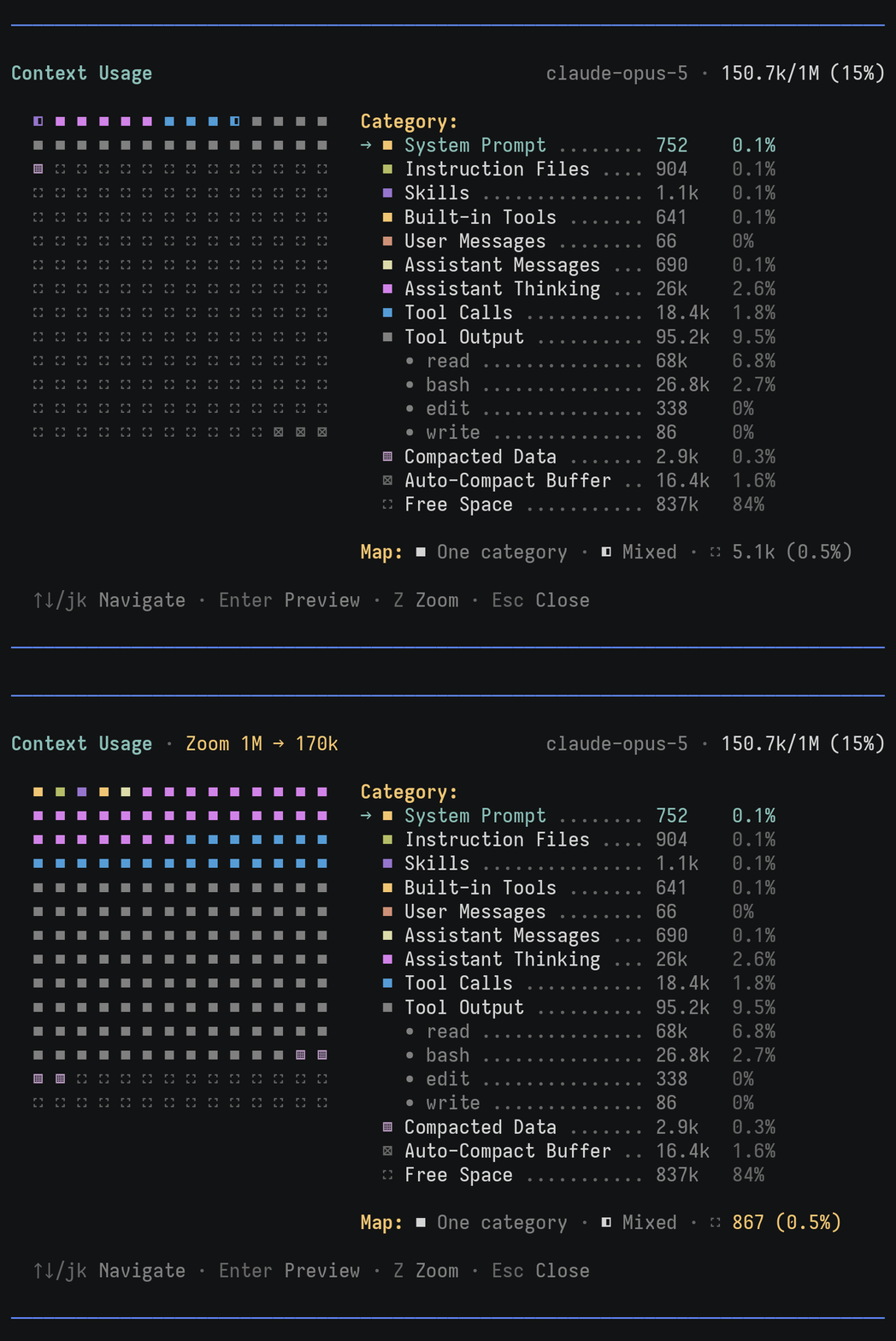
➥ Pi theme in this demo: [`dark-legacy`](https://github.com/dimk90/pi-context-view/blob/master/doc/dark-legacy.json).
## Install
```bash
pi install npm:pi-context-view
```
## Customization
Currently, you can customize only the colors and dimensions of the `Context Usage` map.
To get started, create a configuration file populated with the current defaults:
```text
/context config
```
➥ This creates `~/.pi/agent/extensions/pi-context-view.json`.
See the [configuration reference](https://github.com/dimk90/pi-context-view/blob/master/doc/CONFIG.md)
for each parameter's meaning and default value.
### Category Colors
You can use theme color names to match your current theme or hex values for
colors that stay the same across themes. Here are examples of custom
[terrain](https://github.com/dimk90/pi-context-view/blob/master/doc/palettes/terrain.json) and
[rainbow](https://github.com/dimk90/pi-context-view/blob/master/doc/palettes/rainbow.json) palettes:
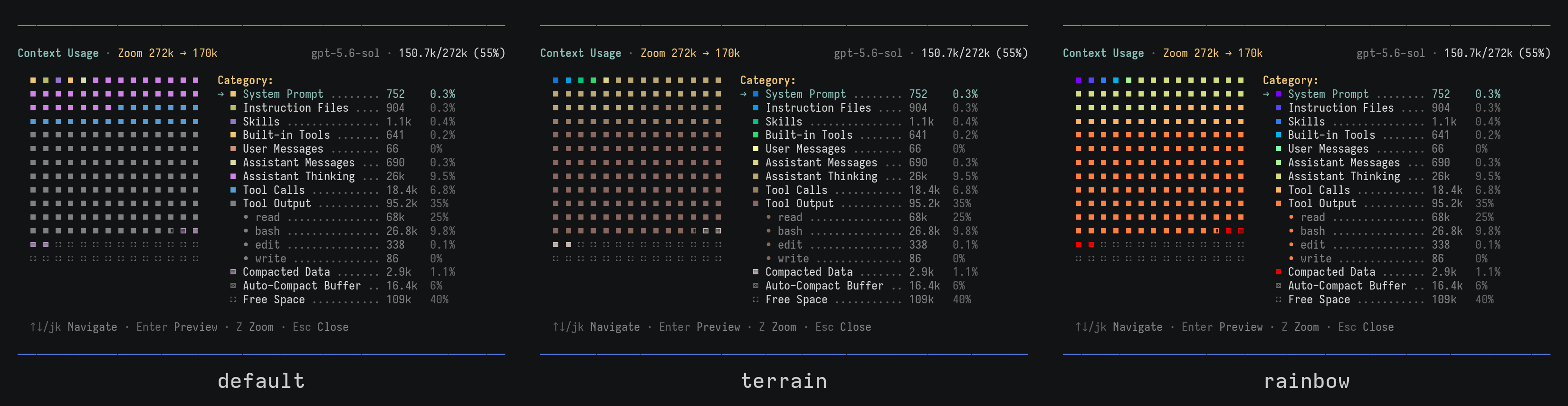
➥ Pi theme in this demo: [`dark-legacy`](https://github.com/dimk90/pi-context-view/blob/master/doc/dark-legacy.json).
See the [theme color reference](https://github.com/dimk90/pi-context-view/blob/develop/doc/PI-THEME-COLORS.md)
for color names that follow the current theme.
### Map Size
You can configure the number of rows and columns in the `Context Usage` map:
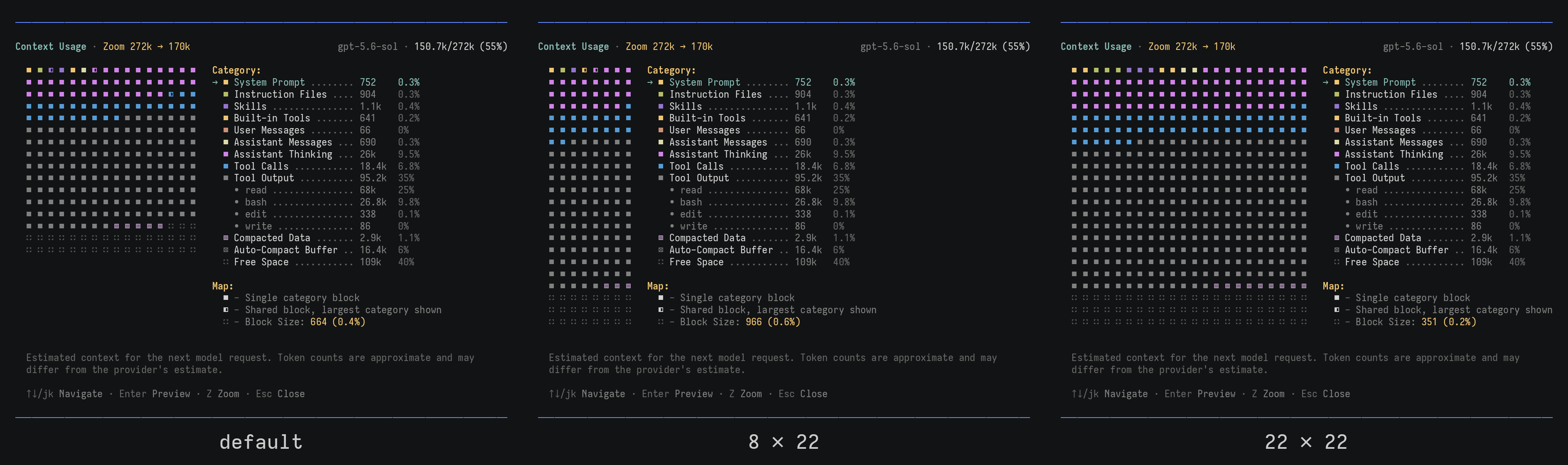
➥ Pi theme in this demo: [`dark-legacy`](https://github.com/dimk90/pi-context-view/blob/master/doc/dark-legacy.json).
## Context Footprint
`pi-context-view` adds nothing to the model context. Opening a view before the
first turn may run one [silent probe](doc/architecture/probe.md)
that sends no request and leaves only blank entries, omitted from future context.
Set `"autoProbing": false` in the [config](https://github.com/dimk90/pi-context-view/blob/master/doc/CONFIG.md#silent-probe) to disable it.
## My Other Stuff
📌 [S-VHS](https://github.com/dimk90/s-vhs) - terminal recorder used to create the demo GIFs.
## License
[MIT](https://github.com/dimk90/pi-context-view/blob/master/LICENSE)