---
title: Quick Start
description: A step-by-step guide for setting up WorkOS Widgets in your application.
showNextPage: true
originalPath: .tmp-workos-clone/packages/docs/content/widgets/quick-start.mdx
---
## Installation
First, install the `@workos-inc/widgets` package from the npm registry, along with its peer dependencies:
```bash title="Install packages"
npm install @workos-inc/widgets @radix-ui/themes @tanstack/react-query
```
WorkOS Widgets uses [Radix Themes](https://www.radix-ui.com/themes) for its UI components and style customization APIs, while [TanStack Query](https://tanstack.com/query/latest) is used for data fetching and caching. Since both libraries are often used in applications, we require them as peer dependencies to avoid duplication, version conflicts, and bloated bundles.
> Widgets can be used in any client- or server-rendered React application. See our [Widgets examples on GitHub](https://github.com/workos/widgets-examples) to see how they can be integrated in various frameworks.
## Styles
WorkOS Widgets are powered by Radix Themes, which provides beautiful default styles with zero configuration. Start by importing styles exported from both Radix Themes and WorkOS Widgets.
> Widgets can be customized using the `theme` prop or with plain CSS. See the [styling guide](/widgets/styling) for more details.
## Root component
The `WorkOsWidgets` component should be rendered at the top of your application. This component is responsible for managing context for data fetching and providing theme styles to all Widgets.
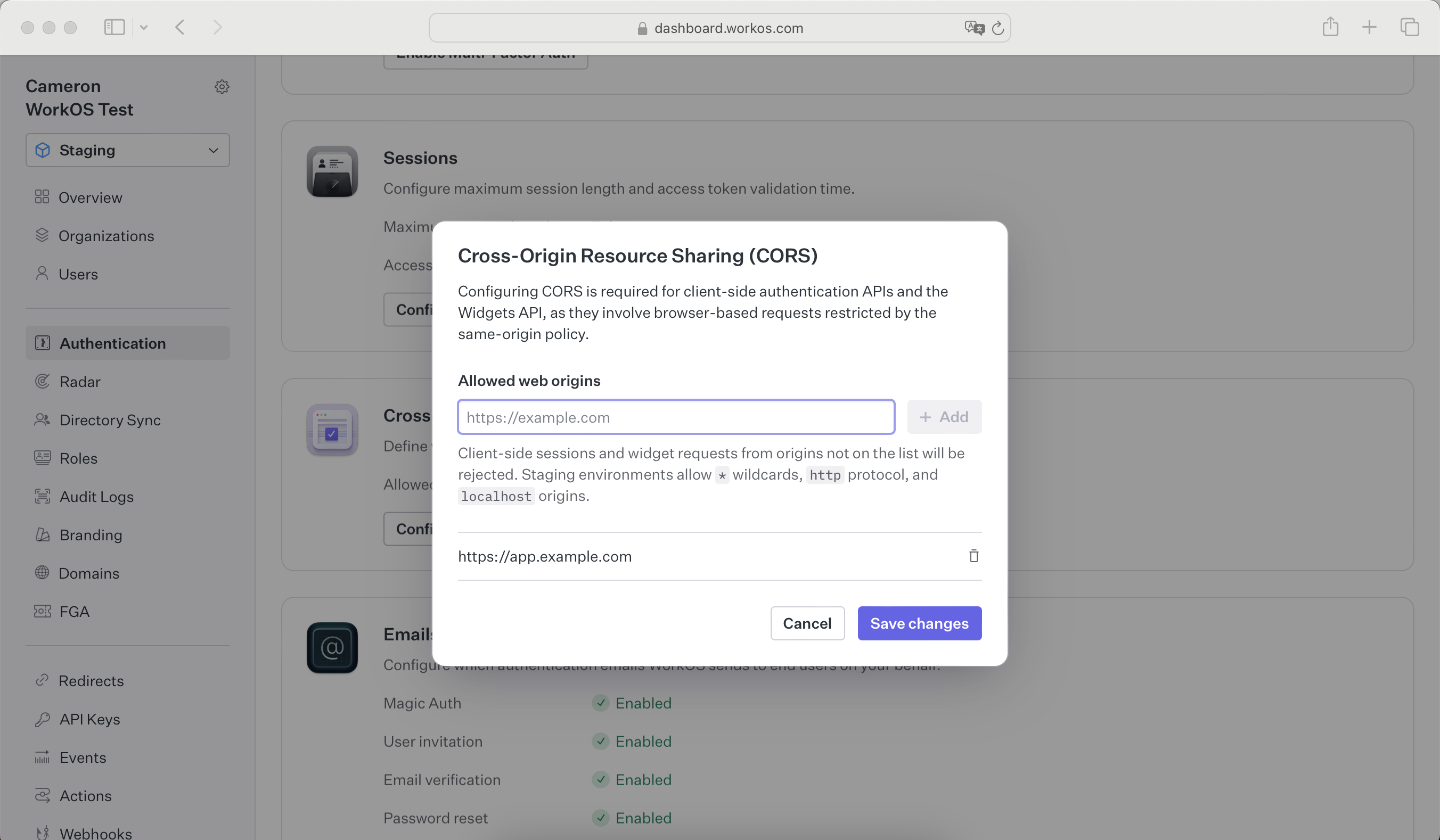
## CORS configuration
Because WorkOS widgets issue client-side requests to WorkOS, it is necessary to configure your site as an allowed web origin. Adding this in the [Authentication section of the dashboard](https://dashboard.workos.com/environment/authentication/sessions) will prevent CORS issues when using the widget.