---
title: Localization
description: Learn how to display Widgets in multiple languages.
showNextPage: true
originalPath: .tmp-workos-clone/packages/docs/content/widgets/localization.mdx
---
Widgets can automatically translate text in your users' preferred language, with support for 90 languages out of the box. If your website is already localized in multiple languages, then Widgets can match the page's language, giving your users a consistent experience.
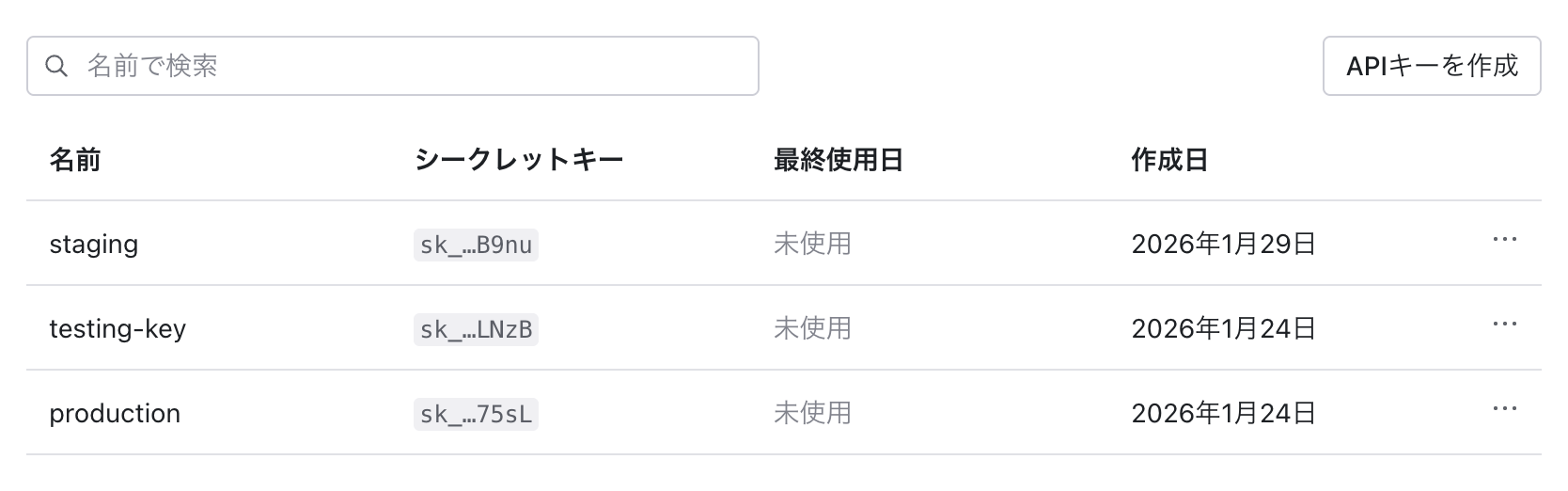
Dates are also formatted with respect to the user's locale.
## Installation
Localization support is provided through a separate `@workos-inc/widgets-i18n` package. This opt-in approach keeps the core Widgets package lightweight for applications that don't require multilingual behavior.
Translation dictionaries are loaded lazily, meaning only the language bundle matching the end user's locale is downloaded at runtime.
Install the package:
```bash title="Install package"
npm install @workos-inc/widgets-i18n
```
## Setup
Wrap your application with the `WorkOsLocaleProvider`:
```tsx title="app/layout.tsx"
import { WorkOsLocaleProvider } from '@workos-inc/widgets-i18n';
export default async function RootLayout({
children,
}: {
children: React.ReactNode;
}) {
const locale = await getLocale(); // read from request headers
const direction = getLocaleDir(locale);
return (
{children}
);
}
```
The `WorkOsLocaleProvider` should wrap your entire application, similar to other context providers. Pass the user's locale as the `locale` prop.
## Detecting user locale
Use the utilities exported from `@workos-inc/widgets-i18n` to detect and validate locales:
- `getLocaleCodes()` – Set of all supported locale codes
- `isValidLocale()` – Validates whether a string is a supported locale code
- `getDir()` – Returns the text direction (`'ltr'` or `'rtl'`) for a locale
Here's an example on how to detect the user's locale from the `accept-language` header in Next.js:
```tsx title="utils/locale.ts"
import {
getLocaleCodes,
getDir,
isValidLocale,
} from '@workos-inc/widgets-i18n';
import Negotiator from 'negotiator';
import { headers } from 'next/headers';
const DEFAULT_LOCALE = 'en-US';
export async function getLocale(): Promise {
const headersList = await headers();
const acceptLanguage = headersList.get('accept-language') ?? '';
const negotiator = new Negotiator({
headers: { 'accept-language': acceptLanguage },
});
const locale = negotiator.language(Array.from(getLocaleCodes()));
return isValidLocale(locale) ? locale : DEFAULT_LOCALE;
}
export function getLocaleDir(locale: string): 'ltr' | 'rtl' {
return getDir(locale);
}
```
## RTL language support
For right-to-left languages like Arabic and Hebrew, set the `dir` attribute on your HTML element. Use the `getDir()` function to determine the appropriate text direction:
```tsx title="app/layout.tsx"
import { getDir } from '@workos-inc/widgets-i18n';
const direction = getDir(locale); // Returns 'ltr' or 'rtl'
return (
{/* ... */}
);
```
Widgets will automatically inherit their text direction based on the nearest ancestor's `dir` attribute.
## Supported locales
Widgets support the same locales as the AuthKit hosted UI. See the [AuthKit localization documentation](/authkit/hosted-ui/localization) for the full list of supported locale codes.