# Web3UIKit!
Beautiful and lightweight UI components for web3 developers.
This UI library will speed up your dapp development no matter which chain you build on.
[](https://github.com/web3ui/web3uikit/actions/workflows/main.yml)
Live StoryBook DEMO: https://web3ui.github.io/web3uikit/

# ⭐️ `Star us`
If this ui-kit helps you build your dApps faster - please star this project, every star makes us very happy!
# 🤝 `Need help?`
If you need help with setting up the boilerplate or have other questions - don't hesitate to write in our community forum and we will check asap. [Forum link](https://forum.moralis.io). The best thing about this boilerplate is the super active community ready to help at any time! We help each other.
# 🚀 `Quick Start`
### 💿 Installation
```bash
npm install @web3uikit/core
```
or
```bash
yarn add @web3uikit/core
```
### 🧰 Usage
```jsx
import { CryptoCards, Button } from 'web3uikit';
const App = () => (
<>
);
```
### ▲ Usage with Next.js
If you are using `web3uikit` with Next.js, be sure to follow the [official guide](https://github.com/vercel/next.js/tree/canary/examples/with-styled-components-babel), since we are using `styled-components` under the hood.
# 🧭 `Table of contents`
- [Web3UIKit!](#web3uikit)
- [⭐️ `Star us`](#️-star-us)
- [🤝 `Need help?`](#-need-help)
- [🚀 `Quick Start`](#-quick-start)
- [💿 Installation](#-installation)
- [🧰 Usage](#-usage)
- [🧭 `Table of contents`](#-table-of-contents)
- [📖 `UI Components`](#-ui-components)
- [``](#accordion-)
- [``](#avatar-)
- [``](#badge-)
- [``](#bannerstrip-)
- [``](#breadcrumbs-)
- [``](#card-)
- [``](#cryptocards-)
- [``](#cryptologos-)
- [``](#illustration-)
- [``](#information-)
- [``](#linkto-)
- [``](#logo-)
- [``](#notification-)
- [`
`](#table-)
- [``](#tag-)
- [``](#todo-)
- [``](#widget-)
- [⚙️ `Interaction Components`](#️-interaction-components)
- [``](#button-)
- [``](#checkbox-)
- [``](#codearea-)
- [``](#credentials-)
- [``](#form-)
- [``](#input-)
- [``](#radios-)
- [``](#select-)
- [``](#textarea-)
- [🎉 `Popup`](#-popup)
- [``](#modal-)
- [``](#tooltip-)
# 📖 `UI Components`
### ``
The accordion component is a nice user interface element that can allow you to show and hide text or other components, so you do not overwhelm your user with too much awesome content

Try the `` component in the [interactive documentation](https://web3ui.github.io/web3uikit/?path=/story/3-layout-accordion)
### ``

Try the `` component in the [interactive documentation](https://web3ui.github.io/web3uikit/?path=/docs/6-graphic-avatar)
### ``

Try the `` component in the [interactive documentation](https://web3ui.github.io/web3uikit/?path=/story/4-ui-badge--all)
### ``

Try the `` component in the [interactive documentation](https://web3ui.github.io/web3uikit/?path=/docs/5-popup-bannerstrip)
### ``

Try the `` component in the [interactive documentation](https://web3ui.github.io/web3uikit/?path=/docs/4-ui-breadcrumbs)
### ``
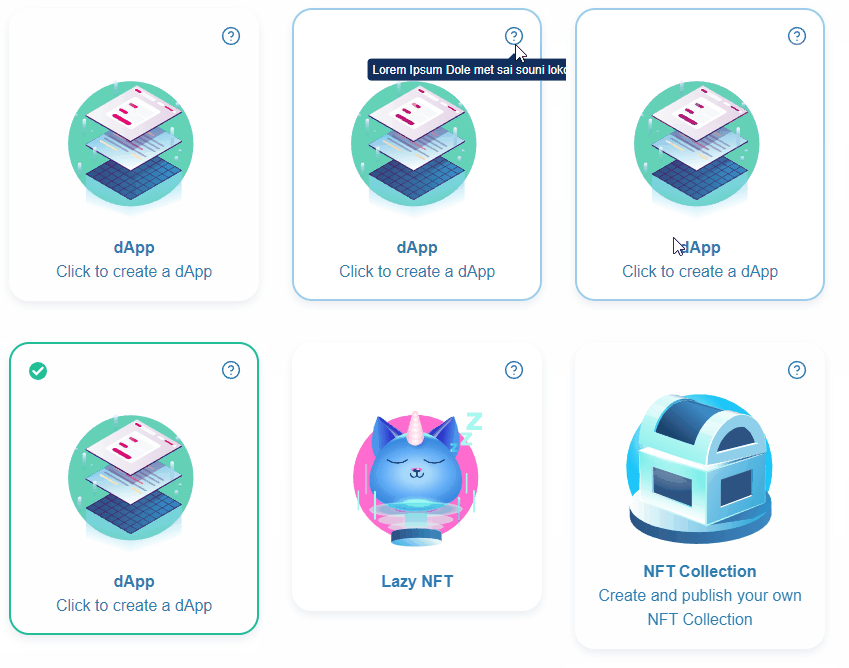
Try the `` component in the [interactive documentation](https://web3ui.github.io/web3uikit/?path=/docs/4-ui-card)
### ``

Try the `` component in the [interactive documentation](https://web3ui.github.io/web3uikit/?path=/docs/4-ui-crypto-cards)
### ``

Try the `` component in the [interactive documentation](https://web3ui.github.io/web3uikit/?path=/story/6-graphic-crypto-logos--ethereum)
### ``

Try the `` component in the [interactive documentation](https://web3ui.github.io/web3uikit/?path=/docs/6-graphic-icon)
### ``


Try the ` component in the [interactive documentation](https://web3ui.github.io/web3uikit/?path=/docs/6-graphic-illustration)
### ``

Try the `` component in the [interactive documentation](https://web3ui.github.io/web3uikit/?path=/docs/4-ui-information)
### ``
LinkTo component is a simple link component that can be used to navigate to another page or to another component.

Try the `` component in the [interactive documentation](https://web3ui.github.io/web3uikit/?path=/docs/4-ui-linkto)
### ``
Logo component is a simple logo component having moralis or other icons that can be used in any layout.

Try the `` component in the [interactive documentation](https://web3ui.github.io/web3uikit/?path=/docs/6-graphic-logo)
### ``

To call the `Notification` component use the `useNotification()` hook. Example:
```jsx
const App = () => {
const dispatch = useNotification();
const handleNewNotification = () => {
dispatch({
type: 'info',
message: 'Somebody messaged you',
title: 'New Notification',
icon,
position: position || 'topR',
});
};
return (
<>
);
};
```
Requires the application to be within a ``
Example:
```jsx
```
Try the `` component in the [interactive documentation](https://web3ui.github.io/web3uikit/?path=/docs/5-popup-notification)
### `
`
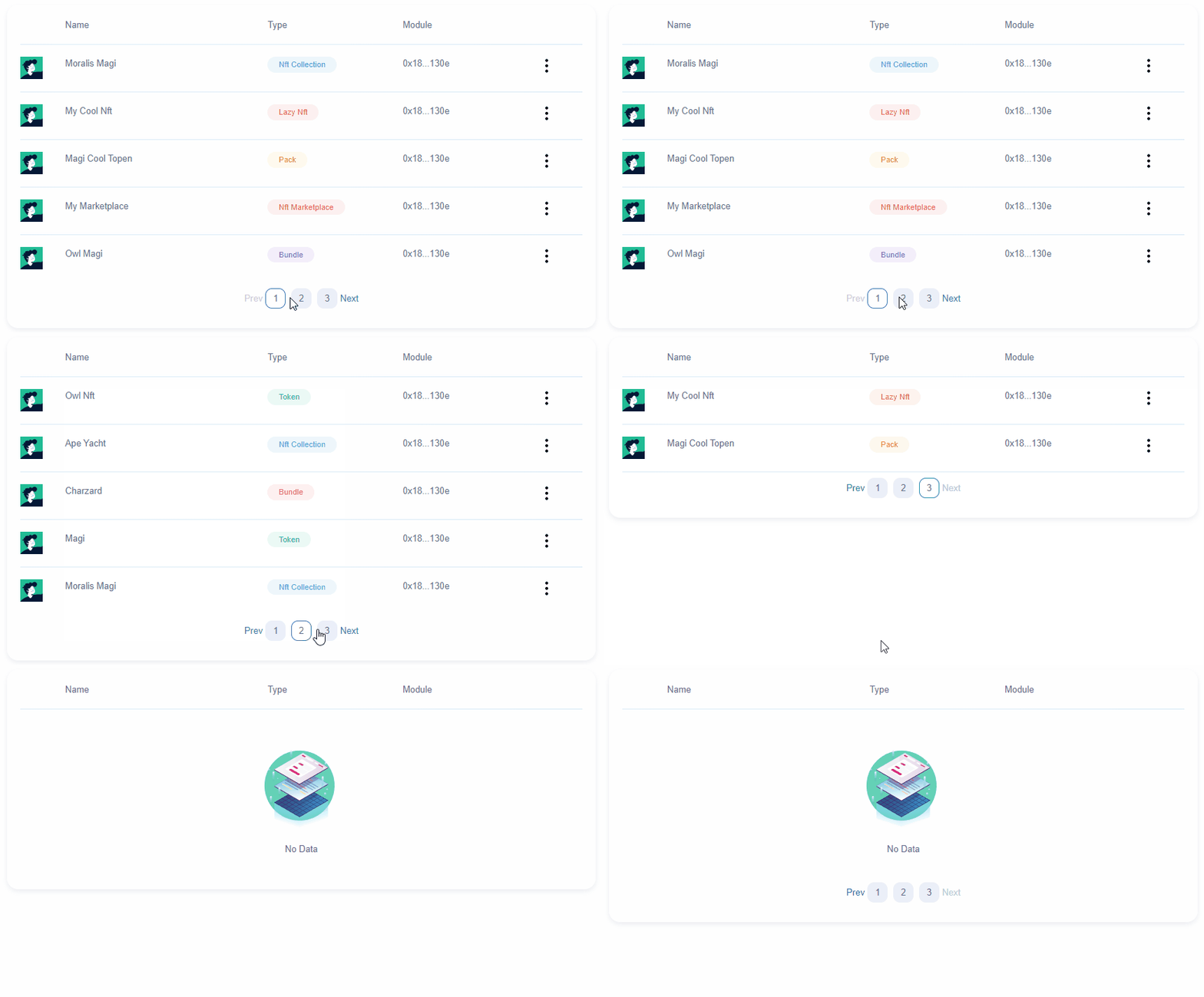
Try the `
` component in the [interactive documentation](https://web3ui.github.io/web3uikit/?path=/docs/3-layout-table)
### ``

Try the `` component in the [interactive documentation](https://web3ui.github.io/web3uikit/?path=/docs/4-ui-tag)
### ``

Try the `` component in the [interactive documentation](https://web3ui.github.io/web3uikit/?path=/docs/4-ui-todo)
### ``

Try the `` component in the [interactive documentation](https://web3ui.github.io/web3uikit/?path=/docs/4-ui-widget)
# ⚙️ `Interaction Components`
### ``

Try the `` component in the [interactive documentation](https://web3ui.github.io/web3uikit/?path=/docs/2-forms-button)
### ``

Try the `` component in the [interactive documentation](https://web3ui.github.io/web3uikit/?path=/docs/2-forms-checkbox-switch)
### ``

Try the `` component in the [interactive documentation](https://web3ui.github.io/web3uikit/?path=/story/2-forms-codearea--multiple-lines)
### ``

Try the `` component in the [interactive documentation](https://web3ui.github.io/web3uikit/?path=/story/2-forms-credentials--with-title-and-icon)
### ``
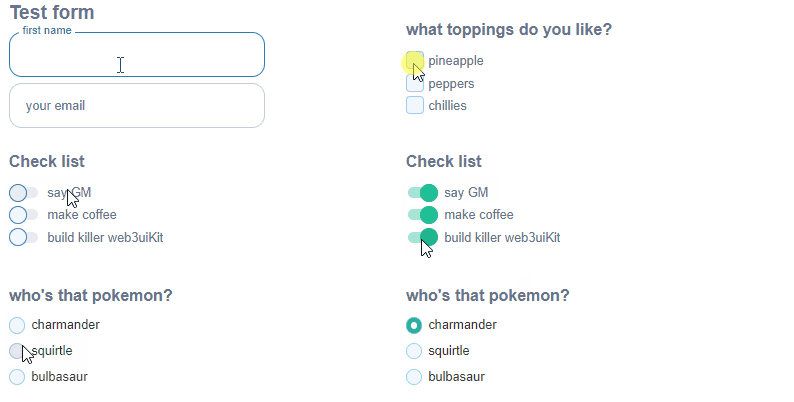
Try the `` component in the [interactive documentation](https://web3ui.github.io/web3uikit/?path=/docs/2-forms-form)
### ``
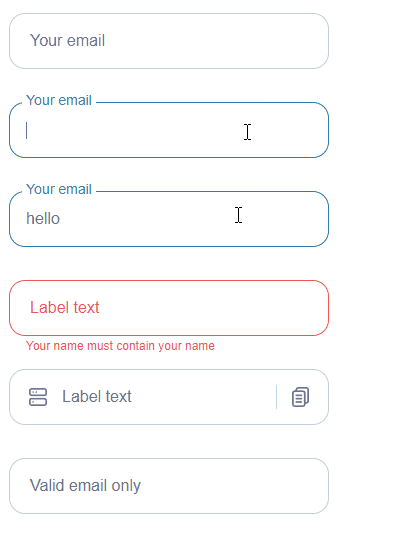
Try the `` component in the [interactive documentation](https://web3ui.github.io/web3uikit/?path=/docs/2-forms-input)
### ``

Try the `` component in the [interactive documentation](https://web3ui.github.io/web3uikit/?path=/docs/2-forms-radios)
### ``

Try the `` component in the [interactive documentation](https://web3ui.github.io/web3uikit/?path=/docs/2-forms-select)
### ``

Try the `` component in the [interactive documentation](https://web3ui.github.io/web3uikit/?path=/docs/2-forms-textarea)
# 🎉 `Popup`
### ``
Modal is a popup that can have arbitary elements and can be closed by clicking on the close or cancel buttons.

Try the `` component in the [interactive documentation](https://web3ui.github.io/web3uikit/?path=/docs/5-popup-modal)
### ``

Try the `` component in the [interactive documentation](https://web3ui.github.io/web3uikit/?path=/docs/5-popup-tooltip)
 # Web3UIKit!
Beautiful and lightweight UI components for web3 developers.
This UI library will speed up your dapp development no matter which chain you build on.
[](https://github.com/web3ui/web3uikit/actions/workflows/main.yml)
Live StoryBook DEMO: https://web3ui.github.io/web3uikit/

# ⭐️ `Star us`
If this ui-kit helps you build your dApps faster - please star this project, every star makes us very happy!
# 🤝 `Need help?`
If you need help with setting up the boilerplate or have other questions - don't hesitate to write in our community forum and we will check asap. [Forum link](https://forum.moralis.io). The best thing about this boilerplate is the super active community ready to help at any time! We help each other.
# 🚀 `Quick Start`
### 💿 Installation
```bash
npm install @web3uikit/core
```
or
```bash
yarn add @web3uikit/core
```
### 🧰 Usage
```jsx
import { CryptoCards, Button } from 'web3uikit';
const App = () => (
<>
# Web3UIKit!
Beautiful and lightweight UI components for web3 developers.
This UI library will speed up your dapp development no matter which chain you build on.
[](https://github.com/web3ui/web3uikit/actions/workflows/main.yml)
Live StoryBook DEMO: https://web3ui.github.io/web3uikit/

# ⭐️ `Star us`
If this ui-kit helps you build your dApps faster - please star this project, every star makes us very happy!
# 🤝 `Need help?`
If you need help with setting up the boilerplate or have other questions - don't hesitate to write in our community forum and we will check asap. [Forum link](https://forum.moralis.io). The best thing about this boilerplate is the super active community ready to help at any time! We help each other.
# 🚀 `Quick Start`
### 💿 Installation
```bash
npm install @web3uikit/core
```
or
```bash
yarn add @web3uikit/core
```
### 🧰 Usage
```jsx
import { CryptoCards, Button } from 'web3uikit';
const App = () => (
<>