# Openbridge Web Components
[](https://discord.gg/wSCPxPH3RJ)
Welcome to the Openbridge Web Components! This readme file provides an overview of the project and its components.
# 🎉 We are preparing to release OpenBridge 6.0 in March 2026 🎉
We are currently developing the code in a joint industry project, with funding from industry partners.
The code is only available for the partners until the release in March 2026. It is possible to get access to the code in active development by joining the project.
[👉 Click here to read more about the project.](https://docs.google.com/document/d/18ytBiUrfQrMYOPPz-hd7pgPjnG8ZBG-zr9xYl5Y2TTs/edit?tab=t.0)
[👉 Click here to register your interest in the form. (Note: Registering is not a commitment but will enroll you in our process.)](https://docs.google.com/forms/d/e/1FAIpQLSd2H7bbL_duBTMhHzjw7W52H9XXAiJ9A3sL7PsrfCTW_bNUhw/viewform)
> **❗Caution❗** This repository is currently in early development and may not be stable. Please use with caution.
# Discord server
Join our discord server to get the latest updates and to ask questions. [Join here.](https://discord.gg/wSCPxPH3RJ)
# Introduction video
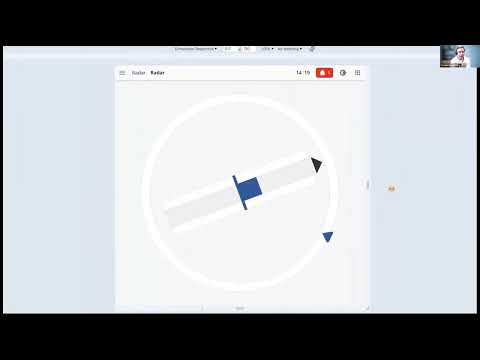
We have made an short introduction to the library. You can watch it [here](https://www.youtube.com/watch?v=5DiEA4voqzI)
 ## Table of Contents
- [Storybook](#storybook)
- [Demo](#demo)
- [CSS file for palettes](#css-file-for-palettes)
- [Installation](#installation)
- [Contributing](#contributing)
## Storybook
[Storybook](https://storybook.js.org/) is a development environment for UI components. It allows you to browse a component library, view the different states of each component, and interactively develop and test components in isolation.
To access the Storybook for this project, click [here](https://openbridge-storybook.web.app).
## Demo
The demo showcases the project's functionality using Vue.js. It provides a live demonstration of the project's features and allows you to interact with the application.
To access the demo, click [here](https://openbridge-demo.web.app/).
## CSS file for palettes
The CSS file for the palettes is located at [packages/openbridge-webcomponents/src/palettes/variables.css](packages/openbridge-webcomponents/src/palettes/variables.css) or by importing it directly from the package:
```javascript
import '@oicl/openbridge-webcomponents/src/palettes/variables.css';
```
The file is called `variables.css` and contains all the openbridge pallets (bright, day, dusk, night).
It can be used to set the color theme of components.
To select the pallet, set the `data-obc-theme` attribute on the `html` tag:
```html
```
## Installation
If you want to use the components in a Vue.js or React project we suggest that you use the wrapper packages [@oicl/openbridge-webcomponents-vue](https://www.npmjs.com/package/@oicl/openbridge-webcomponents-vue) or [@oicl/openbridge-webcomponents-react](https://www.npmjs.com/package/@oicl/openbridge-webcomponents-react) respectively.
To use the components in your project, you can install the package from npm:
```bash
npm install @oicl/openbridge-webcomponents
```
### Setup
1. Add the css file to your project:
```javascript
import '@oicl/openbridge-webcomponents/src/palettes/variables.css';
```
2. Select the pallet by setting the `data-obc-theme` attribute on the `html` tag:
```html
```
3. Install the Noto Sans font by using the attached `NotoSans.tff` file. Add the following to your css:
```css
@font-face {
font-family: 'Noto Sans';
src: url('path/to/NotoSans.tff');
}
* {
font-family: Noto Sans;
}
```
4. Import the desired components in your project, for instance:
```javascript
import '@oicl/openbridge-webcomponents/dist/components/top-bar/top-bar.js';
```
5. Use the components in your project:
```html
```
## Contributing
Contributions are welcome!
## Table of Contents
- [Storybook](#storybook)
- [Demo](#demo)
- [CSS file for palettes](#css-file-for-palettes)
- [Installation](#installation)
- [Contributing](#contributing)
## Storybook
[Storybook](https://storybook.js.org/) is a development environment for UI components. It allows you to browse a component library, view the different states of each component, and interactively develop and test components in isolation.
To access the Storybook for this project, click [here](https://openbridge-storybook.web.app).
## Demo
The demo showcases the project's functionality using Vue.js. It provides a live demonstration of the project's features and allows you to interact with the application.
To access the demo, click [here](https://openbridge-demo.web.app/).
## CSS file for palettes
The CSS file for the palettes is located at [packages/openbridge-webcomponents/src/palettes/variables.css](packages/openbridge-webcomponents/src/palettes/variables.css) or by importing it directly from the package:
```javascript
import '@oicl/openbridge-webcomponents/src/palettes/variables.css';
```
The file is called `variables.css` and contains all the openbridge pallets (bright, day, dusk, night).
It can be used to set the color theme of components.
To select the pallet, set the `data-obc-theme` attribute on the `html` tag:
```html
```
## Installation
If you want to use the components in a Vue.js or React project we suggest that you use the wrapper packages [@oicl/openbridge-webcomponents-vue](https://www.npmjs.com/package/@oicl/openbridge-webcomponents-vue) or [@oicl/openbridge-webcomponents-react](https://www.npmjs.com/package/@oicl/openbridge-webcomponents-react) respectively.
To use the components in your project, you can install the package from npm:
```bash
npm install @oicl/openbridge-webcomponents
```
### Setup
1. Add the css file to your project:
```javascript
import '@oicl/openbridge-webcomponents/src/palettes/variables.css';
```
2. Select the pallet by setting the `data-obc-theme` attribute on the `html` tag:
```html
```
3. Install the Noto Sans font by using the attached `NotoSans.tff` file. Add the following to your css:
```css
@font-face {
font-family: 'Noto Sans';
src: url('path/to/NotoSans.tff');
}
* {
font-family: Noto Sans;
}
```
4. Import the desired components in your project, for instance:
```javascript
import '@oicl/openbridge-webcomponents/dist/components/top-bar/top-bar.js';
```
5. Use the components in your project:
```html
```
## Contributing
Contributions are welcome!