# @vaadin/date-picker
A web component that allows to enter a date by typing or by selecting from a calendar overlay.
[Documentation + Live Demo ↗](https://vaadin.com/docs/latest/components/date-picker)
[](https://www.npmjs.com/package/@vaadin/date-picker)
```html
```
[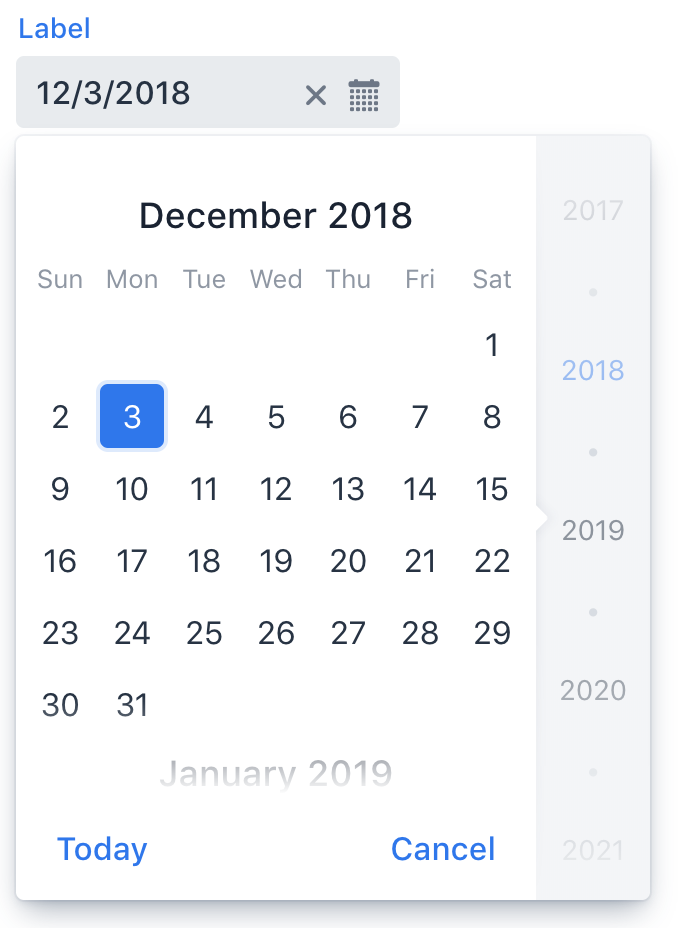 ](https://vaadin.com/docs/latest/components/date-picker)
## Installation
Install the component:
```sh
npm i @vaadin/date-picker
```
Once installed, import the component in your application:
```js
import '@vaadin/date-picker';
```
## Contributing
Read the [contributing guide](https://vaadin.com/docs/latest/contributing) to learn about our development process, how to propose bugfixes and improvements, and how to test your changes to Vaadin components.
## License
Apache License 2.0
Vaadin collects usage statistics at development time to improve this product.
For details and to opt-out, see https://github.com/vaadin/vaadin-usage-statistics.
](https://vaadin.com/docs/latest/components/date-picker)
## Installation
Install the component:
```sh
npm i @vaadin/date-picker
```
Once installed, import the component in your application:
```js
import '@vaadin/date-picker';
```
## Contributing
Read the [contributing guide](https://vaadin.com/docs/latest/contributing) to learn about our development process, how to propose bugfixes and improvements, and how to test your changes to Vaadin components.
## License
Apache License 2.0
Vaadin collects usage statistics at development time to improve this product.
For details and to opt-out, see https://github.com/vaadin/vaadin-usage-statistics.