[![travis build](https://img.shields.io/travis/uniprank/ngx-file-uploader?label=Travis%3Abuild&style=flat-square)](https://travis-ci.org/uniprank/ngx-file-uploader)

# Angular File Upload

---

## About

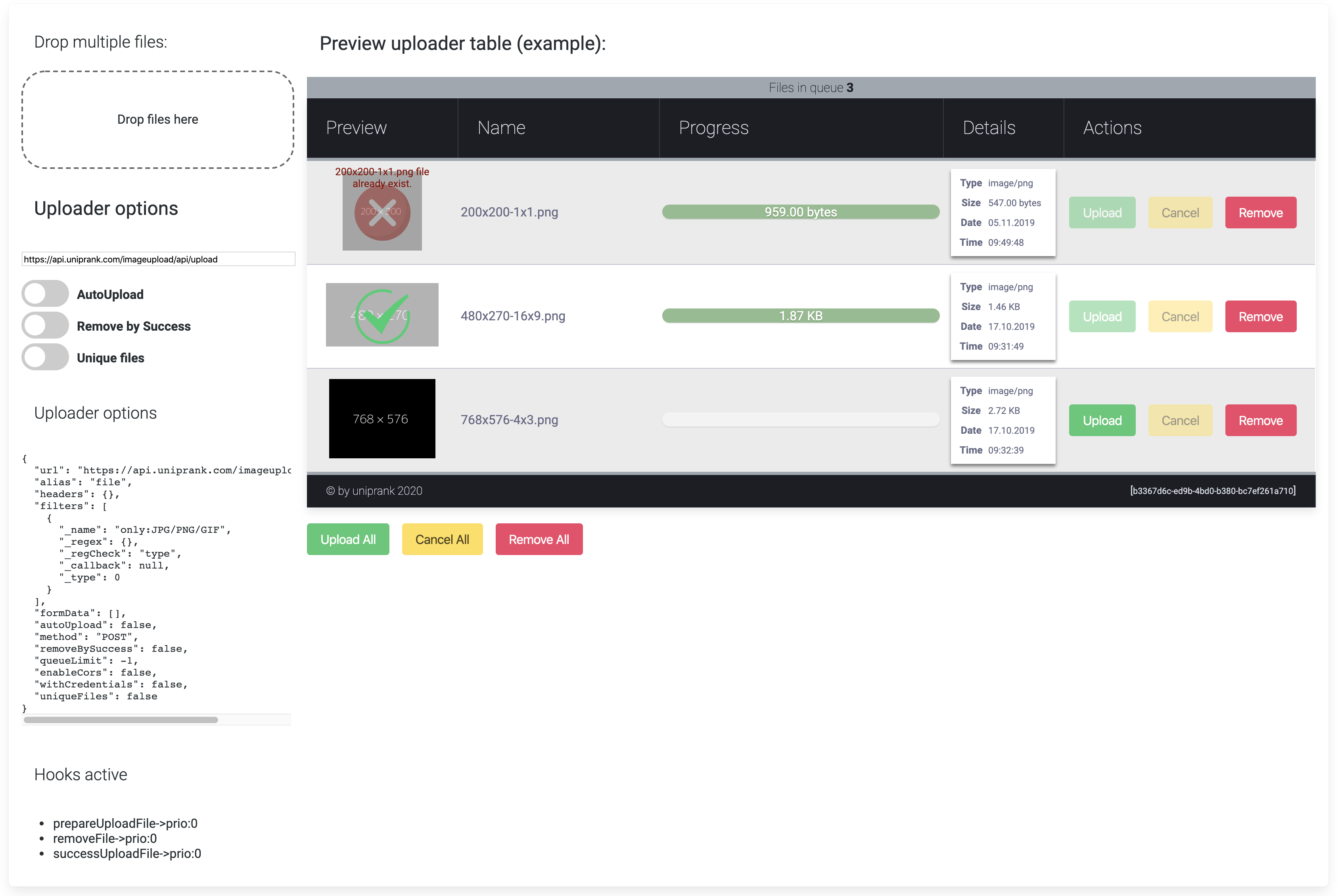
**Angular ngx File Upload** is a module for the [@Angular](https://angular.io/) framework. Supports drag-n-drop upload, upload progress, validation filters and a file upload queue. It supports native HTML5 uploads. Works with any server side platform which supports standard HTML form uploads.

When files are selected or dropped into the component/directive, one or more filters are applied. Files which pass all filters are added to the queue. When file is added to the queue, for him is created instance of `{FileManager}` and uploader options are used for this object. After, items in the queue (queue\$) are ready for uploading.

## Package managers

### NPM

```
npm install @uniprank/ngx-file-uploader --save
```

You could find this module in npm like [_angular ngx file uploader_](https://www.npmjs.com/search?q=uniprank%20ngx-file-uploader).

### Module Dependency

Add `import { NgxFileUploaderModule } from '@uniprank/ngx-file-uploader';` to your module header:

```
@NgModule({
    declarations: [ ],
    imports: [
       NgxFileUploaderModule.forRoot()
    ],
    exports: [ ]
})
export class ExampleModule {
}
```
<p align="center">
  <img src="https://uniprank.github.io/ngx-file-uploader/assets/test-case-1.png" style="width:100%; height: auto;"/>
</p>

## Demos

1. [Simple example](https://uniprank.github.io/ngx-file-uploader/test-case-1)
2. [Advanced example](https://uniprank.github.io/ngx-file-uploader/test-case-1)
3. [FileDrop Component example](https://uniprank.github.io/ngx-file-uploader/test-case-1)

## More Info

1. [Introduction](https://github.com/uniprank/ngx-file-uploader/wiki/Introduction)
2. [Module API](https://github.com/uniprank/ngx-file-uploader/wiki/Module-API)
3. [FAQ](https://github.com/uniprank/ngx-file-uploader/wiki/FAQ)

## Browser compatibility

You could check out features of target browsers using http://caniuse.com/. For example, the [File API](http://caniuse.com/#feat=fileapi) feature.

| Feature/Browser                  | IE 8-9 | IE10+ | Firefox 28+ | Chrome 38+ | Safari 6+ |
| -------------------------------- | :----: | :---: | :---------: | :--------: | :-------: |
| `<input type="file"/>`           |   +    |   +   |      +      |     +      |     +     |
| `<input type="file" multiple/>`  |   -    |   +   |      +      |     +      |     +     |
| Drag-n-drop                      |   -    |   +   |      +      |     +      |     +     |
| XHR transport (multipart,binary) |   -    |   +   |      +      |     +      |     +     |
| AJAX headers                     |   -    |   +   |      +      |     +      |     +     |

## Cloud testing systems

<p align="center">
  <a href="https://browserstack.com" target="_blank">
    <img src="https://uniprank.github.io/ngx-file-uploader/assets/browserstack.svg" style="max-width:480px"/>
  </a>
</p>
Thanks to <a href="https://browserstack.com" target="_blank">BrowserStack</a> for allowing our team to test on thousands of browsers.