[](https://particles.js.org)
# tsParticles Confetti Cannon Preset
[](https://www.jsdelivr.com/package/npm/@tsparticles/preset-confetti-cannon) [](https://www.npmjs.com/package/@tsparticles/preset-confetti-cannon) [](https://www.npmjs.com/package/@tsparticles/preset-confetti-cannon) [](https://github.com/sponsors/matteobruni)
[tsParticles](https://github.com/tsparticles/tsparticles) preset for confetti launched from a draggable cannon, using
the [confetti palette](https://github.com/tsparticles/palettes/tree/main/palettes/confetti#readme).
[](https://discord.gg/hACwv45Hme) [](https://t.me/tsparticles)
[](https://www.producthunt.com/posts/tsparticles?utm_source=badge-featured&utm_medium=badge&utm_souce=badge-tsparticles")  ## Sample
[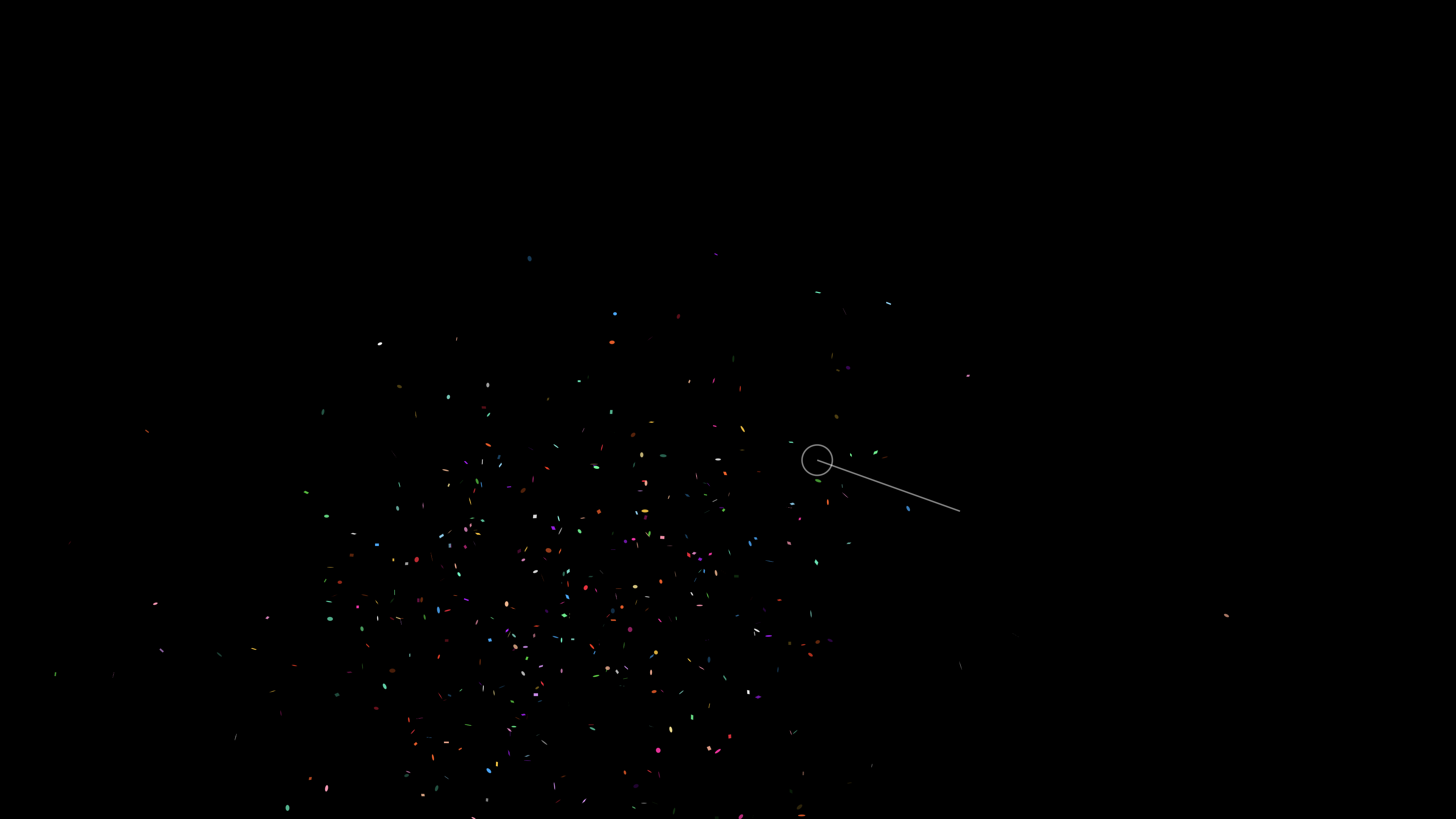](https://particles.js.org/samples/presets/confettiCannon)
## Quick checklist
1. Install `@tsparticles/engine` (or use the CDN bundle below)
2. Call `loadConfettiCannonPreset(engine)` **before** `tsParticles.load(...)`
3. Set `preset: "confettiCannon"` in options
## How to use it
### CDN / Vanilla JS / jQuery
```html
```
### Usage
Once the scripts are loaded you can set up `tsParticles` like this:
```javascript
(async engine => {
await loadConfettiCannonPreset(engine);
await engine.load({
options: {
preset: "confettiCannon", // or "confetti-cannon"
},
});
})(tsParticles);
```
### Customization
```javascript
tsParticles.load({
id: "tsparticles",
options: {
particles: {
color: {
value: ["#0000ff", "#00ff00"],
},
},
preset: "confettiCannon", // or "confetti-cannon"
},
});
```
Like in the sample above, the white and red colors will be replaced by blue and lime.
### Frameworks with a tsParticles component library
Checkout the documentation in the component library repository and call the `loadConfettiCannonPreset` function instead
of `loadFull`, `loadSlim` or similar functions.
The options shown above are valid for all the component libraries.
## Dependencies
This preset loads and combines the following packages:
| Package | Role in this preset | README |
| ------------------------------------------ | --------------------------------------------- | ------------------------------------------------------------------------ |
| `@tsparticles/basic` | Base runtime bundle used by the preset | |
| `@tsparticles/engine` | tsParticles engine and preset registration | |
| `@tsparticles/interaction-external-cannon` | Adds cannon launch interaction | |
| `@tsparticles/palette-confetti` | Default confetti color palette | |
| `@tsparticles/plugin-interactivity` | Enables external interaction plumbing | |
| `@tsparticles/plugin-motion` | Handles reduced-motion accessibility settings | |
| `@tsparticles/shape-square` | Adds square particle shape | |
| `@tsparticles/updater-life` | Controls particle life-cycle stages | |
| `@tsparticles/updater-roll` | Adds rolling spin motion | |
| `@tsparticles/updater-rotate` | Adds rotation animation | |
| `@tsparticles/updater-tilt` | Adds tilt animation | |
| `@tsparticles/updater-wobble` | Adds side-to-side wobble motion | |
If you want to customize one specific behavior, start from the related package README above.
## Common pitfalls
- Calling `tsParticles.load(...)` before `loadConfettiCannonPreset(engine)`
- Overriding `emitters` with an empty array and expecting default cannon behavior
- Combining multiple emitter changes at once without testing incrementally
## Related docs
- All presets catalog:
- Emitter options:
- Main tsParticles docs:
---
```mermaid
flowchart TD
subgraph b [Bundles]
bb[tsParticles Basic]
end
subgraph pl [Plugins]
ple[Emitters]
pli[Interactivity]
plm[Motion]
end
bb --> pl
subgraph s [Shapes]
ssq[Square]
end
bb --> s
subgraph u [Updaters]
ul[Life]
urol[Roll]
urot[Rotate]
uti[Tilt]
uw[Wobble]
end
bb --> u
subgraph pr [Presets]
prcc[Confetti Cannon]
end
bb & ple & pli & plm & ssq & ul & urol & urot & uti & uw --> prcc
```
## Sample
[](https://particles.js.org/samples/presets/confettiCannon)
## Quick checklist
1. Install `@tsparticles/engine` (or use the CDN bundle below)
2. Call `loadConfettiCannonPreset(engine)` **before** `tsParticles.load(...)`
3. Set `preset: "confettiCannon"` in options
## How to use it
### CDN / Vanilla JS / jQuery
```html
```
### Usage
Once the scripts are loaded you can set up `tsParticles` like this:
```javascript
(async engine => {
await loadConfettiCannonPreset(engine);
await engine.load({
options: {
preset: "confettiCannon", // or "confetti-cannon"
},
});
})(tsParticles);
```
### Customization
```javascript
tsParticles.load({
id: "tsparticles",
options: {
particles: {
color: {
value: ["#0000ff", "#00ff00"],
},
},
preset: "confettiCannon", // or "confetti-cannon"
},
});
```
Like in the sample above, the white and red colors will be replaced by blue and lime.
### Frameworks with a tsParticles component library
Checkout the documentation in the component library repository and call the `loadConfettiCannonPreset` function instead
of `loadFull`, `loadSlim` or similar functions.
The options shown above are valid for all the component libraries.
## Dependencies
This preset loads and combines the following packages:
| Package | Role in this preset | README |
| ------------------------------------------ | --------------------------------------------- | ------------------------------------------------------------------------ |
| `@tsparticles/basic` | Base runtime bundle used by the preset | |
| `@tsparticles/engine` | tsParticles engine and preset registration | |
| `@tsparticles/interaction-external-cannon` | Adds cannon launch interaction | |
| `@tsparticles/palette-confetti` | Default confetti color palette | |
| `@tsparticles/plugin-interactivity` | Enables external interaction plumbing | |
| `@tsparticles/plugin-motion` | Handles reduced-motion accessibility settings | |
| `@tsparticles/shape-square` | Adds square particle shape | |
| `@tsparticles/updater-life` | Controls particle life-cycle stages | |
| `@tsparticles/updater-roll` | Adds rolling spin motion | |
| `@tsparticles/updater-rotate` | Adds rotation animation | |
| `@tsparticles/updater-tilt` | Adds tilt animation | |
| `@tsparticles/updater-wobble` | Adds side-to-side wobble motion | |
If you want to customize one specific behavior, start from the related package README above.
## Common pitfalls
- Calling `tsParticles.load(...)` before `loadConfettiCannonPreset(engine)`
- Overriding `emitters` with an empty array and expecting default cannon behavior
- Combining multiple emitter changes at once without testing incrementally
## Related docs
- All presets catalog:
- Emitter options:
- Main tsParticles docs:
---
```mermaid
flowchart TD
subgraph b [Bundles]
bb[tsParticles Basic]
end
subgraph pl [Plugins]
ple[Emitters]
pli[Interactivity]
plm[Motion]
end
bb --> pl
subgraph s [Shapes]
ssq[Square]
end
bb --> s
subgraph u [Updaters]
ul[Life]
urol[Roll]
urot[Rotate]
uti[Tilt]
uw[Wobble]
end
bb --> u
subgraph pr [Presets]
prcc[Confetti Cannon]
end
bb & ple & pli & plm & ssq & ul & urol & urot & uti & uw --> prcc
```