
[![banner](https://particles.js.org/images/banner3.png)](https://particles.js.org)

# tsParticles Glitch Palette

[![jsDelivr](https://data.jsdelivr.com/v1/package/npm/@tsparticles/palette-glitch/badge)](https://www.jsdelivr.com/package/npm/@tsparticles/palette-glitch) [![npmjs](https://badge.fury.io/js/%40tsparticles%2Fpalette-glitch.svg)](https://www.npmjs.com/package/@tsparticles/palette-glitch) [![npmjs](https://img.shields.io/npm/dt/%40tsparticles%2Fpalette-coloredSmokeAmber)](https://www.npmjs.com/package/@tsparticles/palette-glitch) [![GitHub Sponsors](https://img.shields.io/github/sponsors/matteobruni)](https://github.com/sponsors/matteobruni)

[tsParticles](https://github.com/tsparticles/tsparticles) palette for colored smoke amber.

[![Discord](https://particles.js.org/images/discord.png)](https://discord.gg/hACwv45Hme) [![Telegram](https://particles.js.org/images/telegram.png)](https://t.me/tsparticles)

[![tsParticles Product Hunt](https://api.producthunt.com/widgets/embed-image/v1/featured.svg?post_id=186113&theme=light)](https://www.producthunt.com/posts/tsparticles?utm_source=badge-featured&utm_medium=badge&utm_source=badge-tsparticles) <a href="https://www.buymeacoffee.com/matteobruni"><img src="https://img.buymeacoffee.com/button-api/?text=Buy me a beer&emoji=🍺&slug=matteobruni&button_colour=5F7FFF&font_colour=ffffff&font_family=Arial&outline_colour=000000&coffee_colour=FFDD00"></a>

## Sample

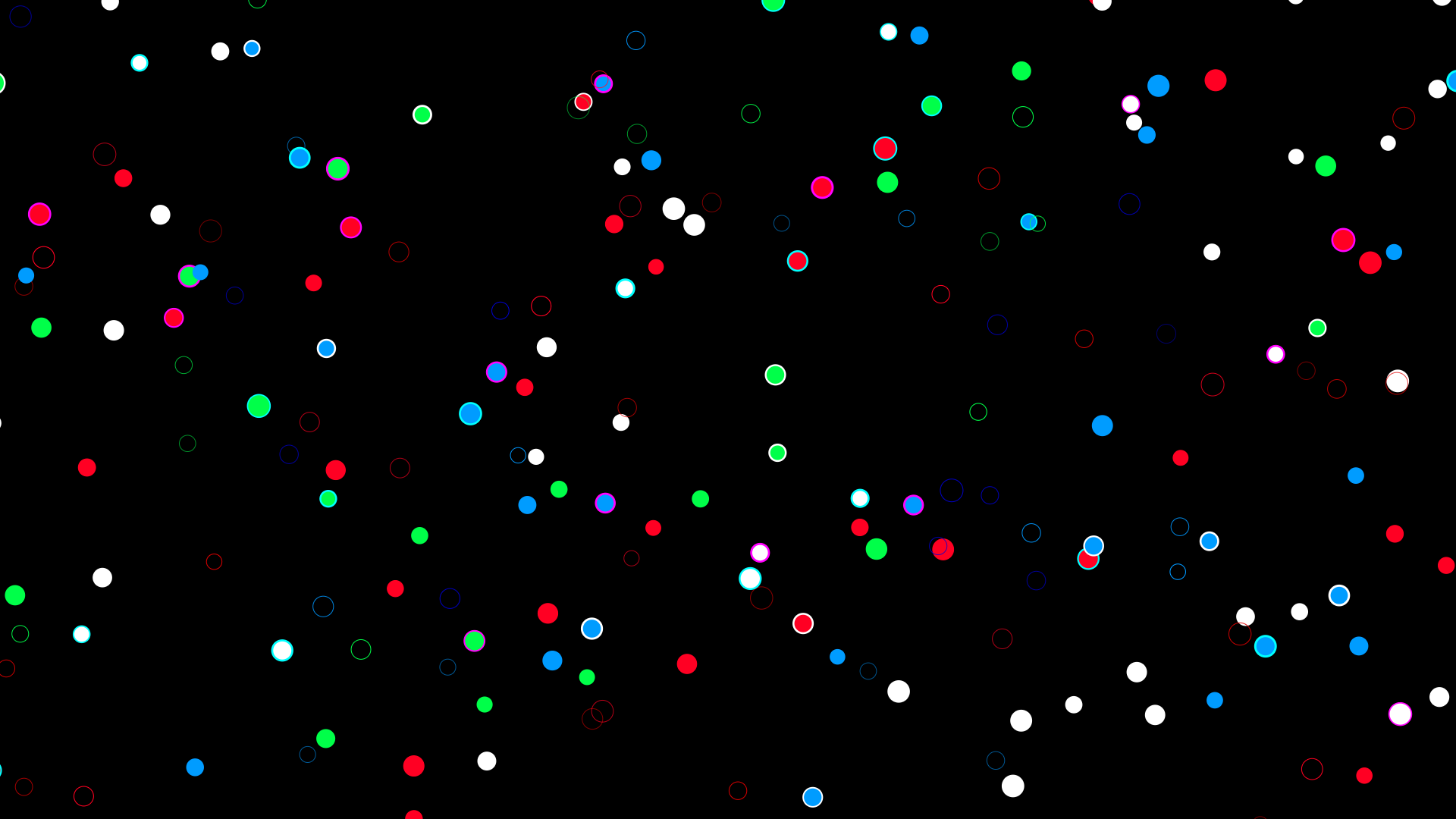
[![demo](https://raw.githubusercontent.com/tsparticles/palettes/main/palettes/tech/glitch/images/sample.png)](https://particles.js.org/samples/palettes/glitch)

## Colors

<table>
  <tbody>
    <tr>
      <td align="center">
        <svg width="32" height="32" viewBox="0 0 32 32" xmlns="http://www.w3.org/2000/svg" role="img" aria-label="#FF0000"><rect width="32" height="32" fill="#FF0000" /></svg><br />
        <code>#FF0000</code>
      </td>
      <td align="center">
        <svg width="32" height="32" viewBox="0 0 32 32" xmlns="http://www.w3.org/2000/svg" role="img" aria-label="#FF0022"><rect width="32" height="32" fill="#FF0022" /></svg><br />
        <code>#FF0022</code>
      </td>
      <td align="center">
        <svg width="32" height="32" viewBox="0 0 32 32" xmlns="http://www.w3.org/2000/svg" role="img" aria-label="#FF2200"><rect width="32" height="32" fill="#FF2200" /></svg><br />
        <code>#FF2200</code>
      </td>
      <td align="center">
        <svg width="32" height="32" viewBox="0 0 32 32" xmlns="http://www.w3.org/2000/svg" role="img" aria-label="#CC0000"><rect width="32" height="32" fill="#CC0000" /></svg><br />
        <code>#CC0000</code>
      </td>
      <td align="center">
        <svg width="32" height="32" viewBox="0 0 32 32" xmlns="http://www.w3.org/2000/svg" role="img" aria-label="#00FF00"><rect width="32" height="32" fill="#00FF00" /></svg><br />
        <code>#00FF00</code>
      </td>
    </tr>
    <tr>
      <td align="center">
        <svg width="32" height="32" viewBox="0 0 32 32" xmlns="http://www.w3.org/2000/svg" role="img" aria-label="#00FF22"><rect width="32" height="32" fill="#00FF22" /></svg><br />
        <code>#00FF22</code>
      </td>
      <td align="center">
        <svg width="32" height="32" viewBox="0 0 32 32" xmlns="http://www.w3.org/2000/svg" role="img" aria-label="#22FF00"><rect width="32" height="32" fill="#22FF00" /></svg><br />
        <code>#22FF00</code>
      </td>
      <td align="center">
        <svg width="32" height="32" viewBox="0 0 32 32" xmlns="http://www.w3.org/2000/svg" role="img" aria-label="#00CC00"><rect width="32" height="32" fill="#00CC00" /></svg><br />
        <code>#00CC00</code>
      </td>
      <td align="center">
        <svg width="32" height="32" viewBox="0 0 32 32" xmlns="http://www.w3.org/2000/svg" role="img" aria-label="#0000FF"><rect width="32" height="32" fill="#0000FF" /></svg><br />
        <code>#0000FF</code>
      </td>
      <td align="center">
        <svg width="32" height="32" viewBox="0 0 32 32" xmlns="http://www.w3.org/2000/svg" role="img" aria-label="#0022FF"><rect width="32" height="32" fill="#0022FF" /></svg><br />
        <code>#0022FF</code>
      </td>
    </tr>
    <tr>
      <td align="center">
        <svg width="32" height="32" viewBox="0 0 32 32" xmlns="http://www.w3.org/2000/svg" role="img" aria-label="#2200FF"><rect width="32" height="32" fill="#2200FF" /></svg><br />
        <code>#2200FF</code>
      </td>
      <td align="center">
        <svg width="32" height="32" viewBox="0 0 32 32" xmlns="http://www.w3.org/2000/svg" role="img" aria-label="#0000CC"><rect width="32" height="32" fill="#0000CC" /></svg><br />
        <code>#0000CC</code>
      </td>
      <td align="center">
        <svg width="32" height="32" viewBox="0 0 32 32" xmlns="http://www.w3.org/2000/svg" role="img" aria-label="#FFFFFF"><rect width="32" height="32" fill="#FFFFFF" /></svg><br />
        <code>#FFFFFF</code>
      </td>
      <td align="center">
        <svg width="32" height="32" viewBox="0 0 32 32" xmlns="http://www.w3.org/2000/svg" role="img" aria-label="#AAAAAA"><rect width="32" height="32" fill="#AAAAAA" /></svg><br />
        <code>#AAAAAA</code>
      </td>
      <td align="center">
        <svg width="32" height="32" viewBox="0 0 32 32" xmlns="http://www.w3.org/2000/svg" role="img" aria-label="#000000"><rect width="32" height="32" fill="#000000" /></svg><br />
        <code>#000000</code>
      </td>
    </tr>
    <tr>
      <td colspan="5" align="center">
        <svg width="40" height="40" viewBox="0 0 40 40" xmlns="http://www.w3.org/2000/svg" role="img" aria-label="#000000"><rect width="40" height="40" fill="#000000" /></svg><br />
        <strong>Background</strong><br />
        <code>#000000</code>
      </td>
    </tr>
    <tr>
      <td colspan="5" align="center">
        <strong>Blend mode:</strong> <code>screen</code> | <strong>Fill:</strong> <code>false</code>
      </td>
    </tr>
  </tbody>
</table>

## Quick checklist

1. Install `@tsparticles/engine` (or use the CDN bundle below)
2. Load a base package (for example `@tsparticles/basic`) and call `loadGlitchPalette` before `tsParticles.load(...)`
3. Apply the palette plus a minimal particles configuration in your options

A palette defines colors, not complete behavior, so pair it with a runtime package and particle options.

## How to use it

### CDN / Vanilla JS / jQuery

```html
<script src="https://cdn.jsdelivr.net/npm/@tsparticles/basic@4/tsparticles.basic.bundle.min.js"></script>
<script src="https://cdn.jsdelivr.net/npm/@tsparticles/palette-glitch@4/tsparticles.palette-coloredSmokeAmber.min.js"></script>
```

### Usage

Once the scripts are loaded you can set up `tsParticles` like this:

```javascript
(async engine => {
  await loadBasic(engine);
  await loadGlitchPalette(engine);

  const options = {
    particles: {
      number: { value: 200 },
      shape: { type: "circle" },
      size: { value: { min: 10, max: 15 } },
      move: {
        enable: true,
        speed: 2,
      },
    },
    palette: "glitch",
  };

  await engine.load({
    id: "tsparticles",
    options,
  });
})(tsParticles);
```

#### Customization

**Important ⚠️**
You can override all the options defining the properties like in any standard `tsParticles` installation.

### Frameworks with a tsParticles component library

Checkout the documentation in the component library repository and call the `loadGlitchPalette` function.

## Related docs

- Presets and palettes catalog: <https://github.com/tsparticles/palettes>
- Main docs: <https://particles.js.org/docs/>
