
30+ authentic Windows 95 components, Full Documentation, Fully Responsive, 100% Valid W3C HTML Files and made for awesome developers just like you. It's Free.
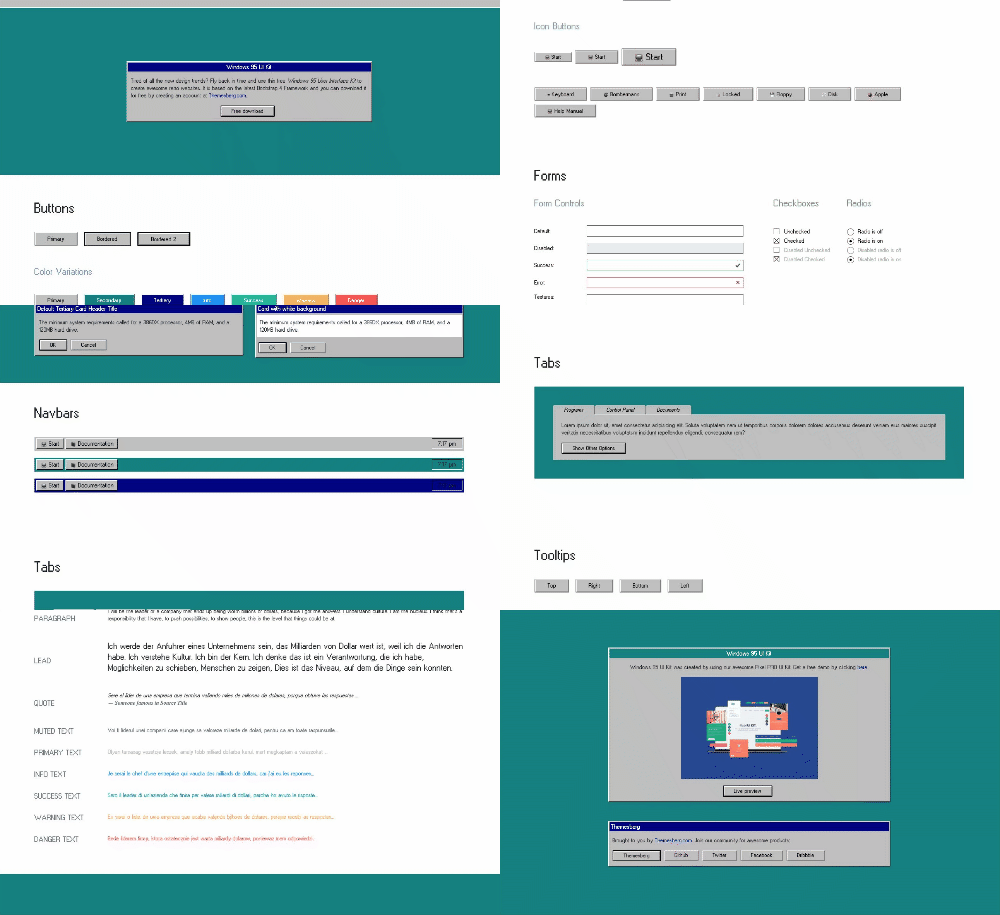
Windows 95 UI Kit is a free User Interface Kit featuring authentic buttons, cards (windows), tabs, navigation tabs, typography and many more. Use this kit to create awesome retro interfaces.
Just run npm install to set up all the required dependencies. The Windows 95 Elements were molded with Bootstrap 4 Components and classes to offer an easy way and modern way of working with colors and sizes.
This is an open source project so if you have an idea or would like to perfect the product, feel free to create a PR and we will surely take a look at it!
Helpful links:
- [Demo](https://demo.themesberg.com/windows-95-ui-kit/) - [Download](https://themesberg.com/product/ui-kits/windows-95-ui-kit) ## Quick start 1. Download from [Themesberg](https://themesberg.com/product/ui-kits/windows-95-ui-kit) or `git clone` this repository 2. Download the project's zip 3. Make sure you have Node locally installed. 4. Run the following command to install dependencies: ```npm install``` 5. You're good to go! ## What's included Windows 95 UI Kit has the following folder structure: ``` windows-95-ui-kit/ ├── css/ │ ├── w95.css ├── docs/ ├── img/ ├── js/ │ ├── w95.js ├── node_modules/ ├── index.html ``` ### Features - Windows 95 button styles - Authentic Cards (windows) - Original navigation tab - Fully Responsive - Bootstrap 4 - jQuery - Quality code - and many others.. ### Online documentation The documentation can be found at [themesberg.com](https://themesberg.com/preview/windows-95-ui-kit/docs/introduction.html). ### Built by Themesberg Our social network profiles: - [Themesberg.com](https://themesberg.com) - [Twitter](https://twitter.com/themesberg) - [Facebook](https://www.facebook.com/themesberg) ## Credits & Libraries - [Microsoft](https://www.microsoft.com/ro-ro/) - [Bootstrap](https://getbootstrap.com/) * [jQuery](https://jquery.com/) ### Licensed under MIT Windows 95 UI Kit is Open Source project and licensed under MIT for better Web.