# @testdino/playwright
[](https://www.npmjs.com/package/@testdino/playwright)
[](https://www.npmjs.com/package/@testdino/playwright)
[](https://www.npmjs.com/package/@testdino/playwright)
[](https://nodejs.org/)
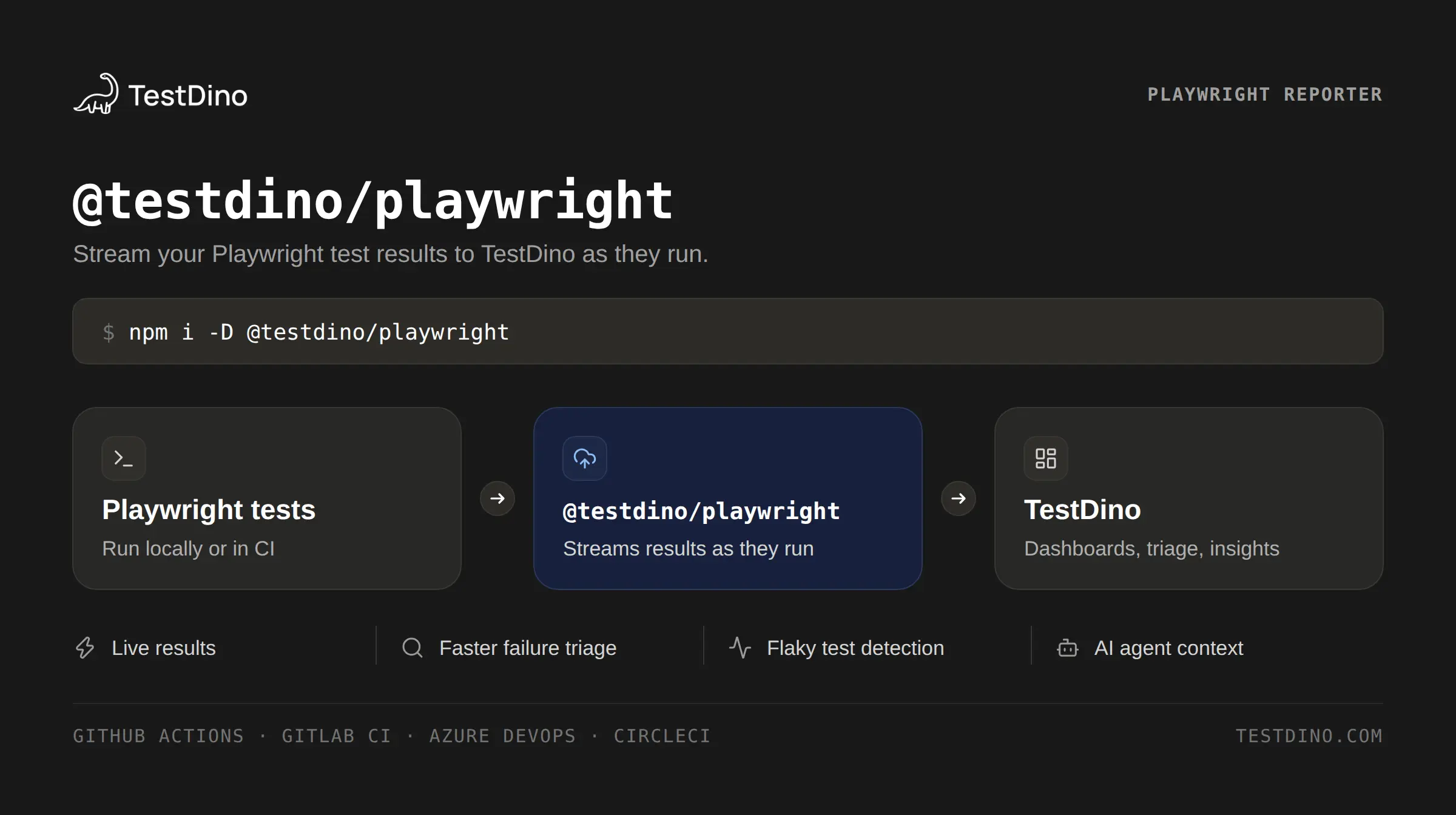
Real-time Playwright reporting for debugging failures, detecting flaky tests, and keeping traces, screenshots, videos, logs, and CI history in one place.
**[Website](https://www.testdino.com)** | **[Documentation](https://docs.testdino.com/)** | **[Get Your Token](https://docs.testdino.com/guides/generate-api-keys#create-an-api-key)** | **[Changelog](https://changelog.testdino.com/?type=cli)** | **[Support](mailto:support@testdino.com)**
## What TestDino adds to Playwright
### Debug failures faster
- [Real-time streaming](https://testdino.com/features/real-time-streaming): results appear as each test finishes, including sharded CI runs
- [Test evidence](https://testdino.com/features/test-evidence): failure screenshots, execution video, and retry-level evidence for every attempt
- [Trace viewer](https://testdino.com/features/trace-viewer): step through DOM snapshots, network, and console in the browser without downloading trace zips
- [Error groups](https://testdino.com/features/error-grouping): failures clustered by pattern, so you fix a root cause once instead of triaging one by one
### Find and fix flaky tests
- [Flaky detection](https://testdino.com/features/flaky-tests): retry analysis and cross-run pattern matching with root-cause classification
- [Test trends](https://testdino.com/features/test-trends): pass-rate trends, flakiness scoring, and regression detection
- [Test explorer](https://testdino.com/features/test-explorer): flaky rates, pass rates, and durations across spec files and individual tests
### Fit into your CI workflow
- [PR coverage](https://testdino.com/features/pr-coverage): inline summaries on GitHub and GitLab PRs, separating new failures from pre-existing ones
- [Environment mapping](https://testdino.com/features/environment-mapping): map branches to named environments and scope trends and flaky detection per environment
- [CI/CD integrations](https://testdino.com/features/cicd-integrations): GitHub Actions, GitLab CI, Azure DevOps, Jenkins, CircleCI, TeamCity, AWS CodeBuild, Bitbucket Pipelines, Buildkite, and Harness
### Route failures to the right place
- [Bug reports](https://testdino.com/features/bug-reports): open Jira, Linear, Asana, or monday.com issues from a failed test with full context
- [Test tags](https://testdino.com/features/test-tags): set priority, owner, feature area, and Slack routing from test code
- [Scheduled reports](https://testdino.com/features/scheduled-reports): automated PDF summaries with trend graphs and branch statistics
### Give AI agents test context
- [MCP server](https://testdino.com/features/mcp-server): let coding assistants query runs, debug failures, and suggest fixes
- [Playwright skills](https://testdino.com/integrations/playwright-skills): prebuilt Claude Code skills to write, fix, and refactor Playwright tests
See [all features](https://testdino.com/features) for the full list.
## Quick start
**Requirements:** Node.js >= 18, `@playwright/test` >= 1.52.0
**1.** Install the reporter:
```bash
npm install --save-dev @testdino/playwright
```
**2.** Add it to your Playwright config:
```typescript
// playwright.config.ts
import { defineConfig } from '@playwright/test';
export default defineConfig({
reporter: [['@testdino/playwright', { token: process.env.TESTDINO_TOKEN }], ['html']],
});
```
**3.** Set your token and run your tests as usual:
```bash
export TESTDINO_TOKEN="your-token"
npx playwright test
```
No upload step is needed. Results stream to your TestDino dashboard as the run happens.
### Capture traces, screenshots, and videos
TestDino uploads whatever Playwright produces. If these are off in your Playwright config, there is nothing to upload and your runs will show no artifacts:
```typescript
// playwright.config.ts
use: {
trace: 'retain-on-failure',
video: 'retain-on-failure',
screenshot: 'only-on-failure',
}
```
Use `'on'` instead of `'retain-on-failure'` to capture artifacts for passing tests too.
### Prefer not to edit your config?
Skip step 2 and run `tdpw test` instead. Same result, no config change. Pass your token with `-t`, or set `TESTDINO_TOKEN` first and omit it.
```bash
npx tdpw test -t "your-token"
```
### Want to hand this off to AI?
Copy the prompt below into Claude Code, Cursor, or your editor assistant and let it wire up the setup for you.
```
Your task is to set up Playwright to report test results to TestDino.
1. Install "@testdino/playwright" as a development dependency, using the
project's package manager (npm, pnpm, yarn, ...).
2. Update the Playwright config file (playwright.config.ts|js|mjs):
- Add the TestDino reporter, keeping any existing reporters:
// playwright.config.ts
import { defineConfig } from '@playwright/test';
export default defineConfig({
reporter: [['@testdino/playwright', { token: process.env.TESTDINO_TOKEN }], ['html']],
});
- Enable traces, videos and screenshots so there are artifacts to upload:
use: {
trace: 'retain-on-failure',
video: 'retain-on-failure',
screenshot: 'only-on-failure',
}
3. Tell me to set TESTDINO_TOKEN in my environment and in CI secrets.
Do not hardcode the token in any file.
4. If the project runs sharded tests in CI, use "npx tdpw test --ci-run-id "
so every shard reports into a single run.
```
## Configuration
### Options
| Option | CLI Flag | Environment Variable | Config / reporter | Description |
| ----------- | -------------------------------------- | --------------------- | ------------------ | -------------------------------------------------------------------------------------------------------------- |
| `token` | `--token`, `-t` | `TESTDINO_TOKEN` | `token` | Authentication token (required) |
| `serverUrl` | `--server-url` | `TESTDINO_SERVER_URL` | `serverUrl` | TestDino server URL |
| `debug` | `--debug` | `TESTDINO_DEBUG` | `debug` | TestDino debug logging (not Playwright Inspector) |
| `ciRunId` | `--ci-run-id` | `TESTDINO_CI_RUN_ID` | `ciRunId` | Group sharded test runs |
| `splitId` | `--split-id` | `TESTDINO_SPLIT_ID` | `splitId` | Group ID for split mode |
| `split` | `--split ` | - | - | Split position. CLI-only |
| `artifacts` | `--no-artifacts` | - | `artifacts: false` | Disable artifact uploads |
| `tags` | `--tags ` | `TESTDINO_TAGS` | `tags` | Run-level labels. `tdpw` flag; Playwright rejects `--tags`. `TESTDINO_TAGS` is read by `tdpw` only |
| — | `--rerun ` `--from-run ` | — | — | Re-run a run's failed/flaky tests. CLI-only; see [Re-run only the failed tests](#re-run-only-the-failed-tests) |
| — | `--rerun-tags ` | `TESTDINO_RERUN_TAGS` | — | Tags added to a `--rerun` run on top of `tags`. Only with `--rerun` |
### Config file
For anything beyond a token, use a config file:
```typescript
// testdino.config.ts
export default {
token: process.env.TESTDINO_TOKEN,
debug: false,
artifacts: true,
tags: ['regression', 'smoke'],
};
```
### Priority
Highest to lowest. The first source that sets a value wins:
1. CLI flags (`--token`)
2. Config file (`testdino.config.ts`)
3. Playwright config (reporter options)
4. Environment variables
## CLI usage
`tdpw test` wraps Playwright when you would rather not edit your config, or need a run-scoped flag like `--ci-run-id` or `--tags`. Any option TestDino does not recognize is passed through to Playwright:
```bash
npx tdpw test --headed --project=chromium
npx tdpw test --retries=2 --workers=4
npx tdpw test --no-artifacts
npx tdpw test --tags regression,smoke
```
`--tags` is a `tdpw` flag. `npx playwright test --tags ...` exits with `error: unknown option '--tags'` because Playwright does not define that option. To label a run while keeping `npx playwright test`, set `tags` in the reporter options. `TESTDINO_TAGS` and `tags` in `testdino.config.ts` are read by `tdpw` only.
### Passing arguments to Playwright
TestDino consumes its own flags and forwards everything else. Use `--` to end TestDino's flags and pass the rest to Playwright verbatim. This matters whenever a TestDino flag takes a value or shares a name with a Playwright flag:
```bash
npx tdpw test --ci-run-id "$CI_RUN_ID" -- --shard=1/4
```
> **Note:** `--debug` is consumed by TestDino, where it enables TestDino's own debug logging. It is not forwarded to Playwright, so `npx tdpw test --debug` will _not_ open the Playwright Inspector. To open the Inspector, pass it after `--`:
```bash
npx tdpw test -- --debug # Playwright Inspector
npx tdpw test --debug # TestDino debug logging
TESTDINO_DEBUG=1 npx tdpw test -- --debug # both
```
> **Note:** a `--reporter` after `--` is merged with the TestDino reporter (`--reporter=line` becomes `--reporter=line,@testdino/playwright`), so your reporter and the upload both run. Before 2.7.0 the user reporter replaced TestDino's and the run was never reported.
## CI/CD integration
### GitHub Actions
```yaml
name: E2E Tests
on: [push, pull_request]
jobs:
test:
runs-on: ubuntu-latest
steps:
- uses: actions/checkout@v4
- uses: actions/setup-node@v4
with:
node-version: '20'
- run: npm ci
- run: npx playwright install --with-deps
- name: Run tests
env:
TESTDINO_TOKEN: ${{ secrets.TESTDINO_TOKEN }}
run: npx playwright test
```
With the reporter in your Playwright config, CI needs nothing beyond the token. To also re-run only the failed tests from the dashboard, run them through `npx tdpw test` instead; see [Re-run failed jobs inside the same GitHub run](#re-run-failed-jobs-inside-the-same-github-run).
### Sharded execution
```yaml
jobs:
test:
strategy:
fail-fast: false
matrix:
shard: [1, 2, 3, 4]
steps:
- name: Run shard
env:
TESTDINO_TOKEN: ${{ secrets.TESTDINO_TOKEN }}
run: npx tdpw test --ci-run-id ${{ github.run_id }} -- --shard=${{ matrix.shard }}/4
```
Sharding uses `tdpw test` so every shard can share one `--ci-run-id`. All shards with the same id are grouped into a single logical run on the TestDino dashboard.
### Split execution
When you fan a suite across CI machines yourself — each job running an arbitrary subset rather than a Playwright `--shard` — use split mode to aggregate those jobs into one logical run. Every job passes its own position and a shared group id:
```yaml
jobs:
test:
strategy:
fail-fast: false
matrix:
split: [1, 2, 3, 4]
steps:
- name: Run split
env:
TESTDINO_TOKEN: ${{ secrets.TESTDINO_TOKEN }}
run: npx tdpw test --split ${{ matrix.split }}/4 --split-id ${{ github.run_id }}
```
- `--split /` — this job's slot and the total number of splits (positive integers, `current <= total`). CLI-only, like `--shard`.
- `--split-id ` — group key correlating all splits of one logical run; make it unique per pipeline execution. Like `--ci-run-id`, it resolves from any config source — the flag, `splitId` in `testdino.config.ts`, Playwright reporter options, or the `TESTDINO_SPLIT_ID` environment variable — so `--split-id ${{ github.run_id }}` above is equivalent to setting `TESTDINO_SPLIT_ID`.
- A position and an id are required together — one without the other is an error. A split may itself be sharded (`--split 2/4 -- --shard=1/3`).
- **Run each slot exactly once per `--split-id`.** `--split` is manual: TestDino does not slice your tests — you decide what each slot runs (files, `--grep`, `--project`). Re-running a failed slot is fine. Do **not** send two runs through the same slots under one split-id (for example `--project dnp` and `--project documents` both as `--split 1/3 --split-id $BUILD`): the second process for a slot is **refused** — its results are not recorded, the reporter prints the reason (`SPLIT_SLOT_DUPLICATE`), and the dashboard shows the same notice. To report several test sets, give each its own split-id (`--split-id $BUILD-dnp`, `--split-id $BUILD-documents`), or shard inside the slot (`--split 1/3 -- --shard=1/2`).
### Re-run only the failed tests
A finished run already knows which of its tests failed. Instead of naming them, ask TestDino for the selection and run just those:
```bash
npx tdpw test --rerun failed --from-run
```
`` is the run's id from its TestDino URL (`test_run_…`). TestDino answers with that run's failures, Playwright runs exactly those, and the re-run shows up in the dashboard linked to the run it came from.
- `--rerun ` — `failed` (failed or timed out), `flaky` (passed only on a retry), or `failed-and-flaky`. Required with `--from-run`.
- `--test-ids a,b` — exactly these Playwright test ids instead of the scope; `--exclude-ids c` drops ids from the scope. The dashboard's re-run sheet writes these for you.
- `--rerun-tags nightly,env:qa` — run tags added to the re-run. They are appended to the tags the run already resolves (`--tags`, config, `TESTDINO_TAGS`), not a replacement, and the re-run also inherits its source run's tags on the server. Falls back to `TESTDINO_RERUN_TAGS`, which is ignored on a normal run; the flag itself is refused without `--rerun`. Requires `@testdino/playwright` **2.7.6 or newer**.
- Needs **Playwright 1.56 or newer** (`--test-list`). On older releases the CLI refuses rather than running the whole suite. Requires `@testdino/playwright` **2.7.0 or newer** — an older CLI forwards the flag to Playwright, which fails with `error: unknown option '--rerun'`.
- Cannot be combined with `--shard`, `--split`, `--grep`, `--grep-invert`, `--last-failed` or `--test-list`: the selection already decides what runs. `--project` and file filters after `--` still apply and can exclude selected tests; the CLI refuses when nothing is left. Put the re-run flags **before** `--`; everything after it goes to Playwright unchanged.
- Before running, the CLI checks the selection against your checkout. Tests renamed, moved or deleted since the source run, or filtered out by your Playwright arguments, are skipped with a warning that names them (up to 10), names the source run by its number and commit with a link to it, and says how to run them unchanged: re-run on "This commit" or check out that commit. If **none** match, the same names are shown and it exits 1 rather than reporting a green run that ran nothing. A title containing `" › "` cannot be selected by title (Playwright's list format has no escape) and is named so you can run it by hand.
- If the source run finished seconds ago, the CLI waits up to 90 s for its results to be processed.
To dispatch a re-run from the TestDino dashboard, your workflow declares `workflow_dispatch` inputs the dashboard fills in; see the TestDino docs for the full snippet. To let the dashboard add tags to a re-run, declare `testdino_rerun_tags` and pass it the same way as the other inputs — through `env:`, never `${{ }}` inside `run:`, in a `shell: bash` step with `if` blocks:
```yaml
on:
workflow_dispatch:
inputs:
# …the other testdino_rerun_* inputs
testdino_rerun_tags: { required: false } # comma-separated run tags to add
jobs:
test:
steps:
- name: Run tests
env:
# …TD_RERUN_FROM, TD_RERUN_SCOPE, TD_RERUN_TEST_IDS, TD_RERUN_EXCLUDE_IDS
TD_RERUN_TAGS: ${{ inputs.testdino_rerun_tags }}
shell: bash
run: |
args=()
if [ -n "$TD_RERUN_FROM" ]; then
args+=(--rerun "${TD_RERUN_SCOPE:-failed}" --from-run "$TD_RERUN_FROM")
# …--test-ids / --exclude-ids blocks
if [ -n "$TD_RERUN_TAGS" ]; then
args+=(--rerun-tags "$TD_RERUN_TAGS")
fi
fi
npx tdpw test "${args[@]}"
```
### Re-run failed jobs inside the same GitHub run
When a GitHub Actions run goes red, **Re-run → This commit** in TestDino re-runs its failed jobs as a **new attempt of that same run**, so the original red check can turn green. Each retried job runs only the tests that failed in it.
Run your tests through `tdpw` to get the narrowing. That is the whole change:
```diff
- name: Run tests
env:
TESTDINO_TOKEN: ${{ secrets.TESTDINO_TOKEN }}
- run: npx playwright test
+ run: npx tdpw test
```
Everything after `tdpw test` is passed to Playwright untouched, so your arguments, projects and shards keep working. A job sharded with `--shard`, or by a `shard` in `playwright.config`, re-runs its own shard's failures.
You need:
- `@testdino/playwright` **2.7.8 or newer**, and Playwright **1.56 or newer**
- the TestDino GitHub App's **Actions** permission, which is what starts the new attempt
- nothing in your workflow file: no `workflow_dispatch`, no inputs
The retried job says which path it took:
```
TestDino: GitHub retry (attempt 2) — running the 4 test(s) that failed in run #118, not the full suite.
TestDino: running the full command on this GitHub retry — this retry was not started from TestDino.
```
**When the jobs re-run in full instead.** Nothing breaks: the job runs your original command, exactly as it did before.
| Why | What to do |
| --------------------------------------------------------------------------------------------------------- | --------------------------------------------------------------------------------------------------------------------------------------------------- |
| The job runs `npx playwright test` | Switch it to `npx tdpw test`. |
| `@testdino/playwright` is older than 2.7.8 | Update the package. |
| You clicked GitHub's own **Re-run failed jobs** button | Start the re-run from TestDino instead, so it knows what to narrow to. |
| A test in the job never ran in the earlier attempt, after a cancelled shard, a crashed job or a time-out | Nothing. Skipping a test nobody ran could turn the check green over a real failure. |
| The same Playwright project runs in more than one job, such as an operating system or Node version matrix | Nothing. Every job reports the same test ids, so the selection would be a guess. A browser matrix is fine, because each browser is its own project. |
| TestDino is unreachable | Nothing. Narrowing never fails your job; the exit code is always Playwright's. |
A retry started from TestDino is reported as its own run, linked to the run it re-ran, and left out of run-level figures such as test run count and pass rate. A retry started from GitHub's own buttons is not linked, because nothing recorded what it was re-running.
### Swarmed execution (server-managed distribution)
When several CI machines should run one test suite together and TestDino decides which files each machine gets — no `--shard` math, no `--split` bookkeeping — use swarm mode. A pre-step discovers the suite once; each machine opens a WebSocket to the hub and gets pushed longest-first batches. Everything merges into one unified run. Multi-project (multi-browser) suites run every browser on every batch, not just the first.
```yaml
jobs:
mint:
runs-on: ubuntu-latest
outputs:
swarm: ${{ steps.mint.outputs.swarm }}
steps:
- run: npm ci
- id: mint
env:
TESTDINO_TOKEN: ${{ secrets.TESTDINO_TOKEN }}
run: |
npx tdpw swarm --machines 4 --out swarm.json
echo "swarm=$(jq -r .swarmId swarm.json)" >> "$GITHUB_OUTPUT"
test:
needs: mint
runs-on: ubuntu-latest
strategy:
fail-fast: false
matrix:
machine: [1, 2, 3, 4]
steps:
- run: npm ci
- env:
TESTDINO_TOKEN: ${{ secrets.TESTDINO_TOKEN }}
# GitHub Actions has no native matrix-index env, so set one explicitly.
# machineId MUST be stable for the machine's lifetime.
TESTDINO_MACHINE_ID: gh-${{ matrix.machine }}
run: npx tdpw swarm --id ${{ needs.mint.outputs.swarm }}
```
- **Start mode** (`--machines `) — mints one server-owned `swarmId`. Every call mints a fresh id (not idempotent); `--out ` writes the mint response as JSON with a guaranteed `swarmId` key. Flags: `--machines ` (positive integer, hex/scientific rejected; or `TESTDINO_MACHINES`), `--grep ` (folded into each batch), `--project ` (Playwright projects to include), `--server-url`, `--token`, `--debug`. Env: `TESTDINO_TOKEN`, `TESTDINO_SERVER_URL`.
- **Join mode** (`--id `) — connects one machine to the hub and executes assigned batches. Flags: `--id ` (required — it is what selects join mode), `--machine-id ` (stable machine identity), `--debug`, `-- ` (forwarded verbatim to each batch). Env: `TESTDINO_TOKEN`, `TESTDINO_SERVER_URL`, `TESTDINO_MACHINE_ID`, `CI_NODE_INDEX` / `CIRCLE_NODE_INDEX` (used as machineId fallback).
- **machineId precedence** — `--machine-id > TESTDINO_MACHINE_ID > CI_NODE_INDEX / CIRCLE_NODE_INDEX > hostname+pid`. **GitHub Actions exposes no native matrix index**, so GH matrix legs fall through to `hostname+pid` (not stable across pod restarts) unless you set `TESTDINO_MACHINE_ID` — do it.
- **Passing `--project` in passthrough** — use the **equals form**: `-- --project=chromium`. Playwright's `--project` is variadic (``); the space form `-- --project chromium ./spec.ts` swallows trailing spec files as bogus project names and runs zero tests. TestDino's own dispatcher already passes the equals form.
- **Exit codes** — `0` on normal completion (hub sends `end`), `1` on connect exhaustion / protocol violation / auth failure, `130` on SIGINT or SIGTERM. Note: today the CLI exits `0` even when the aggregate run is `incomplete` or has local failures (tracked in ISSUES.md as ORCH-F2 — do not rely on the exit code for pass/fail signal in this release; check the TestDino dashboard).
See [`docs/SWARM_MODE.md`](docs/SWARM_MODE.md) for the internals (mint idempotency, start-mode error paths, WS liveness, drop-and-requeue semantics).
### GitLab CI
```yaml
e2e-tests:
image: mcr.microsoft.com/playwright:v1.52.0-jammy
script:
- npm ci
- npx playwright test
variables:
TESTDINO_TOKEN: $TESTDINO_TOKEN
```
### Other providers
Setup guides for every supported provider:
- [GitHub Actions](https://docs.testdino.com/guides/playwright-github-actions)
- [GitLab CI](https://docs.testdino.com/guides/playwright-gitlab-ci-setup)
- [Azure DevOps](https://docs.testdino.com/guides/playwright-azure-devops-pipeline)
- [Jenkins](https://docs.testdino.com/guides/playwright-jenkins)
- [CircleCI](https://docs.testdino.com/guides/playwright-circle-ci-cli)
- [AWS CodeBuild](https://docs.testdino.com/guides/playwright-amazon-codebuild)
- [Bitbucket Pipelines](https://docs.testdino.com/guides/playwright-bitbucket)
## How reporting works
The reporter hooks into Playwright's lifecycle, buffers test events, and streams them to TestDino in real time. Artifacts (screenshots, videos, traces) are uploaded to cloud storage and linked to the test that produced them. Local file paths are never transmitted.
Delivery degrades gracefully: if the streaming connection is unavailable, events fall back to an alternate transport automatically, and large batches are split and retried when the server rejects the body size. A TestDino outage affects reporting only — your suite exits on Playwright's own result.
**Two exceptions** surface as a banner and a non-zero exit so CI can catch them: events dropped after the reporter has exhausted its retries (partial-sync), and a quota error hit mid-run that leaves data missing on TestDino. Both are business-visible signals rather than reporter-infra failures.
Distinct from those: if your organization is **already over its execution limit** when a run starts, the reporter records the run as blocked, prints an advisory notice, and **leaves your build status unchanged** — the tests run to completion and their results simply aren't sent to TestDino. This is not a failure and does not affect CI exit.
### Run link
Once a run is registered, the reporter prints a link to its live results page — before your tests finish, so you can watch a long CI suite as it runs. The same link appears in the end-of-run summary. A sharded run announces the link once, and each shard's summary links to that shard.
If the run can't be linked (offline, over quota, not yet recorded), the link is omitted; nothing fails and nothing is delayed.
### Test Controls
When your project uses Test Controls, the reporter fetches the project's rules while your tests run (the run never waits for it) and applies them when the run ends:
- **Quarantined tests:** if every failure in the run belongs to a quarantined test, the build passes. Any other failure still fails it. Quarantined failures are recorded and shown as excluded, never hidden.
- **Known errors:** a test quarantined for one error is forgiven only when its failure matches that error.
- **Critical tests:** a critical test that passes only on retry fails the build.
- An error outside a test (for example in `globalSetup`), an interrupted run and a timed-out run keep Playwright's own result.
After authenticating, the reporter prints `TestDino Test Controls: fetching rules…`. At the end of the run it prints the rules it applied, and, when a quarantined test ran or a critical test passed only on retry, what that did to the build:
```text
TestDino Test Controls: 3 rules (2 quarantined, 1 critical)
Quarantined tests in this run: 2 (2 failed, excluded from the build)
Build passes: every failure was quarantined
```
If TestDino can't be reached within a few seconds, nothing changes: failures count as usual, the reporter prints `TestDino Test Controls: rules not loaded (…)`, and the run is marked "quarantine not applied".
Playwright uses the last status a reporter returns. If another reporter in your config also sets the run's status, list TestDino after it.
### Update notifications
When a newer version is published, a short notice appears after your run with the current and latest versions, so every project stays on an up-to-date reporter.
## Troubleshooting
| Issue | Solution |
| --------------------------------------------- | ----------------------------------------------------------------------------------------------------------------------------------------------------------------------------------------------------------------------------------------------------------------------------------------------- |
| `Token is required but not provided` | Set token via `--token`, `TESTDINO_TOKEN`, or config file |
| `TestDino Execution Limit Reached` | A quota error was hit mid-run: tests still run, CI exit is non-zero. Upgrade your plan, or on Pro and Team plans an org admin can add executions for this billing cycle (Settings → Billing & Usage) |
| `TestDino: this run was not recorded` | Your org was already over its execution limit at run start: the run will not appear later; tests still run, **CI exit is unchanged** (Playwright's own result). Upgrade your plan, or on Pro and Team plans an org admin can add executions for this billing cycle (Settings → Billing & Usage) |
| `Reporter dropped events — run marked FAILED` | Events couldn't be delivered after retries; CI exit is non-zero. Check TestDino service status |
| `error: unknown option '--tags'` | `--tags` is a `tdpw` flag. Use `npx tdpw test --tags ...`, or `tags` in the reporter options with `npx playwright test` |
| `--debug` didn't open the Inspector | TestDino consumes `--debug`. Use `npx tdpw test -- --debug` |
| Artifacts missing from the dashboard | Confirm artifacts aren't disabled via `--no-artifacts` |
| Shards appear as separate runs | Pass the same `--ci-run-id` to every shard |
| `TestDino Test Controls: rules not loaded` | The Test Controls rules couldn't be fetched in time, so failures counted as usual. Check network access to TestDino from CI |
| Build passed with quarantined failures | Expected: every failure was a quarantined test. Release the quarantine in TestDino to make its failures fail the build again |
Enable debug logging for detailed diagnostics:
```bash
npx tdpw test --debug
```
## FAQ
**Q: Can I use TestDino with other Playwright reporters?**
Yes. TestDino works alongside HTML, JUnit, JSON, or any other reporter.
**Q: What happens if TestDino is unavailable?**
Tests run normally. Reporting degrades: the reporter falls back to an alternate transport and only surfaces a non-zero exit if events were actually dropped after retries or quota was exhausted (see "How reporting works").
**Q: Does this work with the Playwright VS Code extension?**
Yes. The reporter setup in Quick start applies to every Playwright invocation, including the extension.
## Upgrading from v1
Version 2 introduces an updated artifact upload flow.
Configuration options and CLI commands are unchanged, so no config migration is required. Upgrade all CI jobs using `@testdino/playwright` together, so artifact reporting stays consistent across your fleet.
See the [TestDino documentation](https://docs.testdino.com/) for release details.
## Security & compliance
ISO 27001 certified · SOC 2 · GDPR compliant.
Local file paths are never transmitted. Artifacts are uploaded to cloud storage and referenced by key. See [Security at TestDino](https://www.testdino.com/security) for details.
## Support
- [Documentation](https://docs.testdino.com/)
- [Getting Started](https://docs.testdino.com/getting-started)
- [Changelog](https://changelog.testdino.com/?type=cli)
- [Email Support](mailto:support@testdino.com)
---
Copyright 2026 TestDino. All rights reserved. See [LICENSE](./LICENSE).