
## 扩展组件
+ config/rule:新增配置文件
+ config/rule/index.js:
+ config/menu.js:菜单中新增项
+ components:新增组件
+ index.js
# form-create-designer v3
**这个是 Vue3 版本**
[](https://github.com/xaboy/form-create-designer)
[](https://github.com/xaboy)
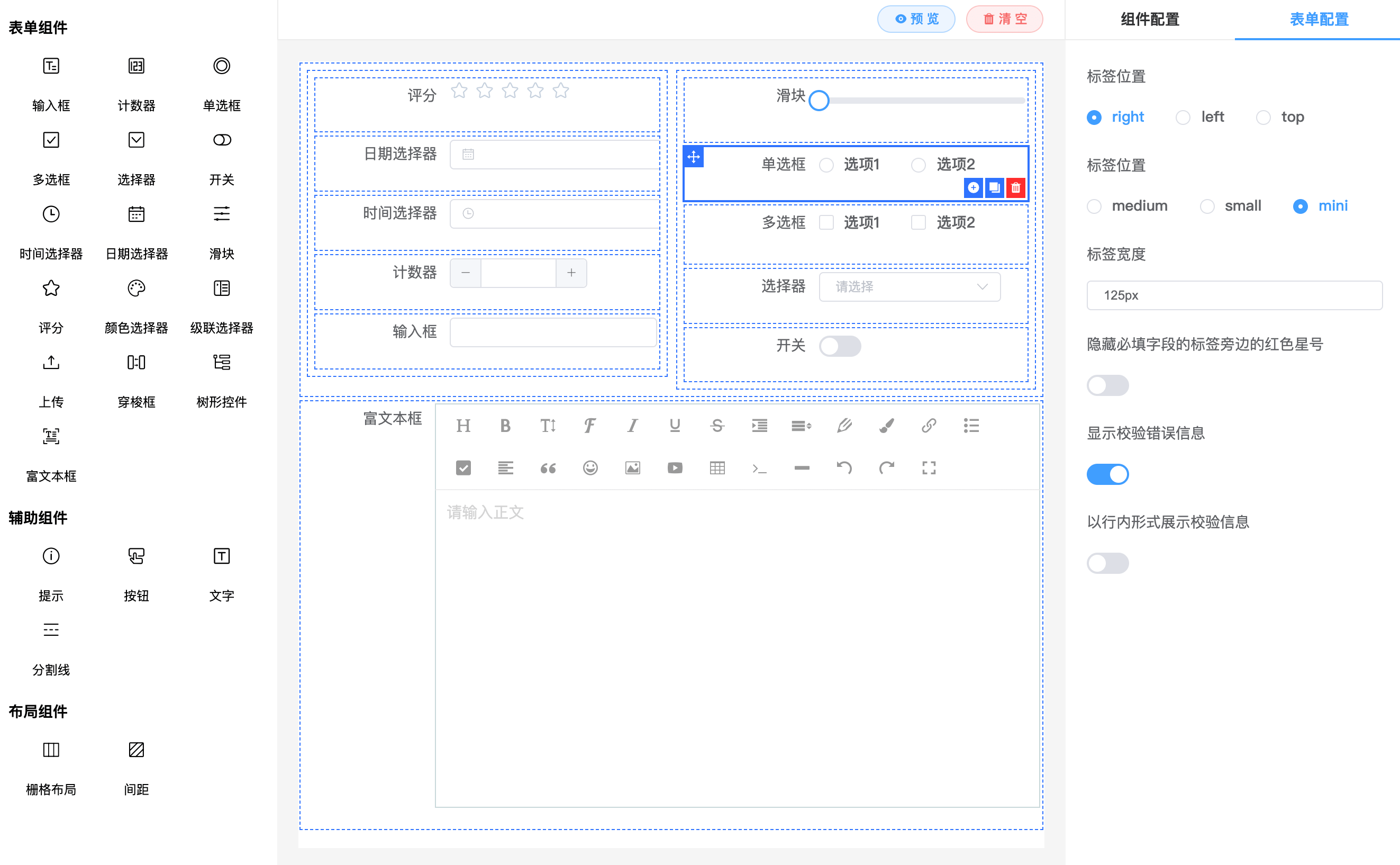
**form-create-designer 是基于 [@form-create/element-ui](https://github.com/xaboy/form-create) vue3版本实现的表单设计器组件。可以通过拖拽的方式快速创建表单,提高开发者对表单的开发效率,节省开发者的时间。**
**[更新说明](https://github.com/xaboy/form-create-designer/blob/next/CHANGELOG.md) | [文档](http://designer.form-create.com/guide/) | [在线演示](http://form-create.com/v3/designer?fr=github) | [form-create 文档](http://form-create.com/v3/guide/)**
> 如果对您有帮助,您可以点右上角 "Star" 支持一下 谢谢!本项目还在不断开发完善中,如有任何建议或问题[请在这里提出](https://github.com/xaboy/form-create-designer/issues/new)
> 本项目QQ讨论群[629709230](https://jq.qq.com/?_wv=1027&k=F1FlEFIV)
## 引入
**CDN:**
```html
```
**NodeJs:**
```shell
npm install @form-create/designer@next
```
请自行导入`ElementPlus`并挂载
```js
import formCreate from '@form-create/element-ui'
import FcDesigner from '@form-create/designer'
app.use(formCreate)
app.use(FcDesigner)
```
## 使用
```html
```
## 设置多语言
通过 locale 配置项设置语言
```vue
```
## 组件`props`
- **menu**`MenuList` 重新配置拖拽的组件
- **height**`int|string` 设计器组件高度, 默认`100%`
- **locale**`object` 设置多语言
- **config**`Config` 设置多语言
- **mask** `boolean` 设置拖拽表单中的组件是否可以操作
## 组件方法
- 获取当前生成表单的生成规则
```ts
type getRule = () => Rule[]
```
**示例: `this.$refs.designer.getRule()`**
- 获取当前表单的全局配置
```ts
type getOption = () => Object
```
- 设置当前生成表单的规则
```ts
type setRule = (rules: Rule[]) => void;
```
- 设置当前表单的全局配置
```ts
type setOption = (option: Object) => void;
```
- 增加一组拖拽组件
```ts
type addMenu = (menu: Menu) => void;
```
- 删除一组拖拽组件
```ts
type removeMenu = (name: string) => void;
```
- 批量覆盖插入拖拽组件
```ts
type setMenuItem = (name: string, items: MenuItem[]) => void;
```
- 插入一个拖拽组件到分组
```ts
type appendMenuItem = (name:string, item: MenuItem) => void;
```
- 删除一个拖拽组件
```ts
type removeMenuItem = (item: string | MenuItem) => void;
```
- 新增一个拖拽组件的生成规则
```ts
type addComponent = (item: DragRule) => void;
```
> **提示! 内置的三个组件分组`name`分别为: `main`,`aide`,`layout`**
## 联系
##### email : xaboy2005@qq.com
## License
[MIT](http://opensource.org/licenses/MIT)
Copyright (c) 2021-present xaboy
npm publish --access public
cnpm sync @szjy/designer-form