# SVAR Svelte Filter | Query Builder
[](https://www.npmjs.com/package/@svar-ui/svelte-filter)
[](https://github.com/svar-widgets/filter/blob/main/license.txt)
[](https://www.npmjs.com/package/@svar-ui/svelte-filter)
[Website](https://svar.dev/svelte/filter/) • [Documentation](https://docs.svar.dev/svelte/filter/filter-main-overview) • [Demos](https://docs.svar.dev/svelte/filter/samples/)
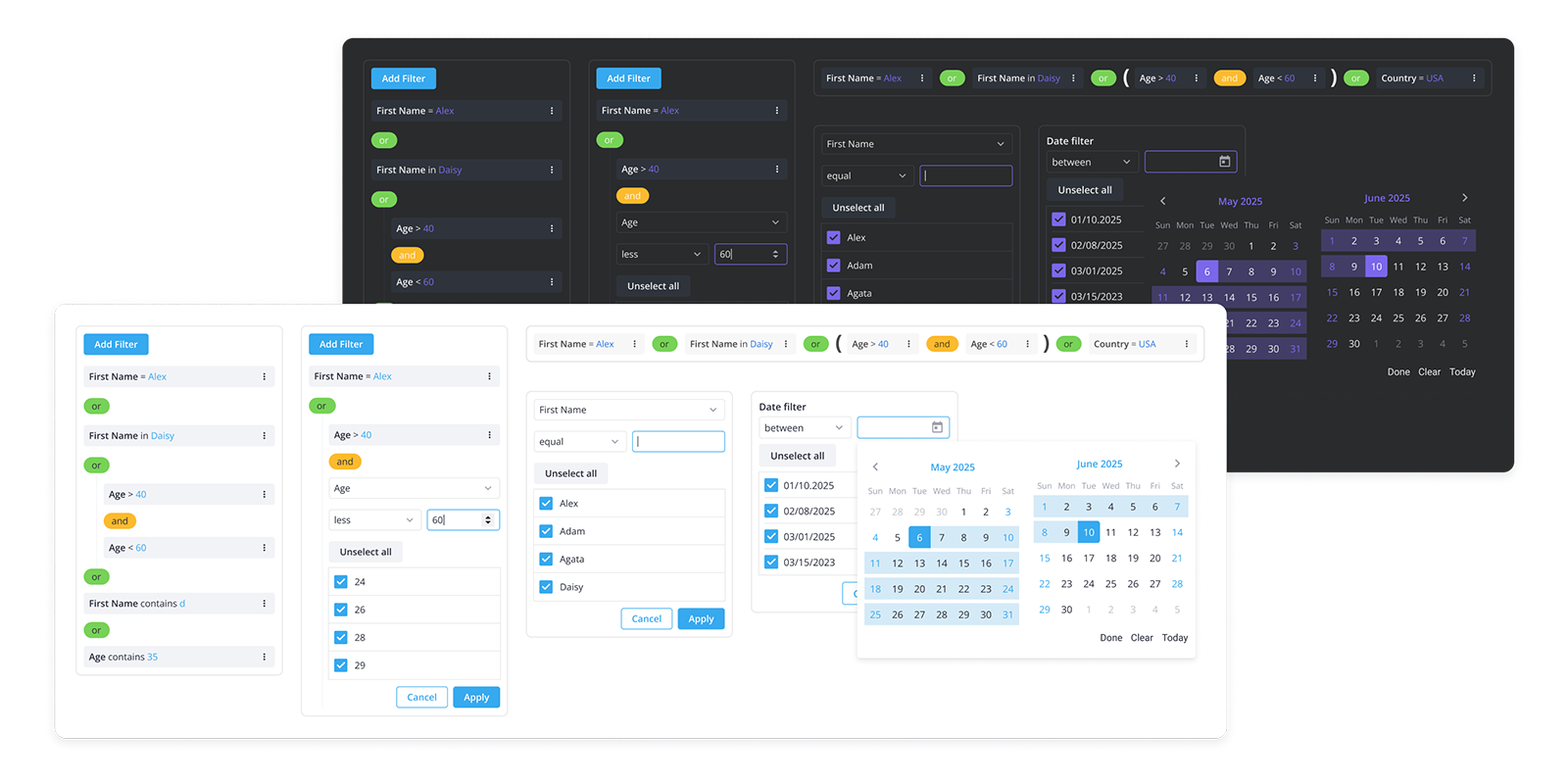
[SVAR Svelte Filter](https://svar.dev/svelte/filter/) is a Svelte library that helps you add flexible filtering features to your apps: from simple filter bars to advanced query builders. It provides an intuitive UI to create and edit filtering rules, group filters, define conditions, and choose combining logic (AND/OR).
### :jigsaw: Included Components
The package includes 4 components:
- **FilterBuilder** - the main component that provides an interactive interface for building complex queries and filtering large datasets.
- **FilterEditor** - allows you to create a filtering rule for a single field, and can be used as a standalone component.
- **FilterBar** - a simplified filter bar UI with inputs and select controls. It allows building filtering rules for several fields and combining them with logical operators.
- **FilterQuery** - a YouTrack-style search bar that supports three input styles: structured syntax, natural language, or both mixed together. Optional AI support converts conversational queries to structured filters instantly.
### :sparkles: Key features:
- Complex filter queries: multi-field rules, groups of filters, nested filters, AND/OR logic.
- Multiple data types: text, number, and date filtering with type-specific operators.
- Natural language filtering: AI-powered conversational input
- Different types of presentation: visual query builder, toolbar with filters, search bar for structured queries and natural text input
- Localization: labels and date formats can be customized to match users' locale.
- Dynamic loading: filter options can be loaded on demand when a new filter is added.
- JSON output: the component outputs structured JSON that can be transformed into SQL or other query formats.
- Intuitive, straightforward API: easily set and retrieve values, customize filters, and track changes.
- Full TypeScript support with complete type definitions.
[Check out the demos](https://docs.svar.dev/svelte/filter/samples/#/base/willow) to see all SVAR Filter features in action.
### How to Use
You can install SVAR Svelte Filter as follows:
```
npm install @svar-ui/svelte-filter
```
To use SVAR Filter, simply import the package and include the component in your Svelte file:
```svelte
```
For further instructions, see the detailed [how-to-start guide](https://docs.svar.dev/svelte/filter/getting_started).
### How to Modify
Typically, you don't need to modify the code. However, if you wish to do so, follow these steps:
1. Run `yarn` to install dependencies. Note that this project is a monorepo using `yarn` workspaces, so npm will not work
2. Start the project in development mode with `yarn start`
### Run Tests
To run the test:
1. Start the test examples with:
```sh
yarn start:tests
```
2. In a separate console, run the end-to-end tests with:
```sh
yarn test:cypress
```
### Need Help?
[Post an Issue](https://github.com/svar-widgets/filter/issues/) or use our [community forum](https://forum.svar.dev).
### ⭐ Show Your Support
If SVAR Svelte Filter helps your project, [give it a star on GitHub](https://github.com/svar-widgets/filter)! It helps more developers discover this component and keeps our team motivated to ship new features.