# Datetime range and Time range input UI element
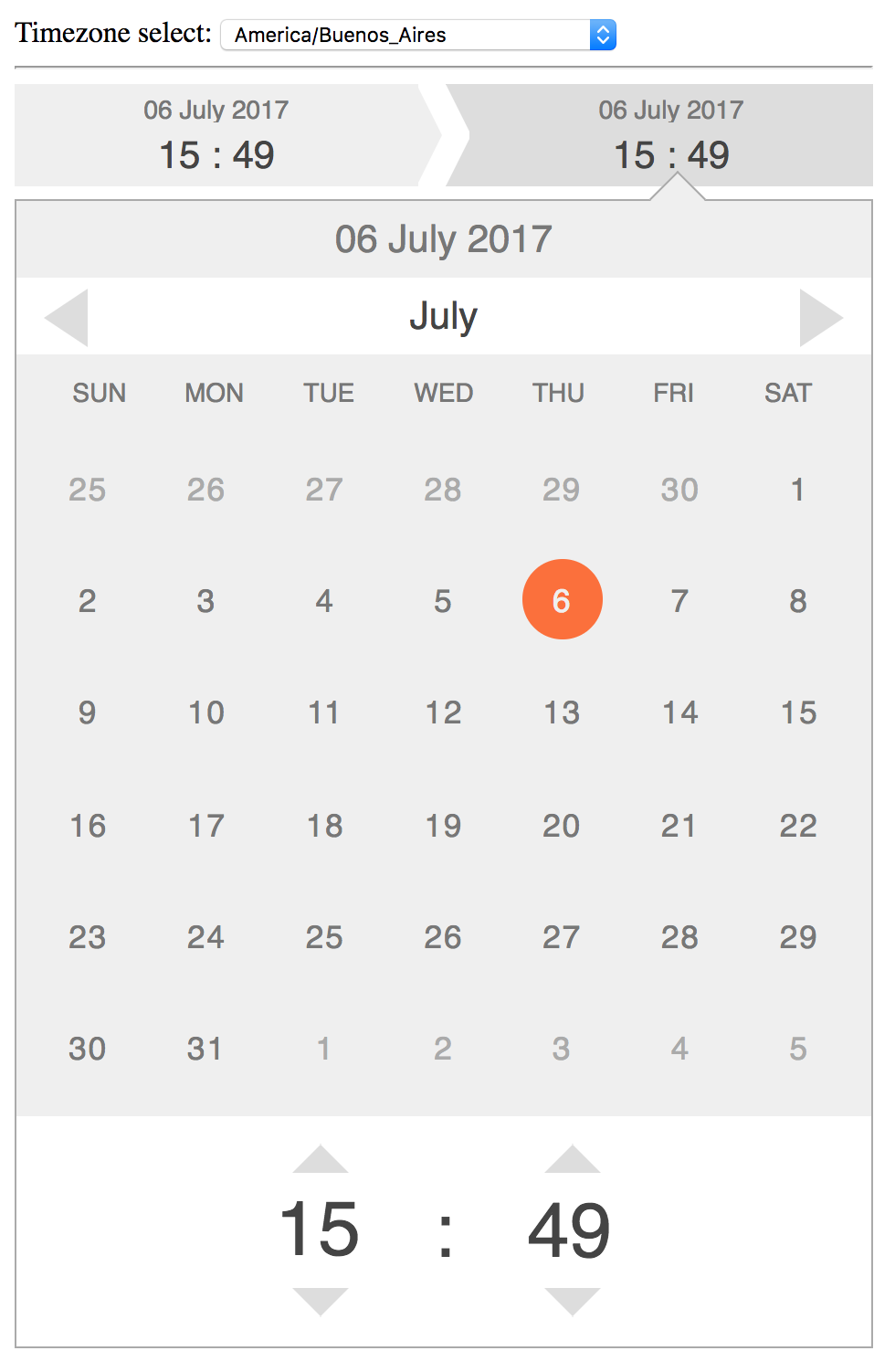
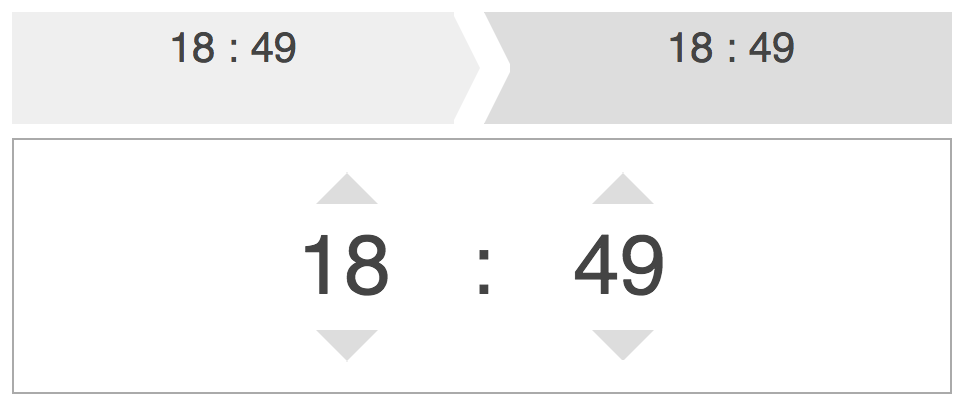
This directive is designed to provide easy and intuitive input of _**moment-range.js**_ datetime range objects.
Typically this can be used to represent a moment range with start and an end datetime objects.
Desgined to be as simple as possible to afford intuitive interactions, including scrolling.
Converted into an angular directive for your convenience :)
This work was based over the [angular-date-time](https://www.npmjs.com/package/angular-datetime-range) directive but forked to use an [moment-range.js](https://github.com/rotaready/moment-range) as ng-model
## Demo
Click here for a live demo.
## Installation
#####1) Install '@senzil/angular-datetime-range'
```
npm install @senzil/angular-datetime-range
yarn add @senzil/angular-datetime-range
https://cdn.rawgit.com/senzil/angular-datetime-range/v1.0.0/dist/datetime-range.min.js
https://cdn.rawgit.com/senzil/angular-datetime-range/v1.0.0/dist/datetime-range.min.css
```
#####2) Prerequisites
You must set up these dependencies
1. angular.js
1. moment.js
1. moment-range.js
1. moment-timezone.js
######NPM or YARN
if you use npm or yarn, the dependencies will download with the directive.
######In Browser
In the browser you must add the scripts
```html
```
#####3) Add 'senzil.datetime-range' module to your app config
```javascript
angular.module('myApp', ['senzil.datetime-range'])
```
3) Use directives in a view
```html
```
[ ](https://rawgit.com/senzil/angular-datetime-range/master/)
```html
```
[
](https://rawgit.com/senzil/angular-datetime-range/master/)
```html
```
[ ](https://rawgit.com/senzil/angular-datetime-range/master/)
### Attributes
|Property | Usage | Default | Required |
|:------------- |:-------------|:-----:|:-----:|
| ng-model | DateRange (moment-range.js) object to bind from controller | none | yes |
| limits-range | DateRange (moment-range.js) object with bounds limits for the component| moment.range(null, null) - all time | no |
| timezone | Timezone string name (only datetime-range)| moment.tz.guess() | no |
| includeSeconds | Boolean - Show seconds in directive to set them | false | no |
| showClose | Boolean - Show close button in directive | false | no |
| on-change | Handler function that is fired on change of range object | none | no |
| on-change-start | Handler function that is fired on change of range.start moment object | none | no |
| on-change-end | Handler function that is fired on change of range.end moment object | none | no |
| on-close | Handler function that is fired on close of edit popover | none | no |
## Dependencies
* [AngularJS](https://angularjs.org/)
* [moment.js](http://momentjs.com/)
* [moment-timezone.js](https://momentjs.com/timezone/)
* [moment-range.js](https://github.com/gf3/moment-range)
](https://rawgit.com/senzil/angular-datetime-range/master/)
### Attributes
|Property | Usage | Default | Required |
|:------------- |:-------------|:-----:|:-----:|
| ng-model | DateRange (moment-range.js) object to bind from controller | none | yes |
| limits-range | DateRange (moment-range.js) object with bounds limits for the component| moment.range(null, null) - all time | no |
| timezone | Timezone string name (only datetime-range)| moment.tz.guess() | no |
| includeSeconds | Boolean - Show seconds in directive to set them | false | no |
| showClose | Boolean - Show close button in directive | false | no |
| on-change | Handler function that is fired on change of range object | none | no |
| on-change-start | Handler function that is fired on change of range.start moment object | none | no |
| on-change-end | Handler function that is fired on change of range.end moment object | none | no |
| on-close | Handler function that is fired on close of edit popover | none | no |
## Dependencies
* [AngularJS](https://angularjs.org/)
* [moment.js](http://momentjs.com/)
* [moment-timezone.js](https://momentjs.com/timezone/)
* [moment-range.js](https://github.com/gf3/moment-range)