Zentui
A modular terminal UI for Pi and Oh My Pi.





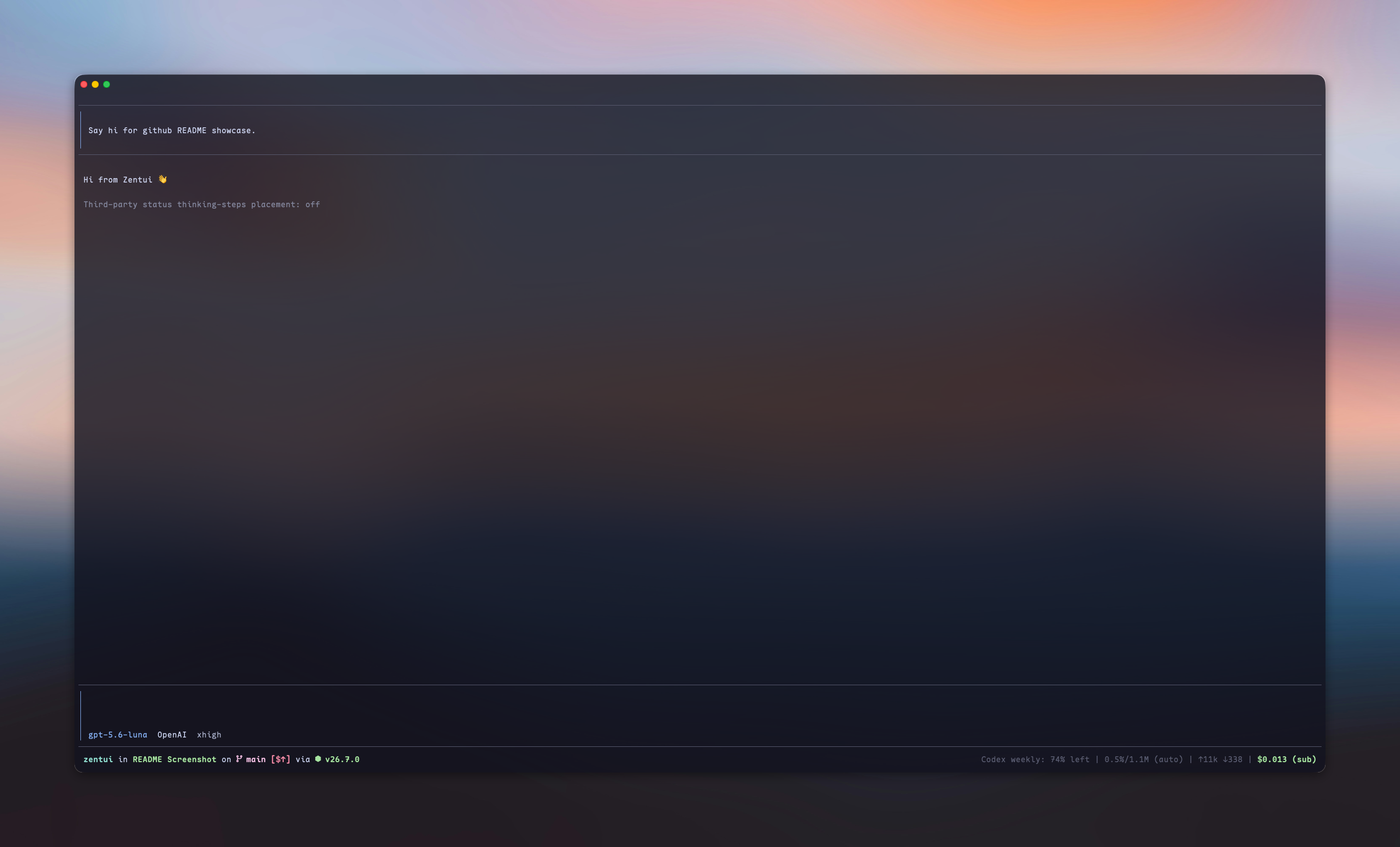
## What is this?
Zentui lets you shape Pi’s interface one component at a time. Customize your editor, messages, progress display, and footer independently—use the pieces you want and leave the rest native.
- **Editor** — Opencode, Opencode copy-friendly, Accent Rail, and Minimalist input treatments
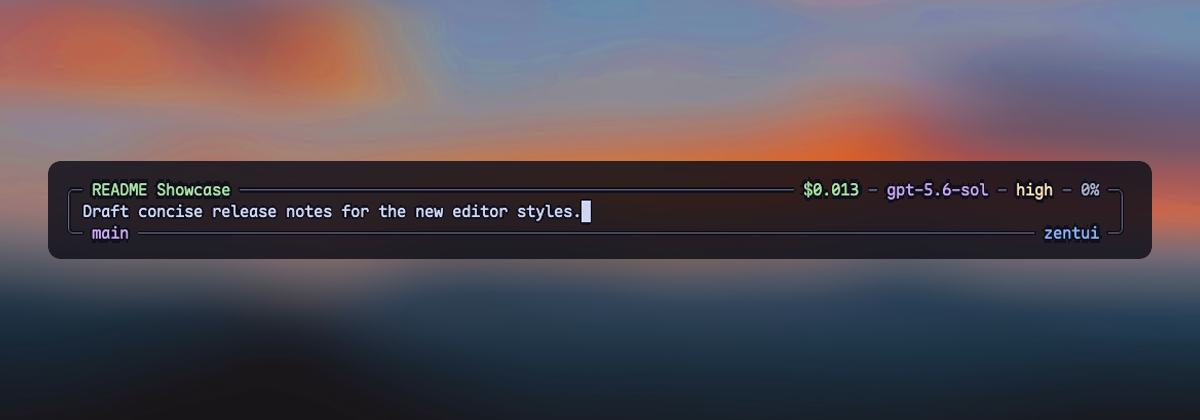
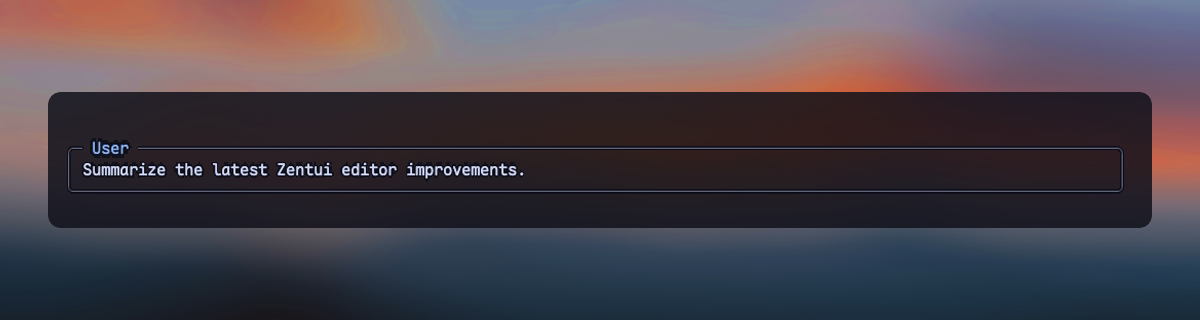
- **User messages** — framed, framed copy-friendly, compact, and labeled transcript messages
- **Thinking (Experimental)** — optional Rail, Tree, or Streaming private thinking renderers, without owning the Working line
- **Working line** — optional ownership of Pi's complete in-progress row and settled turn summary
- **Footer** — Pi's native Footer, a Starship-style statusline, or Hidden (only allowed extension statuses)
Editor, User messages, Thinking (Experimental), Working line, and selector borders have independent `enabled` fields. Footer uses one `style`: `native`, `starship`, or `hidden`. Use `/zentui` to configure each component without coupling it to the others.
## Highlights
| Surface | Default | Available treatments |
| --- | --- | --- |
| Editor | `opencode` | Opencode, copy-friendly, Accent Rail, Minimalist |
| User messages | `framed` | Framed, copy-friendly, Compact, Labeled |
| Thinking (Experimental) | disabled (`tree`) | Rail, Tree, Streaming |
| Working line | disabled | Five spinner presets, live tool/time/thinking/token segments, turn summary |
| Footer | `starship` | Native, Starship, Hidden |
| Selector borders | `zentui` | Independent enablement and color source |
The Starship Footer shows directory, Git, runtime, context, tokens, and cost. Optional segments include model/provider, package version, session duration, `user@host`, time, OS, Git commit, Git metrics, and third-party extension statuses. The layout is segment-driven by default and supports a complete Starship-style format template.
When the Working line is enabled, third-party extensions can publish keyed text segments through Pi's shared event bus. Zentui composes those segments into the owned row so Classic and KITT animate across them with the built-in content. See the [Working-line extension integration](https://github.com/lmilojevicc/pi-zentui/blob/main/docs/configuration.md#working-line-extension-integration) reference.
Zentui detects a broad set of runtime and language modules, preserves Nerd Font icons with an ASCII mode, and can source colors from the active Pi theme or directly from the terminal palette.
## Screenshots
### Editors
opencode
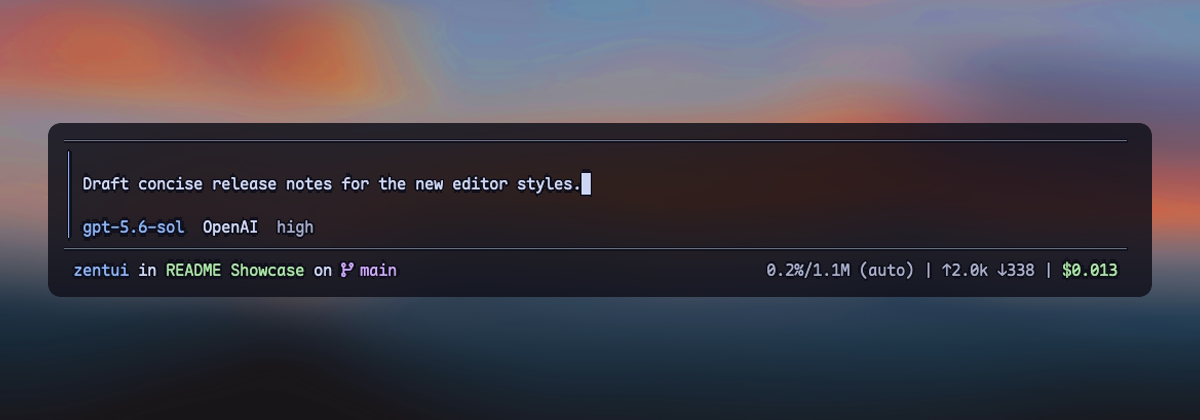
opencode-copy-friendly
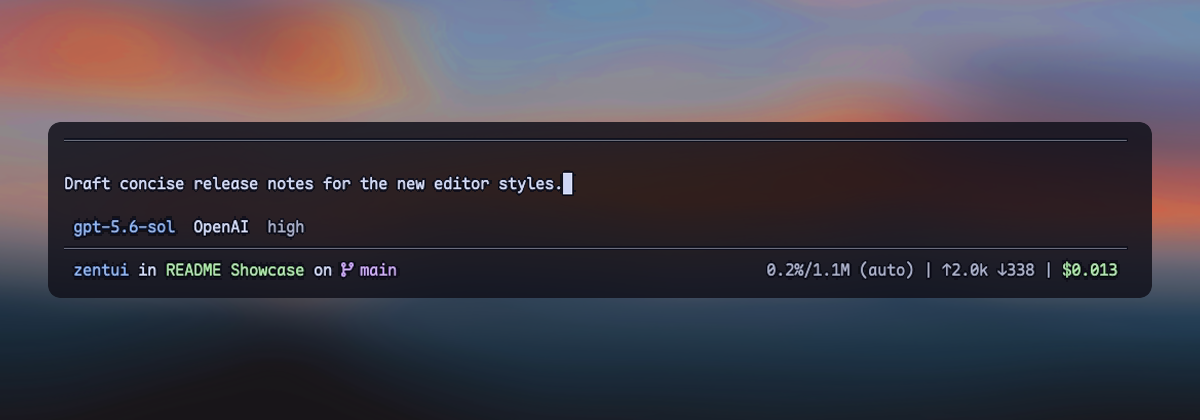
accent-rail
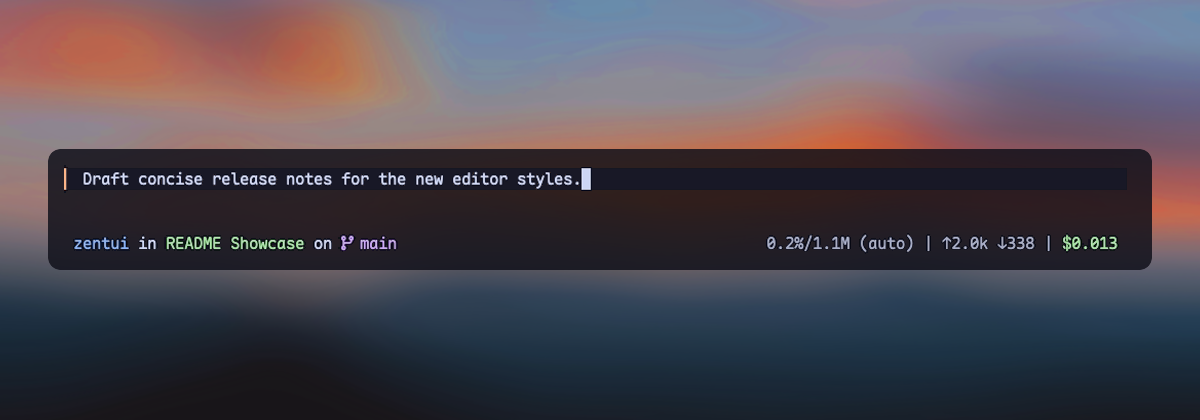
minimalist
### User messages
framed
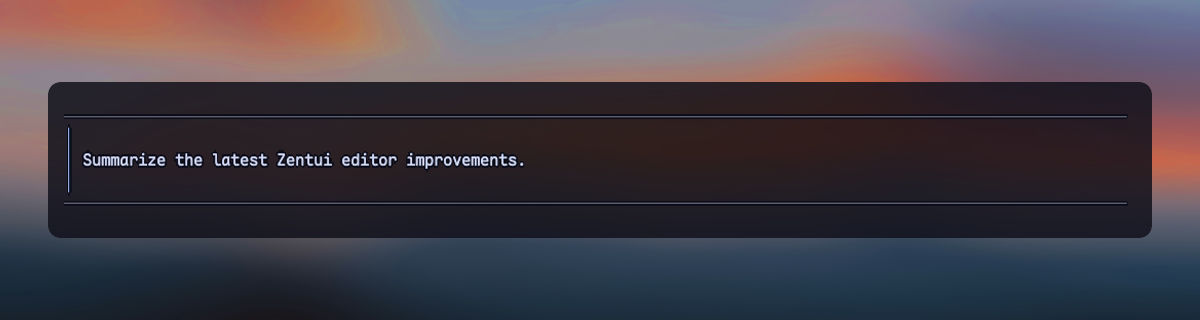
framed-copy-friendly
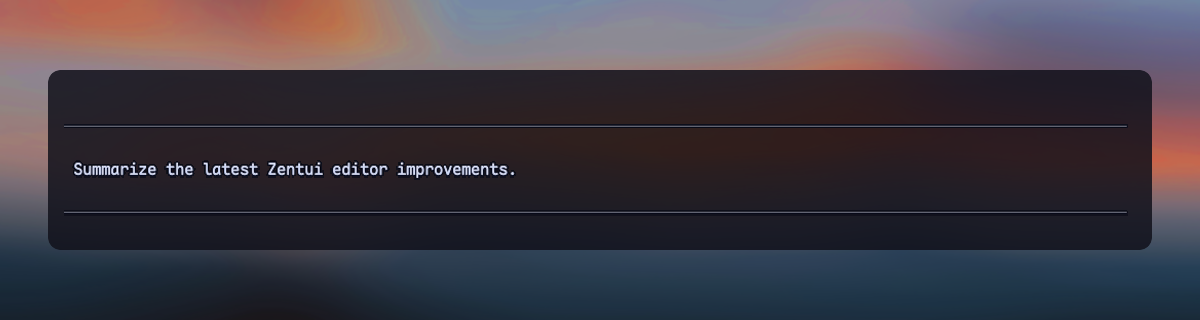
compact
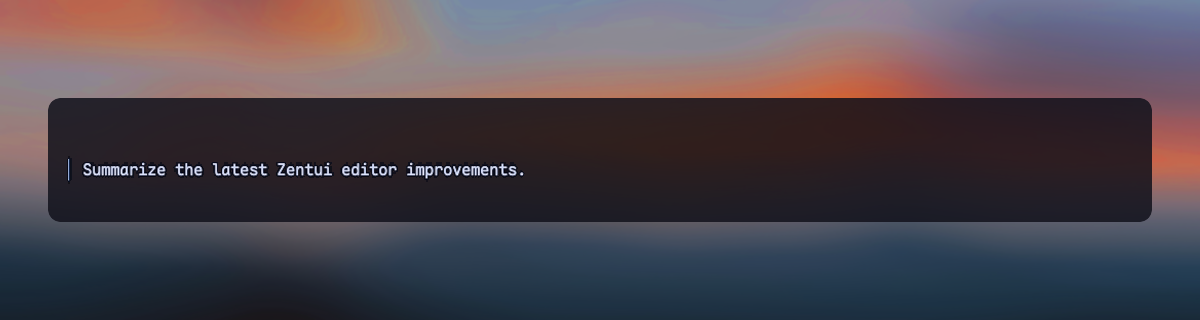
labeled
## Install
```bash
# From npm
pi install npm:pi-zentui
# From git
pi install git:github.com/lmilojevicc/pi-zentui
```
### Oh My Pi
Requires OMP **18.4.10 or newer**. From this checkout:
```bash
# Try without changing installed plugins
npm run omp:dev
# Persistently link the development checkout
npm run omp:install-local
```
OMP loads `omp.ts` through the package's `omp.extensions` manifest; Pi keeps its existing entrypoint. Configuration is separate: `~/.omp/agent/zentui.json` by default, or the active OMP profile's agent directory.
The OMP port is deliberately a small skin: **Editor, User messages, and Statusline only**. `/zentui` has those three sections; Working, thinking, selectors, and summaries remain OMP-owned. Pi keeps the full Zentui component set. Saved choices for unsupported OMP surfaces are not rewritten.
Opencode and Minimalist metadata include OMP's supported `fast`/`ultrafast` mode. Existing custom templates are unchanged; add `$fast_mode` explicitly where wanted. Statusline supports the same token independently.
OMP also exposes opt-in [template data](./docs/configuration.md#omp-template-data) for session ID, PR number/URL, subagent count, token rate, active processing time, hostname, provider quota, Vim/OMP modes, and collaboration/stream state. Use the same named variables in Opencode metadata, Minimalist slots, or Starship wide/compact formats. Defaults are unchanged; `$usage_quota` explicitly opts into OMP's usage-report API, which may refresh authenticated reports.
**Statusline → Starship** replaces OMP's native status content rather than adding another line. **Hidden** suppresses native main status content and shows only permitted extension statuses; **Native** restores OMP's own line. This works with Zentui Editor enabled or disabled. OMP's inert `setFooter()` API is adapted through guarded, session-scoped native renderer decoration; native settings and other sessions/previews are left alone. All built-in composer layouts are supported; unfamiliar frame/message shapes fail open. See [OMP compatibility](./docs/configuration.md#oh-my-pi-compatibility).
## Configure
Run `/zentui` inside Pi to configure Appearance, Editor, User messages, Thinking (Experimental), Working line, Footer, and Extension statuses. With Starship selected, Footer contains **Segments →** and **Git →** child pages. Use `Tab` and `Shift+Tab` to switch sections; compact help follows your configured selection keys. Every section has a direct route (for example, `/zentui footer`). `/zentui segments` and `/zentui git` open Footer child pages when Starship is active; under Native or Hidden they open Footer with a requires-Starship explanation. `/zentui extensions` always opens independent default/per-key status visibility, without changing Footer style or saved Starship placement/color preferences. The configured cancel key returns from a child to Footer; at the top level it closes settings. Extension statuses are published keyed Footer statuses, not extension management or Working line integrations. Inactive options retain their saved preferences. Most changes apply live. Active Streaming can switch live to Rail or Tree, and Rail and Tree can switch live between each other. Entering Streaming from a structural mode, first enable, and re-enable after a live disable require restarting Pi. Configuration is saved to:
```text
~/.pi/agent/zentui.json
```
### Component presets
Choose **Appearance → Preset** in `/zentui`, or run `/zentui preset `:
| ID | Editor (enabled) | Footer | User messages |
| --- | --- | --- | --- |
| `opencode` | Opencode | Starship | Framed |
| `opencode-copy-friendly` | Opencode (copy-friendly) | Starship | Framed (copy-friendly) |
| `rail` | Accent Rail | Starship | Compact (accent rail) |
| `minimalist` | Minimalist | Hidden (statuses only) | Zentui styling disabled |
Presets apply once, saving only these component selections. Colors, color sources, style options, icons, Footer segments/formats, selector borders, Working line, and Thinking remain unchanged. Minimalist preserves the dormant message style and leaves Pi's native message presentation alone. Hidden suppresses main Footer segments, not allowed extension statuses; it is not Native.
The displayed preset is derived from your current selections: individual changes may show **Custom**, and returning to a matching combination restores its name. No `preset` config key is saved or reapplied at startup. Defaults are unchanged and match Opencode. Selecting a preset keeps settings open for further adjustments. Editor installation waits until the panel closes; if editor ownership prevents application, the saved choice may require reloading Pi.
### Minimal overrides
Installation enables Opencode Editor, Framed User messages, Zentui selector borders, and Starship Footer. Working line and Thinking (Experimental) remain disabled. Missing fields retain those defaults; there is no automatic migration. Auto icons use Nerd glyphs for iTerm2, WezTerm, Ghostty, Kitty, and Alacritty environment signals, and otherwise fall back to ASCII. Set `ZENTUI_NERD_FONTS=1` or `0` to override Auto. These environment heuristics cannot detect whether a Nerd Font is installed or configured; explicit `nerd` and `ascii` modes always win. ASCII changes icons, not the entire UI.
Change only what you need. For example, this changes only the Editor's accent:
```json
{
"components": {
"editor": { "colors": { "accent": "bold blue" } }
}
}
```
Each owner's **Color overrides** action edits raw styles independently. **Reset / inherit** deletes the local key; an empty string intentionally removes styling. Shared `colors` remain live historical fallbacks before **and after** migration. Color sources remain independent too.
To adopt **only User messages**, explicitly leave the other default-enabled surfaces alone:
```json
{
"components": {
"editor": { "enabled": false },
"userMessages": { "enabled": true, "style": "framed" },
"selectorBorders": { "enabled": false },
"footer": { "style": "native" }
}
}
```
Disabled/Native leaves Pi or a predecessor in control. Hidden instead shows only allowed extension statuses below the editor, with no row when empty. Ordinary saves snapshot only the edited owner. `/zentui migrate` is a separate confirmed all-owner selection/source/style-option snapshot; it preserves aliases, unknown fields, and shared color inheritance, and never copies generated palettes. See the configuration reference for exact owner color keys and reset behavior.
Detailed reference:
- [Configuration, component styles, defaults, runtime detection, and compatibility](https://github.com/lmilojevicc/pi-zentui/blob/main/docs/configuration.md)
- [Footer format template and variables](https://github.com/lmilojevicc/pi-zentui/blob/main/docs/footer-format.md)
The Starship Footer path defaults to `basename`. Opt into `components.footer.styles.starship.pathDisplay.mode: "repository"` to omit the repository directory itself: the repository root renders `.`, while `/repo/extensions/zentui` renders `extensions/zentui`. `depth` keeps the final N components in `full` and `repository` modes; `0` is unlimited. Until a current, safely contained repository root is available, repository mode silently uses the unlimited `full` path with `~` home abbreviation.
Useful shortcuts:
```text
/zentui editor toggle
/zentui messages toggle
/zentui working-line
/zentui statusline toggle
/zentui viewport-indicators toggle
/zentui format "$cwd on branch $git_branch$git_status using $runtime $fill $context"
/zentui format clear
```
**Thinking (Experimental)** uses one private `AssistantMessageComponent` renderer for Rail, Tree, and Streaming, tested against exact Pi versions 0.85.0 and 0.87.1. It is disabled by default and may break after Pi updates. Zentui installs an enabled startup mode before transcript restoration. A healthy installed controller lets active Streaming switch live to Rail or Tree, and lets Rail and Tree switch live between each other, without reinstalling its patch. Entering Streaming from Rail or Tree saves the choice but keeps the active structural mode until restart. Disabling live restores native thinking and releases Streaming resources. First enable and re-enable after a live disable are also restart-gated. Mode changes while disabled only preconfigure the next enable. Startup failures, missing constructors, incompatible private child layouts, parser limits, theme/render/width errors, and displaced patch ownership fail open to complete native thinking. If cleanup throws while leaving Streaming, disabling still restores native thinking and a structural selection still becomes active; the successful change warns that Streaming is unavailable for the rest of the session.
Rail shows every parsed label in each native contiguous thinking run (`│ Label`, with only the open final phase shown as `│ • Label`). Tree independently shows the latest five labels in each run (`├─ · Label`, settled `└─ · Label`, open `└─ • Label`); it never aggregates across intervening text or tool blocks. Rail and Tree follow Pi's thinking visibility. Complete strict SGR styling is stripped before parsing; every other terminal control and unsafe or unstructured content keeps the complete run native. Labels are rendered by fresh host-shaped Pi Markdown instances before cropping, so emphasis, code, links, HTML, LaTeX, custom transforms, and native `thinkingText` styling remain host-controlled. Every label occupies one terminal row: ANSI/OSC/grapheme-aware cropping adds `…` only when needed. Native horizontal padding stays external. Connectors are styled directly with the current theme's `accent` callback on every render, so custom themes control them independently. Hidden native thinking remains hidden and keeps Pi's native hidden label.
Streaming retains Pi's host-rendered final five rows under `Thinking 7.1s`, folds completed reasoning under `Thought` or current-session `Thought for 12.3s`, and owns the configured thinking-toggle binding (Ctrl+T by default) only when started in Streaming. Its input listener and timer are acquired only for an enabled Streaming session start; startup acquisition failure uses native thinking and marks Streaming unavailable. Restored completions cannot recover a duration because Pi does not persist the thinking-end timestamp. Expand/refold and lifecycle tracking are bounded to 256 retained assistant components; evicted entries are first restored natively. All modes restore/dispose on shutdown. Thinking (Experimental) never writes the Working line and does not change its existing **Thinking time** option, working text, Footer, Editor, statuses, or model behavior.
Pi 0.84 also provides a native fullscreen TUI with a sticky editor and Footer. Both tested versions are covered by a fullscreen live-transition PTY smoke in addition to the standard matrix. Zentui does not enable fullscreen automatically; select it from Pi's `/settings`, set `"tuiMode": "fullscreen"` in Pi settings, or launch Pi with `--tui-mode fullscreen`.
**Codex quota (opt-in):** Show remaining 5-hour/weekly quota for `openai-codex` through independent Editor and Starship Footer settings, both off by default. See [configuration and private-endpoint limitations](./docs/configuration.md#codex-account-quota), including `$codex_quota` for custom templates.
Minimalist can also show the latest assistant prompt's cache hit rate in its top-right metadata. Enable **Editor → Minimalist → Cache hit rate** or set `components.editor.styles.minimalist.showCacheHit` to `true`; it is off by default and does not depend on Footer.
## Requirements
- [Pi](https://pi.dev) coding agent 0.85.0 or newer
- A [Nerd Font](https://www.nerdfonts.com/) for Nerd icons; Auto falls back to ASCII when no supported terminal signal is present
## Development
```bash
npm install
npm run fmt
npm run verify
npm run pack:check
```
Run Pi with only the local extension:
```bash
npm run pi:dev
```
Install the checkout as a local Pi package:
```bash
npm run pi:install-local
```
Override the globally installed Pi binary when needed:
```bash
PI_BIN=/path/to/pi npm run pi:dev
```
See [CONTRIBUTING.md](https://github.com/lmilojevicc/pi-zentui/blob/main/CONTRIBUTING.md) for manual UI-test and pull-request expectations.
## Inspiration and credits
- [Starship](https://starship.rs/) — inspiration for the informative, segment-based Footer
- [Opencode](https://github.com/anomalyco/opencode) — inspiration for the Opencode editor treatment
- [Oh My Pi (`omp`)](https://github.com/can1357/oh-my-pi) by [Can Bölük](https://github.com/can1357) — visual inspiration for the filled, single-left-rail Accent Rail editor
- [Pi Custom Input](https://github.com/VinhLe1410/pi-custom-input) by [Vinh Le](https://github.com/VinhLe1410) — visual inspiration for Minimalist's framed, border-embedded session, model, context, Git, and path metadata
- [Pi Thinking Steps](https://github.com/crustyhacker/pi-thinking-steps) by Marc Mironescu / FluxGear — structural-step parsing and the Rail/Tree visual language; adapted in Thinking (Experimental) under the MIT License
- [Pi Thinking Fold](https://github.com/99percentpeople/pi-extensions/tree/master/extensions/thinking-fold) by [Zach Yuen](https://github.com/99percentpeople) — native rendered-row folding, timing, expand/refold behavior, and fail-open compatibility patterns; adapted in Thinking (Experimental) under the MIT License
Most Zentui implementations are independent; these credits acknowledge product and visual inspiration. Thinking (Experimental) also adapts MIT-licensed implementation work from Pi Thinking Steps and Pi Thinking Fold. Their complete copyright and permission notices are retained in the packaged [`thinking-experimental.ts`](./extensions/zentui/thinking-experimental.ts) source.
## License
Zentui is licensed under the MIT License. Wallpaper photo by [Mohammad Alizade](https://unsplash.com/@mohamadaz) on [Unsplash](https://unsplash.com/photos/SB5MIXFjJxs), used under the [Unsplash License](https://unsplash.com/license). The photograph appearing in showcase screenshots is not relicensed under MIT.