# pi-web-agent
[](https://github.com/demigodmode/pi-web-agent/actions/workflows/ci.yml)
[](https://www.npmjs.com/package/@demigodmode/pi-web-agent)
[](https://demigodmode.github.io/pi-web-agent/)
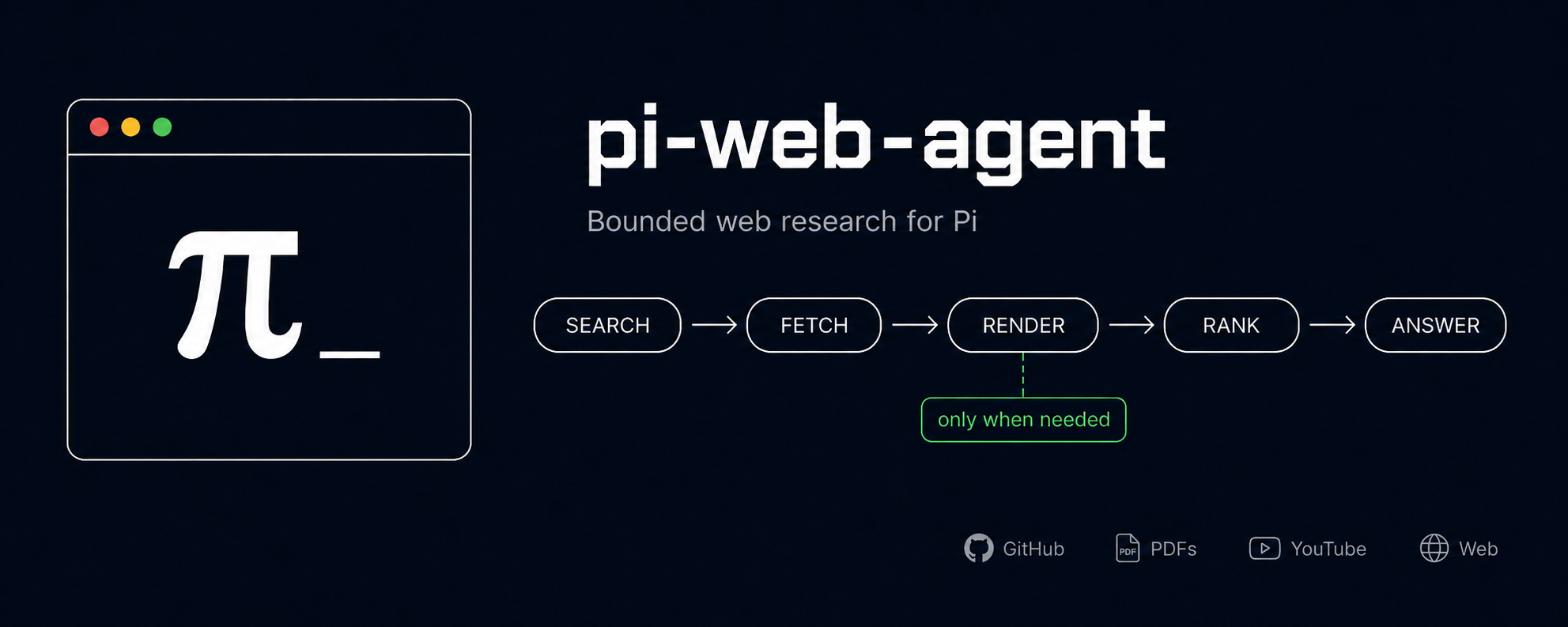
One public tool, `web_explore`, that does bounded web research for Pi: search, fetch, targeted browser rendering, ranking, and honest caveats, all behind a single call.
> Most agent web tooling blurs search, fetch, rendering, and synthesis into one vague thing. `pi-web-agent` keeps that boundary simple, and it is stricter about what it actually did: bot-check pages, narrow source sets, unreadable threads, and conflicting evidence show up as caveats instead of fake confidence.
## What you get
- **One tool.** `web_explore` handles direct links, discovery, HTTP reads, targeted headless rendering, source ranking, source-quality checks, and caveats internally.
- **Reads the real content behind links.** Paste a GitHub, PDF, or YouTube URL and it pulls the actual thing (GitHub files/issues/PRs from the API, PDF text, YouTube transcripts), keyless. So "summarize this PDF" or "what does this repo do" works off the source, not the page shell.
- **Six search backends.** DuckDuckGo (keyless default), SearXNG, Brave, You.com, Exa, Tavily.
- **Optional search fanout.** Query several backends at once, dedupe, and rank pages that more than one provider agreed on to the top. Off by default; flip it to `on` or `auto`.
- **Honest by default.** Weak, narrow, blocked, or cautionary evidence gets flagged instead of dressed up as confidence.
- **Bounded output.** `compact` / `preview` / `verbose` transcript modes.
- **Zero-config to start.** Runs keyless out of the box (DuckDuckGo search, local browser, the built-in readers). Opt into hosted backends, fallback, search fanout, and per-tool output modes through config when you want more control.
## Why pi-web-agent
Compared to other web tooling for agents:
- **Hands-off.** No curator, no browser windows to approve, no step that pops you out of your session. Ask `web_explore` once and the answer comes back with caveats. Nothing to babysit.
- **Keyless by default.** Search, page reads, and the GitHub/PDF/YouTube readers all work with no API keys. Add hosted providers only when you want them.
- **Bounded and honest.** Compact output by default, and it says when a read was not good enough instead of returning fake confidence.
## Install
> `pi-web-agent` requires Pi 0.74+ (Pi packages moved to the `@earendil-works/*` scope). Update Pi before updating this package. On older Pi, stay on `@demigodmode/pi-web-agent@0.6.x`.
```bash
pi install npm:@demigodmode/pi-web-agent
```
Reload or restart Pi after installing, then:
```text
/web-agent doctor # check it loaded and show configured backends
/web-agent # action menu
```
Update later with `pi update --extensions`.
**Browser rendering:** headless first tries a detected Chromium-family browser (Chrome, Chromium, Edge, Brave). If none is found, it falls back to Playwright-managed Chromium. Firefox/Safari-only systems still get search and plain HTTP reads.
## Usage
Ask `web_explore` a web question:
> Find current docs and discussions on configuring Vitest coverage with the v8 provider.
Or hand it a link to read:
> Summarize this PDF: https://arxiv.org/pdf/1706.03762
If a pass comes back thin, call `web_explore` again with a narrower query.
## Backends
Defaults are DuckDuckGo search, plain HTTP fetch, and local-browser headless. Switch providers from `/web-agent settings → Backends`. API keys stay in environment variables, never in config files.
| Backend | Role | Enable with |
| --- | --- | --- |
| DuckDuckGo | search (default) | nothing, keyless |
| SearXNG | search (self-hosted) | base URL |
| Brave | search (hosted) | `PI_WEB_AGENT_BRAVE_API_KEY` |
| You.com | search (hosted) | `YDC_API_KEY` |
| Exa | search (hosted) | `EXA_API_KEY` |
| Tavily | search (hosted) | `TAVILY_API_KEY` |
| Firecrawl | fetch (self-hosted) | base URL + `PI_WEB_AGENT_FIRECRAWL_API_KEY` |
| GitHub reader | content | `GITHUB_TOKEN` (optional, raises the rate limit) |
Full config shape (fallback, SearXNG/Firecrawl options, fanout): see the [self-hosted backends docs](https://demigodmode.github.io/pi-web-agent/self-hosted-backends).
## Settings
```text
/web-agent settings # main UI
/web-agent doctor # health check
/web-agent show # effective config
/web-agent changelog
/web-agent mode web_explore verbose # per-tool presentation mode
/web-agent reset project | global
```
Config is JSON, and project config overrides global:
```text
Global: ~/.pi/agent/extensions/pi-web-agent/config.json
Project: .pi/extensions/pi-web-agent/config.json
```
```json
{
"presentation": {
"defaultMode": "compact",
"tools": { "web_explore": { "mode": "verbose" } }
}
}
```
Presentation modes:
- `compact`: short summary, the default everywhere
- `preview`: slightly richer bounded view
- `verbose`: fuller bounded view
## Docs
Full docs: . Work on them locally with `npm run docs:dev`.
## Development
```bash
npm install
npm test
npm run lint
npm run build
```
Local Pi work uses `.pi/extensions/pi-web-agent.ts`; run `/reload` after changes.
## License
AGPL-3.0-only. See [LICENSE](LICENSE).