Zentui
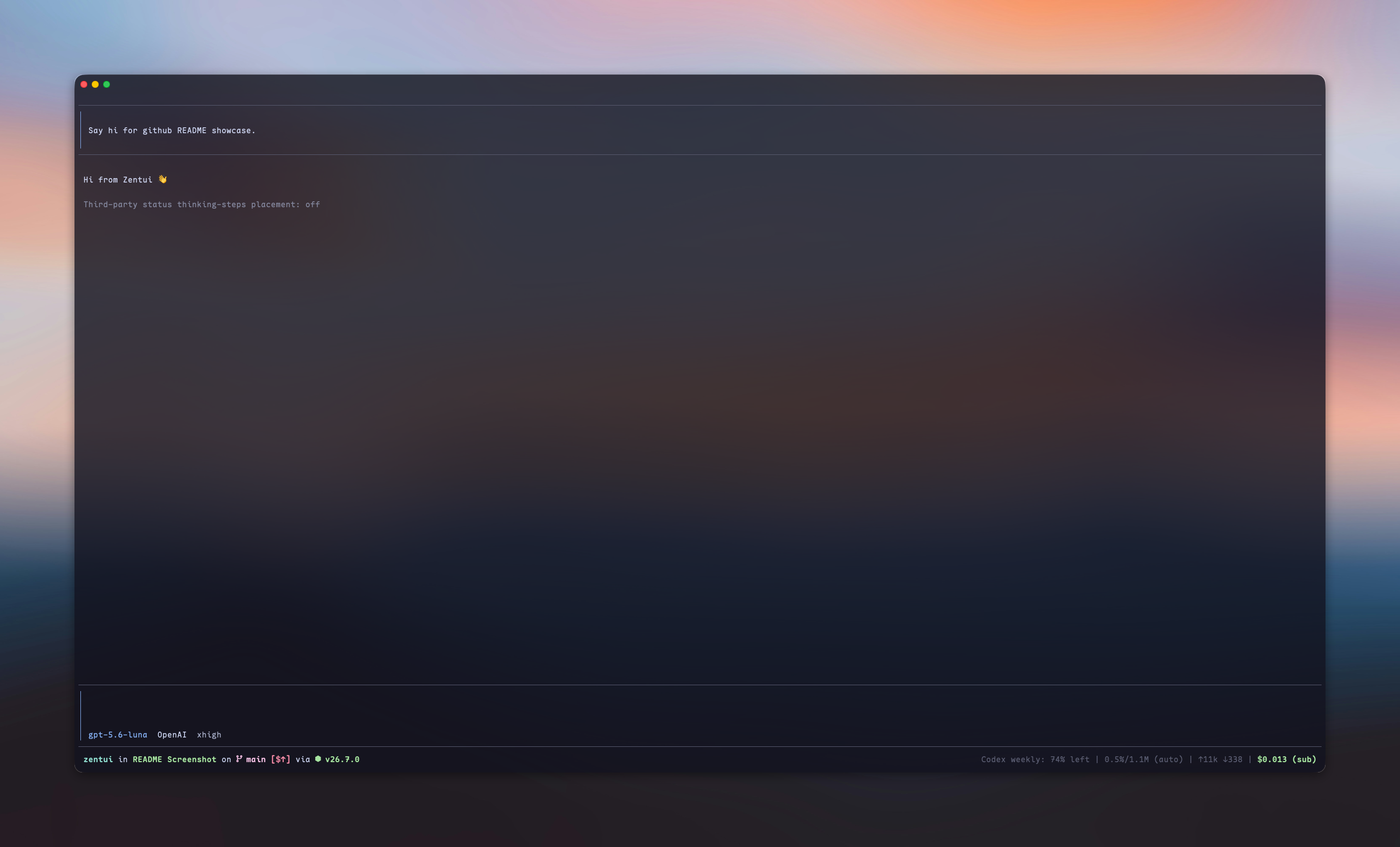
A Starship-inspired statusline and Opencode-style TUI for Pi.





## What is this?
Zentui gives four Pi surfaces independent ownership and styling:
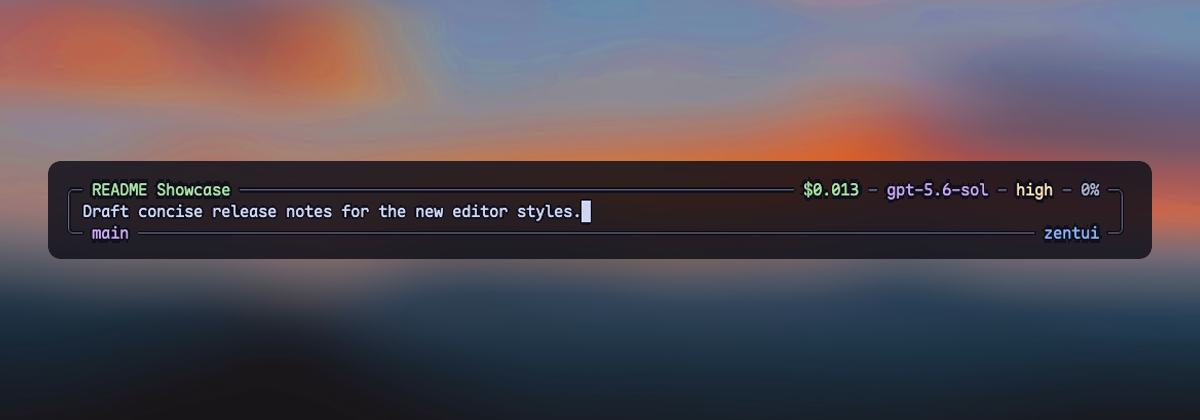
- **Editor** — Opencode, Opencode copy-friendly, Accent Rail, and Minimalist input treatments
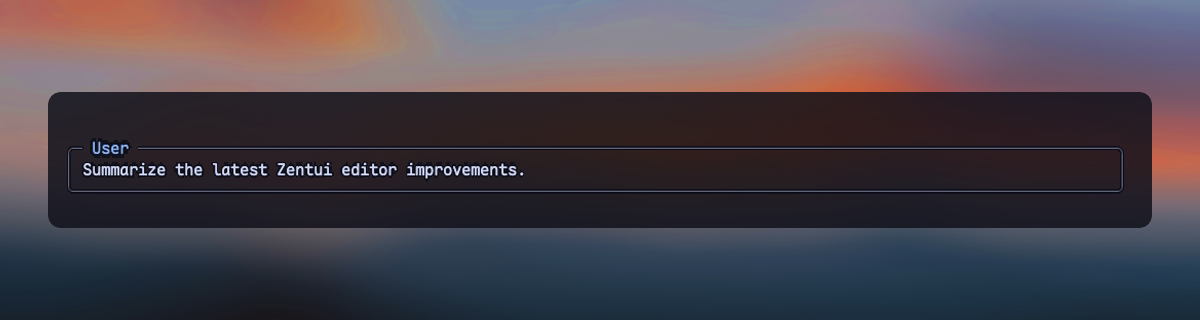
- **User messages** — framed, framed copy-friendly, compact, and labeled transcript messages
- **Working line** — optional ownership of Pi's complete in-progress row and settled turn summary
- **Footer** — Pi's native Footer, a Starship-style statusline, or a hidden zero-row Footer
Editor, User messages, Working line, and selector borders have independent `enabled` fields. Footer uses one `style`: `native`, `starship`, or `hidden`. Use `/zentui` to configure each component without coupling it to the others.
## Highlights
| Surface | Default | Available treatments |
| --- | --- | --- |
| Editor | `opencode` | Opencode, copy-friendly, Accent Rail, Minimalist |
| User messages | `framed` | Framed, copy-friendly, Compact, Labeled |
| Working line | disabled | Five spinner presets, live tool/time/thinking/token segments, turn summary |
| Footer | `starship` | Native, Starship, Hidden |
| Selector borders | `zentui` | Independent enablement and color source |
The Starship Footer shows directory, Git, runtime, context, tokens, and cost. Optional segments include model/provider, package version, session duration, `user@host`, time, OS, Git commit, Git metrics, and third-party extension statuses. The layout is segment-driven by default and supports a complete Starship-style format template.
Zentui detects a broad set of runtime and language modules, preserves Nerd Font icons with an ASCII mode, and can source colors from the active Pi theme or directly from the terminal palette.
## Screenshots
### Editors
opencode
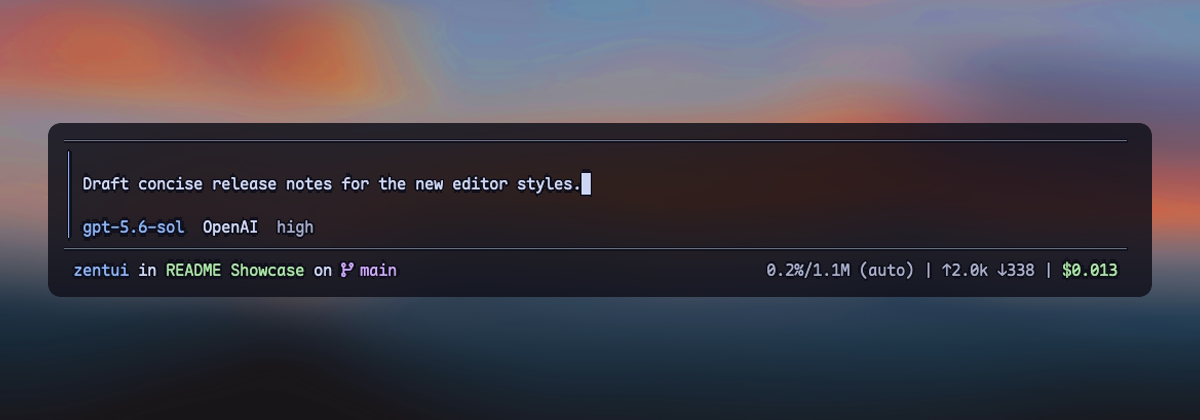
opencode-copy-friendly
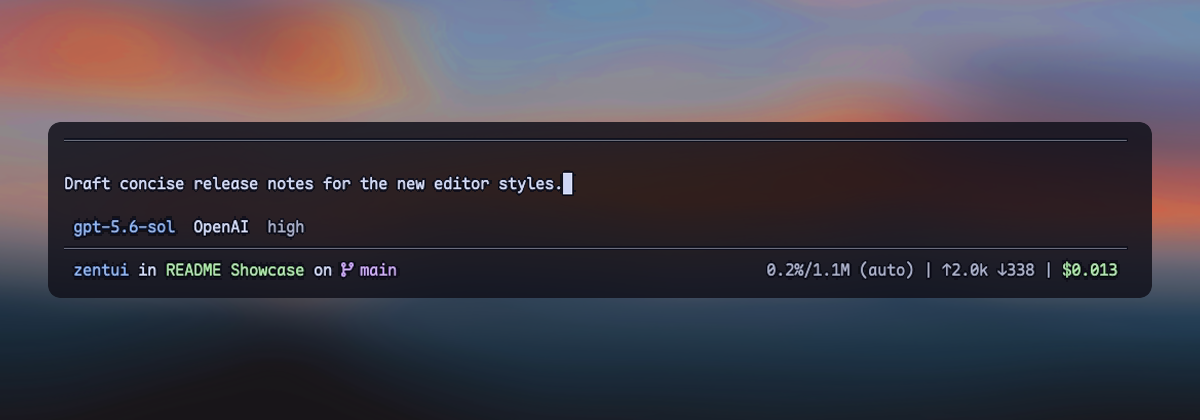
accent-rail
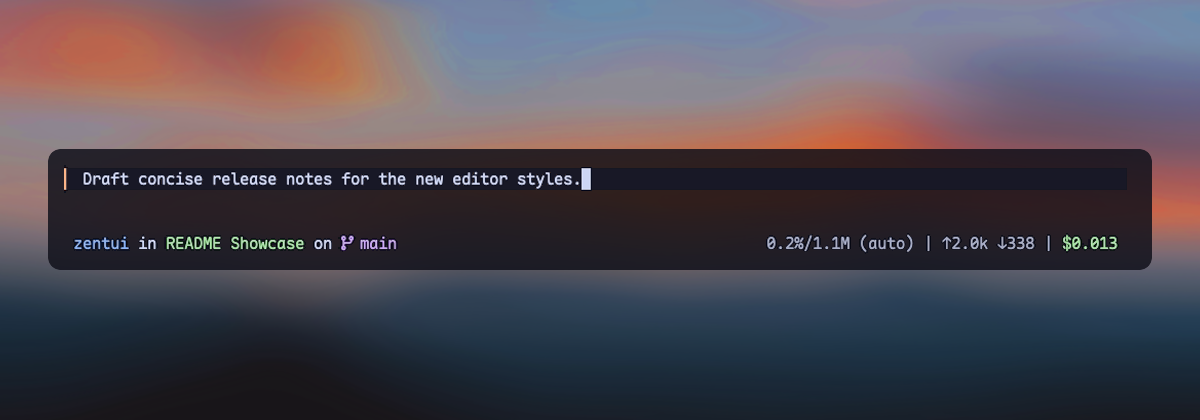
minimalist
### User messages
framed
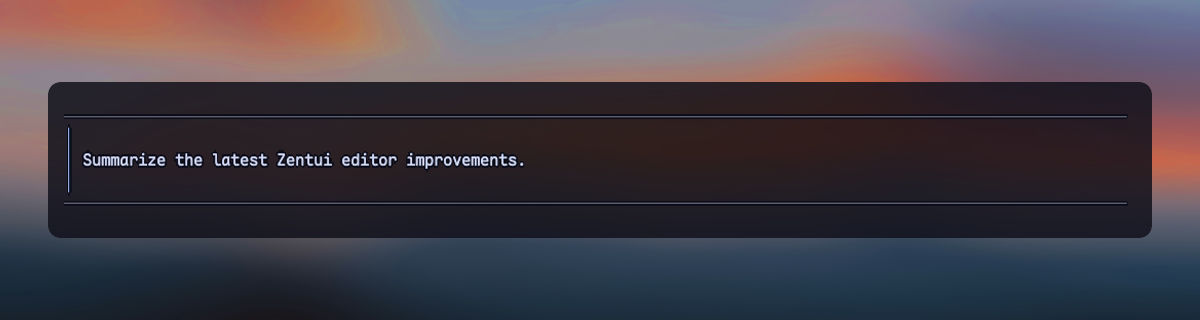
framed-copy-friendly
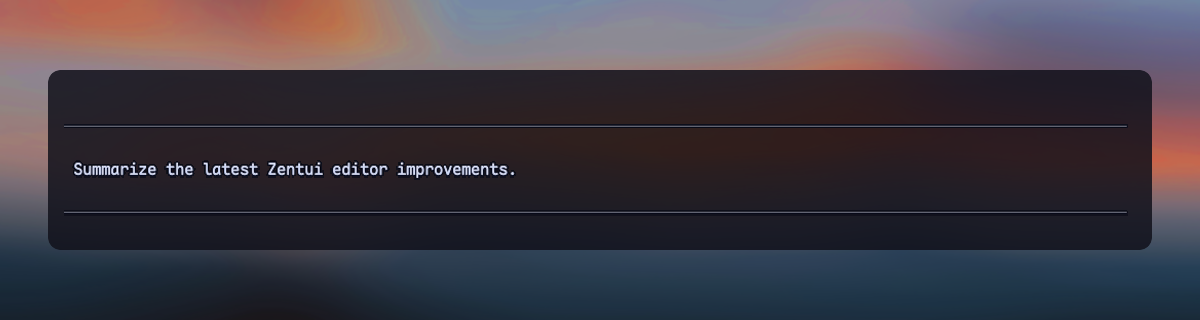
compact
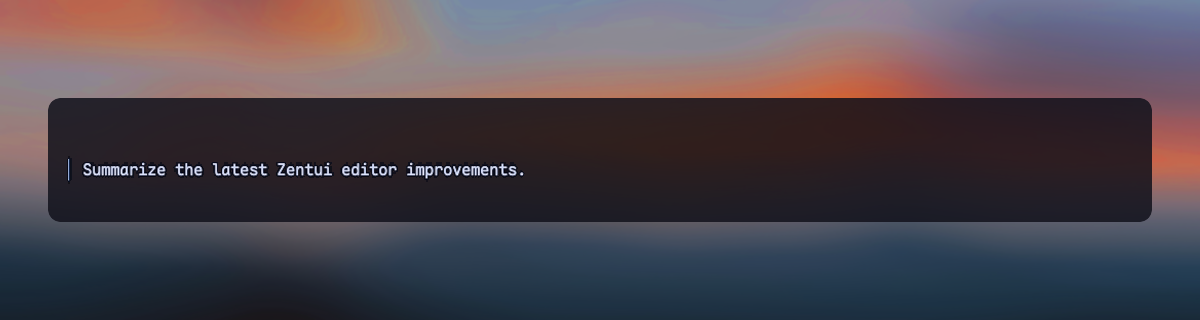
labeled
## Install
```bash
# From npm
pi install npm:pi-zentui
# From git
pi install git:github.com/lmilojevicc/pi-zentui
```
## Configure
Run `/zentui` inside Pi to configure Appearance, Editor, User messages, Working line, Footer, Segments, Git, and Extensions. Use `Tab` and `Shift+Tab` to switch sections. Changes are applied live and saved to:
```text
~/.pi/agent/zentui.json
```
A small starter config:
```json
{
"components": {
"editor": {
"enabled": true,
"style": "accent-rail"
},
"userMessages": {
"enabled": true,
"style": "framed"
},
"workingLine": {
"enabled": false
},
"footer": {
"style": "starship"
}
},
"icons": {
"mode": "auto"
}
}
```
Detailed reference:
- [Configuration, component styles, defaults, runtime detection, and compatibility](https://github.com/lmilojevicc/pi-zentui/blob/main/docs/configuration.md)
- [Footer format template and variables](https://github.com/lmilojevicc/pi-zentui/blob/main/docs/footer-format.md)
The Starship Footer path defaults to `basename`. Opt into `components.footer.styles.starship.pathDisplay.mode: "repository"` to omit the repository directory itself: the repository root renders `.`, while `/repo/extensions/zentui` renders `extensions/zentui`. `depth` keeps the final N components in `full` and `repository` modes; `0` is unlimited. Until a current, safely contained repository root is available, repository mode silently uses the unlimited `full` path with `~` home abbreviation.
Useful shortcuts:
```text
/zentui editor toggle
/zentui messages toggle
/zentui working-line
/zentui statusline toggle
/zentui viewport-indicators toggle
/zentui format "$cwd on branch $git_branch$git_status using $runtime $fill $context"
/zentui format clear
```
Pi 0.84 also provides a native fullscreen TUI with a sticky editor and Footer. Zentui does not enable it automatically; select fullscreen from Pi's `/settings`, set `"tuiMode": "fullscreen"` in Pi settings, or launch Pi with `--tui-mode fullscreen`.
## Requirements
- [Pi](https://pi.dev) coding agent 0.80.5 or newer
- A [Nerd Font](https://www.nerdfonts.com/) for icons, or `icons.mode: "ascii"`
## Development
```bash
npm install
npm run fmt
npm run verify
npm run pack:check
```
Run Pi with only the local extension:
```bash
npm run pi:dev
```
Install the checkout as a local Pi package:
```bash
npm run pi:install-local
```
Override the globally installed Pi binary when needed:
```bash
PI_BIN=/path/to/pi npm run pi:dev
```
See [CONTRIBUTING.md](https://github.com/lmilojevicc/pi-zentui/blob/main/CONTRIBUTING.md) for manual UI-test and pull-request expectations.
## Inspiration and credits
- [Starship](https://starship.rs/) — inspiration for the informative, segment-based Footer
- [Opencode](https://github.com/anomalyco/opencode) — inspiration for the Opencode editor treatment
- [Oh My Pi (`omp`)](https://github.com/can1357/oh-my-pi) by [Can Bölük](https://github.com/can1357) — visual inspiration for the filled, single-left-rail Accent Rail editor
- [Pi Custom Input](https://github.com/VinhLe1410/pi-custom-input) by [Vinh Le](https://github.com/VinhLe1410) — visual inspiration for Minimalist's framed, border-embedded session, model, context, Git, and path metadata
Zentui's implementations are independent; these credits acknowledge product and visual inspiration rather than source-code reuse.
## License
Zentui is licensed under the MIT License. Wallpaper photo by [Mohammad Alizade](https://unsplash.com/@mohamadaz) on [Unsplash](https://unsplash.com/photos/SB5MIXFjJxs), used under the [Unsplash License](https://unsplash.com/license). The photograph appearing in showcase screenshots is not relicensed under MIT.