
# PlayCanvas WebGL Game Engine
PlayCanvas is an open-source game engine. It uses HTML5 and WebGL to run games and other interactive 3D content in all modern browsers without the need for a plugin.
## Project Showcase
Many games and apps have been published using the PlayCanvas engine. Here is a small selection:
[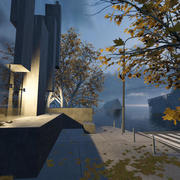](https://playcanv.as/p/44MRmJRU/) [](https://apps.facebook.com/1315812941823883/) [](http://partners.disney.com/hour-of-code/wayfinding-with-code) [](https://playcanv.as/p/sAsiDvtC/)
[](https://tanx.io/) [](https://chrome.google.com/webstore/detail/swooop/jblimahfbhdcengjfbdpdngcfcghladf) [](http://www.miniclip.com/games/flappy-bird/en/) [](http://www.miniclip.com/games/virtual-voodoo/en/)
[](https://playcanv.as/p/yipplmVO/) [](https://playcanv.as/p/txPePQvy/) [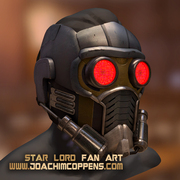](https://playcanv.as/p/SA7hVBLt) [](https://playcanv.as/p/zi09Xvld/)
[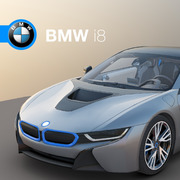](http://car.playcanvas.com/) [](https://playcanv.as/p/nL1dYbMv) [](http://casino.playcanvas.com/) [](http://seemore.playcanvas.com/)
You can see more games on the [PlayCanvas website](https://playcanvas.com/explore).
## Users
PlayCanvas Engine and Tools been used by leading companies in game development, automotive, digital agencies and more. Some of them are:
**Disney, King, Zynga, Miniclip, Nickelodeon, Leapfrog, IGT, ARM, Samsung, Mozilla, Facebook**
## Features
The PlayCanvas Engine is a fully featured game engine.
* **Graphics**
* WebGL 2.0 based renderer (with fallback to WebGL 1.0)
* Physically based rendering (PBR)
* Directional, point and spot lights
* Shadow mapping (PCF and VSM implementations)
* Runtime lightmap baking
* Static, skinned and morphed meshes
* GPU Particle engine with editor
* PostFX library: bloom, edge detect, FXAA, vignette, etc
* Seamless default material support from Maya, 3DS Max, Blender, etc.
* Full model export pipeline from Maya, 3DS Max, Blender, etc via [Assets User Manual](http://developer.playcanvas.com/en/user-manual/assets/)
* **Collision & Physics**
* Full integration with 3D rigid-body physics engine [ammo.js](https://github.com/kripken/ammo.js)
* **Audio**
* 3D Positional audio via Web Audio API
* **Resource Loading**
* Simple and powerful resource loading
* Streaming of individual assets
* Asset Variants - loads compressed textures (DXT, PVR, ETC1) based on platform support
* **Entity / Component System**
* Built-in components: model, sound, animation, camera, collision, light, rigidbody, script, particlesystem
* **Scripting system**
* Write game behaviors by attaching JavaScript to game entities
* Live code hot-swap enables rapid iteration
* **Input**
* Mouse, Keyboard, Touch, Gamepad, VR
## Usage
Here's a super-simple Hello World example - a spinning cube!
```html
PlayCanvas Hello Cube
```
Want to play with the code yourself? Edit it on [CodePen](http://codepen.io/playcanvas/pen/NPbxMj).
## Tutorials & Examples
See all the [tutorials](http://developer.playcanvas.com/tutorials/) here.
## Documentation
Full documentation available on the [PlayCanvas Developer](http://developer.playcanvas.com) site including [API reference](http://developer.playcanvas.com/en/api/)
## Releases
A full list of Releases and Release Notes is available [here](https://github.com/playcanvas/engine/releases).
## How to get models?
To convert any models created using a 3D modelling package see [this page](http://developer.playcanvas.com/en/engine/) in the developer documentation.
## How to build
* Ensure you have [nodejs](https://nodejs.org) installed
* Ensure you have [Java](https://java.com/en/download/) installed.
The first time you build you will be asked to install dependencies using `npm`. e.g.
npm install fs-extra
npm install google-closure-compiler
npm install preprocessor
Then, to execute a build of the engine to the build/output folder, do:
cd build
node build.js
See the built in help for more build instructions
node build.js -h
Pre-built versions of the engine are also available.
Latest development release:
* https://code.playcanvas.com/playcanvas-latest.js
* https://code.playcanvas.com/playcanvas-latest.min.js
Latest stable release:
* https://code.playcanvas.com/playcanvas-stable.js
* https://code.playcanvas.com/playcanvas-stable.min.js
Specific engine versions:
* https://code.playcanvas.com/playcanvas-0.181.11.js
* https://code.playcanvas.com/playcanvas-0.181.11.min.js
## Getting Help
[**Forums**](https://forum.playcanvas.com) - Use the forum to ask/answer questions about PlayCanvas.
[**Discord**](https://discord.gg/Abgck8a) - Real-time text, voice and video chat for the PlayCanvas developer community.
## Contributing
Want to help us make the best 3D engine on the web? Great!
Check out [CONTRIBUTING.md](https://github.com/playcanvas/engine/blob/master/.github/CONTRIBUTING.md) that will get you started.
And look for ["good first PR"](https://github.com/playcanvas/engine/issues?q=is%3Aissue+is%3Aopen+label%3A%22good+first+PR%22) label in Issues.
### Github Issues
Please use [Github Issues](https://github.com/playcanvas/engine/issues) to report bugs or request features.
### Reporting bugs
Please follow these steps to report a bug
1. **Search for related issues** - search the existing issues so that you don't create duplicates
2. **Create a testcase** - Please create the smallest isolated testcase that you can that reproduces your bug
3. **Share as much information as possible** - everything little helps, OS, browser version, all that stuff.
## PlayCanvas Platform
The PlayCanvas Engine is an open source engine which you can use to create games and 3D visualisation in the browser. In addition to the engine we also make the [PlayCanvas development platform](https://playcanvas.com/) which features an Visual Editor, asset management, code editing, hosting and publishing services.
## License
The PlayCanvas Engine is released under the [MIT](http://opensource.org/licenses/MIT) license. See LICENSE file.