




### Easily find and **remove** old and heavy **node_modules** folders :sparkles:
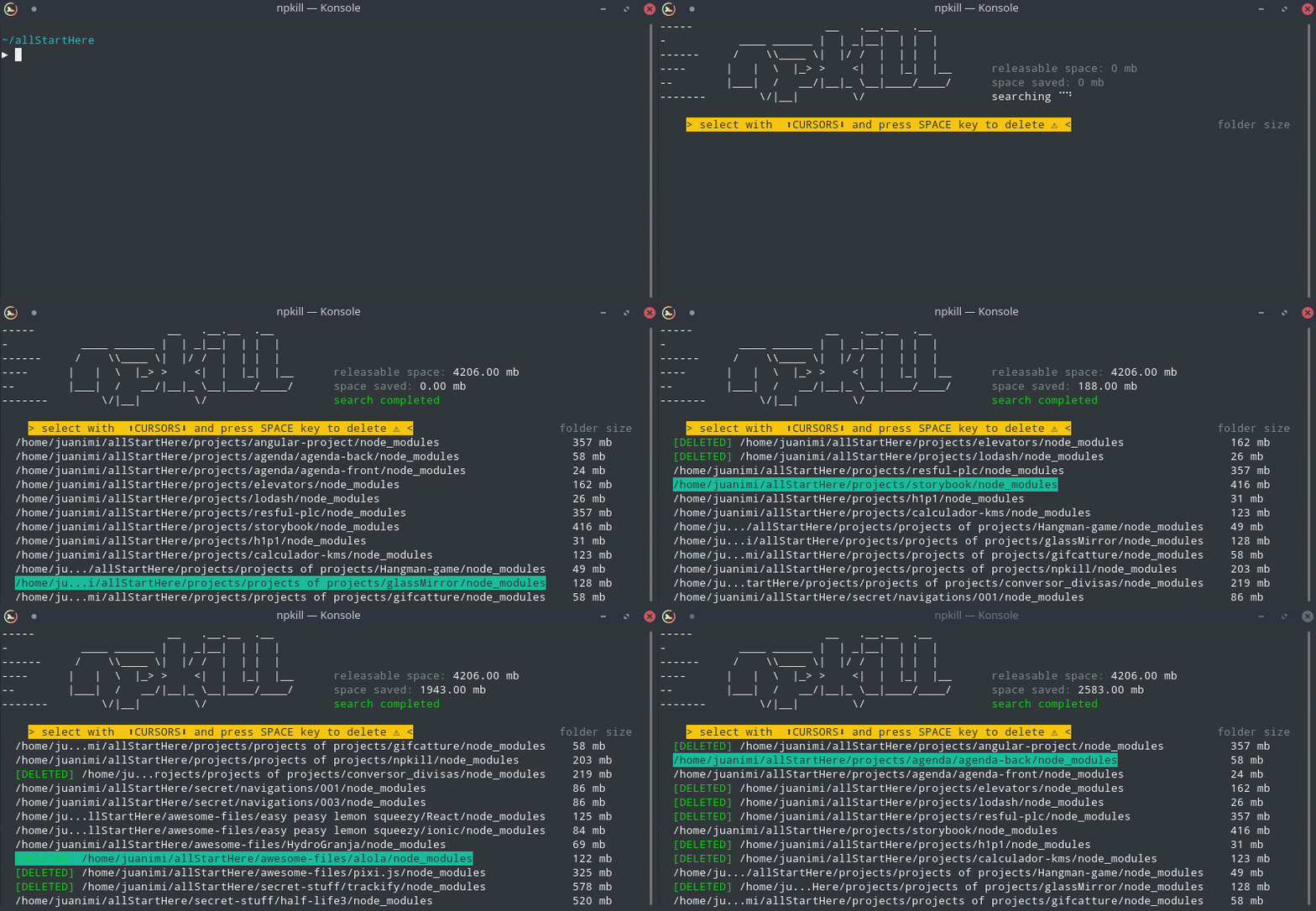
This tool allows you to list any _node_modules_ directories in your system, as well as the space they take up. You can then select which ones you want to erase to free up space. Yay!
## Table of Contents
- [Features](#features)
- [Installation](#installation)
- [Usage](#usage)
- [Options](#options)
- [Examples](#examples)
- [Roadmap](#roadmap)
- [Known bugs](#known-bugs)
- [Contributing](#contributing)
- [License](#license)
# :heavy_check_mark: Features
- **Clear space:** Get rid of old and dusty node_modules cluttering up your machine.
- **Very fast:** NPKILL is written in TypeScript, but searches are performed at a low level, improving performance greatly.
- **Easy to use:** Say goodbye to lengthy commands. Using npkill is as simple as reading a list of your node_modules, and pressing Del to get rid of them. Could it be any easier? ;)
- **Minified:** It barely has any dependencies.
# :cloud: Installation
```bash
$ npm i -g npkill
```
_Unix users may need to run the command with sudo. Go carefully_
# :clipboard: Usage
```bash
$ npkill
```
By default, npkill will scan for node_modules starting at the path where `npkill` command is executed.
Move between the listed folders with ↓ ↑, and use Space to delete the selected folder (v0.2.2 and below the key was Del).
To exit, Q or Ctrl + c if you're brave.
## Options
| ARGUMENT | DESCRIPTION |
| ---------------------- | ----------------------------------------------------------------------------------------- |
| -c, --bg-color | Change row highlight color. _(Available: **blue**, cyan, magenta, white, red and yellow)_ |
| -d, --directory | Set the directory from which to begin searching. By default, starting-point is . |
| -D, --delete-all | CURRENTLY DISABLED. Automatically delete all node_modules folders that are found. |
| -e, --show-errors | Show error messages related to the search if any |
| -f, --full | Start searching from the home of the user (example: "/home/user" in linux) |
| -gb | Show folders in Gigabytes instead of Megabytes. |
| -h, --help, ? | Show this help page and exit |
| -nu, --no-check-update | Dont check for updates on startup. |
| -v, --version | Show npkill version |
**Warning:** _In future versions some commands may change_
## Examples
- Search **node_modules** directories in your _projects_ directory:
```bash
npkill -d ~/projects
# other alternative:
cd ~/projects
npkill
```
- Delete all **node_modules** that have sneaked into your backups, and show errors if any occur:
```bash
npkill -d ~/backups/ -e
```
# :crystal_ball: Roadmap
- [x] Release 0.1.0 !
- [x] Improve code
- [x] Improve performance
- [ ] Improve performance even more!
- [ ] Sort results by size and path
- [ ] Reduce dependencies to be a more minimalist module
- [ ] Allow the search for other types of directories (targets)
- [ ] Allow to filter by directories that have not been used in a period of time
- [ ] Create option for displaying directories in tree format
- [ ] Add some menus
- [ ] Periodic and automatic cleaning (?)
# :bug: Known bugs :bug:
- Sometimes, CLI is blocked while folder is deleting.
- Some terminals that do not use TTY (like git bash in windows) do not work.
- (SOLVED) Performance issues when searching from high level directories (like / in linux).
- (SOLVED) Sometimes text collapses when updating the cli.
- (SOLVED) Analyzing the size of the directories takes longer than it should.
> If you find any bugs, don't hesitate and open an issue :)
# :revolving_hearts: Contributing
Available soon
# :scroll: License
MIT © [Nya García Gallardo](https://github.com/NyaGarcia) and [Juan Torres Gómez](https://github.com/zaldih)
:cat::baby_chick:
---