# react-date-range
[](https://www.npmjs.com/package/react-date-range)
[]()
[](https://www.npmjs.com/package/react-date-range)
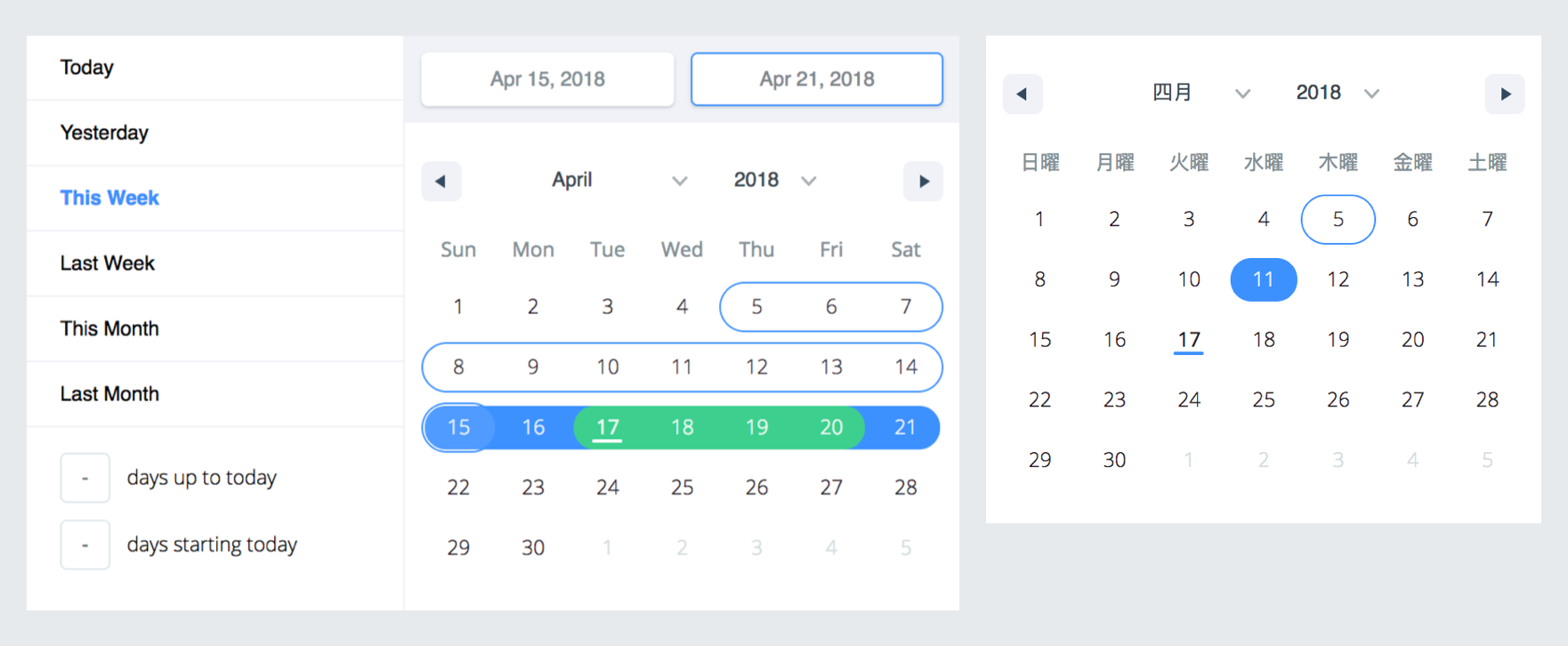
A date library agnostic React component for choosing dates and date ranges. Uses [date-fns](http://date-fns.org/) for date operations.
### Why should you use `react-date-range`?
- Stateless date operations
- Highly configurable
- Multiple range selection
- Based on native js dates
- Drag n Drop selection
- Keyboard friendly
**Live Demo :** [http://adphorus.github.io/react-date-range](http://adphorus.github.io/react-date-range)
## Getting Started
### Installation
```
npm install --save react-date-range
```
This plugin expects `react` and `date-fns` as peerDependencies, It means that you need to install them in your project folder.
```
npm install --save react date-fns
```
## Usage
You need to import skeleton and theme styles first.
```javascript
import 'react-date-range/dist/styles.css'; // main style file
import 'react-date-range/dist/theme/default.css'; // theme css file
```
### `DatePicker`
```javascript
import { Calendar } from 'react-date-range';
class MyComponent extends Component {
handleSelect(date){
console.log(date); // native Date object
}
render(){
return (
)
}
}
```
### `DateRangePicker / DateRange`
```javascript
import { DateRangePicker } from 'react-date-range';
class MyComponent extends Component {
handleSelect(ranges){
console.log(ranges);
// {
// selection: {
// startDate: [native Date Object],
// endDate: [native Date Object],
// }
// }
}
render(){
const selectionRange = {
startDate: new Date(),
endDate: new Date(),
key: 'selection',
}
return (
)
}
}
```
### Options
Property | type | Default Value | Description
-------------------------------------|-----------|------------------|-----------------------------------------------------------------
locale | Object | enUS from locale | you can view full list from [here](https://github.com/Adphorus/react-date-range/tree/next/src/locale/index.js). Locales directly exported from [`date-fns/locales`](https://date-fns.org/docs/I18n#supported-languages).
className | String | | wrapper classname
months | Number | 1 | rendered month count
showSelectionPreview | Boolean | true | show preview on focused/hovered dates
showMonthAndYearPickers | Boolean | true | show select tags for month and year on calendar top, if false it will just display the month and year
rangeColors | String[] | | defines color for selection preview.
shownDate | Date | | initial focus date
minDate | Date | | defines minimum date. Disabled earlier dates
maxDate | Date | | defines maximum date. Disabled later dates
direction | String | 'vertical' | direction of calendar months. can be `vertical` or `horizontal`
disabledDates | Date[] | [] | dates that are disabled
scroll | Object | { enabled: false }| infinite scroll behaviour configuration. Check out [Infinite Scroll](#infinite-scrolled-mode) section
showMonthArrow | Boolean | true | show/hide month arrow button
navigatorRenderer | Func | | renderer for focused date navigation area. fn(currentFocusedDate: Date, changeShownDate: func, props: object)
ranges | *Object[] | [] | Defines ranges. array of range object
moveRangeOnFirstSelection(DateRange) | Boolean | false | move range on startDate selection. Otherwise endDate will replace with startDate.
onChange(Calendar) | Func | | callback function for date changes. fn(date: Date)
onChange(DateRange) | Func | | callback function for range changes. fn(changes). changes contains changed ranges with new `startDate`/`endDate` properties.
color(Calendar) | String | `#3d91ff` | defines color for selected date in Calendar
date(Calendar) | Date | | date value for Calendar
showDateDisplay(DateRange) | Boolean | true | show/hide selection display row. Uses `dateDisplayFormat` for formatter
onShownDateChange(DateRange,Calendar)| Function | | Callback function that is called when the shown date changes
initialFocusedRange(DateRange) | Object | | Initial value for focused range. See `focusedRange` for usage.
focusedRange(DateRange) | Object | | It defines which range and step are focused. Common initial value is `[0, 0]`; first value is index of ranges, second one is which step on date range(startDate or endDate).
onRangeFocusChange(DateRange) | Object | | Callback function for focus changes
preview(DateRange) | Object | | displays a preview range and overwrite DateRange's default preview. Expected shape: `{ startDate: Date, endDate: Date, color: String }`
showPreview(DateRange) | bool | true | visibility of preview
editableDateInputs(Calendar) | bool | false | whether dates can be edited in the Calendar's input fields
dragSelectionEnabled(Calendar) | bool | true | whether dates can be selected via drag n drop
onPreviewChange(DateRange) | Object | | Callback function for preview changes
dateDisplayFormat | String | `MMM d, yyyy` | selected range preview formatter. Check out [date-fns's format option](https://date-fns.org/docs/format)
dayDisplayFormat | String | `d` | selected range preview formatter. Check out [date-fns's format option](https://date-fns.org/docs/format)
weekdayDisplayFormat | String | `E` | selected range preview formatter. Check out [date-fns's format option](https://date-fns.org/docs/format)
monthDisplayFormat | String | `MMM yyyy` | selected range preview formatter. Check out [date-fns's format option](https://date-fns.org/docs/format)
weekStartsOn | Number | | Whether the week start day that comes from the locale will be overriden. Default value comes from your locale, if no local is specified, note that default locale is enUS
startDatePlaceholder | String | `Early` | Start Date Placeholder
endDatePlaceholder | String | `Continuous` | End Date Placeholder
fixedHeight | Boolean | false | Since some months require less than 6 lines to show, by setting this prop, you can force 6 lines for all months.
renderStaticRangeLabel(`DefinedRange`)| Function | | Callback function to be triggered for the static range configurations that have `hasCustomRendering: true` on them. Instead of rendering `staticRange.label`, return value of this callback will be rendered.
staticRanges(`DefinedRange`, `DateRangePicker`) | Array | [default preDefined ranges](https://github.com/Adphorus/react-date-range/blob/master/src/defaultRanges.js) | -
inputRanges(`DefinedRange`, `DateRangePicker`) | Array | [default input ranges](https://github.com/Adphorus/react-date-range/blob/master/src/defaultRanges.js) | -
*shape of range:
```js
{
startDate: PropTypes.object,
endDate: PropTypes.object,
color: PropTypes.string,
key: PropTypes.string,
autoFocus: PropTypes.bool,
disabled: PropTypes.bool,
showDateDisplay: PropTypes.bool,
}
```
#### Infinite Scrolled Mode
To enable infinite scroll set `scroll={{enabled: true}}` basically. Infinite scroll feature is affected by `direction`(rendering direction for months) and `months`(for rendered months count) props directly.
If you prefer, you can overwrite calendar sizes with `calendarWidth`/`calendarHeight` or each month's height/withs with `monthWidth`/`monthHeight`/`longMonthHeight` at `scroll` prop.
```js
// shape of scroll prop
scroll: {
enabled: PropTypes.bool,
monthHeight: PropTypes.number,
longMonthHeight: PropTypes.number, // some months has 1 more row than others
monthWidth: PropTypes.number, // just used when direction="horizontal"
calendarWidth: PropTypes.number, // defaults monthWidth * months
calendarHeight: PropTypes.number, // defaults monthHeight * months
}),
```
TODOs
- Make mobile friendly (integrate tap and swipe actions)
- Add complex booking customization example with exposed dayRenderer prop
- Add tests
- Improve documentation